
1. Introduction
This manual provides essential information for the safe operation, setup, and maintenance of your DEERC Fast RC Boat, model TX626. Please read this manual thoroughly before operating the boat to ensure optimal performance and safety.
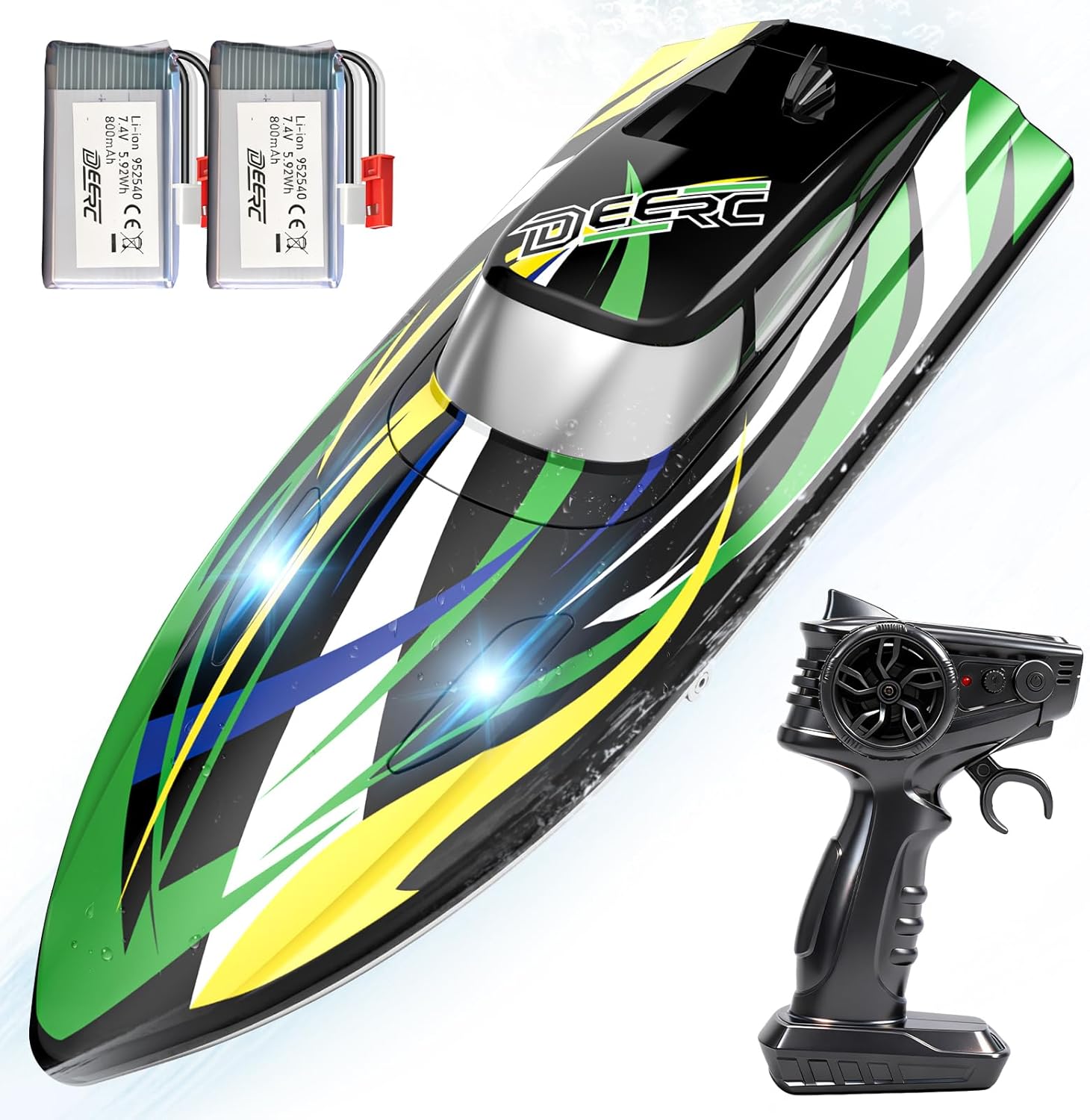
Image 1: The DEERC Fast RC Boat TX626 in action on the water.
2. What's Included
Verify that all components listed below are present in your package:
- 1 x RC Boat (TX626)
- 2 x 7.4V 800mAh Li-ion Batteries
- 1 x Remote Control
- 1 x USB Charging Cable
- 1 x Product Manual
- 1 x Screwdriver
- 1 x Hex Screwdriver
- 1 x Hex Wrench

Image 2: All components included in the DEERC Fast RC Boat TX626 package.
3. Safety Information
Adhere to the following safety guidelines to prevent injury or damage:
- Use under adult supervision.
- Keep away from small children.
- Do not operate in salt water.
- Avoid operating near swimmers or other watercraft.
- Ensure batteries are correctly installed and fully charged before each use.
- Do not touch the propeller while the boat is powered on.
- If the boat capsizes, use the self-righting function to flip it back over. Do not attempt to retrieve it by hand in deep water.
- Be aware of the 'Low Battery Reminder' and 'Over Distance Alarm' features to prevent loss of control.

Image 3: Visual indicators for low battery and over-distance alarm on the DEERC RC Boat TX626.
4. Setup
4.1 Battery Charging
Before first use, fully charge both 7.4V 800mAh Li-ion batteries using the provided USB charging cable. Connect the cable to a USB power source (e.g., computer, USB wall adapter). The indicator light on the cable will show charging status.

Image 4: The two included 7.4V 800mAh Li-ion batteries.
4.2 Battery Installation
- Open the battery compartment on the RC boat.
- Insert a charged battery into the compartment, ensuring correct polarity.
- Securely close the battery compartment to maintain waterproofing.
- Install batteries into the remote control as per its instructions.
4.3 Initial Pairing
Turn on the RC boat, then turn on the remote control. The remote and boat should automatically pair. If not, refer to the troubleshooting section.
5. Operating Instructions
5.1 Basic Controls
Use the remote control to navigate the boat:
- Throttle Lever: Push forward to accelerate, pull back to reverse.
- Steering Wheel: Turn left or right to steer the boat.

Image 5: The DEERC RC Boat TX626 and its 2.4GHz remote control for precise handling.
5.2 Special Features
- LED Lights: The boat is equipped with bright LED lights for enhanced visibility during evening operation.
- Self-Righting Function: If the boat capsizes, simply apply throttle forward and backward repeatedly to activate the self-righting mechanism, allowing the boat to flip back upright.

Image 6: The self-righting feature of the DEERC RC Boat TX626, allowing it to recover from capsizing.
5.3 Operating Environment
The DEERC Fast RC Boat is designed for use in fresh water environments such as pools, lakes, and ponds. Avoid operating in salt water or areas with strong currents or excessive debris.

Image 7: The DEERC RC Boat TX626 is suitable for use in pools, lakes, and ponds.
5.4 Official Product Video
Video 1: Official DEERC video showcasing the High Speed RC Boat TX626 in action, demonstrating its racing capabilities and fun on the water.
6. Maintenance
6.1 Cleaning
After each use, especially in fresh water, gently wipe down the boat with a soft, dry cloth. Ensure no water remains in the battery compartment or other internal areas. Allow the boat to air dry completely before storage.
6.2 Battery Care
- Always fully charge batteries before use.
- Do not overcharge or over-discharge batteries.
- Store batteries in a cool, dry place away from direct sunlight and extreme temperatures.
- Remove batteries from the boat and remote when not in use for extended periods.
6.3 Propeller Inspection
Regularly check the propeller for any debris (e.g., weeds, fishing line) that may hinder its rotation. Clean as necessary. If the propeller is damaged, replace it with a spare part.
6.4 Storage
Store the boat in a dry, cool environment. Use the included stand for display and to allow air circulation around the hull.
7. Troubleshooting
- Boat not responding: Ensure both boat and remote are powered on and batteries are charged. Re-pair the remote and boat if necessary.
- Boat not moving straight: Calibrate the steering trim on the remote control.
- Reduced speed/short playtime: Batteries may not be fully charged or are nearing the end of their lifespan. Ensure propellers are free of debris.
- Boat capsizes frequently: Ensure proper operation in calm waters. Utilize the self-righting function.
8. Specifications
| Feature | Detail |
|---|---|
| Brand Name | DEERC |
| Model Name | TX626 |
| Age Range Description | Youth (Manufacturer Minimum Age: 168 months) |
| Max Speed | 30+ KM/H |
| Batteries | 2 x 7.4V 800mAh Lithium-Ion (included) |
| Playtime | 24+ Minutes (with 2 batteries) |
| Control Frequency | 2.4GHz |
| Special Features | LED Lights, Self-Righting Function, Low Battery Reminder, Over Distance Alarm |
| Material Type | Acrylonitrile Butadiene Styrene (ABS) |
| Item Dimensions | 9.84 x 3.58 x 2.76 inches |
| Indoor/Outdoor Usage | Outdoor |
9. Warranty and Support
DEERC is committed to customer satisfaction. Every DEERC RC boat is backed by responsive after-sales service and a dedicated support team. For any setup, troubleshooting, or replacement part inquiries, please contact DEERC customer support. Refer to the product packaging or the official DEERC website for contact information.

