
1. Introduction
Thank you for choosing the ODSD Cordless Electric Lunch Box, Model BX80. This portable, self-heating food warmer is designed to provide hot meals on the go, perfect for adults in various settings such as worksites, offices, or outdoor activities. Featuring a 1.2L stainless steel container and a long-lasting battery, it ensures your food is warm and ready when you are.
2. Safety Instructions
- Do not immerse the main unit (containing the battery and heating elements) in water. Wipe clean with a damp cloth only.
- Ensure the lid of the stainless steel container is properly sealed before heating to prevent spills.
- Keep out of reach of children when operating, especially during heating cycles. Utilize the child lock mode if necessary.
- Use only the provided charging cable and power adapter.
- Do not operate if the device appears damaged or malfunctions.
- Avoid placing the lunch box on unstable surfaces during operation.
- Do not block the ventilation openings during use.
3. Product Components
The ODSD Cordless Electric Lunch Box BX80 package includes:
- 1 x ODSD Cordless Electric Lunch Box (Main Unit)
- 1 x Stainless Steel Food Container (1.2L)
- 1 x Sealing Lid for Food Container
- 1 x Insulated Carrying Bag
- 1 x Fork
- 1 x Spoon
- 1 x Charging Cable (1.2m, Type-C)
- 1 x Power Adapter
- 1 x Instruction Manual

Figure 1: All included components of the ODSD Cordless Electric Lunch Box.
4. Setup
4.1 Initial Charging
Before first use, fully charge the lunch box. Connect the provided Type-C charging cable to the lunch box and the power adapter to a wall outlet. The battery indicator on the display screen will show charging progress. A full charge is recommended for optimal performance.
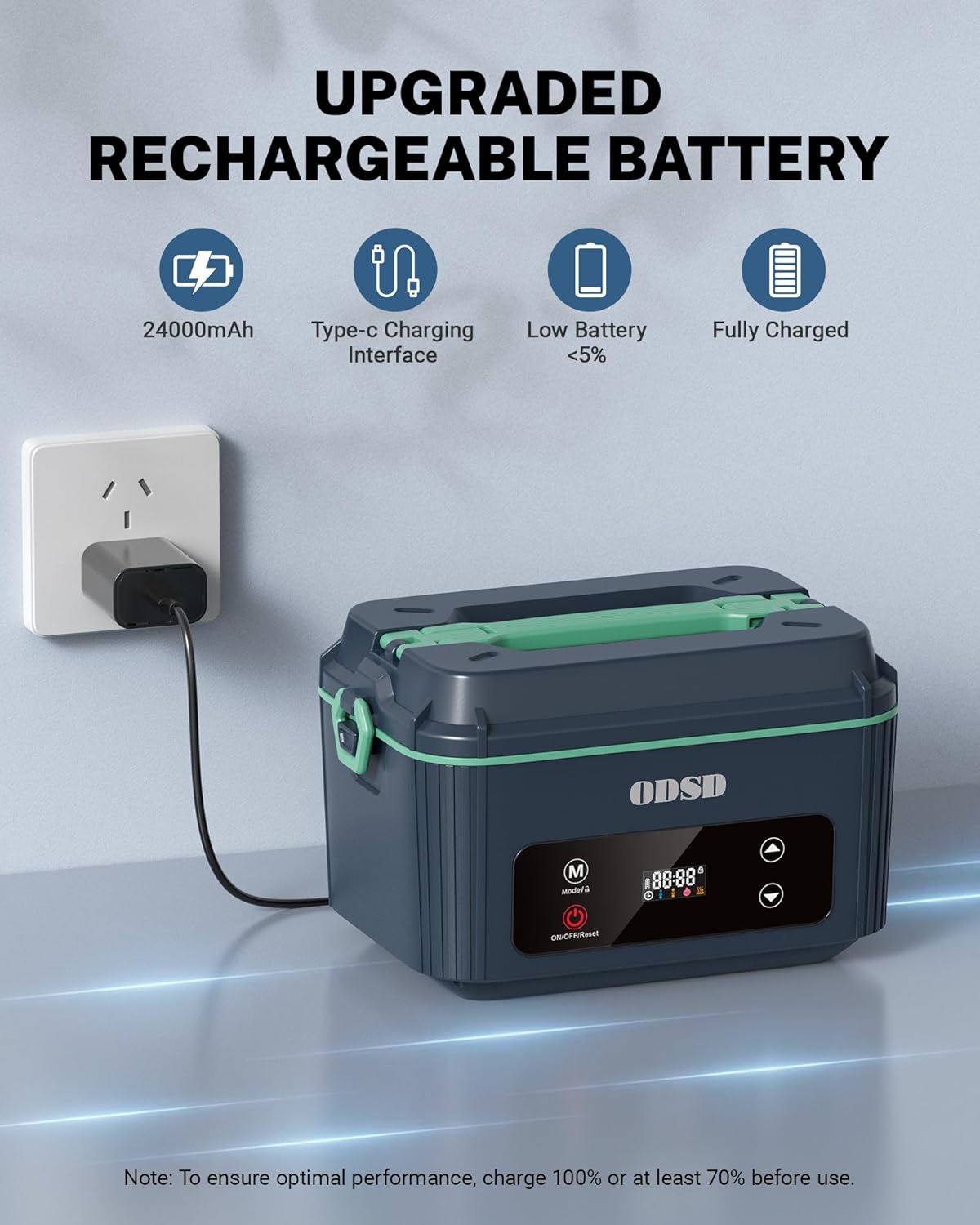
Figure 2: Charging the lunch box using the Type-C interface.
4.2 Preparing Food Container
Place your food into the stainless steel container. Ensure the container's sealing lid is securely fastened to prevent leaks during transport and heating. Then, place the sealed food container into the main unit of the lunch box.

Figure 3: Preparing your meal for heating.
5. Operating Instructions
5.1 Power On/Off
Long press the ON/OFF/Reset button to turn the device on or off. A short press of this button will reset the current settings.
5.2 Mode Selection
Short press the Mode (M) button to cycle through the available heating modes:
- Thaw Mode: For frozen foods.
- Room Temperature Mode: For foods at room temperature (approx. 40 minutes heating).
- Refrigerated Mode: For foods taken directly from the refrigerator (approx. 60 minutes heating).
- Keep Warm Mode: To maintain food temperature.
After the selected heating time, the device will automatically switch to keep warm mode for an additional 30 minutes.

Figure 4: The intuitive HD display screen for mode and time selection.
5.3 Smart Timer Function
The lunch box features a 12-hour smart reservation function. After selecting your desired mode, use the Up (▲) and Down (▼) buttons to set a delay time for heating to begin. The device will automatically start heating 40 minutes after the scheduled time and keep warm for 30 minutes after heating ends.
5.4 Child Lock Mode
To prevent accidental operation, long press the Mode (M) button to activate or deactivate the child lock mode. A lock icon will appear on the display when activated.
Video 1: An overview of the ODSD Cordless Electric Lunch Box features and operation.
6. Cleaning and Maintenance
- The main unit of the lunch box should not be cleaned with water. Wipe the exterior with a damp cloth if it gets dirty.
- The stainless steel food container, its lid, fork, and spoon are all dishwasher-safe. They can be removed for separate cleaning.
- Ensure all components are dry before reassembling or storing.

Figure 5: The removable stainless steel container is dishwasher safe for easy cleaning.
7. Troubleshooting
| Problem | Possible Cause | Solution |
|---|---|---|
| Device does not power on. | Low battery or not charged. | Charge the device fully using the provided adapter and cable. |
| Food is not heating. | Incorrect mode selected, timer not set, or container not properly placed. | Verify mode selection, ensure timer is active, and confirm the food container is correctly seated in the main unit. |
| Food is not warm enough. | Insufficient heating time or food was very cold/frozen. | Increase heating time or select the appropriate mode (e.g., Thaw for frozen items). |
| Leakage from container. | Lid not sealed properly. | Ensure the silicone sealing lid is firmly pressed down and secured. |
8. Specifications
- Brand: ODSD
- Model: BX80
- Material: Plastic, Stainless Steel
- Capacity: 1.2 Liters
- Battery: 12000mAh Lithium Ion (rechargeable)
- Heating Time: 30-40 minutes (depending on mode and food temperature)
- Keep Warm Duration: 30 minutes after heating cycle ends
- Special Features: Heated, Leak Resistant, 12-hour Smart Reservation, One-Button Operation, Child Lock Mode
- Product Dimensions: 8.5"L x 6"W x 5.5"H
- Item Weight: 1.6 ounces (Note: This weight seems unusually low for the product description and may be a data error. Please refer to product packaging for accurate weight.)

Figure 6: The 1.2L capacity container is suitable for a hearty meal.
9. Warranty and Support
For warranty information, product support, or any inquiries not covered in this manual, please refer to the contact details provided on the product packaging or visit the official ODSD website. Keep your purchase receipt for warranty claims.