
LocoLee Light Kit for Lego 10357 Shelby Cobra 427 S/C (Standard Version)
LocoLee LED Light Kit Instruction Manual
For Lego 10357 Shelby Cobra 427 S/C (Standard Version)
Introduction
This instruction manual provides detailed guidance for installing and operating your LocoLee LED Light Kit, designed specifically for the Lego 10357 Shelby Cobra 427 S/C model. This kit enhances your Lego model with custom lighting effects. Please note: The Lego model itself is not included with this light kit and must be purchased separately.

This light kit does not include the Lego model. The Lego model must be acquired separately.
Safety Information
- This product contains small parts and is not suitable for children under 3 years old due to choking hazards.
- Handle wires carefully. Do not pull wires excessively to avoid damage.
- Ensure the power source voltage is less than 5V.
- Batteries are not included. Use only recommended AAA batteries for the battery case.
- Always test each light component before final assembly.
Package Contents
Before beginning installation, please verify that all components listed below are present in your package:

Contents of the LocoLee LED Light Kit. The Lego model is not included.
- 4 x High-Brightness Light (15CM Warm White)
- 2 x Light (15CM Orange)
- 2 x Light (30CM Red)
- 1 x Touch Dimming Module (50CM)
- 1 x Connecting Cable (10CM)
- 1 x 6-Port Expansion Board
- 1 x AAA Battery Case (Batteries not included)
- 1 x Instruction Booklet (for online guide access)
Setup and Installation
This light kit is designed for easy integration with your Lego 10357 Shelby Cobra 427 S/C model. Detailed step-by-step instructions are available online via PDF and video guides.

Accessing the online installation guide for your light kit.
- Access Online Instructions: Refer to the instruction booklet included in your package for the website address. Visit the website and enter the model number (10357) or the code found on the packing box to find the specific PDF and video installation guides.
- Prepare Your Model: Carefully disassemble only the necessary bricks of your Lego 10357 model as indicated in the online guide to create space for the light fixtures and wires.
- Install Lights: Follow the step-by-step numbered light bags and instructions to install each LED light. Ensure wires are routed neatly and are not pinched.
- Connect Components: Connect the LED lights to the expansion board, and then connect the expansion board to the touch dimming module.
- Power Supply: Connect the touch dimming module to either a USB power source (less than 5V) or the AAA battery case (with 3x AAA batteries, not included). USB power typically provides brighter lights.
- Test Lights: Before fully reassembling your model, test all lights to ensure they are functioning correctly.
- Reassemble Model: Carefully reassemble the Lego bricks, ensuring no wires are damaged during the process.
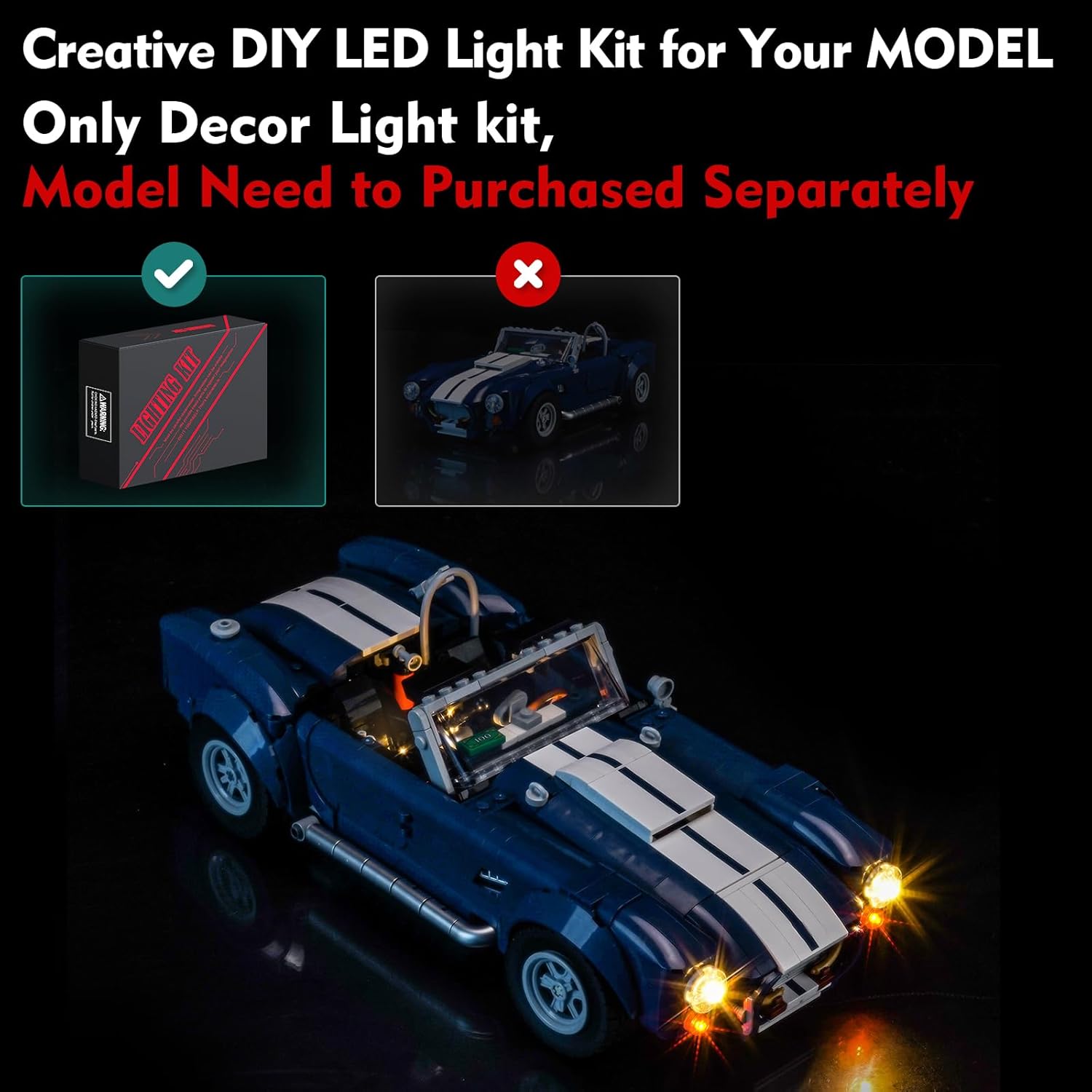
The Lego Shelby Cobra 427 S/C model illuminated with the LocoLee LED Light Kit.
Operating Instructions
Once installed, operating your LocoLee LED Light Kit is straightforward:

Operating the touch dimming module for power and brightness control.
- Power On/Off: Lightly touch the surface of the touch dimming module to turn the lights on or off.
- Adjust Brightness: To adjust the brightness, press and hold the touch dimming module. The brightness will cycle through different levels (e.g., 30%, 50%, 70%, 100%). Release your finger when the desired brightness is reached.

Before and after comparison of the Lego model with the light kit.
Maintenance
- Cleaning: Use a soft, dry cloth to gently wipe any dust from the LED lights and wires. Avoid using liquids or harsh chemicals.
- Wire Care: Periodically check wires for any signs of wear or damage. Ensure they remain securely connected and are not exposed to sharp edges.
- Power Source: If using the battery case, replace AAA batteries when lights dim significantly or stop working. Ensure correct battery polarity.
- Storage: If disassembling the light kit for storage, carefully disconnect components and store them in a dry, cool place away from direct sunlight.
Troubleshooting
- Lights Not Working:
- Check all wire connections to ensure they are secure.
- Verify the power source is connected and functioning (USB or fresh batteries).
- Ensure the touch dimming module is properly connected and activated.
- Confirm the power source voltage is less than 5V.
- Lights Are Dim:
- If using batteries, replace them with fresh ones.
- If using USB, ensure the power source provides sufficient current.
- Adjust brightness using the touch dimming module (long press).
- Flickering Lights:
- Check for loose connections, especially at the expansion board.
- Ensure wires are not damaged or pinched.
Specifications
| Feature | Detail |
|---|---|
| Product Dimensions | 6.06 x 1.26 x 3.98 inches (packaging) |
| Item Weight | 3.52 ounces |
| Material | Plastic (ABS) and Copper Wire |
| Power Input | USB (Voltage < 5V) or 3x AAA Batteries (not included) |
| Compatibility | Lego 10357 Shelby Cobra 427 S/C |
| Style | Standard Version |
Support
If you encounter any issues or have questions regarding your LocoLee LED Light Kit, please do not hesitate to contact us. We are committed to providing assistance and ensuring your satisfaction.
For further support, please refer to the contact information provided in your product packaging or on the website mentioned in the instruction booklet.
Ask a question about this manual
Ask about setup, troubleshooting, compatibility, parts, safety, or missing instructions. Manuals+ will review the question and use this page’s manual context to help answer it.