
1. Important Safety Information
Please read and understand this entire manual before attempting to assemble, operate, or install the product. Failure to follow these instructions may result in electric shock, fire, or serious personal injury.
- Electrical Safety: All wiring must be in accordance with national and local electrical codes. If you are unfamiliar with wiring, consult a qualified electrician.
- Mounting: Ensure the mounting structure can support the weight of the fan (8.84 pounds) and its accessories.
- Blade Clearance: Maintain a minimum clearance of 7 feet from the floor to the fan blades.
- Power Disconnection: Always disconnect power at the circuit breaker before installation or maintenance.
2. Package Contents
Verify that all parts are included in your package. If any parts are missing or damaged, do not attempt to assemble or install the product.
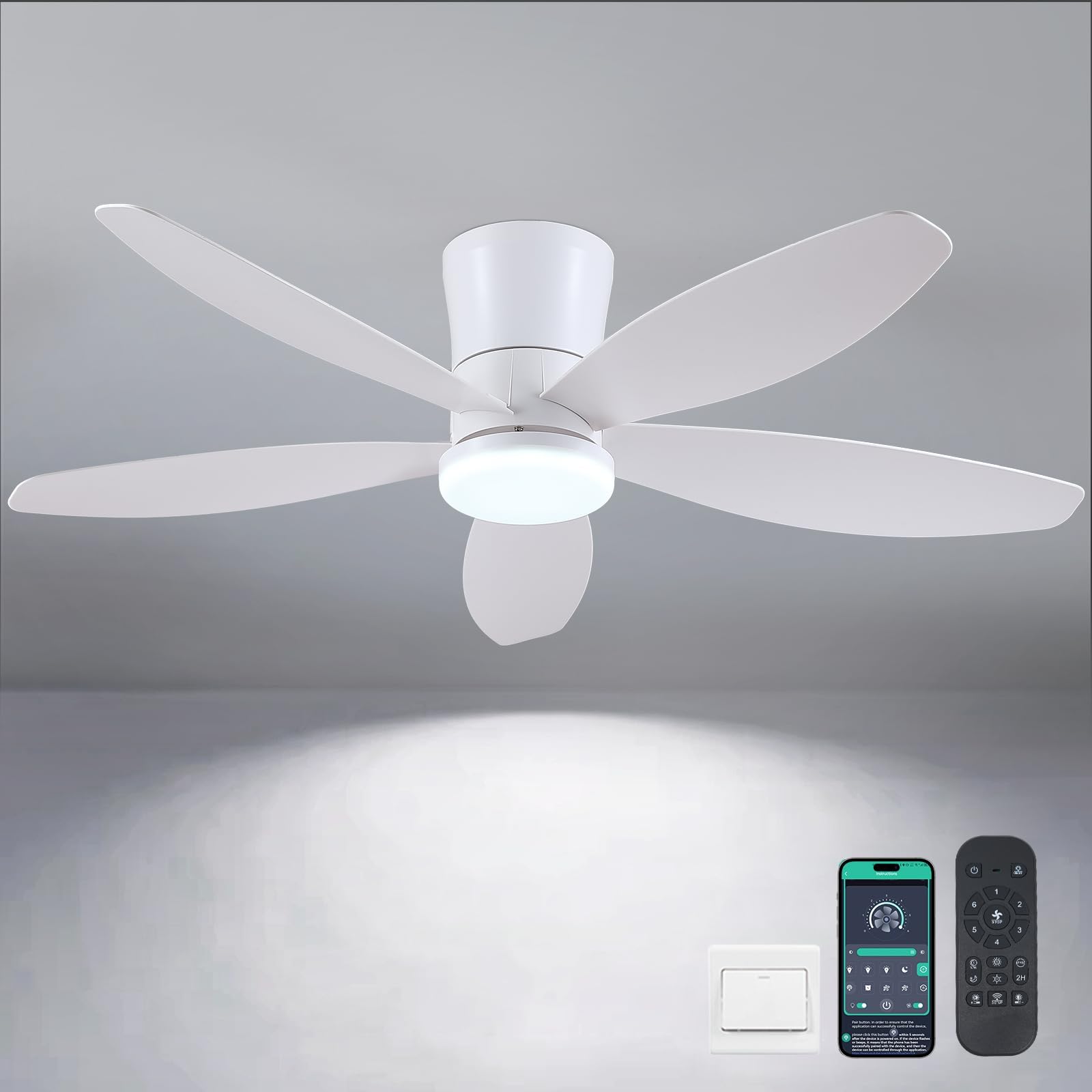
Image: All components of the Surtime 48-inch Ceiling Fan, including the motor body, blades, remote control, LED light kit, and mounting hardware, are laid out on a surface.
- Ceiling Fan Motor Body (1)
- Fan Blades (5)
- LED Light Kit (1)
- Remote Control (1)
- Mounting Bracket (1)
- Instruction Manual (1)
- Hardware Pack (screws, wire nuts, etc.)
3. Specifications
| Feature | Detail |
|---|---|
| Brand | Surtime |
| Model Name | 48IN-6666-White |
| Size | 48 inches |
| Color | White |
| Material | Acrylic |
| Power Source | DC |
| Voltage | 110.01 Volts |
| Special Features | App Operable, LED Light, Light Memory Function, Timer, DC Reversible Motor |
| Mounting Type | Ceiling Mount (Flush Mount) |
| Item Weight | 8.84 pounds |
| Product Dimensions | 48 x 48 x 15 inches |
4. Installation Guide
Follow these steps carefully for proper installation. It is recommended to have two people for certain steps.
4.1 Pre-Installation
- Turn off power at the circuit breaker.
- Ensure the ceiling junction box is securely mounted and capable of supporting the fan's weight.
4.2 Assembling the Fan
- Attach Blades: The fan features a "No installation Design" with innovative snap-in blades. Align each blade with its slot on the motor body and push until it clicks securely into place.
- Install LED Light Kit: Connect the wires from the LED light kit to the corresponding wires on the fan motor body. Secure the LED light kit to the fan motor body using the provided screws.
- Attach Lampshade: Gently twist the lampshade onto the fan motor body until it is secure.

Image: A detailed view of the fan's central hub, showing the LED light kit with multiple small LED bulbs and the attachment points for the fan blades.
4.3 Mounting the Fan
- Mounting Bracket: Secure the mounting bracket to the ceiling junction box using the screws provided in the hardware pack.
- Wiring: Carefully connect the electrical wires from the ceiling to the fan's wiring according to the wiring diagram in the included manual. Use the provided wire nuts to secure connections.
- Hang Fan: Lift the assembled fan and attach it to the mounting bracket. Ensure all connections are secure and the fan is properly seated.
4.4 Installation Videos
For visual guidance, please refer to the following installation videos provided by the seller:
Video: "8913 Ceiling Fan Installation Display" by Surtime Ceiling Fan Plaza. This video demonstrates the step-by-step installation process of a Surtime ceiling fan, including mounting the bracket, wiring, and attaching the fan body.
Video: "6669 ceiling fans with lights Installation" by Surtime Ceiling Fan Plaza. This video provides a detailed guide on installing the 6669 model ceiling fan with lights, covering assembly and electrical connections.
5. Operating Instructions
Your Surtime ceiling fan can be operated via the included remote control or a dedicated mobile application.
5.1 Remote Control Functions

Image: The Surtime 48-inch Ceiling Fan is shown with its remote control, highlighting features like 6 speeds, 3 color temperatures, 2/4-hour timer, and forward/reverse steering.
- Power On/Off: Press the power button to turn the fan and light on or off.
- Fan Speed: Select from 6 different wind speeds (1-2 for comfortable, 3-4 for natural, 5-6 for strong wind).
- Light Control: Adjust the LED light's brightness from 10% to 100%. Change color temperature between 3000K (Warm Light), 4500K (Natural Light), and 6000K (White Light).
- Reversible DC Motor: Switch between downdraft mode (summer) to create a cooling effect and updraft mode (winter) to circulate warm air.
- Timer: Set the fan to turn off automatically after 2 or 4 hours.
5.2 APP Control Setup & Functions
Control your fan conveniently from your smartphone using the dedicated app.
- Download App: Scan the QR code in the manual or search for "FanLamp Pro" in your app store.
- Pairing: Turn off the main power switch for the fan. Turn it back on and immediately click the pairing button within the app. The fan light will blink twice to confirm successful pairing.
- Functions: The app offers the same controls as the remote, including fan speed, light brightness, color temperature, reverse function, and timer settings.
Video: "6669 White APP Controls Connection Display" by Surtime Ceiling Fan Plaza. This video demonstrates how to connect and control the ceiling fan using the mobile application, showcasing various functions.
5.3 Smart Memory Function
The fan's LED light system includes a smart memory function. It saves your preferred brightness and color temperature settings. To activate, turn off the lights for at least 10 seconds. The next time you turn them on, your previous settings will be recalled. (Note: Turning on the light within 10 seconds will change the color temperature.)
6. Maintenance
Regular maintenance ensures optimal performance and longevity of your ceiling fan.
- Cleaning: To avoid damage to the finish, clean the fan with a soft, damp cloth. Do not use abrasive cleaners or harsh chemicals.
- Blade Inspection: Periodically check that all blade screws are tight.
- Light Source: The LED light kit is designed for long-term use and is not user-replaceable. If the light source fails, contact customer support.
7. Troubleshooting
If you experience issues with your fan, refer to the following common problems and solutions:
| Problem | Possible Cause | Solution |
|---|---|---|
| Fan does not start | No power to the fan; Loose wire connections; Remote control battery low. | Check circuit breaker; Verify all wire connections are secure; Replace remote control batteries. |
| Fan is noisy | Loose mounting screws; Loose blade screws; Improperly balanced blades. | Tighten all mounting and blade screws; Use a blade balancing kit (not included) if necessary. |
| Light does not work | Loose wire connection to LED kit; Faulty LED driver. | Check LED wire connections; Contact customer support for assistance. |
| Remote/APP not working | Remote battery low; Not paired correctly; Interference. | Replace remote batteries; Re-pair remote/app with the fan (refer to APP control setup); Ensure no strong interference sources nearby. |
8. Warranty and Support
Surtime ceiling fans come with a worry-free 1-year warranty on quality-related issues. If you encounter any problems or have questions, please do not hesitate to contact us.
- Contact: Refer to the contact information provided in your product packaging or on the Surtime official website for customer support.
- Online Resources: Visit the Surtime store on Amazon for additional FAQs and support.


