
Introduction
The Makayuron Smart Door Lock H06 offers advanced security and convenient access for your home, office, or apartment. This lock integrates multiple unlocking methods including fingerprint, passcode, IC card, mechanical key, and Bluetooth via the TTlock App. Designed for durability and ease of use, it provides a reliable and modern solution for door access control.
What's in the Box
Upon unboxing your Makayuron Smart Door Lock H06, please ensure all the following components are present:
- Smart Door Lock Unit (Front and Rear Panels)
- 4 x AA Batteries
- 6 x IC Cards
- 2 x Mechanical Keys
- Installation Manual
- Mounting Accessories (screws, spindle, etc.)
Key Features
- 5-in-1 Unlock Methods: Fingerprint, Passcode, IC Card, Mechanical Key, and TTlock App (Bluetooth).
- Fast & Accurate Fingerprint Recognition: Advanced biometric technology for quick and reliable access.
- Smart Home Integration: Real-time entry monitoring and temporary pass generation via 2.4GHz WiFi (requires separate gateway for remote WiFi access, Bluetooth is direct).
- Durable Construction: Industrial-grade aluminum material with a polished finish.
- Auto-Locking Function: Enhances security by automatically locking the door after a set period.
- Emergency Power: USB port for emergency power supply if batteries are depleted.
- Low Battery Alert: Audible warning when battery power is low.
Setup and Installation
Proper installation is crucial for the optimal performance of your smart door lock. Please follow the detailed instructions provided in the included physical manual for precise steps. Below are general guidelines and important considerations.
Pre-Installation Checks:
- Ensure your door thickness is between 35-60 mm.
- Verify compatibility with 4585 mortise and tenon.
- Gather necessary tools (screwdriver, drill if needed, measuring tape).
General Installation Steps:
- Remove your existing door lock hardware.
- Install the mortise lock into the door edge.
- Mount the exterior panel, ensuring the spindle and cables are correctly routed.
- Install the interior panel, connecting the cables and securing it to the exterior panel.
- Insert the 4 AA batteries into the battery compartment.
- Test the lock's basic functions (handle movement, manual locking).
Initial Setup with TTlock App:
- Download the "TTlock" app from your smartphone's app store.
- Create an account and log in.
- Enable Bluetooth on your smartphone.
- In the app, tap "Add Lock" and select "Door Lock".
- Follow the on-screen instructions to pair your lock with the app. This typically involves touching the keypad or pressing a button on the lock.
- Once paired, you can set up administrator fingerprints, passcodes, and IC cards through the app.

Image: Mobile phone APP control. The TTlock app allows for user management, one-time codes, recurring access, and lock opening records.
Operating Instructions
The Makayuron Smart Door Lock H06 offers multiple convenient ways to unlock your door.
Unlocking Methods:
- Fingerprint: Place your registered finger on the fingerprint sensor. The lock will unlock upon successful recognition.
- Passcode: Enter your registered passcode on the keypad, followed by the '#' key.
- IC Card: Present a registered IC card to the card reader area on the lock.
- Mechanical Key: Insert the mechanical key into the hidden keyhole and turn to unlock. This is for emergency use.
- TTlock App (Bluetooth): Open the TTlock app on your smartphone, ensure Bluetooth is enabled, and tap the unlock icon when near the lock.

Image: Multiple Choice for Opening. This image demonstrates the various ways to unlock the Makayuron Smart Door Lock H06.
Locking the Door:
- Automatic Locking: The lock will automatically engage after a preset time once the door is closed.
- Manual Locking: Lift the handle upwards from the outside or inside to engage the deadbolt.

Image: Auto Lock & one Touch Locking. The smart lock provides convenience with its automatic locking feature.

Image: Fingerprint Quick Unlock. The lock features rapid fingerprint identification with high accuracy.
Maintenance
To ensure the longevity and optimal performance of your Makayuron Smart Door Lock H06, follow these maintenance guidelines:
- Battery Replacement: The lock is powered by 4 AA batteries. When you hear a low battery warning signal, replace all four batteries promptly. The lock can operate for at least 4 months on a fresh set of batteries.
- Emergency Power: If the batteries completely drain, you can use an external power bank connected to the USB emergency charging port on the exterior panel to temporarily power the lock for unlocking. This port is for emergency power only, not for charging the internal batteries.
- Cleaning: Wipe the lock's surface with a soft, dry cloth. Avoid using abrasive cleaners or solvents that could damage the finish or electronic components.
- Key Storage: Always keep your spare mechanical keys in a secure location outside the property, accessible only in emergencies.
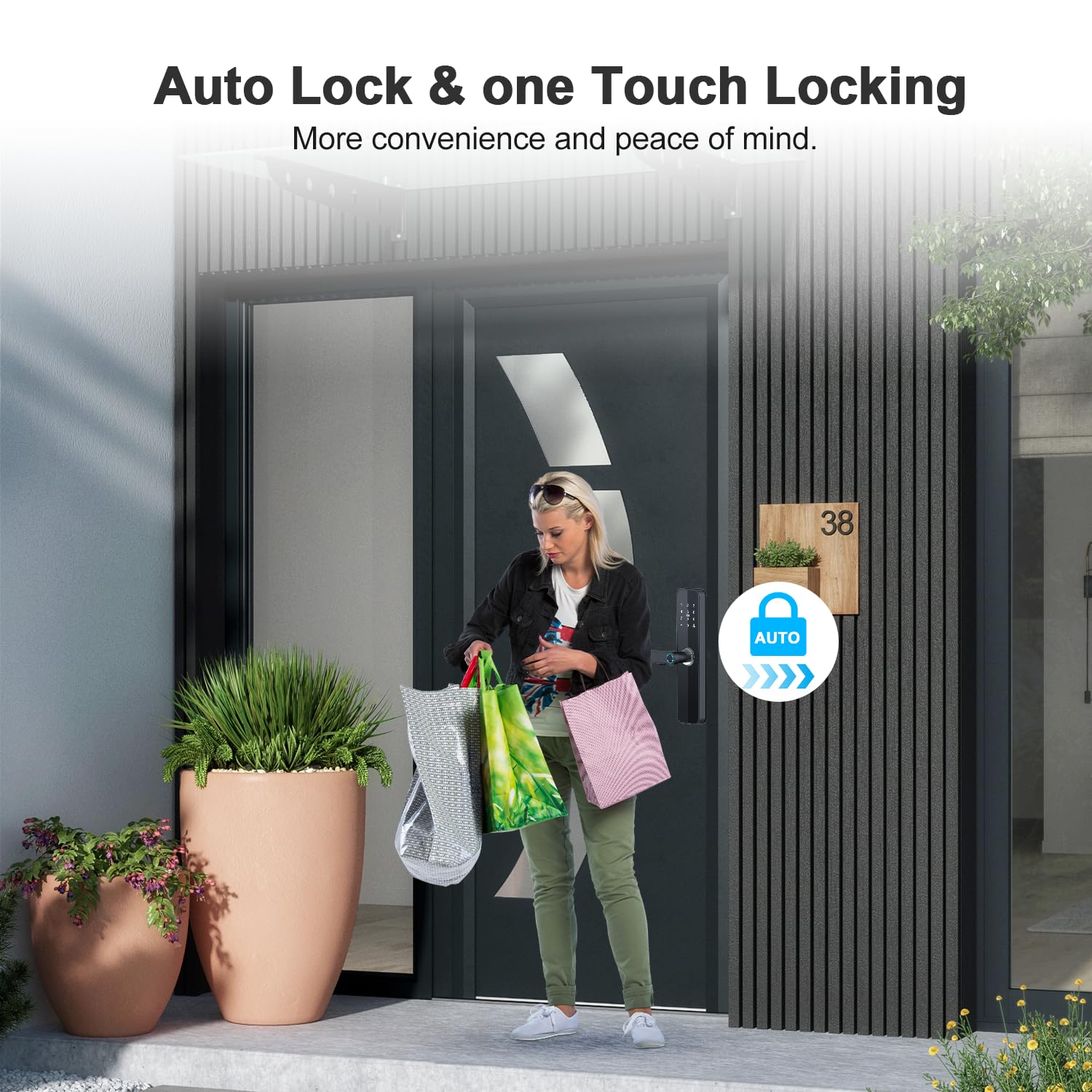
Image: Emergency charging port. This port allows temporary power supply via a power bank if the internal batteries are depleted.

Image: Large Capacity Rechargeable Battery. The lock is powered by 4 AA batteries, providing extended operation.
Troubleshooting
If you encounter issues with your Makayuron Smart Door Lock H06, refer to the following common problems and solutions:
- Lock is unresponsive / No power:
- Check if the batteries are correctly installed and not depleted. Replace with new AA batteries if necessary.
- Use the emergency USB power port with a power bank to temporarily power the lock.
- Use the mechanical key to unlock the door.
- Fingerprint not recognized:
- Ensure your finger is clean and dry.
- Place your finger flat on the sensor, covering the entire area.
- Try re-registering your fingerprint through the TTlock app.
- If the system freezes, try removing and reinserting the batteries to reset.
- Passcode not working:
- Verify you are entering the correct passcode followed by '#'.
- Check if the passcode has expired (for temporary passcodes).
- Reset the passcode via the TTlock app.
- IC Card not working:
- Ensure the card is correctly presented to the card reader.
- Verify the IC card is registered and active in the TTlock app.
- TTlock App connection issues:
- Ensure Bluetooth is enabled on your smartphone and you are within range of the lock.
- Restart the TTlock app.
- Check if the lock's batteries are low.
- If using a WiFi gateway for remote access, ensure the gateway is properly configured and connected to your home network.
Specifications
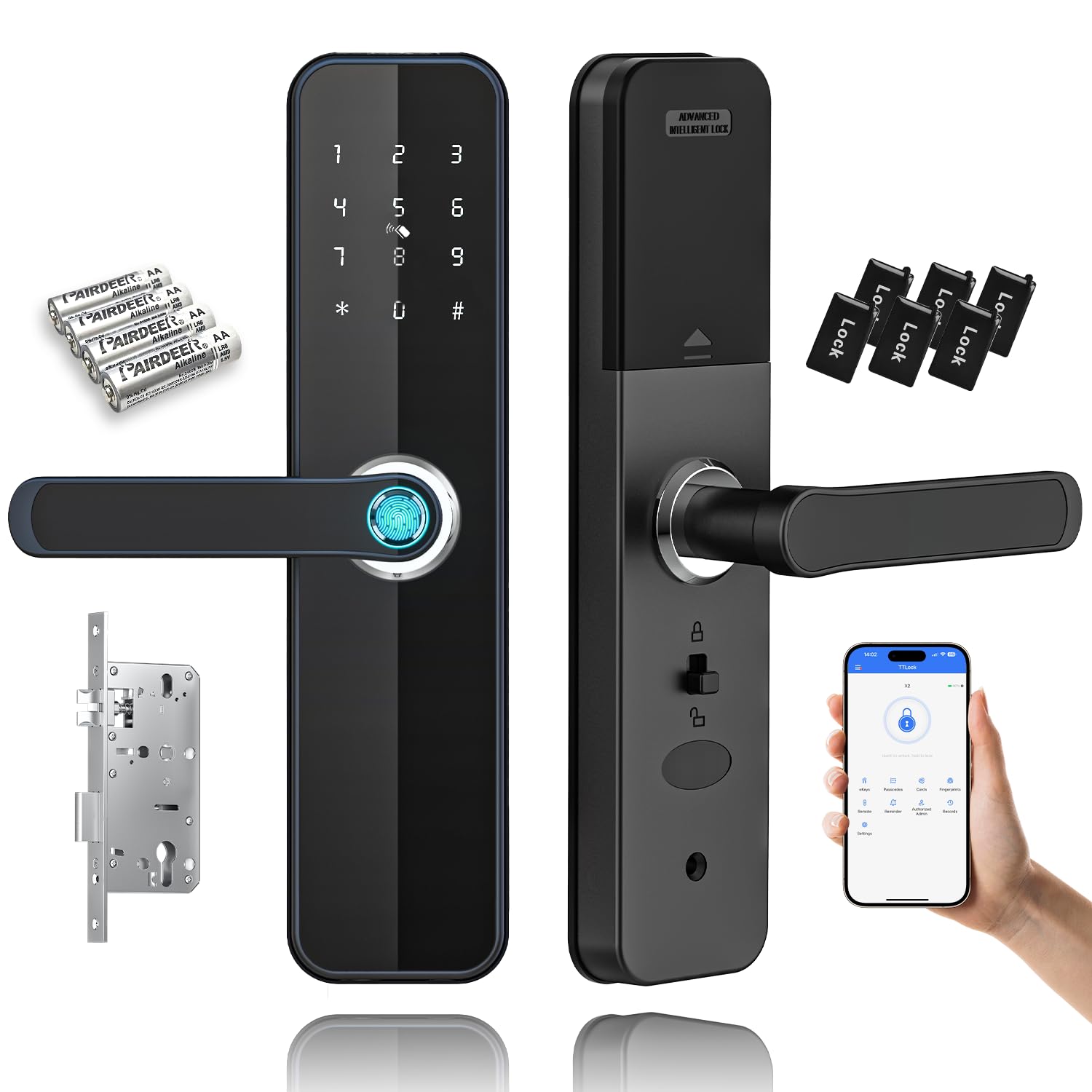
Image: LOCK PARAMETERS Features. This image provides a visual overview of the lock's dimensions and key specifications.
| Feature | Detail |
|---|---|
| Product Model | H06 |
| Dimensions (L x W x H) | 280mm x 66mm x 132mm (approx. 28 x 6.6 x 13.2 cm) |
| Material | Aluminium Alloy |
| Working Power | 6V (4 x AA Alkaline Batteries) |
| Working Humidity | 0% - 90% |
| Working Temperature | -20°C to 60°C |
| Door Thickness Compatibility | 35mm - 60mm |
| Fingerprint Capacity | Up to 100 |
| Passcode Capacity | Up to 100 |
| IC Card Capacity | Up to 100 |
| Unlock Methods | Fingerprint, Passcode, IC Card, Mechanical Key, TTlock App (Bluetooth) |
| Emergency Power | USB Port |
| Recommended Use | Home, Hotel, Office, Apartment, Bedroom |
| Connectivity | Bluetooth (TTlock App) |
Warranty and Support
For warranty information and technical support, please refer to the warranty card included with your product or contact Makayuron customer service directly. Details for contacting support are typically found on the product packaging or the manufacturer's official website.
When contacting support, please have your product model (H06) and purchase details readily available.