
1. Introduction
The HALIDODO Red Light Therapy and Vibration Massage Knee Brace is designed to provide comfort and support for various body areas, including the knee, joint, elbow, and shoulder. This device combines 660nm red light and 850nm near-infrared technology with vibration massage and heat to promote overall wellness and recovery.
Legal Disclaimer: Statements regarding dietary supplements have not been evaluated by the FDA and are not intended to diagnose, treat, cure, or prevent any disease or health condition.
2. Safety Information
Please read all safety instructions before using the device. Improper use may result in injury or device malfunction.
- Consult a healthcare professional before use if you have any pre-existing medical conditions, are pregnant, or have sensitive skin.
- Do not use on open wounds, broken skin, or areas with severe inflammation.
- Keep out of reach of children.
- Do not immerse the device in water or other liquids.
- Discontinue use if you experience any discomfort or adverse reactions.
- Ensure the device is fully charged before initial use.
3. Product Components
The package includes the following items:
- 1 x Red Light Massage Knee Pad
- 1 x Power Controller (Non-removable)
- 1 x Extension Belt
- 1 x USB-C Power Cord
- 1 x User Manual
- 1 x Storage Bag
4. Setup
4.1 Charging the Device
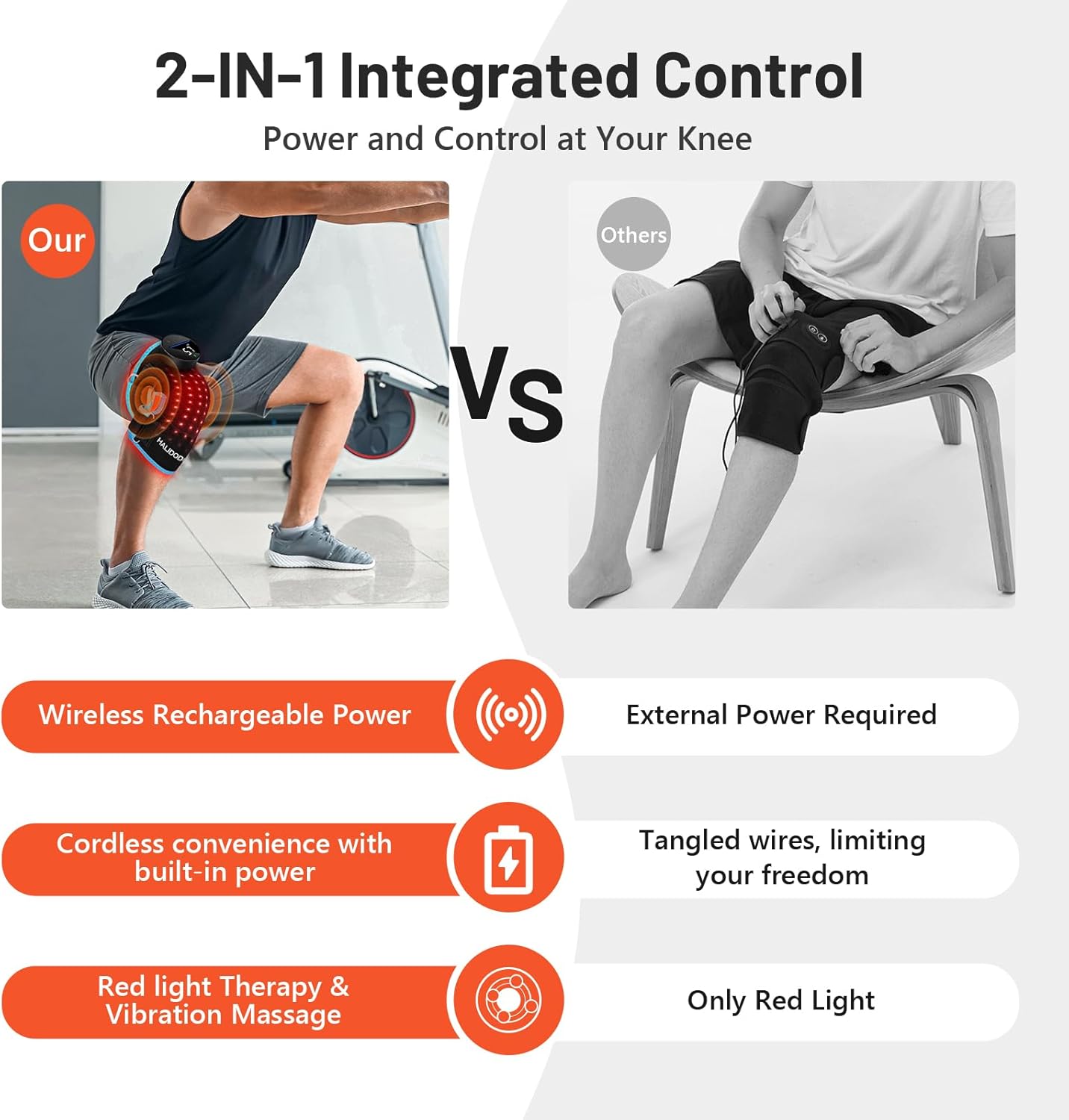
Before first use, fully charge the device using the provided USB-C power cord. The built-in 2500 mAh battery provides an average operating time of 1-2 hours, depending on the selected intensity levels.
4.2 Attaching the Brace
The knee brace features adjustable straps and an optional extension belt to ensure a comfortable and secure fit on various body parts, including the knee, elbow, or shoulder.
- Position the brace over the desired area (e.g., knee).
- Secure the straps firmly but comfortably using the hook-and-loop fasteners.
- If needed, attach the extension belt to achieve a larger circumference.

5. Operating Instructions
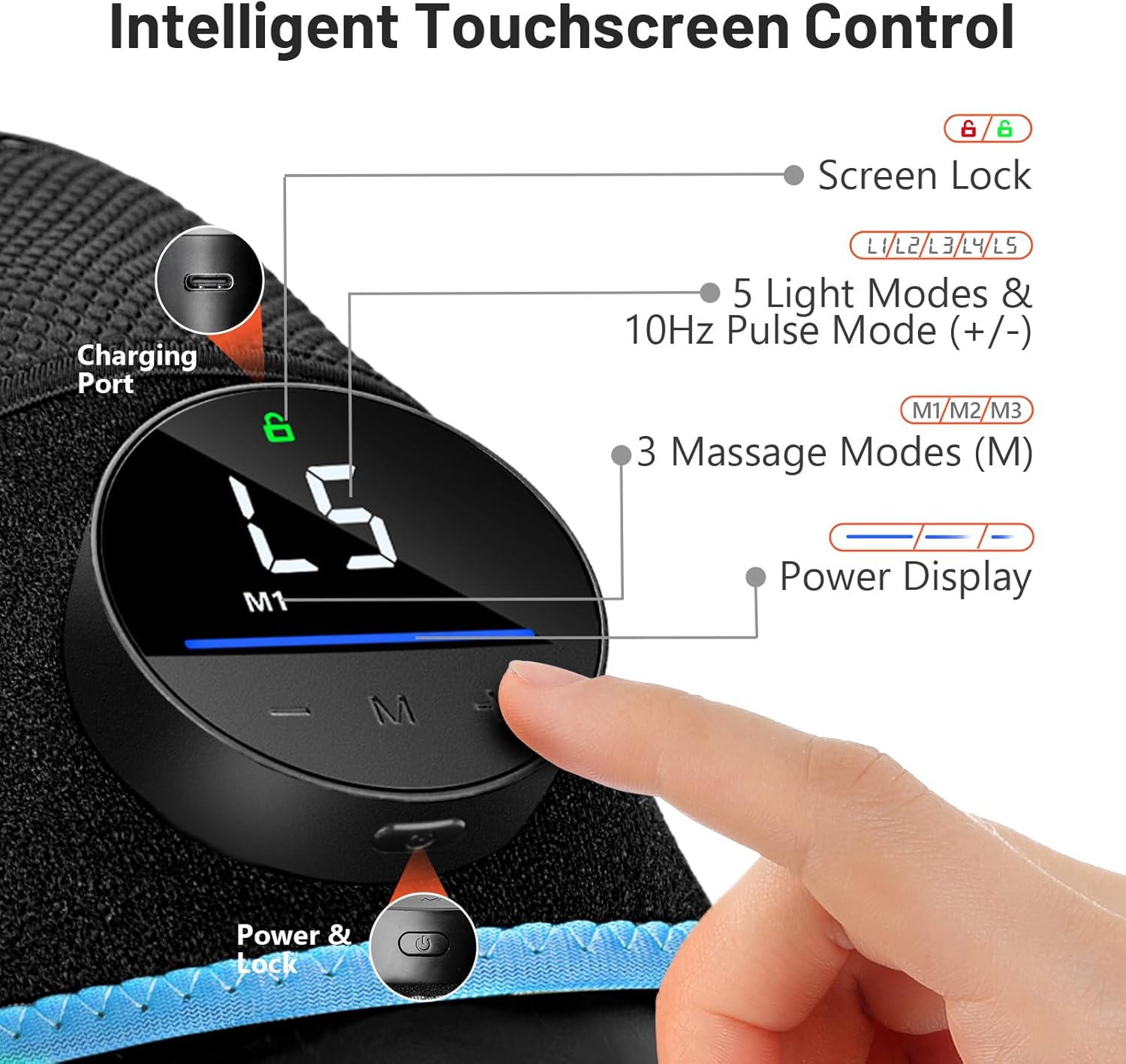
The device features an intelligent touchscreen control for easy operation.
5.1 Power On/Off
- Press and hold the power button on the control panel to turn the device on or off.
- The display will illuminate, indicating the current settings.
5.2 Red Light Therapy Modes
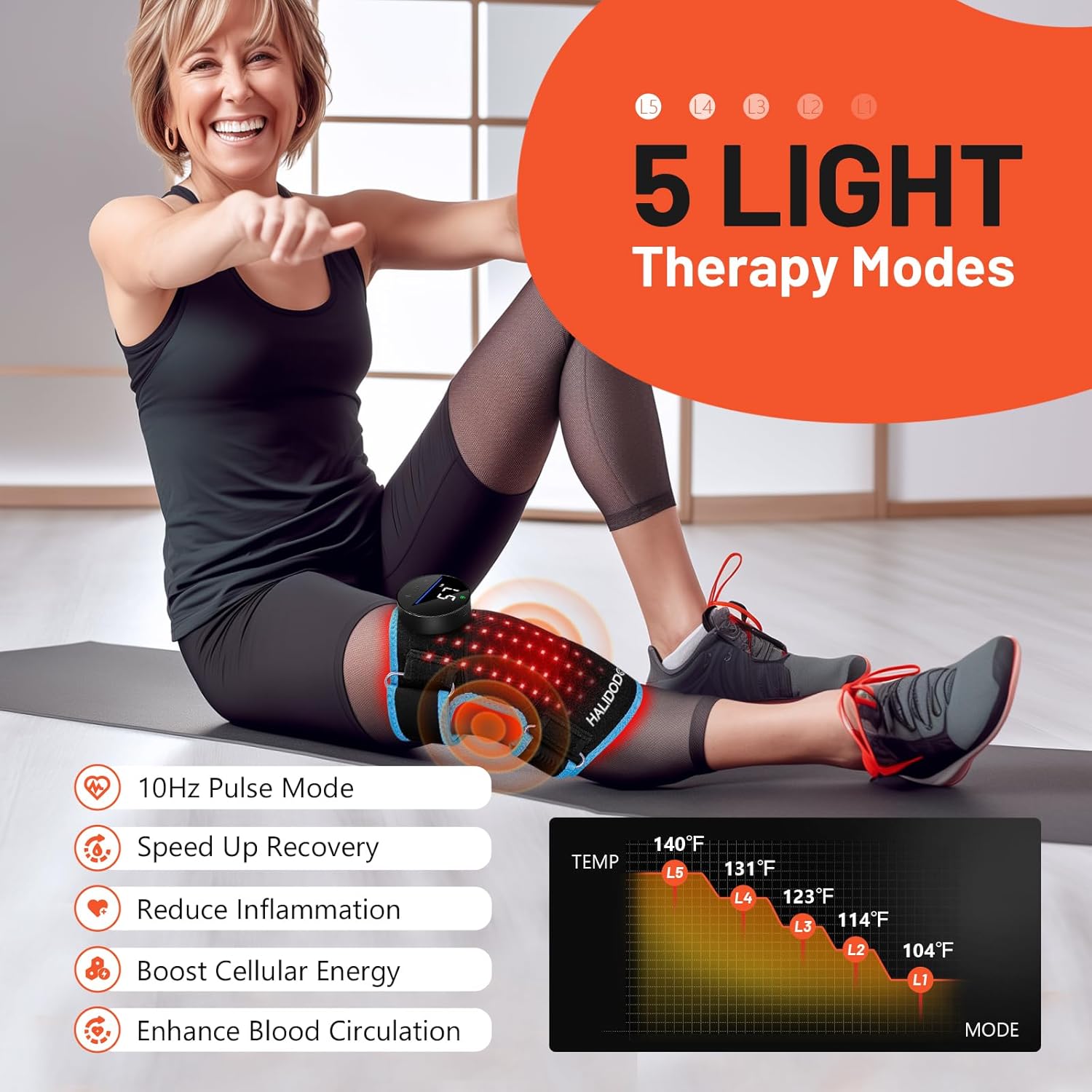
The device offers 5 light therapy modes, combining 660nm red light and 850nm near-infrared light, along with a 10Hz pulse mode.
- Use the '+' and '-' buttons to cycle through the 5 light modes (L1-L5) and adjust intensity.
- The 660nm red light is absorbed for surface skin rejuvenation and healthy skin support.
- The 850nm near-infrared light penetrates deeper to promote comfort, relaxation, and post-activity recovery.
- A 10Hz pulse mode is available for deeper tissue treatment, stimulating blood circulation and reducing edema.

5.3 Vibration Massage Modes
Select from 3 levels of vibration massage to target tightness and promote circulation.
- Press the 'M' button to cycle through the massage modes (M1-M3).
- M1 (Gentle): Improved blood circulation.
- M2 (Smoothing): Relieves joint and muscle tension and stiffness.
- M3 (Powerful): Stimulates deep tissues and alleviates discomfort.

5.4 Heated Function
The device features five independent heating zones to ensure consistent and comprehensive warmth coverage, boosting circulation and supporting natural recovery.
5.5 Auto-Timer
The device is equipped with a 20-minute auto-timer to ensure precise control over treatment duration and prevent overuse.

5.6 Versatile Application
The flexible design allows the brace to be used on various body parts beyond the knee, such as the elbow and shoulder, providing targeted relief wherever needed.

6. Maintenance
6.1 Cleaning
To clean the brace, gently wipe the surface with a damp cloth. Do not use harsh chemicals or abrasive cleaners. Ensure the device is completely dry before storing or recharging.
6.2 Storage
Store the device in a cool, dry place away from direct sunlight and extreme temperatures. Use the provided storage bag to protect the brace when not in use.
7. Troubleshooting
7.1 Device Not Turning On
- Ensure the device is fully charged. Connect it to a power source using the USB-C cable and allow sufficient time for charging.
- Press and hold the power button for a few seconds to activate.
7.2 Light or Vibration Not Working
- Check the selected mode on the touchscreen control. Adjust the light (L1-L5) or massage (M1-M3) settings.
- Ensure the device is securely fastened to the body part, as proper contact is necessary for optimal function.
8. Specifications
| Feature | Detail |
|---|---|
| Model Number | B0FFVN58NP |
| Brand | HALIDODO |
| Light Wavelengths | 660nm (Red Light), 850nm (Near-Infrared Light) |
| Vibration Modes | 3 Levels (Gentle, Smoothing, Powerful) |
| Heating Zones | 5 Independent Zones |
| Battery Capacity | 2500 mAh Lithium Ion (included) |
| Charging Port | USB-C |
| Auto-Timer | 20 Minutes |
| Package Dimensions | 8.35 x 5.63 x 3.27 inches |
| Weight | 1 Pound |
| Date First Available | June 27, 2025 |
9. Warranty and Support
HALIDODO is committed to providing high-quality products and customer satisfaction.
- Return Policy: Enjoy a 90-day return policy.
- Warranty: The device comes with a one-year guarantee.
- Customer Support: 24/7 professional customer support is available for any assistance or inquiries.
For support, please refer to the contact information provided in your product packaging or visit the official HALIDODO website.