
1. Introduction
The MELONARE MX-1 is a plug-on UHF 900MHz XLR wireless microphone adapter system designed to provide stable, cable-free audio transmission for various professional audio setups. This system includes both a transmitter and a receiver, offering enhanced mobility and superior sound clarity for applications such as live performances, band rehearsals, live streaming, and parties. It features a switchable +48V phantom power supply, making it compatible with both dynamic and condenser microphones.
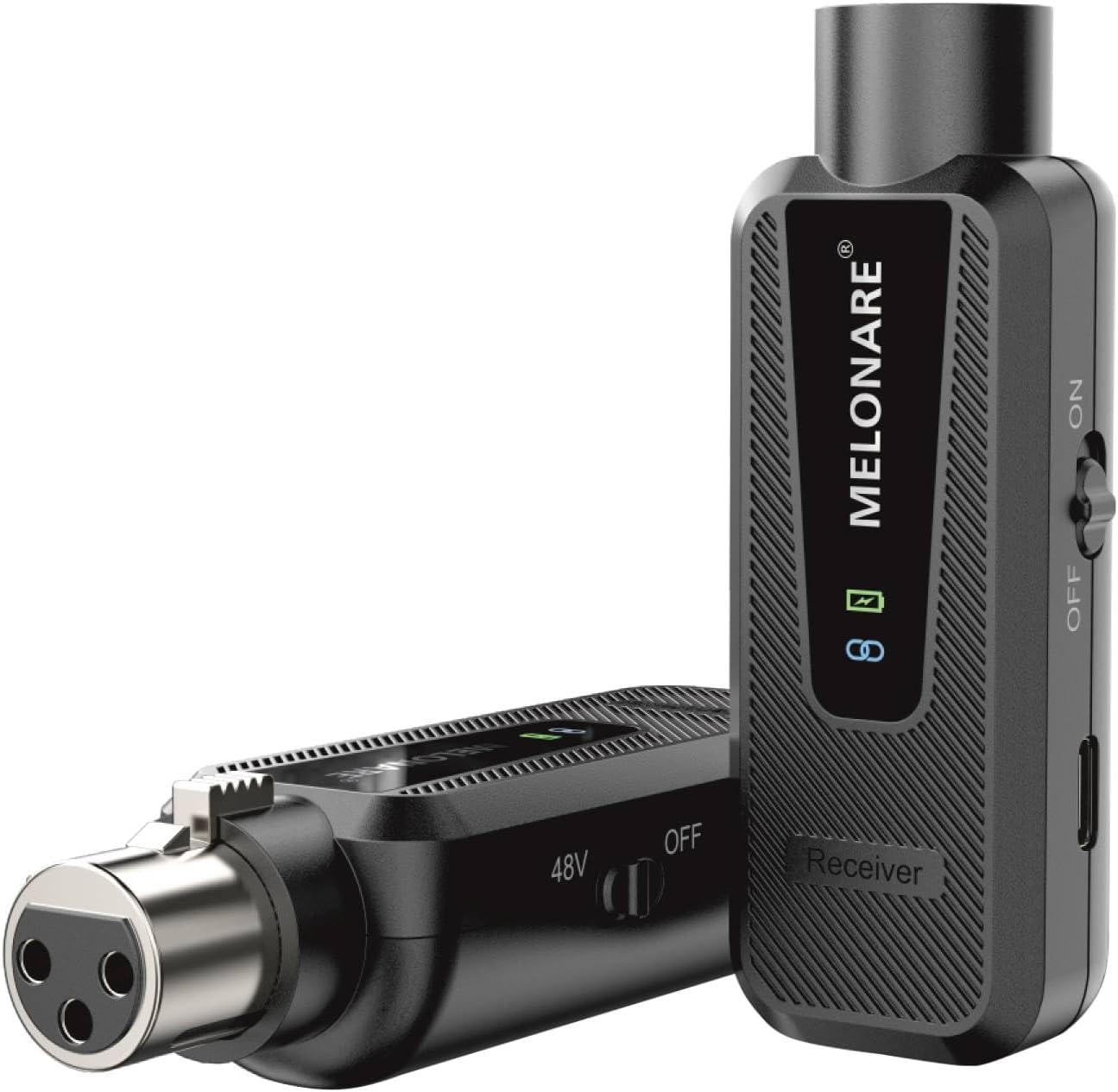
Figure 1.1: The MELONARE MX-1 XLR Wireless Microphone Adapter System, showing both the transmitter and receiver units.
2. Key Features
- 164ft Wireless Freedom: Operates on a 900MHz UHF frequency band, avoiding interference from crowded 2.4GHz and 500MHz bands. Offers 10 selectable frequencies and a transmission range of up to 164 feet (50 meters).
- Superior Sound Clarity: Features a 24bit/48kHz sampling rate and over 100dB dynamic range, ensuring rich sound details and accurate pickup with less than 0.5% distortion.
- Switchable +48V Phantom Power: Provides full support for condenser microphones. Can be turned off for use with dynamic microphones to conserve power.
- Easy Power Monitoring: Equipped with a built-in 450mAh rechargeable battery offering up to 5 hours of continuous use. A 4-level LED indicator (100%, 75%, 50%, 25%) provides precise battery life feedback.
- Stable & Portable Design: Lightweight design reduces hand fatigue. Flat-edged body prevents rolling and ensures stability on flat surfaces. Reinforced connector provides a secure fit.

Figure 2.1: Diagram illustrating the wireless performance capabilities, including range and frequency band.

Figure 2.2: Visual representation of the audio quality specifications.
3. Package Contents
Please check the box for the following items:
- 1 x MELONARE MX-1 Transmitter
- 1 x MELONARE MX-1 Receiver
- 1 x 2-in-1 USB Charging Cable
- 1 x User Manual
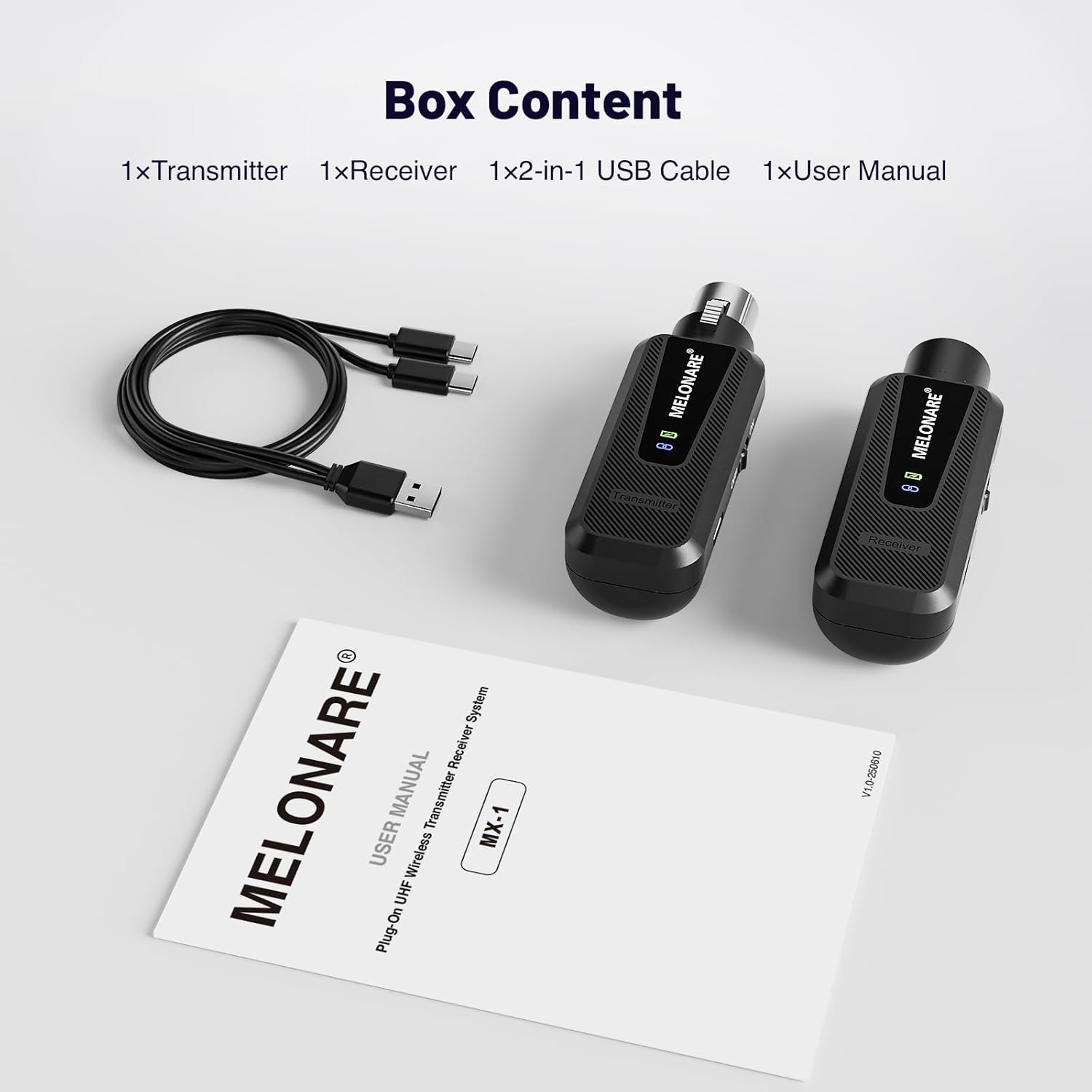
Figure 3.1: All items included in the product package.
4. Setup Instructions
4.1 Charging the Devices
Before first use, fully charge both the transmitter and receiver using the provided 2-in-1 USB charging cable. Connect the cable to a standard USB power adapter (not included) or a computer USB port.
- The LED indicator will show charging status.
- A full charge provides up to 5 hours of continuous use. Note that using +48V phantom power will reduce battery life.

Figure 4.1: Battery charging and indicator levels.
4.2 Connecting the Transmitter
- Identify the transmitter unit (often labeled "Transmitter" or with an input icon).
- Plug the XLR connector of the transmitter directly into the XLR output of your wired microphone. Ensure a secure fit.
- If using a condenser microphone, locate the +48V phantom power switch on the transmitter and slide it to the "ON" position. For dynamic microphones, ensure this switch is in the "OFF" position to conserve battery.

Figure 4.2: Detail of the +48V phantom power switch.
4.3 Connecting the Receiver
- Identify the receiver unit (often labeled "Receiver" or with an output icon).
- Plug the XLR connector of the receiver into the XLR input of your audio mixer, PA system, or other audio interface.
5. Operating Instructions
5.1 Powering On/Off
Locate the power switch on both the transmitter and receiver units. Slide the switch to the "ON" position to power on the devices. Slide to "OFF" to power them down.
5.2 Pairing and Frequency Selection
The MX-1 system is designed for automatic pairing. Once both the transmitter and receiver are powered on, they will automatically attempt to establish a connection on an available frequency.
- The system offers 10 selectable UHF 900MHz frequencies to avoid interference.
- Refer to the device's display or indicators for current frequency status. If interference occurs, power cycle both units to allow them to select a different clear frequency.
5.3 Monitoring Battery Life
The built-in LED indicator provides real-time battery status:
- Green light: 75% - 100% battery
- Yellow light: 50% - 74% battery
- Orange light: 25% - 49% battery
- Red light: 1% - 24% battery (recharge soon)
Recharge the devices promptly when the indicator shows low battery to ensure uninterrupted operation.
6. Maintenance
- Cleaning: Use a soft, dry cloth to clean the exterior of the devices. Do not use liquid cleaners or solvents.
- Storage: Store the devices in a cool, dry place away from direct sunlight and extreme temperatures when not in use.
- Battery Care: For optimal battery longevity, avoid fully discharging the battery frequently. If storing for extended periods, charge the battery to about 50% every few months.
- Handling: Handle the units with care. The flat-edged design helps prevent rolling, but avoid dropping or subjecting them to strong impacts.
7. Troubleshooting
| Problem | Possible Cause | Solution |
|---|---|---|
| No sound output. |
|
|
| Interference or static. |
|
|
| Short battery life. |
|
|
8. Specifications
| Feature | Detail |
|---|---|
| Brand | MELONARE |
| Model | MX-1 |
| Color | Black |
| Material | Acrylonitrile Butadiene Styrene (ABS) |
| Connector Type | XLR Connector |
| Wireless Frequency | UHF 900MHz Band |
| Transmission Range | Up to 164 feet (50 meters) |
| Selectable Frequencies | 10 |
| Sampling Rate | 24bit/48kHz |
| Dynamic Range | >100dB |
| Frequency Response | 60-18000Hz |
| Distortion | <0.5% |
| Battery Type | Built-in Rechargeable Lithium-ion |
| Battery Capacity | 450mAh |
| Battery Life | Up to 5 hours (runtime may decrease with +48V phantom power active) |
| Phantom Power | Switchable +48V |
| UPC | 810164760494 |
9. Usage Scenarios
The MELONARE MX-1 is versatile and suitable for a variety of audio applications:
- Live Performances
- Band Rehearsals
- Live Streaming
- Parties and Events
- Studio Recording (for mobility)

Figure 9.1: Examples of environments where the MX-1 system can be effectively used.