
Introduction
Thank you for choosing the Dyurwa ZY02 Portable Bluetooth Speaker. This manual provides essential information for setting up, operating, and maintaining your speaker to ensure optimal performance and longevity. The Dyurwa ZY02 offers wireless stereo sound, IPX7 waterproofing, dynamic RGB lights, and TWS pairing capabilities, making it ideal for various environments including outdoors, home parties, travel, and beach use.
What's in the Box
- 1 x Dyurwa Bluetooth Speaker
- 1 x User Manual
- 1 x Power Cable (Micro USB)
Setup
Charging the Speaker
Before first use, fully charge your Dyurwa ZY02 speaker. Connect the included Micro USB cable to the charging port on the speaker and a compatible USB power adapter (not included). A full charge typically takes 2-3 hours. The speaker features up to 12 hours of playtime, which may vary based on volume levels and light settings.

Image: The Dyurwa ZY02 speaker highlighting its 12-hour battery life, with a note that continuous playtime is achieved under 50% volume and light-off settings.
Bluetooth Pairing
- Power On: Press and hold the Power button (⏻) on the speaker until you hear an audible prompt and the LED indicator flashes.
- Activate Bluetooth: On your mobile phone, tablet, or other Bluetooth-enabled device, go to the Bluetooth settings and enable Bluetooth.
- Select Device: Look for 'Dyurwa ZY02' in the list of available devices and select it to pair.
- Confirmation: Once successfully paired, you will hear a confirmation tone, and the LED indicator will turn solid blue.

Image: The Dyurwa ZY02 speaker wirelessly connected to a smartphone and a television, illustrating its Bluetooth 5.3 rock-solid connection for instant, skip-free pairing.
True Wireless Stereo (TWS) Pairing
To achieve a true stereo sound experience, you can pair two Dyurwa ZY02 speakers together:
- Ensure both speakers are powered on and not connected to any other Bluetooth device.
- On one speaker (this will be the primary speaker), press and hold the TWS pairing button (often indicated by an infinity symbol or two interlocking circles) for a few seconds.
- The primary speaker will search for the secondary speaker. Once connected, you will hear a confirmation tone.
- Now, connect your device to the primary speaker via Bluetooth as described above. Both speakers will play audio in stereo.
Operating the Speaker
Button Functions
The Dyurwa ZY02 features intuitive controls on its top panel:
- Power Button (⏻): Press and hold to power on/off. Short press to check battery status.
- Mode Button (M): Short press to switch between Bluetooth, AUX, or TF Card modes.
- Volume Down (-): Short press to decrease volume. Long press for previous track.
- Play/Pause Button (▶): Short press to play or pause music.
- Volume Up (+): Short press to increase volume. Long press for next track.
- TWS/Connect Button (∞): Press and hold for TWS pairing. Short press to disconnect TWS.
- Bass Button (BASS): Short press to activate/deactivate enhanced bass mode.
- Light Button (💡): Short press to cycle through dynamic RGB light modes.

Image: The Dyurwa ZY02 speaker showcasing its control panel with buttons for power, mode, volume, play/pause, TWS, bass, and light functions.
Dynamic RGB Light Show
Enhance your listening experience with the speaker's dynamic RGB light show. Press the Light button (💡) to cycle through various colored light modes that sync to the beat of your music. Customize the light effects to match your preference and elevate the atmosphere of any gathering.

Image: The Dyurwa ZY02 speaker with its dual drivers illuminated by vibrant, dynamic RGB lights, demonstrating the light show feature.
Maintenance
Waterproofing (IPX7)
The Dyurwa ZY02 speaker boasts an IPX7 waterproof rating, meaning it can be submerged in up to 1 meter of water for 30 minutes. This makes it suitable for use in the shower, at the beach, by the pool, or during outdoor activities like hiking and kayaking. Ensure the charging port cover is securely closed before exposing the speaker to water.
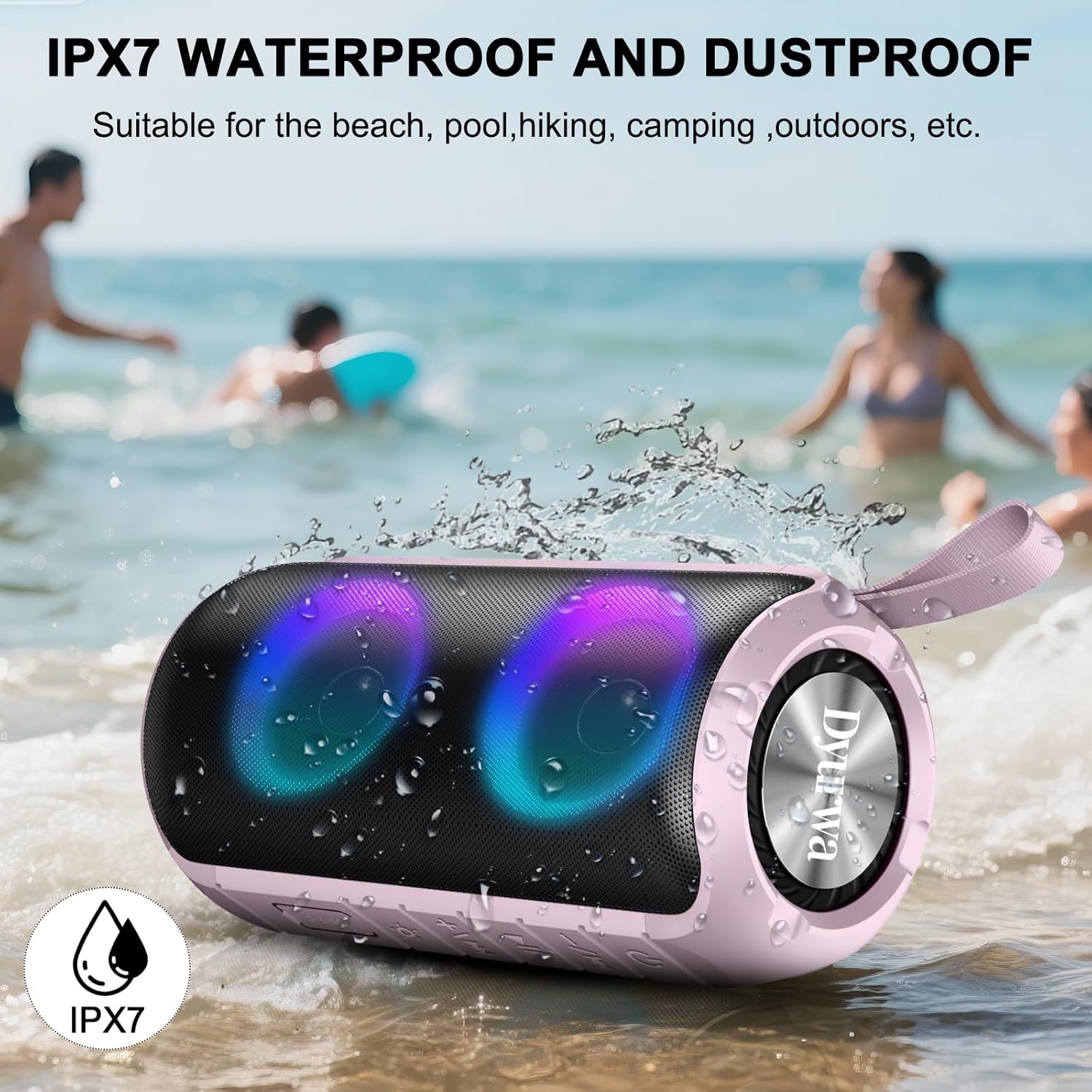
Image: The Dyurwa ZY02 speaker being splashed with water at a beach, illustrating its IPX7 waterproof and dustproof capabilities.
Cleaning and Storage
To clean your speaker, use a soft, damp cloth. Avoid using harsh chemicals or abrasive cleaners. Store the speaker in a cool, dry place away from direct sunlight and extreme temperatures when not in use for extended periods.
Troubleshooting
- Speaker won't turn on: Ensure the speaker is fully charged. Connect it to a power source and try again.
- Unable to pair via Bluetooth: Make sure the speaker is in Bluetooth pairing mode (flashing LED). Check that Bluetooth is enabled on your device and that the speaker is within range (up to 33 feet/10 meters). Forget previous pairings on your device and try pairing again.
- No sound: Check the volume levels on both the speaker and your connected device. Ensure the speaker is correctly paired and not in another mode (e.g., AUX, TF Card).
- Poor sound quality: Move the speaker closer to your device to improve Bluetooth signal. Ensure there are no obstructions between the speaker and your device.
- TWS pairing issues: Ensure both speakers are fully charged and not connected to any other device. Follow the TWS pairing instructions carefully.
Specifications
| Feature | Detail |
|---|---|
| Brand | Dyurwa |
| Model Name | ZY02 |
| Connectivity Technology | Bluetooth 5.3 |
| Speaker Type | Outdoor |
| Special Feature | Music Player, RGB Lights, TWS Pairing, IPX7 Waterproof |
| Compatible Devices | Smartphone, Tablet, Computer |
| Speaker Maximum Output Power | 180 Watts |
| Playtime | Up to 12 hours (varies by volume/light settings) |
| Charging Time | 2-3 hours |
| Water Resistance Level | IPX7 Waterproof |
| Product Dimensions | 2.54"D x 5"W x 4"H |
| Item Weight | 1.36 pounds |
| Batteries | 1 A battery required (included) |
Warranty and Support
For warranty information or technical support, please refer to the contact details provided on the product packaging or visit the official Dyurwa website. Keep your purchase receipt as proof of purchase for any warranty claims.