
Introduction
This manual provides essential information for setting up, operating, and maintaining your RockTek GT1 4K Streaming Box. Please read these instructions carefully before using the device to ensure optimal performance and safety.
What's in the Box
Verify that all items listed below are included in your package:
- RockTek GT1 UHD Streamer
- Bluetooth Voice Remote
- Power Adapter
- HDMI Cable
- User Manual (this document)

Image: The RockTek GT1 4K Streaming Box, its remote control, and packaging.
Video: An unboxing of the RockTek GT1 UHD Streamer, showcasing its minimal design and included accessories.
Product Overview
The RockTek GT1 is a Google-certified 4K streaming box designed to deliver a high-quality entertainment experience. It features advanced AI-powered visuals and seamless connectivity.
Key Features:
- Realtek RTD1325 Processor: Ensures faster and more stable performance.
- AI-Powered Visuals: AIPQ for picture tuning, AISR for real-time upscaling, and QMS for seamless refresh rate switching.
- Google TV OS: Personalized recommendations, intuitive controls, Hey Google voice assistance, and Google Cast.
- 4K HDR & HDR10+: Delivers deeper blacks, brighter whites, and a wider color range.
- Fast & Stable Connectivity: Dual-band WiFi 5 and Bluetooth 5.2.
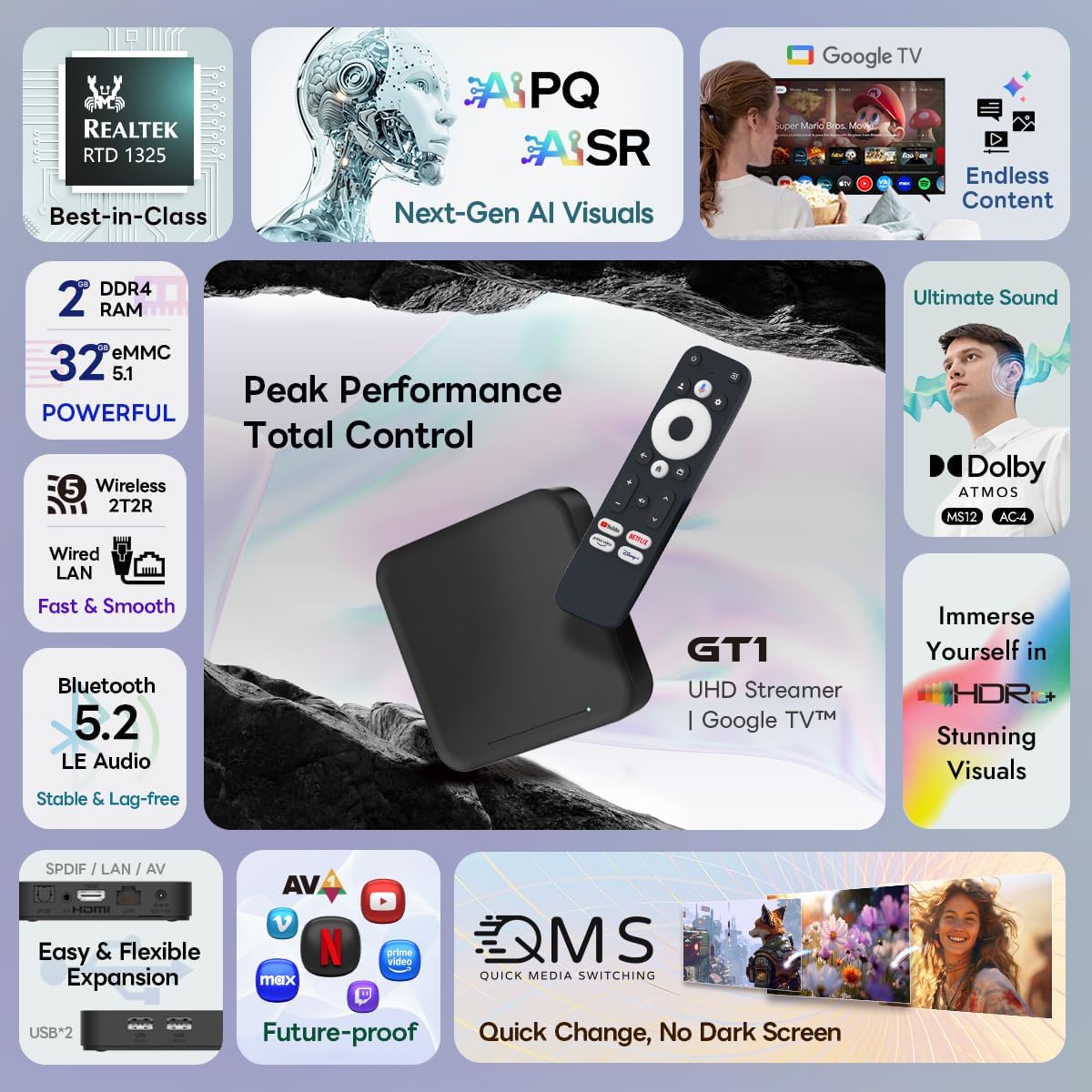
Image: An overview of the RockTek GT1's main features, highlighting its processor, visual enhancements, and connectivity options.

Image: Graphic illustrating the AI-powered visual technologies: AIPQ, AISR, and QMS.

Image: Detailed view of the Realtek RTD1325 chipset, emphasizing its role in powerful AI performance.

Image: A visual demonstration of AI-enhanced picture quality, showing a hummingbird with more vibrant colors and sharper details.

Image: A visual demonstration of AI-enhanced upscaling, showing a diver with significantly improved clarity from a pixelated source.
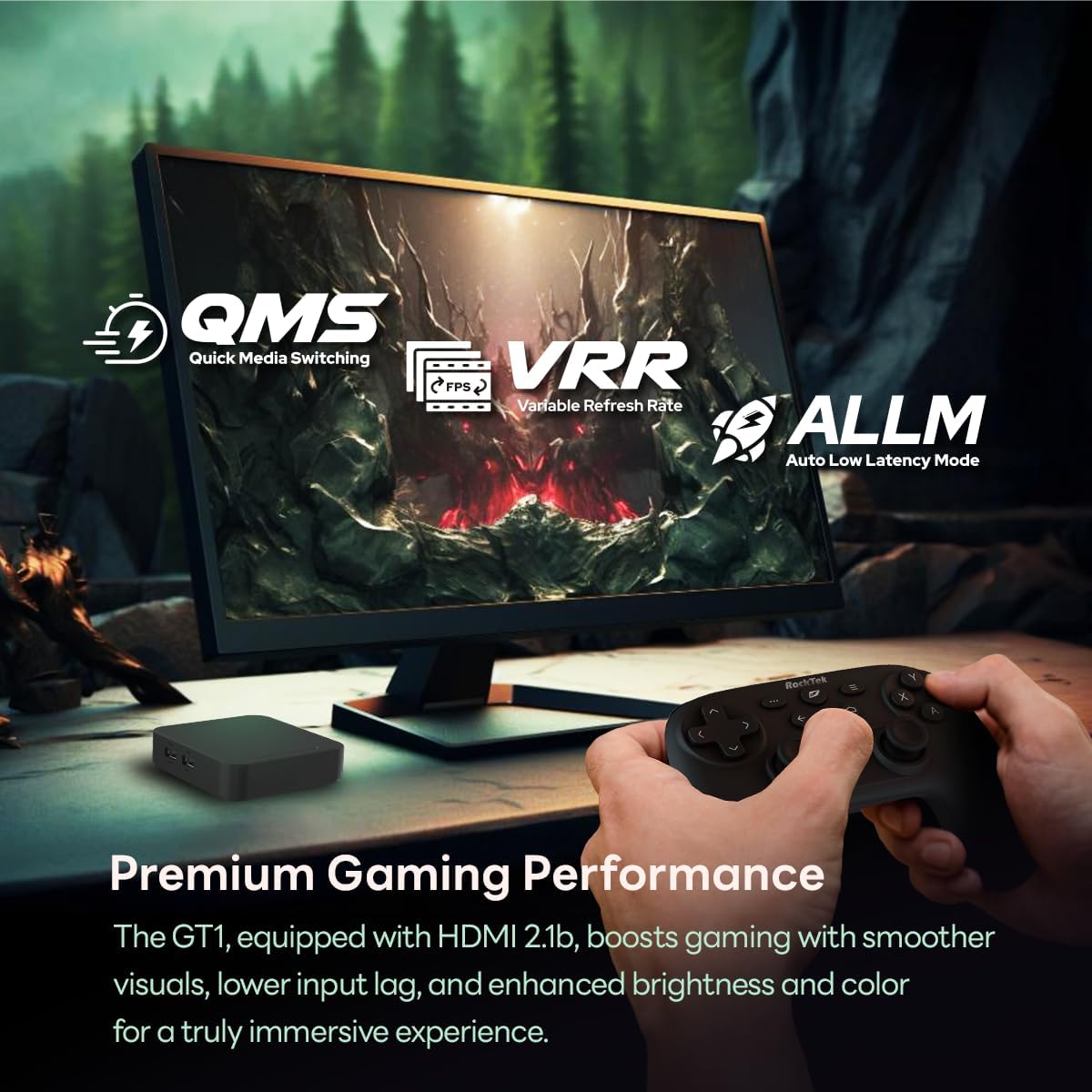
Image: Illustration of premium gaming performance with features like Quick Media Switching (QMS), Variable Refresh Rate (VRR), and Auto Low Latency Mode (ALLM).

Image: A diagram explaining QMS (Quick Media Switching) technology, which ensures smooth frame rate transitions without black screen interruptions.
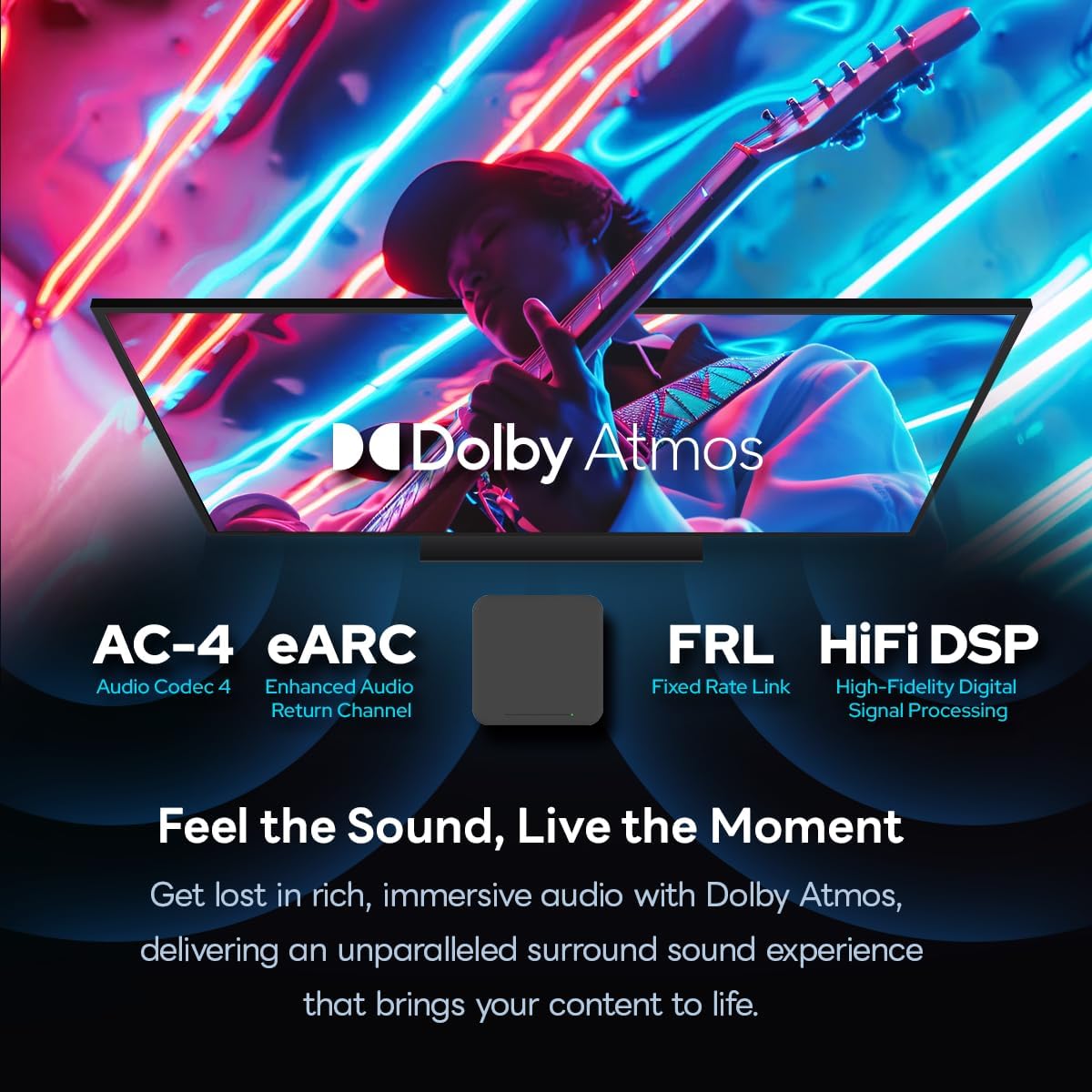
Image: Visual representation of Dolby Atmos audio features, including AC-4, eARC, FRL, and HiFi DSP for immersive sound.

Image: The RockTek GT1 device showcasing its various connectivity ports for speed and expanded possibilities.
Setup Guide
1. Connecting the Device
- Connect the HDMI cable from the RockTek GT1 to an HDMI input port on your TV.
- Connect the power adapter to the DC 12V port on the RockTek GT1 and then plug the adapter into a power outlet.
- Turn on your TV and select the correct HDMI input source.
2. Initial Setup with Google TV
- Follow the on-screen instructions to pair your Bluetooth Voice Remote.
- Connect the device to your Wi-Fi network. You can use dual-band WiFi 5 (2.4G/5G) for stable and fast internet.
- Sign in with your Google account to access personalized recommendations, apps, and services.
Operating Instructions
Navigating Google TV
The Google TV OS provides a user-friendly interface. Use the directional pad and 'OK' button on your remote to navigate through menus and select content. The 'Home' button will always return you to the main Google TV screen.

Image: The Google TV 12 home screen, displaying personalized content recommendations and various streaming applications.

Image: The Google TV 14 interface, showing a wide array of available applications for entertainment.
Voice Control (Hey Google)
Press the dedicated 'Hey Google' button on your remote control and speak your commands. You can search for movies, TV shows, open apps, or control smart home devices.

Image: Demonstration of the 'Hey Google' voice assistant feature, allowing users to search for content or open apps using voice commands.
Chromecast Built-in
Use the Chromecast built-in feature to cast content directly from your compatible smartphone, tablet, or computer to your TV screen. Simply tap the Cast icon in a supported app on your mobile device and select your RockTek GT1.

Image: Illustration of the Google Cast feature, enabling seamless streaming from a mobile device to the TV.
Smart Home Control
Integrate your RockTek GT1 with compatible smart home devices for a unified control experience. Use voice commands via Hey Google to manage your smart home ecosystem.

Image: Graphic depicting Google Home and Gemini integration for smart home device control through the streaming box.
Maintenance
- Cleaning: Use a soft, dry cloth to clean the device. Do not use liquid cleaners or aerosols.
- Software Updates: Ensure your device is connected to the internet to receive automatic software updates for optimal performance and new features.
- Storage Management: Periodically check the device's storage to ensure sufficient space for apps and updates. You can manage apps through the settings menu.
Troubleshooting
| Issue | Possible Solution |
|---|---|
| No power/Device not turning on | Check power adapter connection to the device and wall outlet. Ensure the power outlet is functional. |
| No picture on TV | Verify HDMI cable connection to both the device and TV. Ensure the correct HDMI input source is selected on your TV. |
| Remote control not responding | Check remote batteries. Re-pair the remote control by following the on-screen instructions during initial setup or in device settings. |
| Buffering or slow streaming | Check your internet connection speed. Ensure the device is within range of your Wi-Fi router or connect via Ethernet. Restart your router and the streaming box. |
| Apps crashing or freezing | Clear the cache for the problematic app in device settings. Ensure the app and device software are up to date. Restart the device. |
Specifications
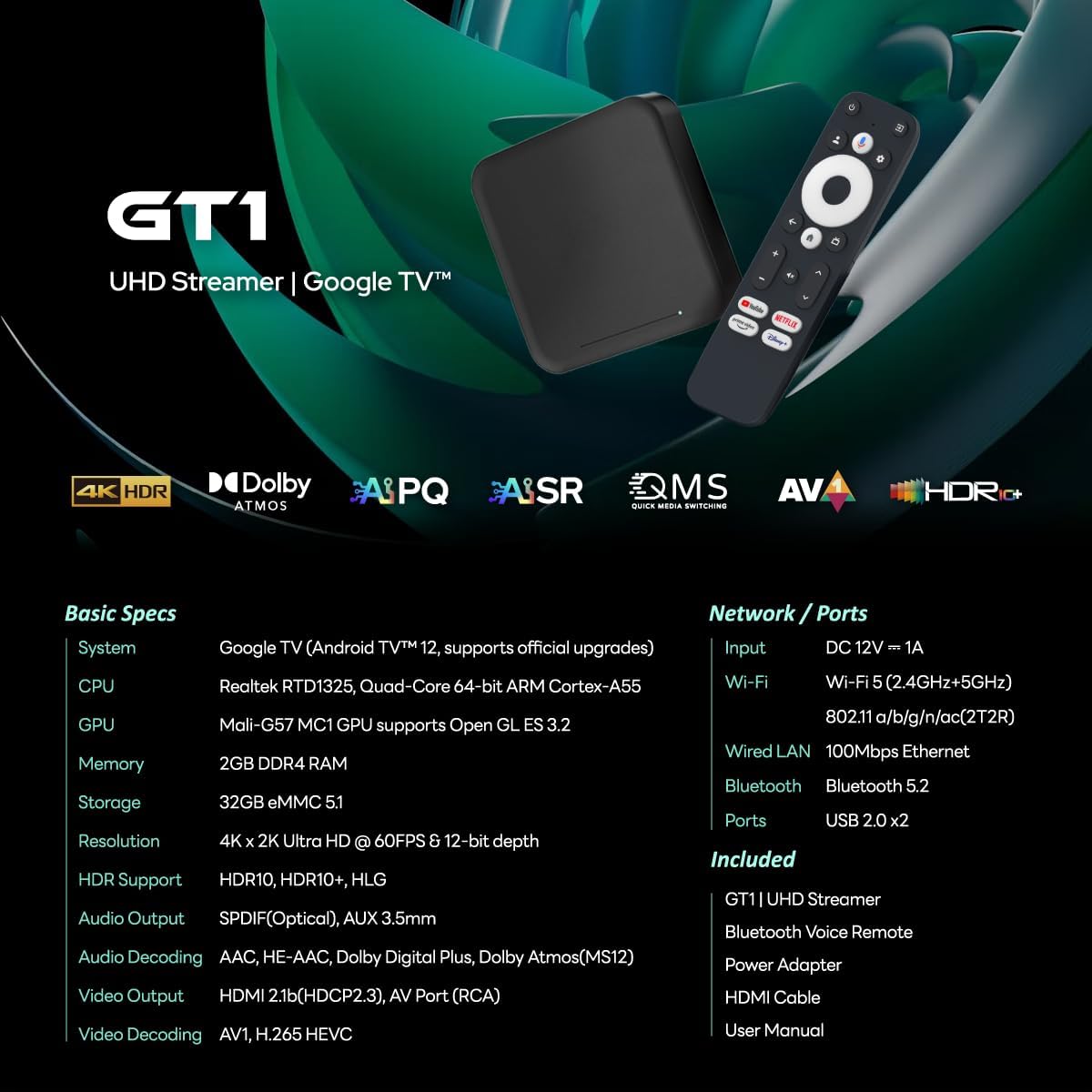
Image: A table detailing the basic specifications and available network/port options for the RockTek GT1.

Image: Detailed dimensions of the RockTek GT1 device and its remote, along with a clear view of all ports.
| Feature | Detail |
|---|---|
| System | Google TV (Android TV 12, supports official upgrades) |
| CPU | Realtek RTD1325, Quad-Core 64-bit ARM Cortex-A55 |
| GPU | Mali-G57 MC1 GPU supports Open GL ES 3.2 |
| Memory | 2GB DDR4 RAM |
| Storage | 32GB eMMC 5.1 |
| Resolution | 4K x 2K Ultra HD @ 60FPS & 12-bit depth |
| HDR Support | HDR10, HDR10+, HLG |
| Audio Output | SPDIF (Optical), AUX 3.5mm |
| Audio Decoding | AAC, HE-AAC, Dolby Digital Plus, Dolby Atmos (MS12) |
| Video Output | HDMI 2.1b (HDCP2.3), AV Port (RCA) |
| Video Decoding | AV1, H.265 HEVC |
| Input | DC 12V == 1A |
| Wi-Fi | Wi-Fi 5 (2.4G+5Ghz) 802.11 a/b/g/n/ac (2T2R) |
| Wired LAN | 100Mbps Ethernet |
| Bluetooth | Bluetooth 5.2 |
| Ports | USB 2.0 x2 |
Warranty and Support
This product includes a 1-year limited warranty for the main device. All included accessories (such as the remote control, power adapter, etc.) are covered by a 3-month warranty. The warranty excludes damages caused by misuse or human error.
For technical support or warranty claims, please refer to the contact information provided in your product packaging or visit the official RT ROCKTEK website.


