
1. Introduction
The Jackery HomePower 3000 Portable Power Station with 2x 200W Solar Panels is a versatile and reliable power solution designed for home backup, outdoor adventures, and emergency situations. It features a robust 3072Wh LFP battery and a 3600W (7200W surge) output, capable of powering essential appliances for extended periods. This manual provides detailed instructions for the safe and efficient use, setup, operation, and maintenance of your HomePower 3000 system.

The Jackery HomePower 3000 is designed to power essential household items for up to 2 days, providing 3600W output and 3072Wh capacity.
2. Safety Information
Please read all safety warnings and instructions carefully before using this product. Failure to follow these instructions may result in electric shock, fire, or serious injury.
- Do not disassemble, repair, or modify the unit.
- Keep the unit away from fire, water, and extreme temperatures.
- Ensure proper ventilation during use and charging.
- Do not use the unit if it is damaged or has been dropped.
- Keep out of reach of children and pets.
- Use only original or certified accessories.
3. What's in the Box
Verify that all components are present upon unboxing:
- Jackery HomePower 3000 Portable Power Station
- 2x Jackery SolarSaga 200W Solar Panels
- AC Charging Cable
- User Manual

Included components: Jackery HomePower 3000, two SolarSaga 200W Solar Panels, and an AC charging cable.
4. Setup
- Unpack the Unit: Carefully remove the HomePower 3000 and solar panels from their packaging.
- Initial Charge: It is recommended to fully charge the HomePower 3000 before first use. Connect the AC charging cable to the power station and a wall outlet.
- Solar Panel Connection: To connect the solar panels, unfold them and position them in direct sunlight. Connect the solar panel cables to the input ports on the HomePower 3000. Ensure secure connections.
- Mobile App Setup: Download the Jackery App from your device's app store. Follow the in-app instructions to connect your HomePower 3000 via Bluetooth or Wi-Fi for convenient remote control and monitoring.
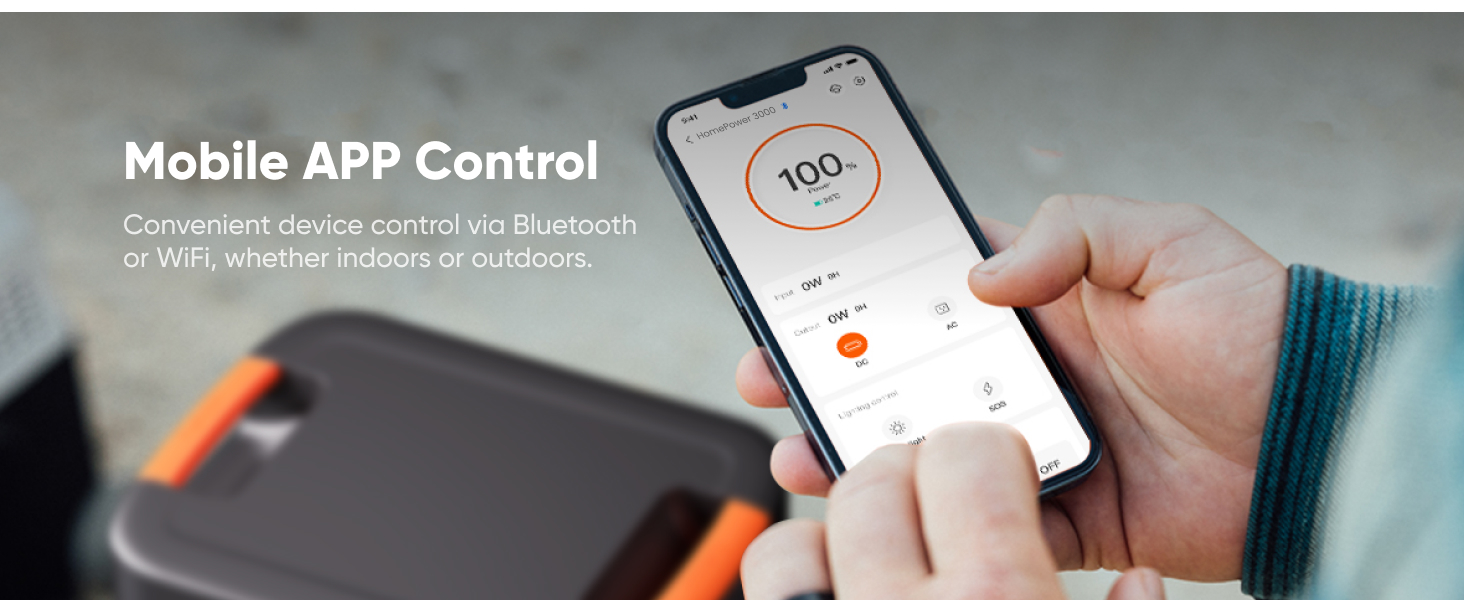
Control and monitor your Jackery HomePower 3000 conveniently using the mobile app via Bluetooth or Wi-Fi.
5. Operating the HomePower 3000
The HomePower 3000 offers multiple output ports for various devices and appliances.
- Power On/Off: Press the main power button to turn the unit on or off.
- AC Output: Press the AC button to enable the AC outlets. Plug in your AC-powered devices. The unit provides 3600W continuous output with a 7200W surge capacity.
- USB Output: The USB-C and USB-A ports are always active when the unit is on. Connect your USB devices for charging.
- DC Output: Press the DC button to enable the DC 12V 10A port and the TT-30 RV port.
- UPS Function: The built-in UL-certified UPS (Uninterruptible Power Supply) switches seamlessly within ≤20ms, ensuring continuous power for essential appliances during outages.

The HomePower 3000 features multiple output ports including 4x AC, 2x USB-C (100W Max), 2x USB-A (18W Max), TT-30 RV (120V, 30A), and a Cigarette Lighter Port (12V, 10A).

The ≤20ms UPS feature ensures smooth operation of sensitive electronics like computers during unexpected power outages.
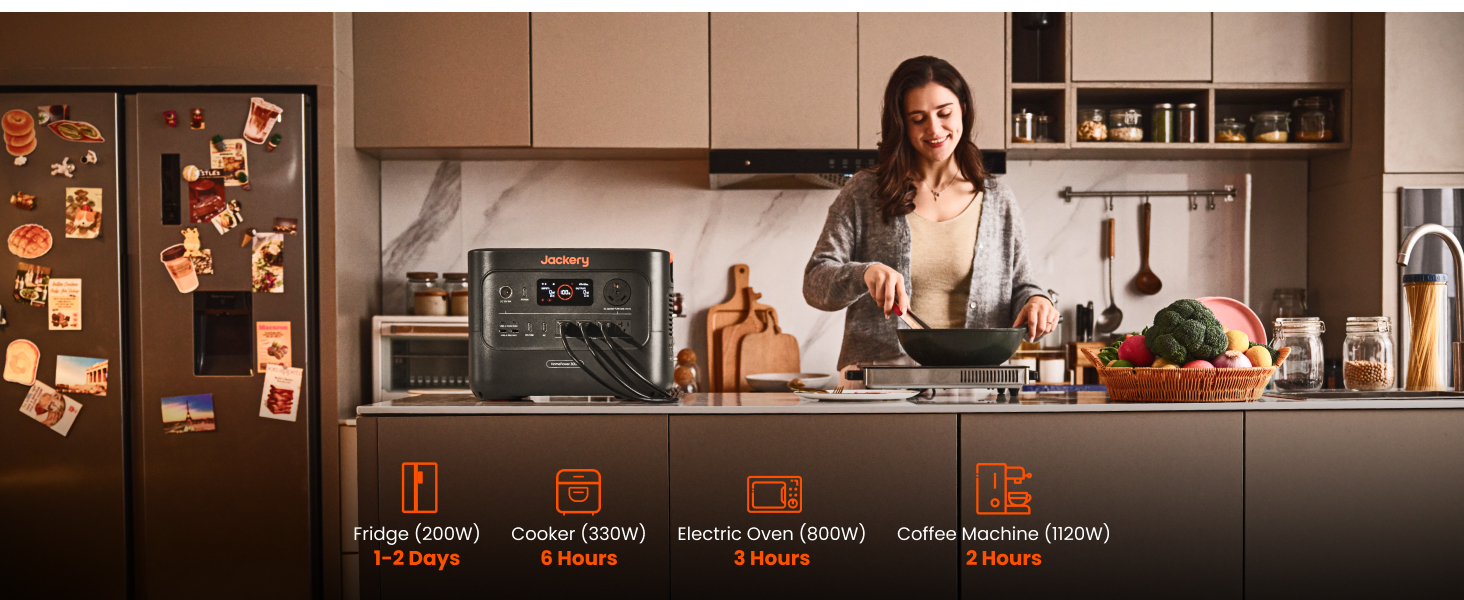
The HomePower 3000 can power various kitchen appliances, providing backup during power interruptions.
6. Charging the HomePower 3000
The HomePower 3000 offers multiple charging options:
- AC Wall Outlet: Fully recharges in 2.2 hours.
- Solar Panels: With 2x SolarSaga 200W panels, it charges up to 80% in 9 hours and fully in 11 hours.
- Hybrid AC + Solar: Combines AC and solar input for a full charge in 1.7 hours.
- 12V Car Charger: Charges from your vehicle's 12V outlet.
- Gas Generator: Can be charged using a gas generator, fully charged in 2.2 hours.

Multiple fast charging options are available for the HomePower 3000, including hybrid AC+Solar, AC, gas generator, and solar.
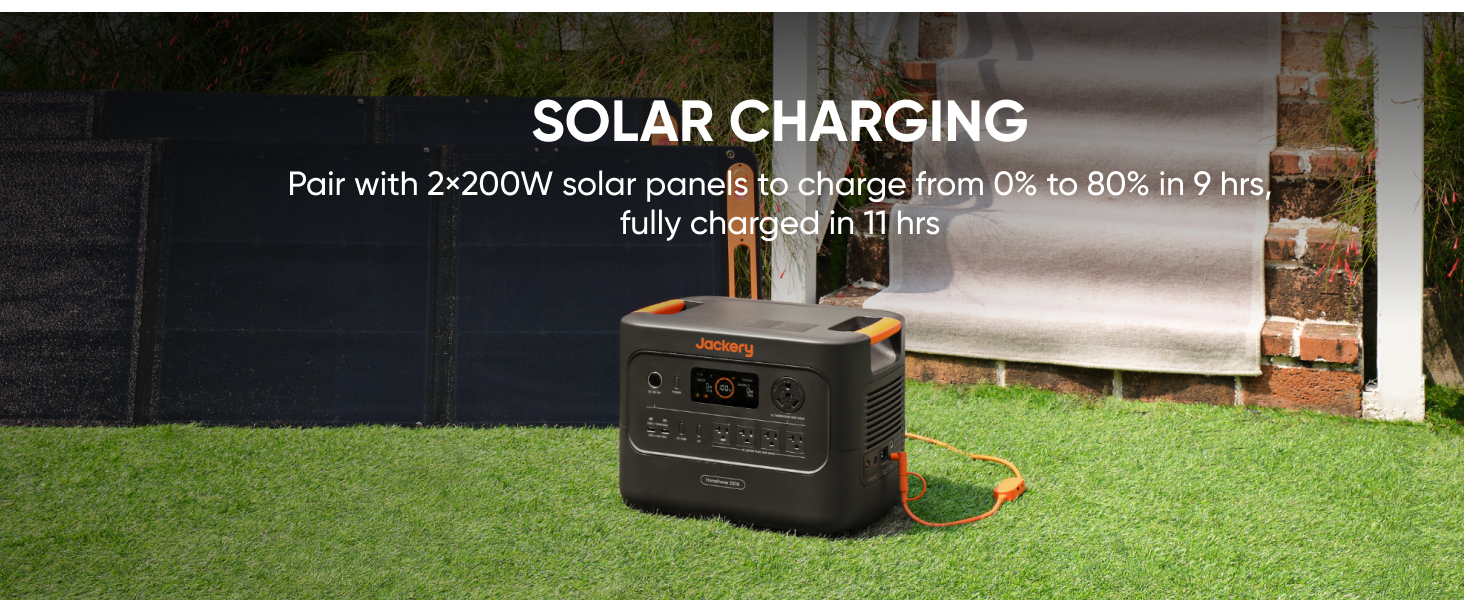
Solar charging with 2x 200W solar panels can charge the unit from 0% to 80% in 9 hours, and fully in 11 hours.
7. Maintenance
Proper maintenance ensures the longevity and optimal performance of your HomePower 3000.
- Storage: Store the unit in a cool, dry place away from direct sunlight. To preserve charge, ensure the unit is turned off during storage.
- Recharge Frequency: For optimal battery health, recharge the unit at least once every 3-6 months, even if not in use.
- Cleaning: Use a dry, soft cloth to clean the exterior of the unit. Do not use harsh chemicals or abrasives.
- Battery Lifespan: The durable LiFePO4 batteries offer 4,000 cycles while retaining 70% capacity, providing a 10-year lifespan.

The HomePower 3000 is built for a 10-year lifespan, maintaining 70% capacity after 4000 full charge cycles.
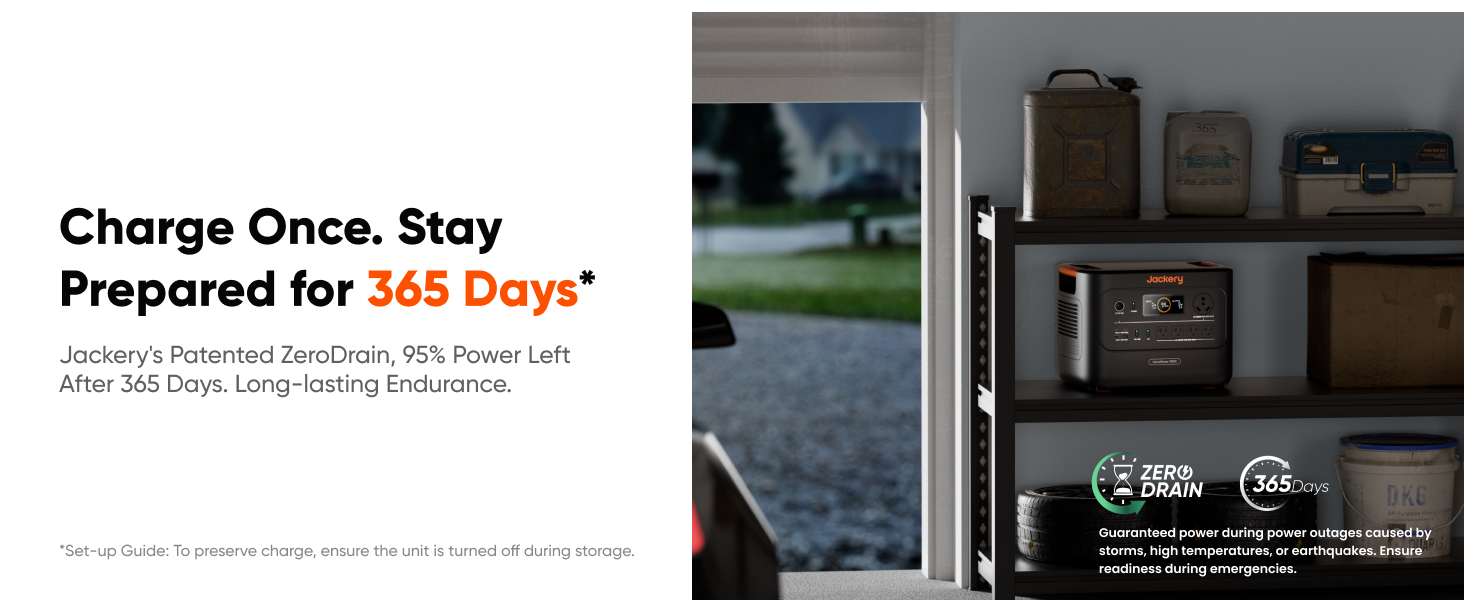
With Jackery's patented ZeroDrain technology, the HomePower 3000 retains 95% power after 365 days of storage when turned off.
8. Troubleshooting
If you encounter issues with your HomePower 3000, refer to the following common problems and solutions:
- Unit Not Turning On: Ensure the battery is charged. If not, connect to a power source.
- No Output from Ports: Check if the specific output (AC/DC) is enabled. Ensure the device is properly plugged in and within the power station's wattage limits.
- Overload Protection: If the unit shuts down due to overload, disconnect the high-power device, restart the unit, and connect lower-power devices.
- Slow Charging: For solar charging, ensure panels are in direct sunlight and free from obstructions. Check cable connections. For AC charging, ensure the cable is fully inserted.
- App Connectivity Issues: Ensure Bluetooth/Wi-Fi is enabled on your device and the power station. Try restarting both the app and the power station.
For persistent issues, contact Jackery customer support.
9. Specifications
Detailed technical specifications for the Jackery HomePower 3000:
| Feature | Specification |
|---|---|
| Model Name | JHP-3000C |
| Capacity | 3072Wh |
| AC Output | 3600W (7200W Surge) |
| Battery Type | LiFePO4 |
| Cycle Life | 4000 cycles to 70%+ capacity |
| UPS Switching Time | ≤20ms |
| Weight | 59.5 Pounds |
| Dimensions (L x W x H) | 16.4" x 12.8" x 12" |
| Included Components | HomePower 3000, 2x200W Solar Panels, AC Charging Cable, User Manual |

The HomePower 3000 is designed to be the world's smallest and lightest 3kWh LFP portable power station, making it highly portable.
10. Warranty and Support
Jackery provides a comprehensive warranty for the HomePower 3000 Portable Power Station.
- Warranty Period: The product comes with a standard warranty, typically 3 years, with an additional 2 years upon product registration, totaling 5 years. Please refer to the official Jackery website or your purchase documentation for the most current warranty terms.
- Customer Support: For technical assistance, troubleshooting, or warranty claims, please contact Jackery customer support through their official website or the contact information provided in your purchase documentation.


