
1. Product Overview
The TUGARD Smart Home Security Alarm System ZX-G03 is an 8-piece kit designed to provide comprehensive security for homes, apartments, offices, and villas. It features both Wi-Fi and GSM/2G connectivity, ensuring continuous protection even if one network is unavailable. The system offers real-time alerts, supports voice control via Amazon Alexa and Google Assistant, and operates without any monthly fees.
Key features include:
- Dual Network Support: Operates with Wi-Fi and GSM/2G for reliable communication.
- Intuitive Interface: 2.4-inch TFT touchscreen and keypad for easy control.
- Expandable System: Supports up to 100 additional 433MHz sensors and accessories.
- Multiple Alert Modes: Local sound and light alarms, remote SMS, phone calls, and app notifications.
- Voice Control: Compatible with Amazon Alexa and Google Assistant for convenient operation.
- No Monthly Fees: Enjoy full security features without recurring costs.

Image 1.1: TUGARD Smart Home Security Alarm System highlighting compatibility with Alexa, Google Assistant, and Tuya Smart Home ecosystem.
2. Package Contents
The TUGARD ZX-G03 8-piece kit typically includes the following components:
- 1x Alarm Control Panel (Main Unit)
- 1x PIR Motion Sensor
- 1x Door/Window Contact Sensor
- 2x Remote Controls
- 2x RFID Tags
- 1x Wired Siren (or similar external alarm device)
- Power Adapter
- Mounting Accessories

Image 2.1: The complete TUGARD Smart Home Security Alarm System 8-piece kit, including the control panel, motion sensor, door/window sensor, remote controls, RFID tags, and siren.
3. System Components
3.1 Alarm Control Panel
The central unit of the alarm system, featuring a 2.4-inch TFT colorful touchscreen and a 4x4 inch touchscreen keypad. It includes speakers, a wired siren interface, an RFID card zone, a wall mount bracket, a Type C power cord connector, a power switch, and a SIM card slot for GSM connectivity.

Image 3.1: Rear and side view of the TUGARD control panel, showing ports, SIM card slot, and dimensions.
3.2 PIR Motion Sensor
Detects movement within its field of view. Ideal for securing rooms and hallways. Battery-powered for flexible placement.
3.3 Door/Window Contact Sensor
Consists of two parts that separate when a door or window is opened, triggering an alarm. Battery-powered.
3.4 Remote Controls
Used to arm, disarm, or trigger an SOS alarm remotely. Each kit includes two remote controls.
3.5 RFID Tags
Allows for quick disarming of the system by tapping the tag on the control panel's RFID zone.
3.6 Siren
Produces a loud audible alarm (up to 110 dB) when the system is triggered, deterring intruders.
4. Setup
4.1 Powering the Control Panel
- Connect the provided power adapter to the Type C power cord connector on the control panel.
- Plug the adapter into a standard 220V power outlet.
- Flip the power switch to the ON position. The panel will power on and display the boot screen.
- Ensure the backup battery is charged. The internal backup battery provides power for 3-4 hours during a power outage.
4.2 Installing a SIM Card (Optional)
For GSM/2G calling and SMS alerts, insert a compatible SIM card into the SIM card slot on the back of the control panel. Ensure the SIM card is activated and has sufficient credit/data.
4.3 Installing Sensors
All sensors are wireless and battery-powered.
- PIR Motion Sensor: Mount in a corner or on a wall in areas where intruders are likely to pass. Ensure it has a clear line of sight and is not obstructed by furniture. Avoid direct sunlight or heat sources.
- Door/Window Contact Sensor: Attach one part to the door/window frame and the other to the moving part of the door/window, ensuring they are aligned and within 1 cm of each other when closed. Use the self-adhesive backing or screws for installation.
4.4 Connecting to Wi-Fi and App Installation
- Download the Smart Life app (or Tuya Smart app) from your smartphone's app store (iOS/Android).
- Register or log in to your account.
- On the control panel, navigate to the Wi-Fi settings and select your 2.4GHz Wi-Fi network. Enter the password.
- Follow the in-app instructions to add the alarm system. This usually involves scanning a QR code displayed on the control panel or entering a device ID.
- Once connected, you can manage the system remotely via the app.
4.5 Pairing Additional Accessories
The system supports pairing up to 100 additional 433MHz sensors (e.g., smoke detectors, gas detectors, water leak sensors) and remote controls. Refer to the control panel's menu for the 'Add Accessory' or 'Pair Device' option and follow the on-screen instructions to pair new devices.
5. Operation
5.1 Arming and Disarming
- Arm: Press the ARM button on the control panel, remote control, or via the app to activate the alarm system.
- Disarm: Press the DISARM button on the control panel, remote control, or via the app. You can also disarm by tapping an authorized RFID tag on the control panel's RFID zone or by entering your PIN code on the keypad.
- Home Arm: Activates perimeter sensors (e.g., door/window sensors) while allowing free movement inside the property.
5.2 SOS Function
In case of an emergency, press the SOS button on the control panel or remote control. The system will immediately trigger the siren and send emergency notifications (calls/SMS) to pre-programmed numbers.
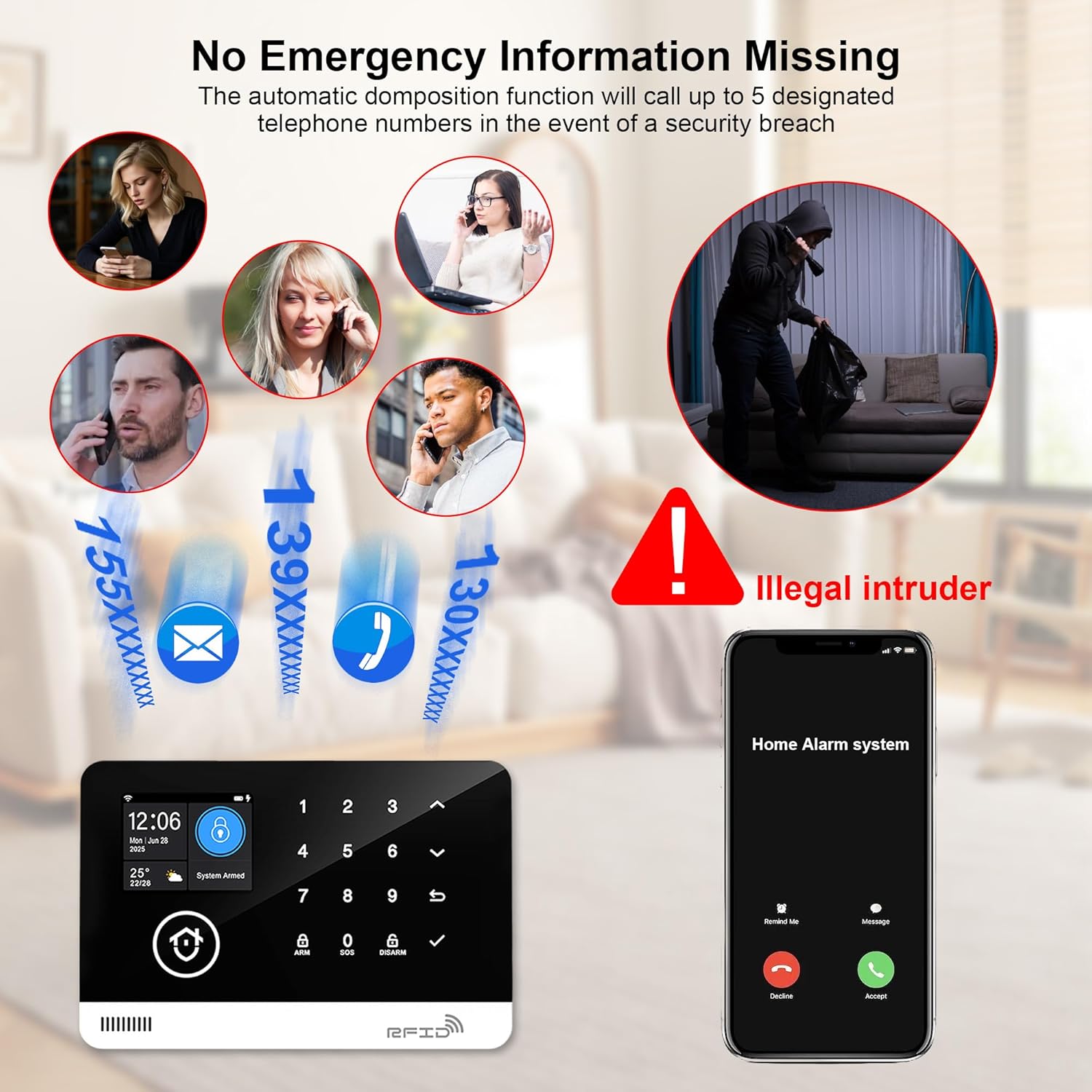
Image 5.1: The alarm system's automatic notification function, calling up to 5 designated telephone numbers in the event of a security breach.
5.3 Volume Adjustment
The control panel allows adjustment of various volume levels:
- Alarm Volume: High, Low, Mute (3 levels)
- Operation Prompt Tone: High, Medium, Low, Mute (4 levels)
- Doorbell Tone: High, Medium, Low, Mute (4 levels)
Access these settings through the control panel's menu.

Image 5.2: Control panel interface showing options for adjusting siren volume to High, Low, or Mute.
5.4 Language Settings
The system supports 13 languages for menu display, voice operation prompts, and alarm SMS settings. You can switch languages freely through the control panel's settings menu.
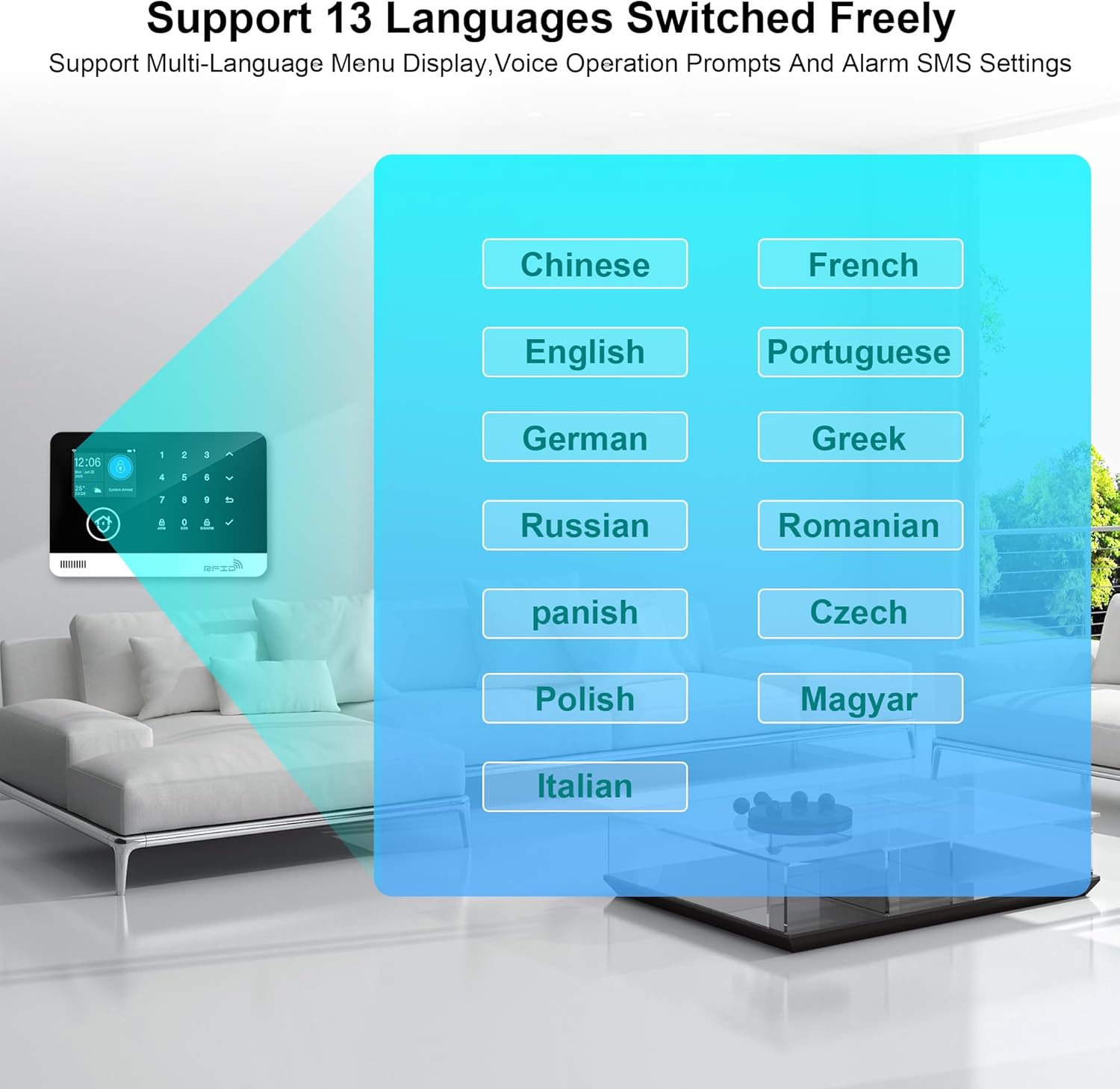
Image 5.3: The control panel screen showing a selection of 13 languages, including English, French, German, and Italian.
5.5 Voice Control (Alexa/Google Assistant)
Integrate your TUGARD system with Amazon Alexa or Google Assistant for hands-free control. Follow the instructions in the Smart Life app to link your alarm system to your voice assistant account. Once linked, you can use voice commands such as "Alexa, please arm the alarm system" or "Hey Google, disarm the security system" (PIN may be required for disarming).

Image 5.4: A user interacting with an Amazon Echo device to arm the TUGARD alarm system using voice commands.
6. Maintenance
6.1 Battery Replacement
- Control Panel Backup Battery: The main unit has an internal backup battery (Lithium-ion, 1 CR2032) that lasts approximately 3-4 hours during a power outage. If the battery life significantly decreases, it may need replacement by a qualified technician.
- Sensors: PIR motion sensors and door/window contact sensors are battery-powered. When a sensor's battery is low, the system will typically notify you via the control panel or app. Replace batteries promptly to ensure continuous protection. Refer to the specific sensor's manual for battery type and replacement instructions.
6.2 Cleaning
Wipe the control panel and sensors with a soft, dry cloth. Do not use abrasive cleaners or solvents, as these can damage the surfaces or electronic components.
7. Troubleshooting
7.1 General Issues
- System not responding: Check if the control panel is powered on and connected to a power source. Verify the power switch is in the ON position.
- Sensors not triggering: Ensure sensors are correctly installed and within range of the control panel. Check sensor batteries and replace if necessary.
- False alarms: Review sensor placement to avoid areas with drafts, direct sunlight, or pets that might trigger motion sensors. Adjust sensitivity settings if available.
7.2 Connectivity Issues
- No Wi-Fi connection: Ensure your Wi-Fi router is working and the control panel is within range. Verify the Wi-Fi password entered is correct. The system only supports 2.4GHz Wi-Fi networks.
- No App notifications: If Wi-Fi is disconnected, app notifications will not be received. The system will still trigger a local alarm and send GSM/2G alerts if a SIM card is installed and active. Check your phone's notification settings for the Smart Life app.
- GSM/2G issues: Ensure the SIM card is correctly inserted, activated, and has sufficient credit/data. Check network coverage in your area.
7.3 Frequently Asked Questions (FAQs)
- Can I add more sensors? Yes, the system can support up to 100 sensors in total.
- Does the system work without Wi-Fi? Yes, the system can function without Wi-Fi using its GSM/2G capabilities (if a SIM card is installed). However, app notifications will not be received. Only a local 110 dB alarm will sound.
- What batteries are needed? The host system requires a constant power connection, with a CR2032 Lithium-ion battery for backup. Sensors are battery-powered; specific battery types vary by sensor model.
8. Specifications
| Feature | Detail |
|---|---|
| Brand | TUGARD |
| Model Number | ZX-G03 |
| Manufacturer | Shenzhen Smartrol Technology Limited |
| Product Dimensions (L x W x H) | 18.01 x 11.99 x 1.4 cm |
| Weight | 648.64 grams (1.43 pounds) |
| Power Source | Battery powered (sensors), AC powered with battery backup (control panel) |
| Voltage | 220 Volts |
| Control Panel Battery | 1 CR2032 Lithium-ion (included) |
| Battery Life (Control Panel Backup) | Approx. 3-4 hours |
| Installation Method | Self-adhesive |
| Sound Level (Siren) | 4 Sones (Local alarm can reach 110 dB) |
| Included Components | LCD Control Panel, PIR Motion Sensor, Door/Window Sensor, Remote Controls, RFID Tags, Siren |
| Connectivity Technology | Wi-Fi, GSM/2G |
| Compatible Devices | Smartphone (via Smart Life App), Amazon Alexa, Google Assistant |
| Control Method | Application, Keypad, Remote Control, RFID Tag, Voice Control |
| Max. Sensors Supported | 100 |
9. Warranty and Support
TUGARD products are designed for reliability and performance. This product typically comes with a manufacturer's warranty covering defects in materials and workmanship for a specified period. Please refer to your purchase documentation or the official TUGARD website for detailed warranty terms and conditions.
For technical support, troubleshooting assistance, or warranty claims, please contact TUGARD customer service through the contact information provided with your product or on the official TUGARD support channels. Spare parts availability is generally supported for 3 years from the date of purchase.


