
Siindoo JH-820
Siindoo JH-820 Wireless Bluetooth Headphones User Manual
Model: JH-820
Introduction
Thank you for choosing the Siindoo JH-820 Wireless Bluetooth Headphones. This manual provides essential information for setting up, operating, and maintaining your headphones to ensure optimal performance and longevity. Please read this manual thoroughly before using the product.

Image: Siindoo JH-820 Wireless Bluetooth Headphones in black, showcasing the sleek design and comfortable earcups.
What's in the Box
Verify that all items are present in the package:
- Siindoo JH-820 Headphone
- 0.5m Type-C charging cable
- 1.2m AUX cable
- User Manual (this document)
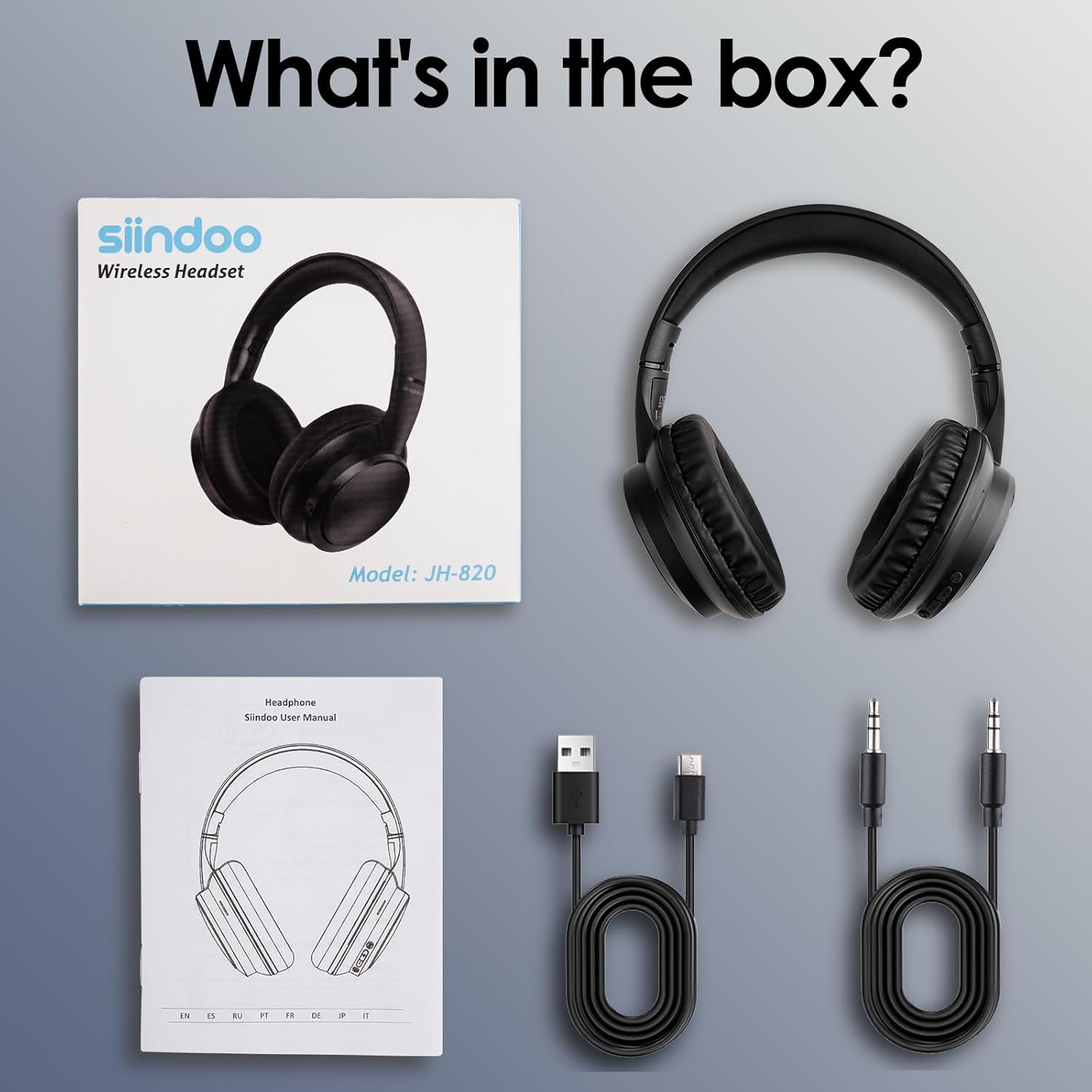
Image: The complete package contents of the Siindoo JH-820 headphones, neatly laid out.
Product Features
The Siindoo JH-820 headphones are designed to provide a superior audio experience with convenience and comfort.
High Fidelity Audio
Equipped with 40mm acoustic stereo drivers, these headphones deliver crystal clear highs, balanced mids, and powerful bass. Three EQ modes allow you to customize the sound profile to suit different music genres, ensuring an immersive listening experience.

Image: An exploded view illustrating the advanced audio components and features like Bluetooth 5.4 and HiFi sound quality.
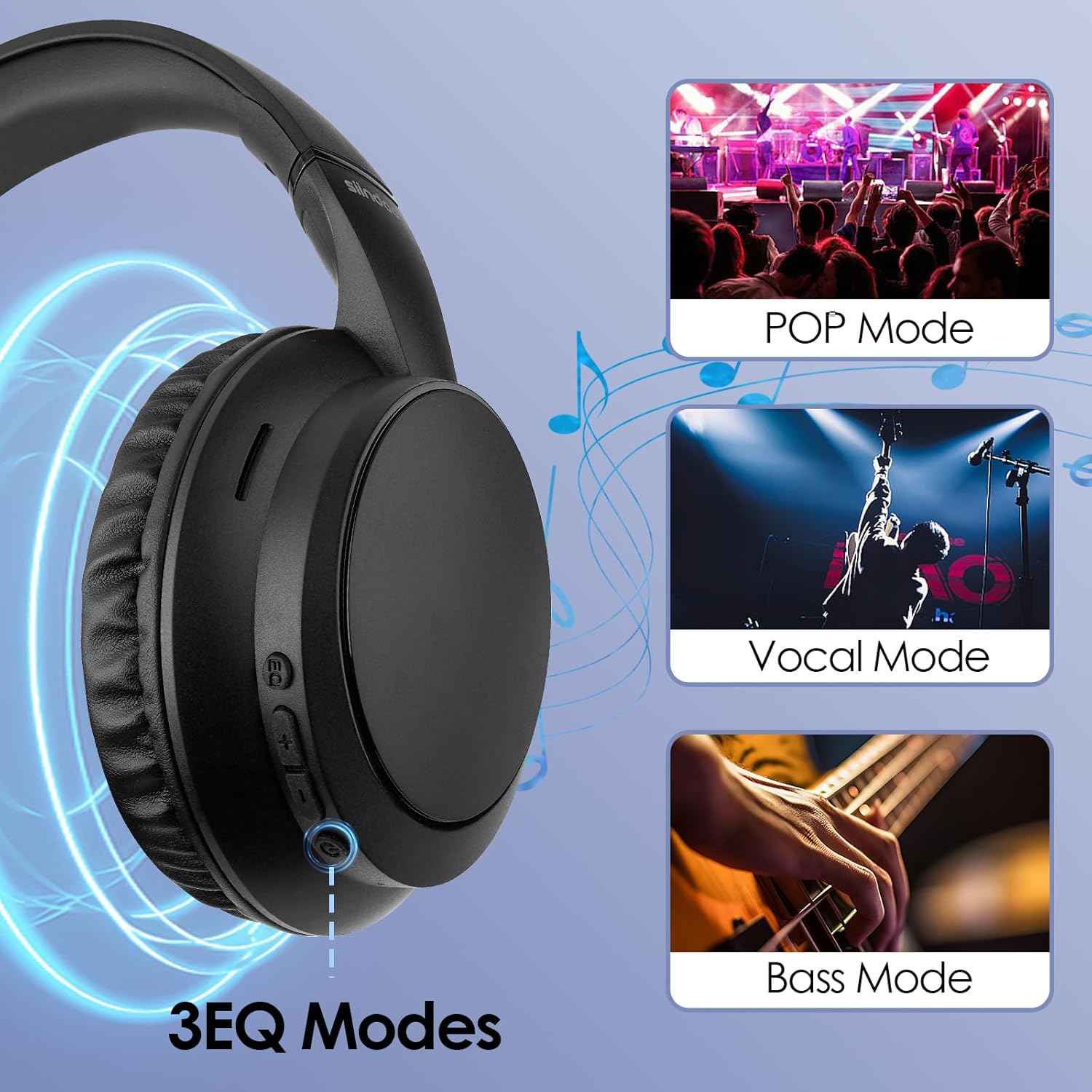
Image: Visual representation of the 3 EQ modes (POP, Vocal, Bass) accessible via the headphone controls.
Seamless Bluetooth 5.4 Connection
The headphones feature Bluetooth 5.4 for a quick, stable, and reliable wireless connection. They are compatible with a wide range of Bluetooth-enabled devices, including smartphones, tablets, laptops, and MP3/MP4 players. A simple slide of the on/off button initiates pairing mode.

Image: The Siindoo JH-820 headphones demonstrating compatibility with various operating systems and devices.
Adjustable and Portable Design
Designed for comfort, the headphones feature an ergonomic design with ultra-soft ear cups and an adjustable headband, ensuring a comfortable fit for various head shapes. The foldable design allows for easy storage and portability, making them ideal for travel, online courses, or daily use.

Image: Features of the headphone's design, including its foldable nature, adjustable headband, and soft earcups for extended comfort.
Long Battery Life & Dual Mode
The JH-820 headphones offer up to 28 hours of music playtime on a full charge, with a fast charging time of approximately 2-2.5 hours. For extended use or when the battery is depleted, you can switch to wired mode using the included 3.5mm AUX cable, ensuring uninterrupted listening.

Image: Information on battery life and quick charging capabilities, highlighting the convenience for users on the go.
Note: While the image indicates "40 Hours Super-long Playtime", the product specifications state approximately 28 hours of music time. Actual playtime may vary based on volume level and audio content.
Clear Conversations
A built-in microphone ensures clear voice quality for hands-free calling and seamless interaction with voice assistants on compatible smartphones.
Setup Guide
1. Initial Charging
- Connect the small end of the included Type-C charging cable to the Type-C charging port on the headphone.
- Connect the large end of the charging cable to a USB power adapter (not included) or a computer's USB port.
- The charging indicator light will illuminate during charging. It will turn off or change color once fully charged (approximately 2-2.5 hours).
- Note: Ensure the headphones are fully charged before first use for optimal battery life.
2. Bluetooth Pairing
- Ensure the headphones are turned off.
- Slide the Power On/Off button to the "On" position. The Bluetooth indicator light will flash, indicating the headphones are in pairing mode.
- On your device (smartphone, tablet, laptop), enable Bluetooth and search for available devices.
- Select "Siindoo JH-820" from the list of found devices.
- Once successfully paired, the Bluetooth indicator light will stop flashing and remain solid.
- Note: If prompted for a password, enter "0000".
3. Wired Connection (AUX Mode)
- Insert one end of the included 3.5mm AUX cable into the 3.5mm jack on the headphone.
- Insert the other end of the AUX cable into the audio output jack of your device.
- The headphones will automatically switch to wired mode. No battery power is required for wired listening.
Operating Instructions
Familiarize yourself with the control buttons located on the earcup:

Image: Detailed layout of the control buttons and ports on the Siindoo JH-820 headphones.
| Button/Port | Function (Short Press) | Function (Long Press) |
|---|---|---|
| Power On/Off | N/A | Power On/Off |
| "+" Button | Volume Up | Next Song |
| "-" Button | Volume Down | Previous Song |
| Multi-function Button (Play/Pause) | Play/Pause music; Answer/End call | Reject call; Activate Voice Assistant |
| EQ Switch Button | Cycle through EQ modes (POP, Vocal, Bass) | N/A |
| 3.5mm Jack | For wired audio connection (AUX mode) | |
| Type-C Charging Port | For charging the headphone battery | |
| Microphone | For hands-free calls and voice assistant commands | |
The headphones are suitable for various activities, including travel, study, and daily entertainment.

Image: Examples of how the Siindoo JH-820 headphones can be used in various daily situations.
Maintenance
Proper care will extend the life of your headphones:
- Cleaning: Use a soft, dry cloth to wipe the headphones. Do not use abrasive cleaners, alcohol, or chemical solvents.
- Storage: When not in use, store the headphones in a cool, dry place, away from direct sunlight and extreme temperatures. Utilize the foldable design for compact storage.
- Battery Care: To preserve battery life, avoid fully discharging the headphones frequently. Charge them regularly, even if not in constant use.
- Water Exposure: These headphones are not waterproof. Avoid exposure to water, moisture, or rain.
Troubleshooting
If you encounter issues with your Siindoo JH-820 headphones, refer to the following common problems and solutions:
| Problem | Possible Cause | Solution |
|---|---|---|
| Headphones do not power on. | Low battery. | Charge the headphones fully using the provided Type-C cable. |
| Cannot pair with device. | Headphones not in pairing mode; Bluetooth off on device; device too far. | Ensure headphones are in pairing mode (flashing indicator). Turn Bluetooth on your device. Keep devices within 10 meters. Forget previous pairings on your device and try again. |
| No sound or distorted sound. | Volume too low; incorrect audio source; loose AUX cable connection. | Increase volume on both headphones and device. Ensure correct audio output is selected on your device. Re-insert AUX cable firmly if in wired mode. |
| Microphone not working. | Microphone muted on device; app permissions. | Check microphone settings on your device. Ensure the application has permission to access the microphone. |
| Intermittent connection. | Interference; distance from device. | Move closer to your device. Avoid strong electromagnetic interference. |
Specifications
| Feature | Detail |
|---|---|
| Model Name | JH-820 |
| Connectivity Technology | Wireless (Bluetooth 5.4), Wired (3.5mm AUX) |
| Bluetooth Version | 5.4 |
| Bluetooth Range | Up to 10 meters (33 feet) |
| Audio Driver Size | 40 mm |
| Frequency Response | 20 Hz - 20000 Hz |
| Sensitivity | 105 dB |
| Impedance | 32 Ohm |
| Battery Life (Music Playtime) | Up to 28 hours |
| Charging Time | Approx. 2-2.5 hours |
| Charging Port | Type-C |
| Microphone | Built-in |
| EQ Modes | 3 (POP, Vocal, Bass) |
| Weight | 9.1 ounces (approx. 258 grams) |
| Material | Plastic |
| Included Components | Headphones, Type-C charging cable, AUX cable, User Manual |
Warranty and Support
Warranty Information: Siindoo products are manufactured to high quality standards. For specific warranty terms and conditions, please refer to the warranty card included with your product or contact Siindoo customer support.
Customer Support: If you have any questions, concerns, or require technical assistance with your Siindoo JH-820 headphones, please contact our customer support team. Contact details can typically be found on the product packaging, the official Siindoo website, or through your point of purchase.
We are committed to providing excellent service and support for our products.
Related documentsJH-820


Ask a question about this manual
Ask about setup, troubleshooting, compatibility, parts, safety, or missing instructions. Manuals+ will review the question and use this page’s manual context to help answer it.