
WALKINGPAD X21
WALKINGPAD X Series Folding Treadmill User Manual
Model: X21
Brand: WALKINGPAD
1. Introduction and Overview
The WALKINGPAD X21 is a smart, foldable treadmill designed for home use, offering a convenient and efficient way to stay active. It features a unique tri-fold technology for vertical storage, saving significant floor space. This manual provides essential information for the safe and effective use of your WalkingPad X21.
The X21 model is an excellent choice for users who prioritize compact design and ease of use, providing speeds up to 7.5 mph suitable for walking and light jogging. Its robust construction ensures a smooth and quiet workout experience.

Figure 1: WALKINGPAD X21 Folding Treadmill in its operational state.
2. Setup and Initial Use
The WALKINGPAD X21 comes fully assembled, requiring no complex setup. Simply unpack the unit, unfold it, and connect to power. Ensure the treadmill is placed on a flat, stable surface.
2.1 Unpacking and Placement
Carefully remove the treadmill from its packaging. The packaging includes protective materials to ensure safe transit. Place the treadmill on a level floor, ensuring adequate space around it for safe operation.
2.2 Included Accessories
Your WalkingPad X21 package includes:
- Lubricating Oil: For routine belt maintenance.
- Power Cable: A 1.95-meter power cable for connecting to an electrical outlet.
- Tablet Holder: An accessory to securely hold your tablet or smartphone during workouts.
- Allen Key: Used for adjusting the treadmill belt tension.
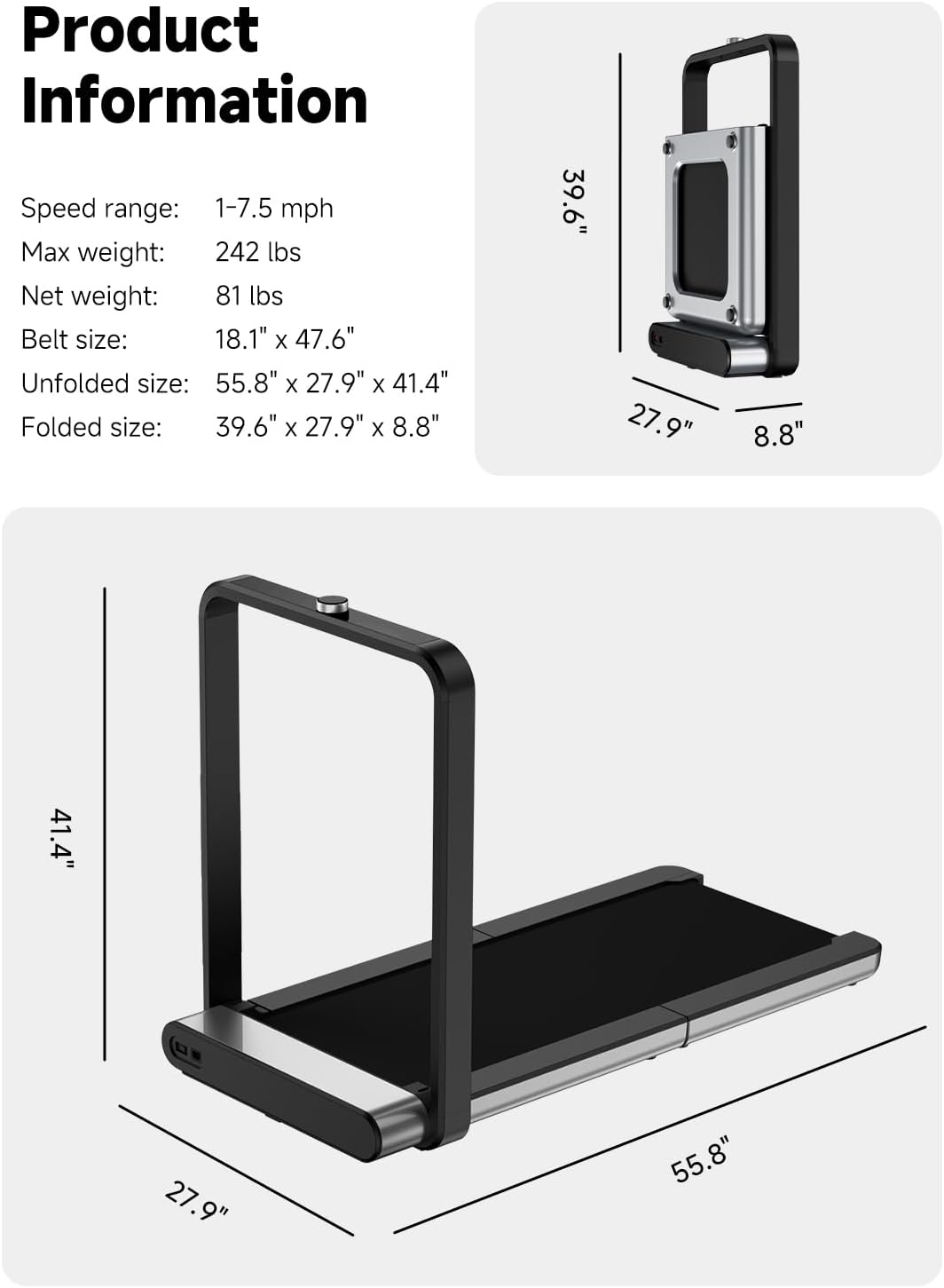
Figure 2: The WalkingPad X21 in its compact, folded state, ideal for vertical storage.
3. Operating Instructions
The WalkingPad X21 offers intuitive controls for a seamless workout experience.
3.1 Power On/Off
Connect the power cable to the treadmill and a suitable power outlet. Press the power button to turn the unit on or off.
3.2 Speed Control with Rotary Dial
Adjusting your speed is simple with the precision rotary dial located on the handle. Rotate the dial to increase or decrease the treadmill's speed. The speed range is from 1 to 7.5 miles per hour.
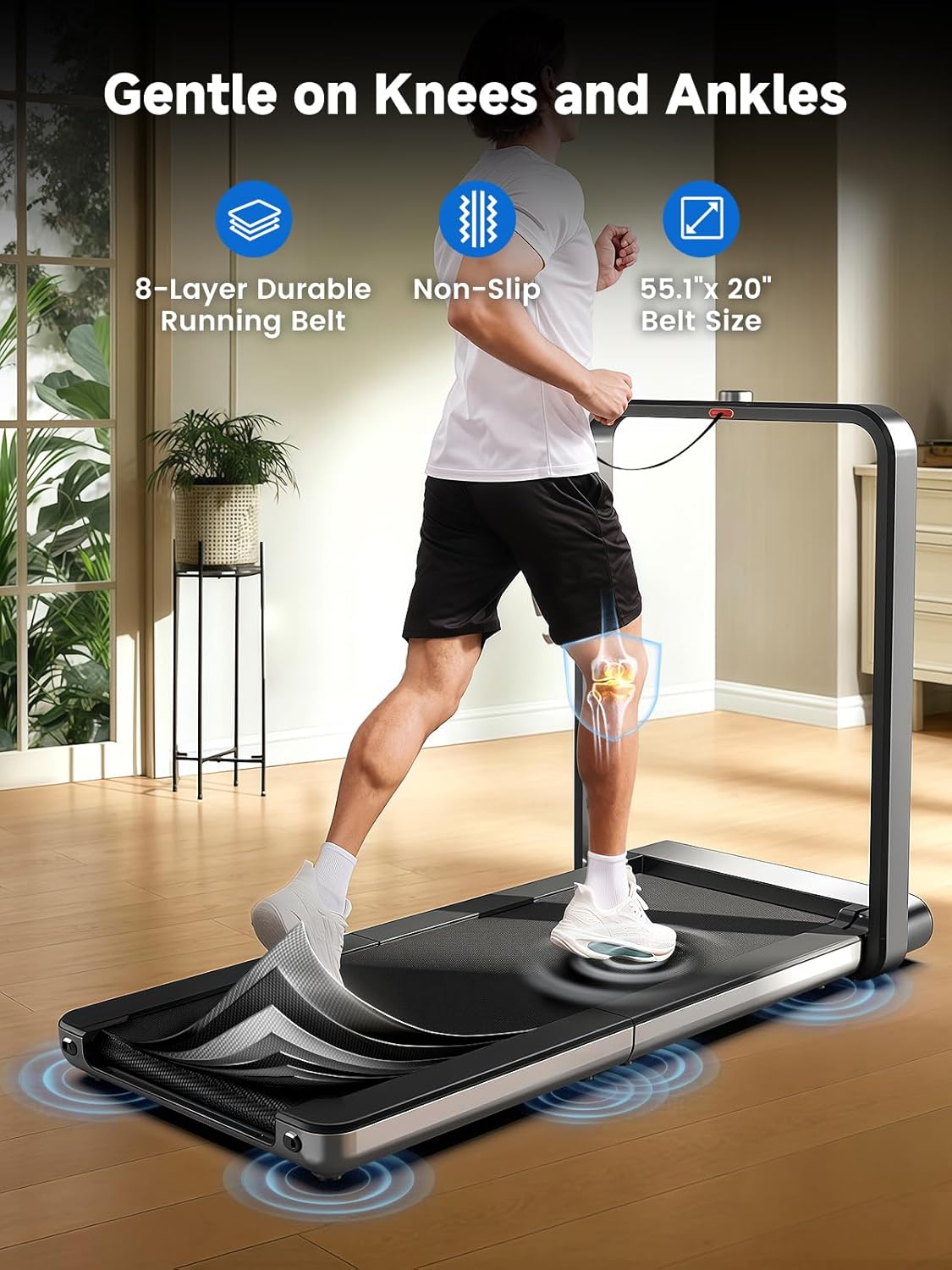
Figure 3: The rotary dial provides quick and responsive speed adjustments.
3.3 LED Display
The integrated LED display provides real-time workout metrics, including time, speed, distance, and calories burned. This allows you to monitor your progress at a glance.

Figure 4: The sleek hidden LED display shows essential workout data.
3.4 App Connectivity (Bluetooth)
The WalkingPad X21 can connect to your smartphone via Bluetooth, allowing for enhanced control and tracking through the dedicated app. The app may offer additional workout programs and detailed statistics.
4. Maintenance
Regular maintenance ensures the longevity and optimal performance of your WalkingPad X21.
4.1 Belt Lubrication
Periodically lubricate the running belt with the provided silicone oil to reduce friction and wear. Refer to the detailed instructions in the full user manual for the correct procedure and frequency.
4.2 Belt Adjustment
If the running belt becomes misaligned or feels loose/tight, use the Allen key to adjust the tension. Proper belt tension is crucial for smooth operation and user safety. Adjustments should be made gradually and evenly on both sides.
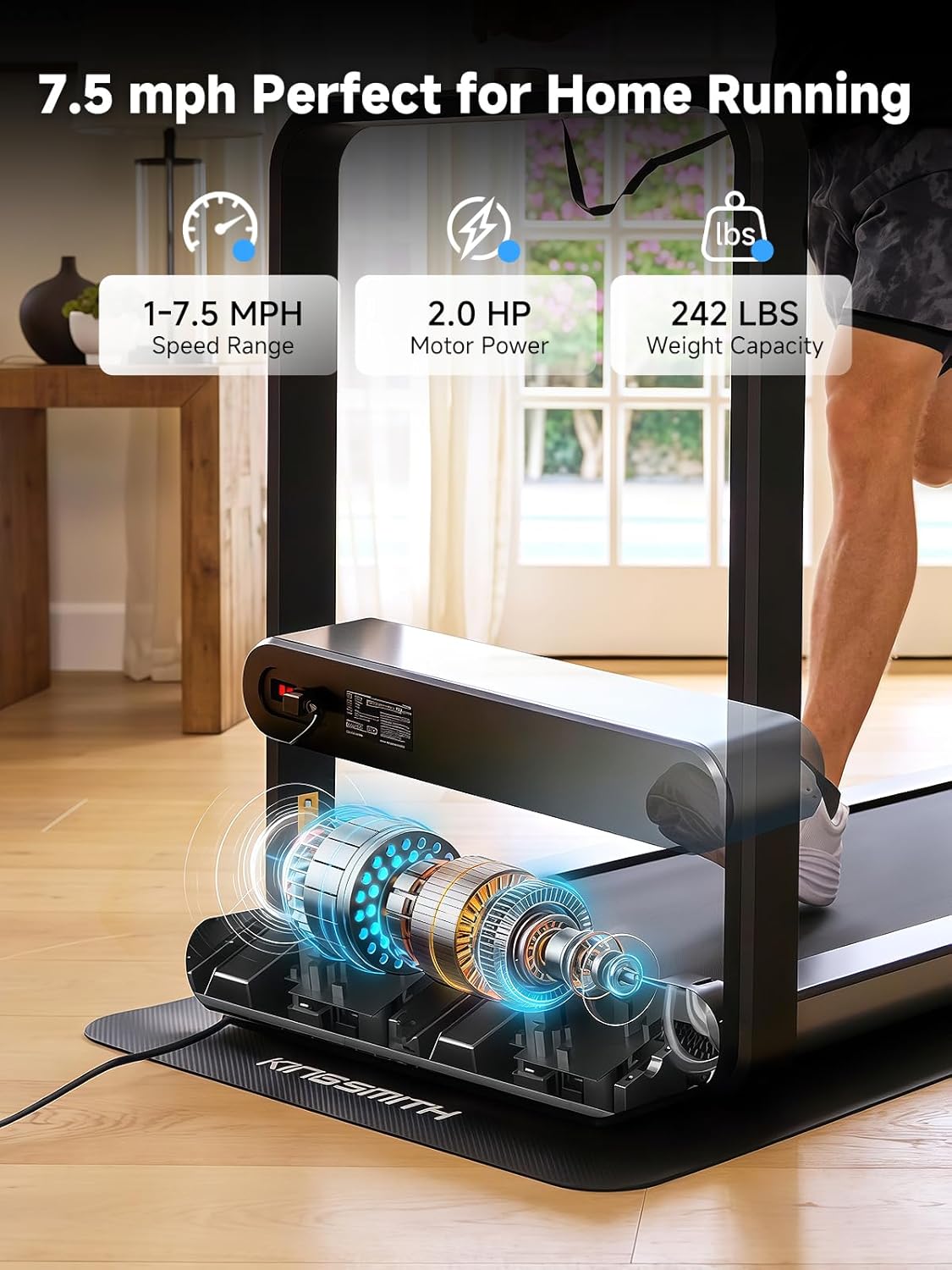
Figure 5: Internal components, including the motor, designed for quiet and stable operation.
5. Troubleshooting
If you encounter issues with your WalkingPad X21, please refer to the following common troubleshooting tips:
- No Power: Ensure the power cable is securely connected to both the treadmill and a working electrical outlet. Check the power switch on the treadmill.
- Belt Slipping/Sticking: This may indicate a need for belt lubrication or tension adjustment. Refer to Section 4.
- Unusual Noises: Stop using the treadmill immediately. Check for any foreign objects under the belt or loose components. If the noise persists, contact customer support.
- App Connectivity Issues: Ensure Bluetooth is enabled on your device and the treadmill is powered on. Try restarting both the app and the treadmill.
For more detailed troubleshooting or issues not listed here, please contact WALKINGPAD customer support.
6. Specifications
| Feature | Specification |
|---|---|
| Brand | WALKINGPAD |
| Model Name | WalkingPad X21 |
| Color | gray |
| Product Dimensions (D x W x H) | 42.91" x 30.71" x 11.02" |
| Item Weight | 81 Pounds |
| Material | Aluminum |
| Maximum Speed | 7.5 Miles per Hour |
| Minimum Speed | 1 Miles per Hour |
| Special Feature | Foldable |
| Maximum Horsepower | 2 Horsepower |
| Assembly Required | No |
| Power Source | Corded Electric |
| Connectivity Technology | Bluetooth |
| Metrics Measured | Distance, Speed, Time |
| Maximum Weight Recommendation | 240 Pounds |
| Deck Length | 47.6 Inches |
| Belt Width | 18.1 Inches |
| Folded Size | 27.9" x 37.6" x 8.9" |
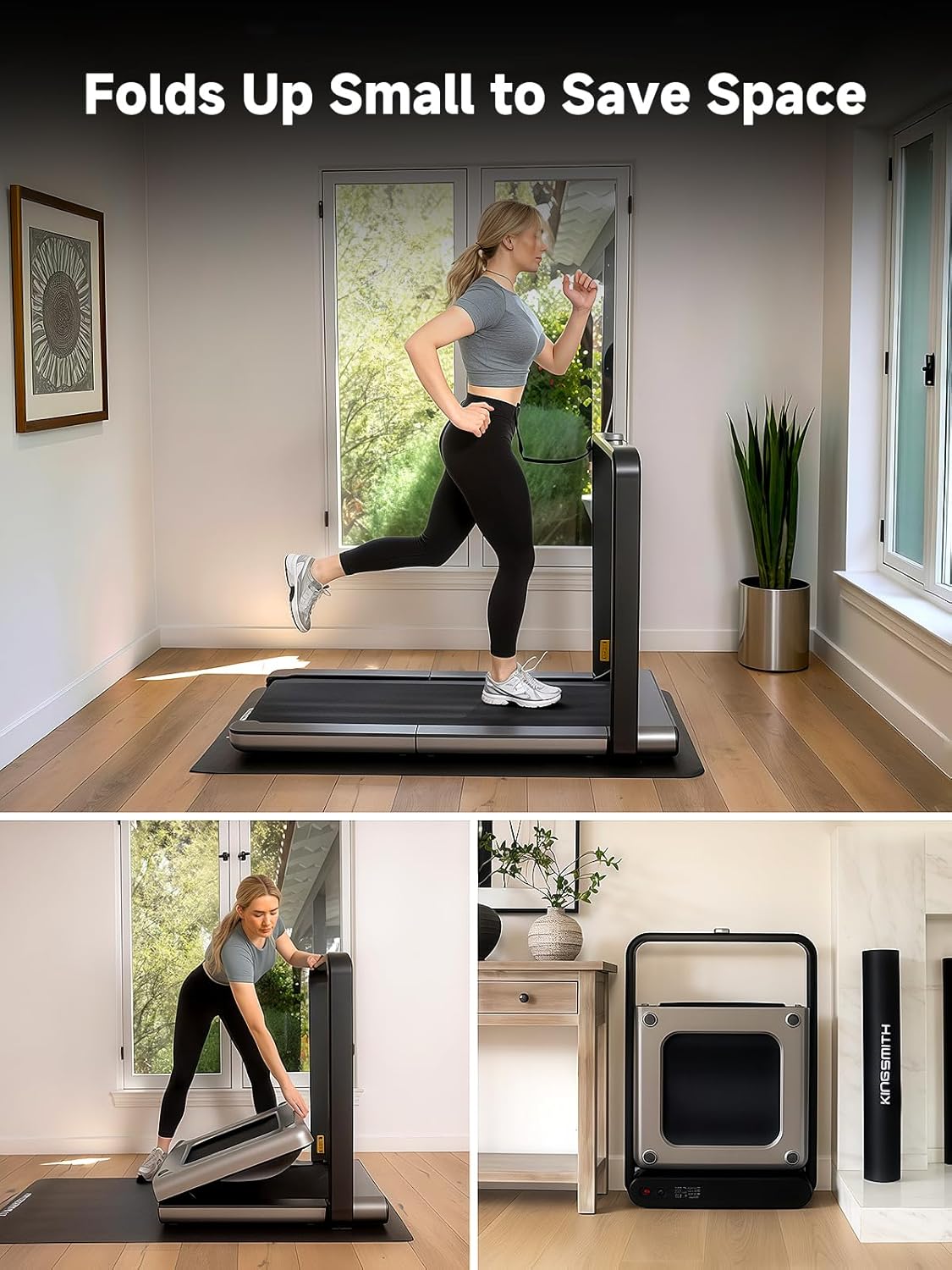
Figure 6: Detailed product dimensions and key specifications.
7. Warranty and Support
7.1 Warranty Information
The WALKINGPAD X21 comes with a 1-Year Manufacturer Warranty. Please retain your proof of purchase for warranty claims. For specific terms and conditions, refer to the warranty card included with your product or contact WALKINGPAD customer support.
7.2 Customer Support
For any questions, technical assistance, or service requests, please contact WALKINGPAD customer support. You can typically find contact information on the product packaging, the official WALKINGPAD website, or through your retailer.
The seller for this product is KINGSMITH WALKINGPAD, who also handles shipping and customer support inquiries.
Related documentsX21


Ask a question about this manual
Ask about setup, troubleshooting, compatibility, parts, safety, or missing instructions. Manuals+ will review the question and use this page’s manual context to help answer it.