
Siindoo JH-820
Siindoo JH-820 Wireless Bluetooth Headphones
User Manual
1. Introduction
Thank you for choosing the Siindoo JH-820 Wireless Bluetooth Headphones. These headphones are designed to provide a high-fidelity audio experience with crystal clear highs, balanced mids, and powerful bass through 40mm acoustic stereo drivers. Featuring Bluetooth 5.4 connectivity, 3 EQ sound modes, and a foldable lightweight design, they are ideal for travel, study, and daily use.
This manual provides detailed instructions on how to set up, operate, and maintain your headphones to ensure optimal performance and longevity.
What's in the Box?
- Siindoo JH-820 Headphone
- 0.5m Type-C charging cable
- 1.2m AUX cable
- User Manual

Figure 1: Package Contents. The image displays the Siindoo JH-820 headphones, a Type-C charging cable, an AUX cable, and the user manual, all neatly arranged as they would appear in the product box.
2. Product Overview
Familiarize yourself with the various components and controls of your Siindoo JH-820 headphones.

Figure 2: Easy Operation Button Layout. This diagram highlights the location and function of each button and port on the headphone, including the Call/EQ switch, Volume Up/Next Song, Volume Down/Previous Song, Power On/Off/Music Play/Pause, Bluetooth indicator, charging indicator, 3.5mm jack, Type-C charging port, and microphone.
- Call/EQ Switch: Used for managing calls and switching between EQ modes.
- "+": Volume Up / Next Song.
- "-": Volume Down / Previous Song.
- Power On/Off/Music Play/Pause: Multi-function button for power and media control.
- Bluetooth Indicator, Charging Indicator: LED light indicating connection status and charging status.
- 3.5mm Jack: For wired audio connection.
- Type-C Charging Port: For charging the headphones.
- Microphone: For hands-free calling and voice assistant use.
3. Setup
3.1 Charging the Headphones
Before first use, fully charge your headphones. Connect the provided Type-C charging cable to the charging port on the headphones and the other end to a USB power source (e.g., computer, wall adapter). The charging indicator will show the charging status. A full charge takes approximately 2.5 hours. A quick 5-minute charge provides approximately 2 hours of playtime.

Figure 3: Charging and Playtime. This image illustrates the long battery life and quick charge capability of the headphones, showing a user enjoying music while highlighting the "40 Hours Super-long Playtime" and "5Min = 2Hrs" quick charge feature.
3.2 Powering On/Off
- To Power On: Slide the Power On/Off button to the 'On' position. The Bluetooth indicator will light up.
- To Power Off: Slide the Power On/Off button to the 'Off' position. The indicator light will turn off.
3.3 Bluetooth Pairing
The Siindoo JH-820 headphones are compatible with all Bluetooth-enabled devices. They support stable dual connections, allowing connection to two devices simultaneously.
- Ensure the headphones are powered off.
- Slide the Power On/Off button to the 'On' position. The headphones will automatically enter pairing mode, and the Bluetooth indicator will flash.
- On your device (smartphone, tablet, laptop, etc.), enable Bluetooth and search for available devices.
- Select "Siindoo JH-820" from the list of found devices.
- Once connected, the Bluetooth indicator on the headphones will stop flashing and remain solid.

Figure 4: Device Compatibility. This image shows the Siindoo JH-820 headphones and icons representing various compatible devices, including computers, iOS devices, smartphones, and Android devices, emphasizing stable dual connections and Bluetooth V5.4.
4. Operating Instructions
4.1 Music Playback
- Play/Pause: Press the Power On/Off/Music Play/Pause button once.
- Volume Up: Press the "+" button.
- Volume Down: Press the "-" button.
- Next Song: Press and hold the "+" button.
- Previous Song: Press and hold the "-" button.
4.2 Call Functions
- Answer/End Call: Press the Call/EQ switch button once.
- Reject Call: Press and hold the Call/EQ switch button.
- Voice Assistant: Double-press the Call/EQ switch button to activate your device's voice assistant.
4.3 EQ Sound Modes
The headphones feature 3 EQ modes to optimize your listening experience for different music genres.
- Switch Modes: Press the Call/EQ switch button twice during music playback to cycle through the modes.
- Available Modes: Pop Mode, Vocal Mode, Bass Mode.
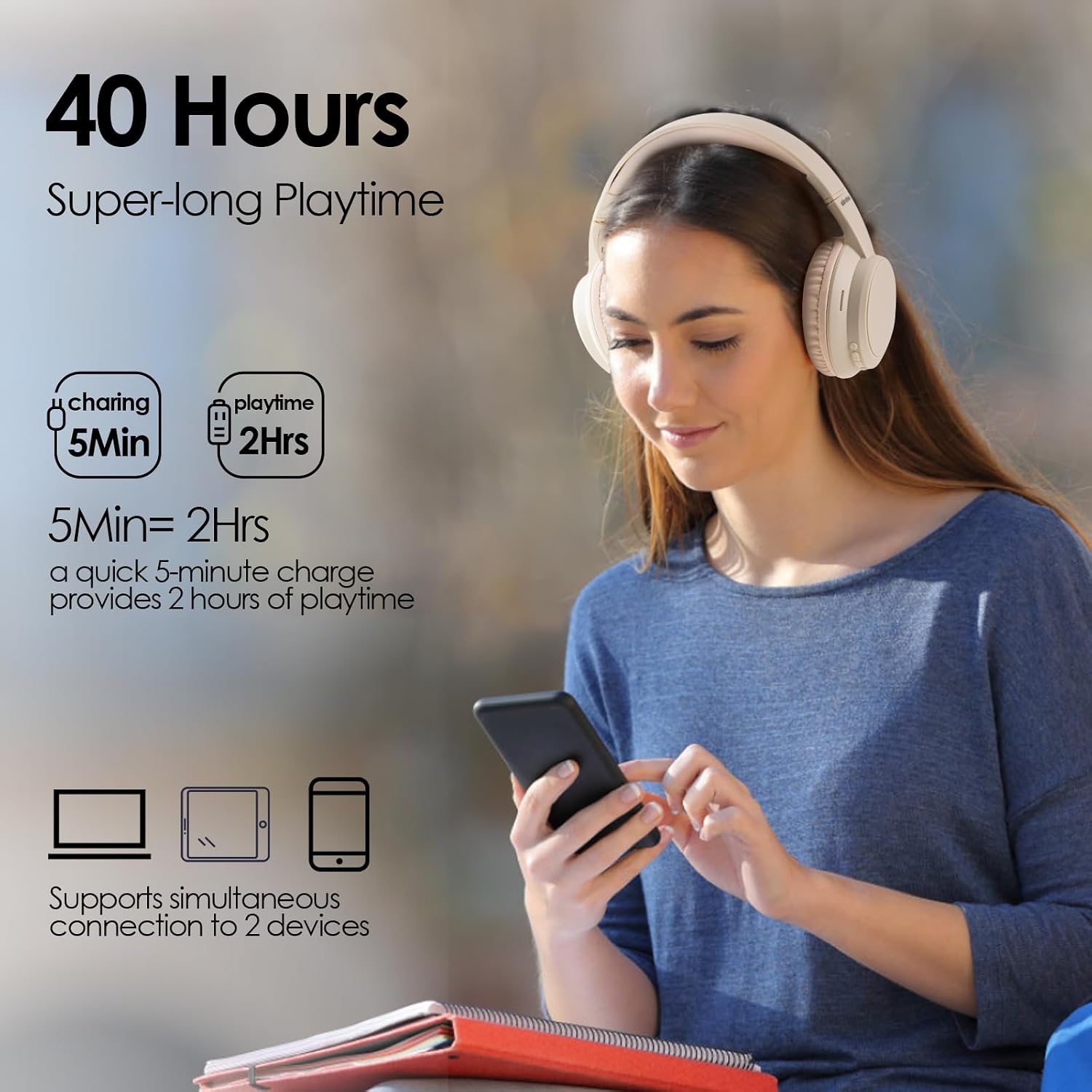
Figure 5: 3 EQ Modes. This image visually represents the three distinct EQ modes (Pop, Vocal, Bass) available on the headphones, allowing users to customize their audio experience.
4.4 Wired Mode (AUX)
You can use the headphones in wired mode even if the battery is depleted. Connect one end of the provided 3.5mm AUX cable to the headphone's 3.5mm jack and the other end to your audio device's AUX output.
5. Maintenance
Proper care and maintenance will extend the life of your Siindoo JH-820 headphones.
- Cleaning: Use a soft, dry cloth to clean the headphones. Do not use abrasive cleaners or solvents.
- Storage: When not in use, store the headphones in a cool, dry place. The foldable design allows for compact storage, making them easy to carry.
- Avoid Moisture: Do not expose the headphones to water or excessive moisture.
- Temperature: Avoid extreme temperatures.

Figure 6: Folding Design and Comfort. This image highlights the foldable nature of the headphones for portability, their adjustable headband for various head shapes, and the soft earmuffs for extended comfort.
6. Troubleshooting
If you encounter any issues with your headphones, please refer to the following common solutions:
| Problem | Possible Solution |
|---|---|
| Headphones do not power on. | Ensure the headphones are fully charged. Connect to a power source and try again. |
| Cannot pair with device. |
|
| No sound. |
|
| Poor sound quality. |
|
7. Specifications
Key technical specifications for the Siindoo JH-820 Wireless Bluetooth Headphones:
| Feature | Detail |
|---|---|
| Model Name | JH-820 |
| Brand | Siindoo |
| Connectivity Technology | Wireless (Bluetooth), Wired (3.5mm AUX) |
| Wireless Communication Technology | Bluetooth 5.4 |
| Bluetooth Range | 10 Meters |
| Audio Driver Size | 40 Millimeters |
| Frequency Response | 20000 Hz |
| Sensitivity | 105 dB |
| Impedance | 32 Ohm |
| Playtime | Up to 60 hours (as per title), 28 hours music time (as per feature bullets) |
| Charging Time | Approx. 2.5 hours |
| Material | Plastic |
| Item Weight | 9.1 ounces (0.57 Pounds) |
| Included Components | Headphone, Type-C charging cable, AUX cable, User Manual |
8. Warranty and Support
Siindoo is committed to providing high-quality products and customer satisfaction. If you have any inquiries or experience any issues during the use of your JH-820 headphones, please do not hesitate to contact us.
For support, please refer to the contact information provided with your purchase or visit the official Siindoo website.
Note: Specific warranty details may vary by region and retailer. Please retain your proof of purchase for warranty claims.
Related documentsJH-820

Ask a question about this manual
Ask about setup, troubleshooting, compatibility, parts, safety, or missing instructions. Manuals+ will review the question and use this page’s manual context to help answer it.