
1. Product Overview
The VILTROX AF 15mm F1.7 E is a compact and lightweight autofocus prime lens designed for Sony E-mount APS-C cameras. It offers an ultra-wide perspective with a bright maximum aperture, making it suitable for various photographic and videographic applications, including landscapes, vlogging, and low-light shooting.
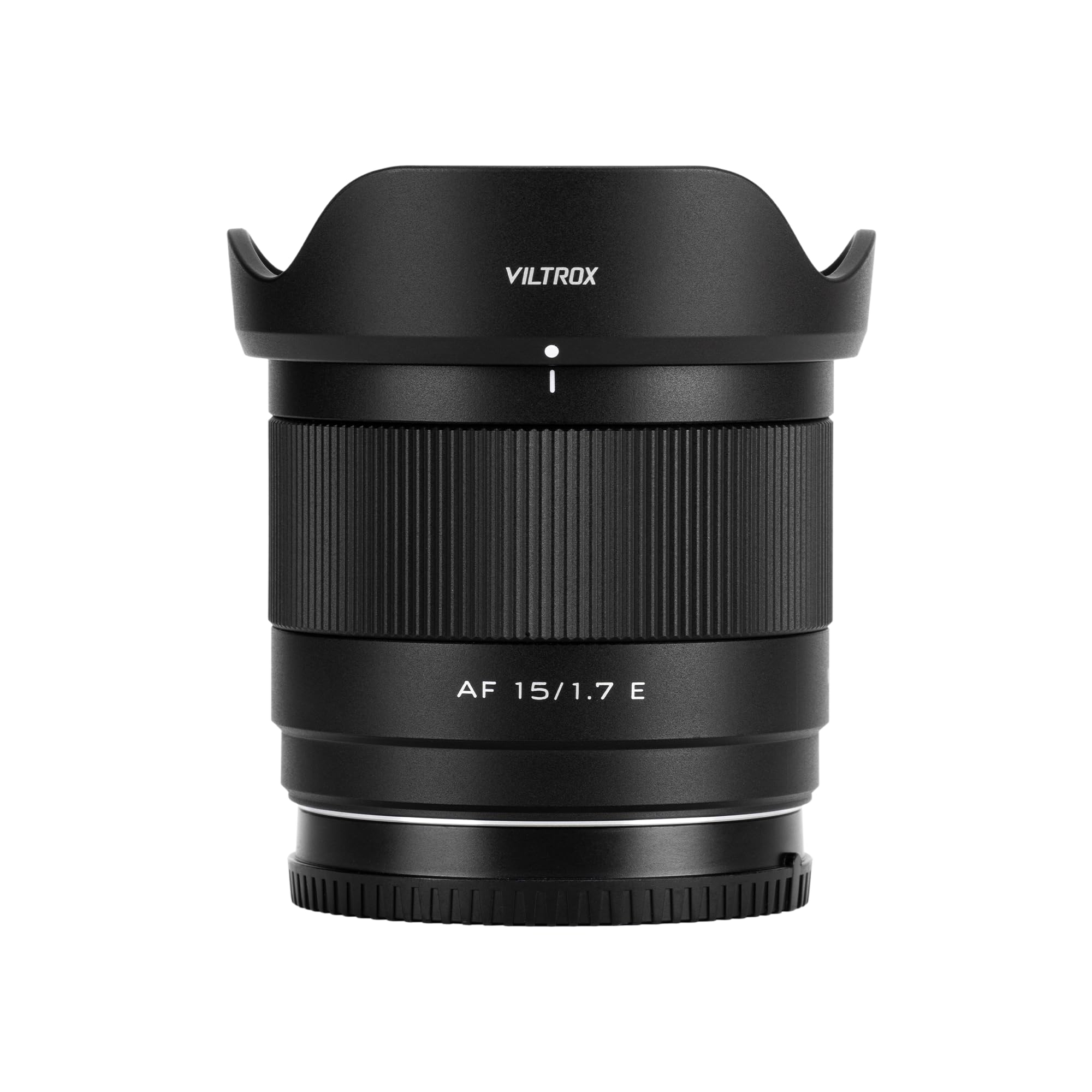
Figure 1: VILTROX AF 15mm F1.7 E Lens
Key Features:
- Bright f/1.7 Aperture: Enables excellent low-light performance and produces a pleasing background blur (bokeh).
- Ultra-Wide Focal Length: A 15mm focal length (approximately 22.5mm full-frame equivalent) provides an 84.9° field of view, ideal for capturing expansive scenes.
- Advanced Optical Design: Composed of 12 elements in 10 groups, including 3 High Refractive (HR), 3 Extra-low Dispersion (ED), and 2 Aspherical (ASPH) elements to minimize aberrations and ensure high image quality.
- Compact & Lightweight: Weighing only 180g, this lens is highly portable and comfortable for extended use.
- Close Focusing Capability: A minimum focusing distance of 0.23 meters (23cm) allows for detailed close-up shots.
- Fast Autofocus: Equipped with an STM motor for quick, accurate, and smooth autofocus, beneficial for both photography and video recording.
- Integrated USB-C Port: Allows for convenient firmware updates to maintain optimal performance.
2. What's in the Box
Verify that all items are present in your package:
- VILTROX AF 15mm F1.7 E Lens
- Lens Hood (Lotus-shaped)
- Front Lens Cap
- Rear Lens Cap
- Lens Pouch
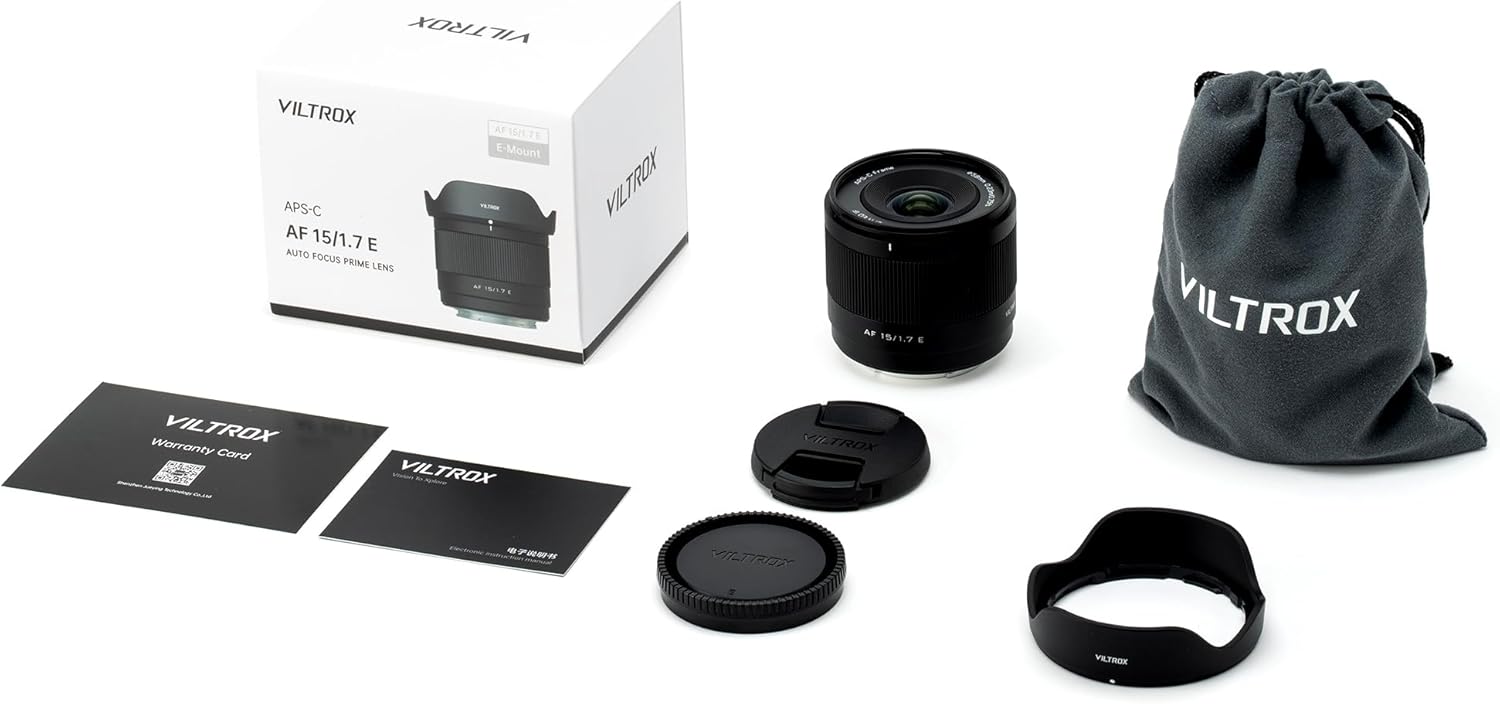
Figure 2: Package Contents
Lens Components:

Figure 3: Front View of the Lens

Figure 4: Rear View of the Lens (E-Mount)
3. Setup
Attaching the Lens:
- Ensure your camera is powered off.
- Remove the rear lens cap from the VILTROX 15mm F1.7 E lens and the body cap from your Sony E-mount camera.
- Align the white index mark on the lens barrel with the corresponding white index mark on your camera's lens mount.
- Gently insert the lens into the camera's mount and rotate it clockwise until it clicks into place. Do not force the lens.
- Attach the lotus-shaped lens hood by aligning its mark with the mark on the front of the lens and twisting until it locks.

Figure 5: Lens Mounted on Camera
Removing the Lens:
- Ensure your camera is powered off.
- Press and hold the lens release button on your camera body.
- Rotate the lens counter-clockwise until it detaches from the camera body.
- Immediately attach the rear lens cap to the lens and the body cap to the camera to protect the sensor and lens elements.
4. Operating the Lens
Autofocus (AF) Operation:
The VILTROX AF 15mm F1.7 E lens features a fast and quiet STM autofocus motor. To use autofocus, ensure your camera's focus mode is set to AF. The lens will automatically adjust focus based on your camera's settings (e.g., single-shot AF, continuous AF, wide-area AF).
Video 1: Demonstrating the VILTROX AF 15mm F1.7 E lens for vlogging, highlighting its wide angle and portability.
Manual Focus (MF) Operation:
To use manual focus, set your camera's focus mode to MF. Rotate the focus ring on the lens barrel to adjust focus. Your camera's focus peaking and magnification features can assist in achieving precise manual focus.
Aperture Control:
The lens features a bright f/1.7 maximum aperture. Aperture can be controlled via your camera's settings, allowing you to adjust depth of field and light intake. The wide aperture is particularly useful for creating shallow depth of field effects (bokeh) and shooting in low-light conditions.
Video 2: Focal length comparison demonstrating the wide perspective of the 15mm lens on an APS-C sensor.
Sample Images:

Figure 6: Wide-angle landscape example.

Figure 7: Example of shallow depth of field (bokeh).
Video 3: Showcasing close-up photography with the VILTROX AF 15mm F1.7 E lens, including subjects like pets.
5. Maintenance
Cleaning the Lens:
- Use a blower brush to remove dust from the lens surface.
- For smudges or fingerprints, use a clean microfiber cloth specifically designed for optics, along with a lens cleaning solution. Apply solution to the cloth, not directly to the lens.
- Avoid touching the lens elements with bare hands.
Storage:
- Always attach the front and rear lens caps when the lens is not in use.
- Store the lens in a cool, dry place, away from direct sunlight and extreme temperatures.
- If storing for extended periods, consider using a dehumidifier or desiccant to prevent mold growth.
Firmware Updates:
The lens features a USB-C port for firmware updates. Visit the official VILTROX website for the latest firmware and instructions on how to update your lens. Regular updates can improve performance and compatibility.
6. Troubleshooting
Autofocus Issues:
- Lens not focusing: Ensure the lens is securely mounted and the camera's focus mode is set to AF. Check for sufficient light in the scene.
- Slow or inaccurate autofocus: Update the lens firmware via the USB-C port. Clean the lens contacts on both the lens and camera body.
Image Quality Concerns:
- Soft images: Ensure proper focus. Check camera settings (shutter speed, ISO) to avoid motion blur or noise.
- Dust spots: Clean the front and rear elements of the lens. If spots persist, check your camera's sensor for dust.
Lens Not Recognized by Camera:
- Remove and reattach the lens, ensuring it clicks into place.
- Clean the electronic contacts on both the lens and camera body with a clean, dry cloth.
- Ensure your camera's firmware is up to date.
7. Specifications
| Feature | Detail |
|---|---|
| Brand | VILTROX |
| Model Number | AF 15mm F1.7 E lens for Sony |
| Focal Length | 15mm (22.5mm equivalent on APS-C) |
| Maximum Aperture | f/1.7 |
| Lens Type | Wide Angle Prime Lens |
| Compatible Mountings | Sony E-Mount |
| Optical Design | 12 Elements in 10 Groups |
| Minimum Focusing Distance | 0.23m (0.75ft) |
| Filter Size | 58mm |
| Product Dimensions | 2.22 x 2.56 x 2.56 inches |
| Item Weight | 14.1 ounces (approx. 400g) |
| Manufacturer | Shenzhen Jueying Technology Co., Ltd. |

Figure 8: Optical Diagram

Figure 9: MTF Chart
8. Warranty and Support
VILTROX products typically come with a limited manufacturer's warranty. Please refer to the warranty card included in your product packaging or visit the official VILTROX website for detailed warranty terms and conditions. For technical support, service, or inquiries, contact VILTROX customer service through their official channels.