
1. Introduction
This manual provides essential information for the safe and efficient operation of your Impex WM1000FS 10kg Front Load Washing Machine. Please read these instructions carefully before installation, use, and maintenance. Keep this manual for future reference.
The Impex WM1000FS is designed for large households, offering a 10kg capacity and a 1400 RPM spin speed for efficient washing. It features a durable BLDC inverter motor for quiet and energy-efficient performance, AI Wash technology, 11 preset programs, and a user-friendly LED display.

Image 1.1: Overview of the Impex WM1000FS Front Load Washing Machine, showcasing its 10kg capacity, 1400 RPM, BLDC Inverter Motor, AI Wash, 11 Preset Menus, and Child Safety Lock features.
2. Safety Information
Always follow basic safety precautions when using electrical appliances to reduce the risk of fire, electric shock, and injury.
- Ensure the washing machine is properly grounded.
- Do not allow children to play on or in the appliance. Supervise children when the appliance is in use.
- Keep flammable materials away from the machine.
- Do not wash items that have been soiled with gasoline, dry-cleaning solvents, or other flammable or explosive substances.
- In case of malfunction, switch off the appliance and unplug it immediately. Contact qualified service personnel.
- The appliance is equipped with a Child Safety Lock to prevent accidental operation by children. Refer to the Operating Instructions section for details on how to activate and deactivate this feature.

Image 2.1: The Child Safety Lock feature ensures the safety of children around the washing machine.
3. Setup and Installation
3.1 Unpacking
Carefully remove all packaging materials. Inspect the machine for any damage during transit. Report any damage to your retailer immediately.
3.2 Removing Transit Bolts
Before operating the washing machine, it is CRUCIAL to remove all transit bolts located at the back of the machine. These bolts secure the drum during transportation and must be removed to prevent severe vibration and damage during operation.
- Locate the transit bolts on the rear panel of the washing machine. There are typically four bolts.
- Using an appropriate wrench, loosen and remove all transit bolts.
- Plug the holes with the transit bolt caps supplied with the machine.
- Keep the removed transit bolts for future transportation. If the machine needs to be moved again, reinstall them to protect the drum.

Image 3.1: Illustration of transit bolts located on the rear of the washing machine, which must be removed before first use.
3.3 Leveling the Machine
Ensure the machine is perfectly level to prevent excessive vibration and noise during operation. Adjust the adjustable feet at the bottom of the machine until it is stable.
3.4 Water and Drain Connections
Connect the water inlet hose to a cold water tap and the machine's inlet valve. Ensure connections are tight to prevent leaks. Position the drain hose correctly into a standpipe or sink, ensuring it is not kinked or blocked.
3.5 Power Connection
Plug the power cord into a grounded electrical outlet (220-240V AC, 50Hz/60Hz). Do not use extension cords or adapters.
4. Operating Instructions
4.1 Control Panel Overview
The washing machine features an intuitive control panel with an LED display and touch controls for easy program selection and customization.

Image 4.1: Detailed view of the LED display and control panel, highlighting various functions and settings.
4.2 Loading Laundry and Detergent
- Open the door and load laundry, ensuring not to overload the drum.
- Pull out the detergent dispenser drawer. Add appropriate amounts of detergent and fabric softener to their respective compartments.
- Close the detergent drawer and the machine door firmly.
4.3 Program Selection
Turn the program selector knob to choose one of the 11 preset wash programs. The LED display will show the default settings for the selected program.
- Normal: For daily cotton and mixed fabrics.
- Heavy Duty: For heavily soiled items.
- Delicates: For fragile garments requiring gentle care.
- Quick Wash: For lightly soiled items needing a fast cycle.
- Rinse: For rinsing only.
- Other programs include specific settings for various fabric types and soil levels.
4.4 Advanced Functions
Customize your wash cycle using the advanced function buttons:
- Temperature Control: Adjust the wash water temperature.
- Spin Speed Control: Modify the spin speed (up to 1400 RPM).
- Delay Start: Set a delayed start time for your wash cycle.
- AI Wash: Activates intelligent washing technology that optimizes water, detergent, and cycle time based on load sensing.

Image 4.2: The AI Wash feature intelligently optimizes washing parameters for superior cleaning.

Image 4.3: The Wash Delay Function allows scheduling wash cycles for convenience.
4.5 Starting and Stopping a Cycle
Press the 'Start/Pause' button to begin the selected wash cycle. To pause, press the button again. To cancel a cycle, press and hold the 'Start/Pause' button for a few seconds.
4.6 Air Dry Function
This washing machine includes an Air Dry feature to help reduce moisture in clothes, contributing to faster drying times and freshness.

Image 4.4: The Air Dry feature helps in reducing moisture from clothes after washing.
5. Maintenance
Regular maintenance ensures optimal performance and extends the lifespan of your washing machine.
5.1 Cleaning the Detergent Dispenser
Remove the detergent dispenser drawer and rinse it under running water to remove any detergent residue. Clean the housing with a brush if necessary.
5.2 Cleaning the Drum
Run a 'Drum Clean' cycle (if available) or a hot wash cycle with no laundry and a small amount of detergent or washing machine cleaner to remove residue and odors.
5.3 Cleaning the Filter
Periodically clean the drain pump filter to prevent blockages. Refer to the full instruction manual for the exact location and procedure.
5.4 Exterior Cleaning
Wipe the exterior surfaces with a soft, damp cloth. Do not use abrasive cleaners or solvents.
6. Troubleshooting
If you encounter issues with your washing machine, refer to the following common troubleshooting tips:
- Excessive Vibration/Noise: Ensure the machine is level and, most importantly, verify that all transit bolts have been removed from the back of the machine. Refer to Section 3.2.
- Machine Not Starting: Check if the power cord is securely plugged in, the door is fully closed, and the water supply is turned on.
- Water Leaks: Check all hose connections for tightness and ensure the drain hose is correctly positioned.
- Poor Washing Results: Ensure you are using the correct amount and type of detergent for your load and selected program. Avoid overloading the machine.
For error codes or more complex issues, consult the comprehensive troubleshooting guide in the full product manual or contact customer support.
7. Specifications
| Feature | Specification |
|---|---|
| Brand | Impex |
| Model Number | WM1000FS |
| Capacity | 10 kg |
| Drum Volume | 64 Liters |
| Maximum Spin Speed | 1400 RPM |
| Motor Type | BLDC Inverter Motor |
| Number of Programs | 11 |
| Noise Level (Wash) | 60 dB |
| Noise Level (Spin) | 72 dB |
| Control Type | Touch |
| Special Features | Child Lock, High Efficiency, AI Wash, Delay Start, Temperature & Speed Control |
| Door Material | IPX4 Water-Resistant Glass |
| Color | Grey |
| Product Dimensions (DxWxH) | 53.5 cm x 59.8 cm x 84.5 cm |
| Item Weight | 60 kg |
| Power Input | 220-240V AC, 50Hz/60Hz |
| Rated Wash Power | 150 W |
| Rated Spin Power | 500 W |
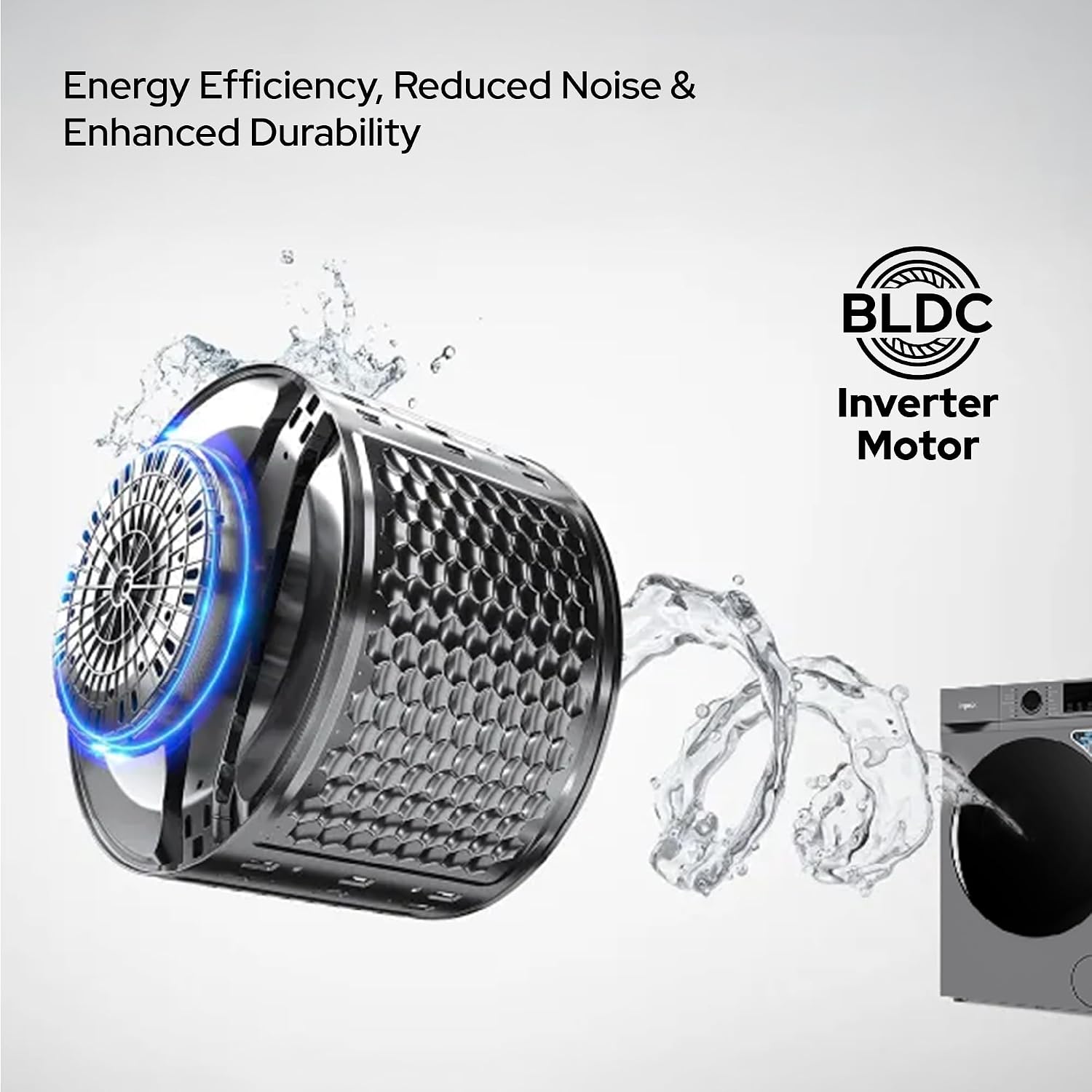
Image 7.1: Illustration of the BLDC Inverter Motor, highlighting its energy efficiency and reduced noise.
8. Warranty and Support
8.1 Warranty Policy
Your Impex WM1000FS washing machine comes with a two-year warranty. This warranty covers manufacturing defects and functional defects only. It does not cover physical damage, liquid damage, or damage resulting from mishandling or misuse.
8.2 Customer Support
For technical assistance, warranty claims, or service requests, please contact Impex customer support. Refer to your purchase documentation or the Impex website for contact details specific to your region.