
ODK B02XS012401019UK
ODK L-shaped Gaming Desk Instruction Manual
Model: B02XS012401019UK
1. Introduction
Thank you for choosing the ODK L-shaped Gaming Desk. This manual provides essential information for the safe assembly, operation, and maintenance of your new desk. Please read these instructions carefully before beginning assembly and retain them for future reference.
2. Safety Information
- Always assemble the desk on a soft, clean surface to prevent scratches.
- Ensure all screws and fasteners are securely tightened before use. Periodically check and re-tighten as necessary.
- Do not overload the desk. Refer to the specifications for weight capacity.
- Keep small parts away from children during assembly to avoid choking hazards.
- Avoid placing hot items directly on the desk surface without protection.
- Do not stand or sit on the desk.
3. Package Contents
Before assembly, verify that all components listed in the packaging are present and undamaged. If any parts are missing or damaged, please contact customer support.
- Desk panels (L-shaped sections)
- Z-shaped leg frames
- Connecting brackets and hardware
- Adjustable foot pads
- Assembly tools (if included)
- Instruction manual
4. Setup and Assembly
The ODK L-shaped Gaming Desk is designed for quick and easy assembly. Follow the included step-by-step instructions carefully.
- Unpack Components: Carefully remove all parts from the packaging and lay them out on a protected surface.
- Attach Leg Frames: Secure the Z-shaped leg frames to the desk panels using the provided screws and tools. Ensure all connections are firm.
- Connect Desk Sections: Join the L-shaped desk sections together using the connecting brackets and hardware.
- Install Adjustable Foot Pads: Screw the adjustable foot pads into the bottom of the leg frames. These help stabilize the desk on uneven floors.
- Final Check: Once assembled, gently lift and move the desk to its desired location. Verify all screws are tight and the desk is stable.

Image: The Z-brace support structure and adjustable foot pads provide reliable stability for the desk.

Image: Product dimensions illustrating the 120cm x 120cm L-shape and 77.5cm height.
5. Operating and Usage
This L-shaped desk is designed for versatile use in various environments, including gaming setups, home offices, and study areas.
- Space Optimization: The L-shape design allows the desk to fit snugly into corners, maximizing your room's layout and providing ample workspace.
- Multi-Monitor Support: The expansive surface can comfortably accommodate multiple monitors, keyboards, and other accessories, making it ideal for complex gaming or professional setups.
- Ergonomic Design: The open layout ensures plenty of legroom, contributing to a comfortable experience during extended periods of use.

Image: An ODK L-shaped desk configured for a gaming setup, showcasing its spacious design.

Image: The ODK L-shaped desk functioning as a home office workstation.
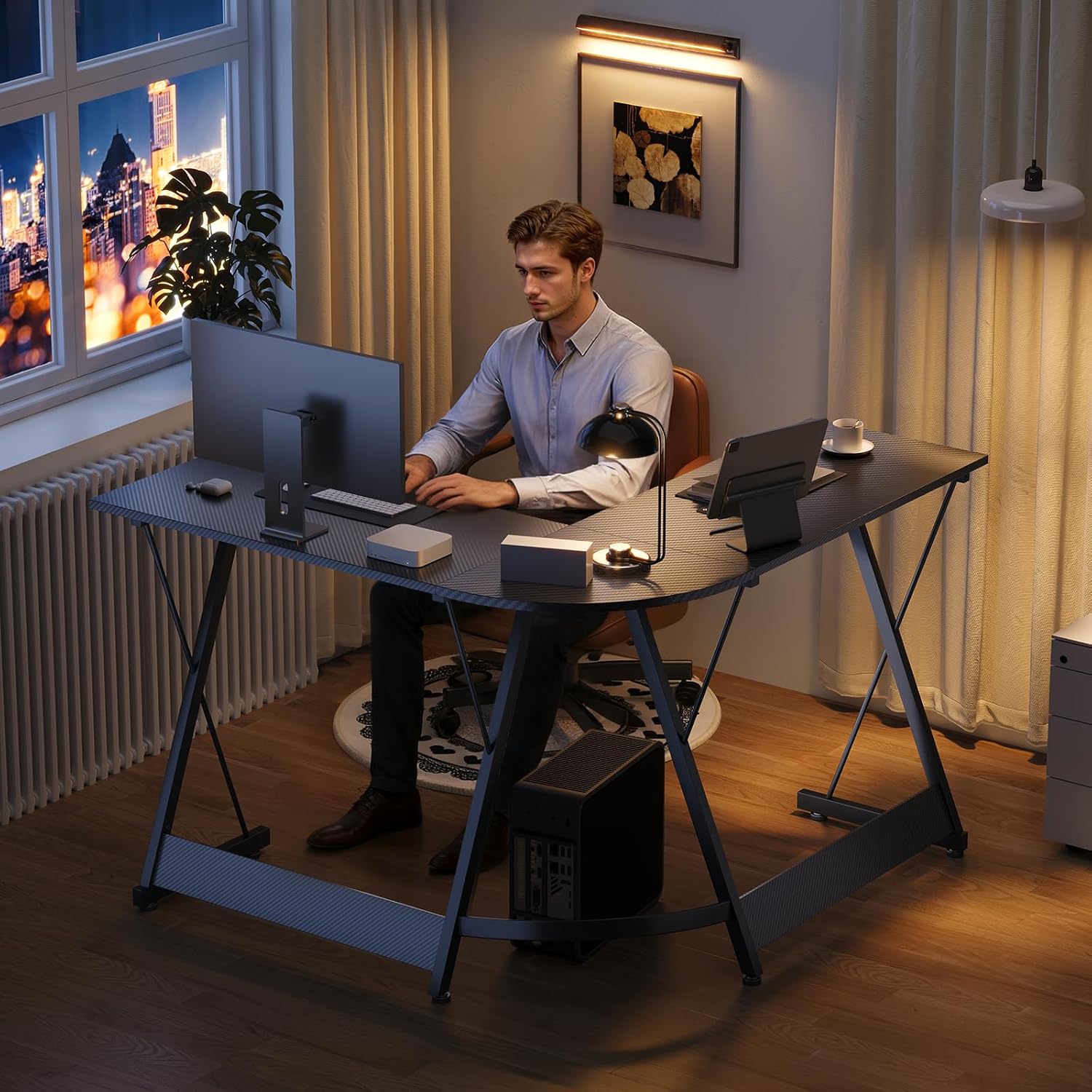
Image: A user comfortably working at the ODK L-shaped desk, demonstrating its practical application.
6. Maintenance
Proper care will ensure the longevity and appearance of your ODK L-shaped Gaming Desk.
- Cleaning: Wipe the desk surface with a soft, damp cloth. Avoid abrasive cleaners or harsh chemicals that could damage the carbon fiber finish.
- Spills: Clean up spills immediately to prevent staining or damage to the surface.
- Fasteners: Periodically check all screws and bolts to ensure they remain tight. Re-tighten if necessary to maintain stability.
- Avoid Direct Sunlight: Prolonged exposure to direct sunlight may cause fading or material degradation over time.
7. Troubleshooting
If you encounter any issues with your desk, refer to the following common solutions:
| Problem | Possible Cause | Solution |
|---|---|---|
| Desk is wobbly | Loose screws or uneven floor | Tighten all assembly screws. Adjust the foot pads to level the desk on uneven surfaces. |
| Parts are missing | Packaging error | Contact ODK customer support with your purchase details and a list of missing parts. |
| Surface is scratched | Improper handling or sharp objects | Use a desk mat or protective cover. Minor scratches may be concealed with appropriate repair kits (not included). |
8. Specifications
| Feature | Detail |
|---|---|
| Brand | ODK |
| Model Name | B02XS012401019UK |
| Color | Black Carbon Fiber |
| Product Dimensions (L x W x H) | 120 cm x 120 cm x 77.5 cm (47.2 x 47.2 x 30.5 inches) |
| Item Weight | 13 kg (28.6 lbs) |
| Material | Engineered Wood (Carbon Fiber finish), Metal Frame |
| Assembly Required | Yes |
| Included Components | Desk panels, leg frames, hardware, instruction manual |
9. Warranty and Support
ODK is committed to customer satisfaction. We stand behind our products with dedicated support.
If you have any questions, concerns, or require assistance with your ODK L-shaped Gaming Desk, please do not hesitate to contact our customer support team. Our team is ready to provide you with satisfactory assistance.
Please refer to your purchase documentation for specific warranty terms and contact information.
Related documentsB02XS012401019UK


Ask a question about this manual
Ask about setup, troubleshooting, compatibility, parts, safety, or missing instructions. Manuals+ will review the question and use this page’s manual context to help answer it.