
Introduction
This manual provides essential information for the safe operation, setup, maintenance, and troubleshooting of your CRAFTSMAN V20 Cordless 12" Portable Fan. This fan is designed for versatility, offering both battery-powered cordless operation with CRAFTSMAN V20 MAX* lithium-ion batteries (sold separately) and corded operation via the included AC adapter. It features a 12-inch high-velocity fan capable of delivering up to 1400 CFM, with 3-speed settings and a 130° adjustable tilt for optimal air direction.
Safety Information
WARNING: Read all safety warnings and instructions before operating this product. Failure to follow the warnings and instructions may result in electric shock, fire, and/or serious injury.
- Electrical Safety: Do not expose the fan to rain or wet conditions. Do not use the fan in damp or wet locations. Always unplug the fan from the power source before cleaning or performing any maintenance.
- Battery Safety: Use only CRAFTSMAN V20 MAX* lithium-ion batteries with this fan. Do not attempt to open or modify the battery pack. Do not dispose of batteries in fire.
- Personal Safety: Keep hair, loose clothing, fingers, and all parts of the body away from openings and moving parts. Do not operate the fan with a damaged cord or plug.
- Product Use: Do not use the fan for purposes other than its intended use. Do not block air openings. Ensure the fan is placed on a stable, level surface.
Product Overview
The CRAFTSMAN V20 Cordless 12" Portable Fan is designed for powerful and flexible cooling in various environments. Key features include:
- Dual Power Options: Operates with CRAFTSMAN V20 MAX* lithium-ion batteries or the included AC adapter.
- High Airflow Performance: 12-inch fan delivers up to 1400 CFM with three adjustable speed settings.
- Adjustable Air Direction: Features a 130° tilting fan head to direct airflow precisely.
- Rugged & Portable Design: Equipped with a sturdy base and a built-in carry handle for easy transport and durability.

Figure 1: CRAFTSMAN V20 12-inch Portable Fan highlighting its features including AC/DC power, 1400 CFM, 3-speed settings, 130° tilt, convenient carry handle, and stable base.
Setup
Unpacking
Carefully remove the fan and all components from the packaging. Inspect the fan for any damage that may have occurred during shipping. Retain packaging materials for future storage or transport.
Powering the Fan
Your CRAFTSMAN V20 Portable Fan offers two power options:
- Using the AC Adapter (Included):
- Locate the AC adapter port on the fan's base.
- Plug the included AC adapter into the fan's AC adapter port.
- Plug the other end of the AC adapter into a standard 120V AC electrical outlet.

Figure 2: The included AC adapter connected to the fan for corded operation.
- Using a CRAFTSMAN V20 Battery (Sold Separately):
- Ensure the CRAFTSMAN V20 battery is fully charged.
- Align the battery with the battery port on the fan's base.
- Slide the battery into the port until it clicks securely into place.

Figure 3: The CRAFTSMAN V20 Portable Fan operating on a V20 lithium-ion battery, which is sold separately.
Positioning the Fan
Place the fan on a stable, flat surface. The fan's sturdy base ensures stability during operation. Use the built-in carry handle for easy portability to your desired location.
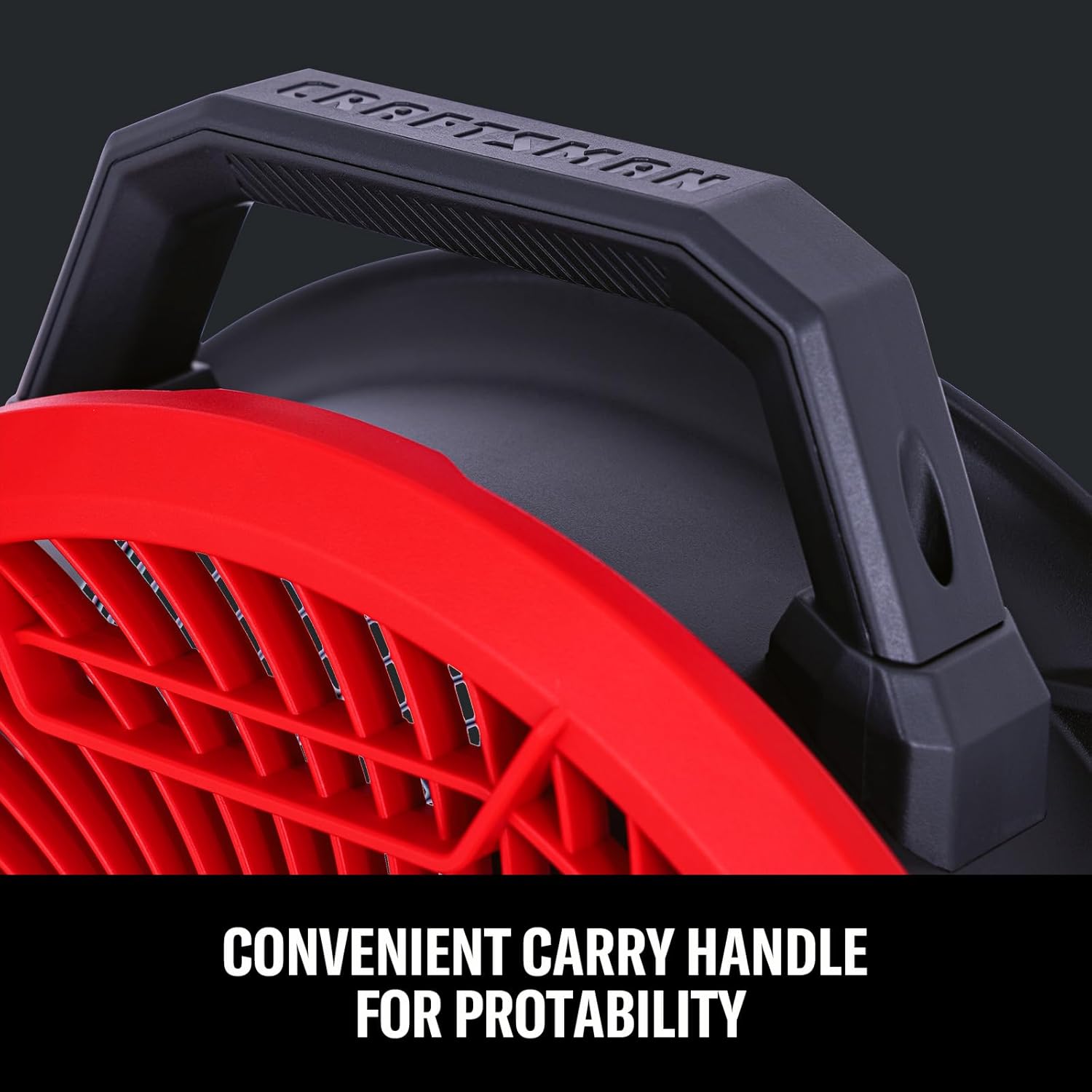
Figure 4: Close-up view of the convenient carry handle for easy portability.
Operating Instructions
Turning On/Off and Adjusting Speed
The fan features a control knob located on its base for power and speed adjustments.
- To turn the fan ON, rotate the control knob clockwise from the '0' (OFF) position to your desired speed setting (1, 2, or 3).
- To adjust the fan speed, rotate the knob to select between speed 1 (low), 2 (medium), or 3 (high).
- To turn the fan OFF, rotate the control knob counter-clockwise back to the '0' position.

Figure 5: The 3-speed control knob on the fan's base for adjusting air volume.
Adjusting Air Direction (Tilt)
The fan head can be tilted up to 130° to direct airflow where needed. Simply grasp the fan head firmly and adjust it to the desired angle. The adjustment knobs on the sides allow for smooth and secure positioning.

Figure 6: Illustration of the fan's 130° tilt capability for precise air direction.
Maintenance
Cleaning
Always ensure the fan is turned off and unplugged (or battery removed) before cleaning.
- Wipe the exterior surfaces of the fan with a soft, damp cloth. Do not use abrasive cleaners or solvents.
- Periodically clean the fan blades and grille to remove dust and debris. A vacuum cleaner with a brush attachment can be used for this purpose.
- Do not immerse the fan in water or allow water to drip into the motor housing.
Storage
When not in use, store the fan in a clean, dry place, away from direct sunlight and extreme temperatures. If storing for an extended period, remove the battery pack if applicable.
Troubleshooting
| Problem | Possible Cause | Solution |
|---|---|---|
| Fan does not turn on. | No power supply; Battery not charged or improperly inserted; AC adapter not fully plugged in. | Ensure AC adapter is securely connected to fan and outlet. If using battery, ensure it is charged and properly inserted. |
| Low airflow. | Fan speed set too low; Obstruction in front or back of fan. | Increase fan speed using the control knob. Remove any obstructions from the fan's intake or output. |
| Unusual noise during operation. | Loose debris inside fan; Fan not on a stable surface. | Turn off and unplug the fan. Carefully inspect for and remove any debris. Ensure the fan is on a stable, flat surface. |
Specifications
| Feature | Detail |
|---|---|
| Brand | CRAFTSMAN |
| Model Number | CMXEFXA511214A |
| Power Source | AC/DC (CRAFTSMAN V20 Battery or AC Adapter) |
| Air Flow Capacity | Up to 1400 CFM |
| Number of Speeds | 3 |
| Tilt Adjustment | 130° |
| Product Dimensions (D x W x H) | 18.62" x 21.73" x 12.83" |
| Material | Plastic |
| Included Components | AC Adapter |
| Noise Level | 60 dB |
| Wattage | 70 watts |
Warranty and Support
For warranty information or technical support, please refer to the official CRAFTSMAN website or contact CRAFTSMAN customer service directly. Keep your purchase receipt as proof of purchase for any warranty claims.
CRAFTSMAN Customer Service: www.craftsman.com/support