
1. Product Overview
The VIANIS Motion Sensor Outdoor Ceiling Light, Model V8947-PIR, is designed for outdoor use, featuring motion detection, remote control operation, and multiple lighting modes. This fixture is suitable for garages, porches, entryways, and patios.
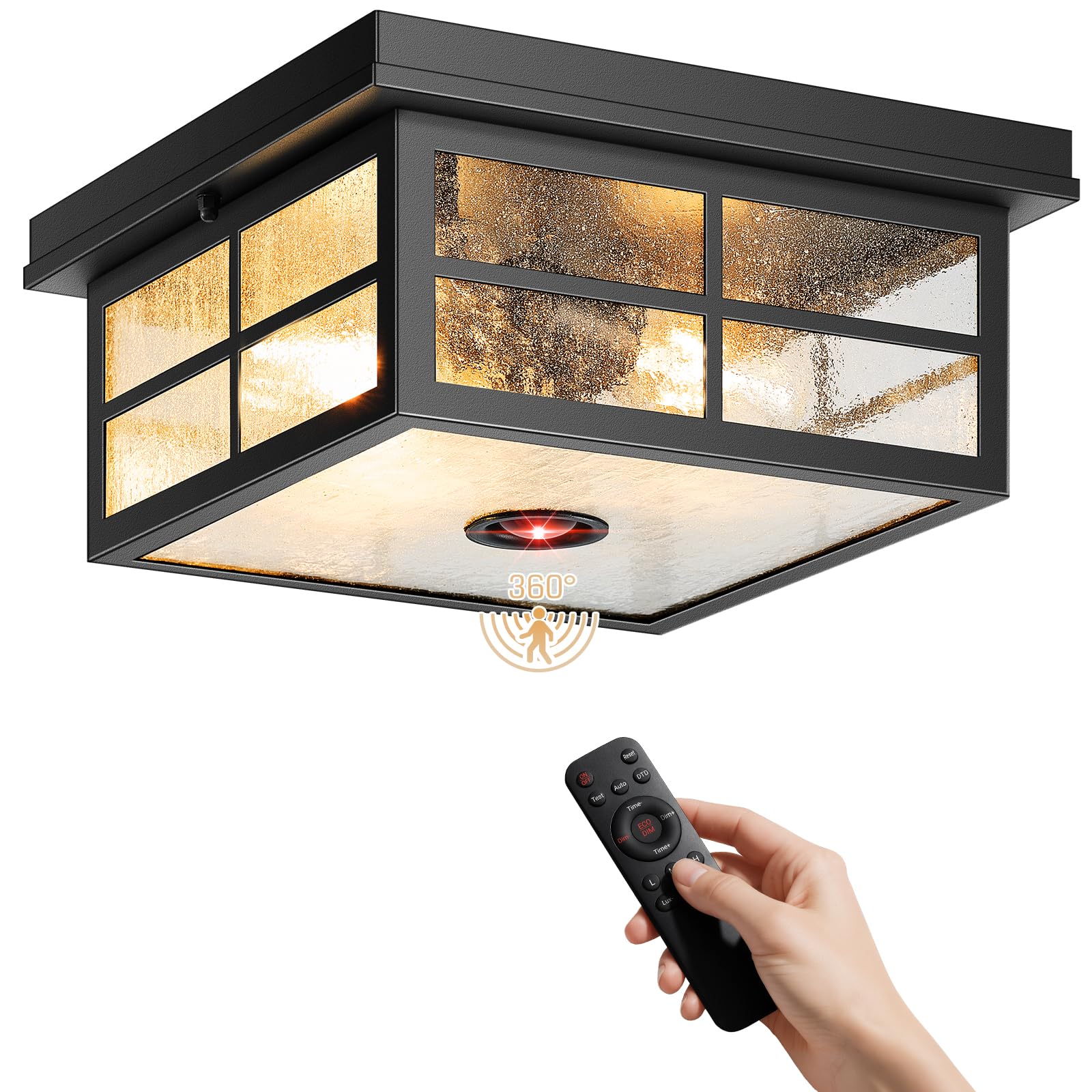
Image: The VIANIS Motion Sensor Outdoor Ceiling Light, a square black fixture with seeded glass panels, shown installed on an outdoor ceiling.
2. Safety Information
- Always turn off power at the circuit breaker before installation or maintenance.
- Consult a qualified electrician if you are unsure about wiring or installation procedures.
- Ensure the mounting surface can support the weight of the fixture.
- Use only dimmable LED bulbs with a maximum wattage of 30W per bulb (bulbs not included).
- Do not attempt to modify the fixture.
- Remote control requires 2 x AAA batteries (not included).
3. What's in the Box
- VIANIS Motion Sensor Outdoor Ceiling Light Fixture
- Remote Control (Batteries not included)
- Mounting Hardware
- Instruction Manual
- Shade
4. Setup and Installation
Follow these steps for proper installation. It is recommended to have basic electrical knowledge or consult a professional.
- Prepare for Installation: Turn off power at the main circuit breaker. Ensure the area is dry and safe for electrical work.
- Mounting the Fixture: Secure the mounting hardware to the ceiling junction box. Connect the fixture's wires (live, neutral, ground) to the corresponding household wires using wire nuts.
- Attach the Fixture: Carefully attach the light fixture to the mounting hardware, ensuring all connections are secure and the fixture is flush with the ceiling.
- Install Bulbs: Insert two E26 base dimmable LED bulbs (max 30W each) into the sockets. (Bulbs are not included).
- Remote Control Setup: Open the battery compartment of the remote control and insert 2 x AAA batteries, observing polarity.

Image: Diagram illustrating the quick installation process, showing wiring connections and mounting to the ceiling.

Image: Close-up view of the light fixture's E26 bulb bases, showing various compatible bulb types.
5. Operating Instructions
The light fixture is controlled via the included remote control. All settings can be adjusted from the ground, eliminating the need for ladders.

Image: Detailed diagram of the remote control buttons and their functions, including ON/OFF, Test, Auto, DTD, Time+/-, Dim+/-, L/M/H (Sensitivity), and Lux+/-.
5.1 Lighting Modes
The fixture offers 5 smart lighting modes:
- DIM Mode: At night, the light maintains 40% brightness. Upon motion detection, it switches to 100% brightness and reverts to 40% when motion ceases.
- ECO+ Mode: The light remains off at night. It activates to 100% brightness upon motion detection and turns off completely when motion ceases.
- D2D Mode (Dusk-to-Dawn): The light automatically turns on at 100% brightness at dusk and turns off at dawn.
- Override Mode: Maintains 100% brightness for 8 hours at night. It turns off at dawn and automatically returns to the previously selected AUTO mode.
- ON Mode: Maintains 100% brightness throughout the day and night.

Image: Visual representation of DIM, ECO, and DTD modes, showing light behavior at night and with motion detection.
5.2 Smart Detection Control
Customize motion sensing parameters using the remote:
- Detection Range (Sensitivity): Adjust between 6 ft (L), 16 ft (M), or 26 ft (H) to prevent false alarms and tailor coverage to your needs.
- Brightness: Fine-tune the brightness level from 20% to 100% for various scenarios, from subtle pathway lighting to maximum security illumination.
- Stay-on Duration: Program the duration the light stays on after motion detection, from 1 to 10 minutes.

Image: Diagram illustrating the 360-degree motion detection with adjustable range (6.5-26 ft) and a maximum coverage diameter of 48 ft.
5.3 Smart Indicator Light
The fixture features a smart indicator light that changes color to show the current mode:
- Red Glow: DIM Mode
- Green Glow: ECO Mode
- Blue Glow: D2D Mode
- White Glow: Forced ON Mode
6. Maintenance
To ensure optimal performance and longevity of your VIANIS Outdoor Ceiling Light, follow these maintenance guidelines:
- Cleaning: Periodically clean the fixture with a soft, damp cloth. Avoid abrasive cleaners or solvents that could damage the finish or glass.
- Bulb Replacement: Ensure power is off at the circuit breaker before replacing bulbs. Use only E26 base dimmable LED bulbs, maximum 30W.
- Inspection: Regularly inspect the fixture for any signs of wear, damage, or loose connections. Address any issues promptly.
- Weather Resistance: The fixture is designed to be waterproof and weatherproof. However, ensure no debris accumulates on the sensor or glass panels.

Image: Illustration highlighting the weather-resistant properties of the light fixture, including waterproof, sunproof, snowproof, and stormproof capabilities.
7. Troubleshooting
If you encounter issues with your light fixture, refer to the following common problems and solutions:
| Problem | Possible Cause | Solution |
|---|---|---|
| Light does not turn on. | No power, loose wiring, faulty bulb, incorrect mode. | Check circuit breaker. Verify wiring connections. Replace bulbs. Ensure correct mode is selected via remote. |
| Motion sensor not detecting. | Sensor obstructed, sensitivity too low, ambient light too high. | Clear obstructions from sensor. Increase sensitivity (H setting). Adjust ambient light level (Lux+). |
| Light stays on constantly. | Override Mode or ON Mode selected, continuous motion detected. | Switch to DIM, ECO, or D2D mode. Check for constant motion in sensor range. |
| Remote control not working. | Dead batteries, remote out of range, obstruction. | Replace AAA batteries. Ensure remote is within range and pointed at the fixture. Remove obstructions. |
If the problem persists after attempting these solutions, please contact customer support.
8. Specifications
| Feature | Detail |
|---|---|
| Brand | VIANIS |
| Model Number | V8947-PIR |
| Color | Black |
| Material | Metal, Textured Seeded Glass |
| Style | Modern |
| Light Fixture Form | Close to Ceiling |
| Indoor/Outdoor Usage | Outdoor |
| Power Source | Corded Electric |
| Special Features | Anti-Rust, Dusk to Dawn Sensor, Energy Efficient, Motion Sensor, Waterproof |
| Control Method | Remote |
| Light Source | LED (Bulbs not included) |
| Number of Light Sources | 2 |
| Wattage | Max 30 watts per bulb |
| Bulb Base | E26 |
| Water Resistance Level | Waterproof |
| Brightness | Up to 1000 Lumens (depending on bulbs) |
| Mounting Type | Ceiling Mount, Semi Flush Mount |
| Item Dimensions (L x W x H) | 11.02"L x 11.02"W x 5.2"H |
9. Warranty and Support
This VIANIS product comes with a one-year limited warranty from the date of purchase. For warranty claims or technical support, please contact VIANIS customer service through the retailer where the product was purchased or visit the official VIANIS website.
For additional assistance, you may refer to the official product video below:
Video: An official product video from VIANIS demonstrating the features and operation of the Outdoor Ceiling Light with Remote Control.