
Product Overview
The RORRY 10,000mAh 30W Fast Charging Power Bank (Model H1) is a versatile portable charger designed to power multiple devices simultaneously. It features built-in retractable cables, a dedicated Apple Watch charger, and additional USB-C and USB-A ports for broad compatibility.
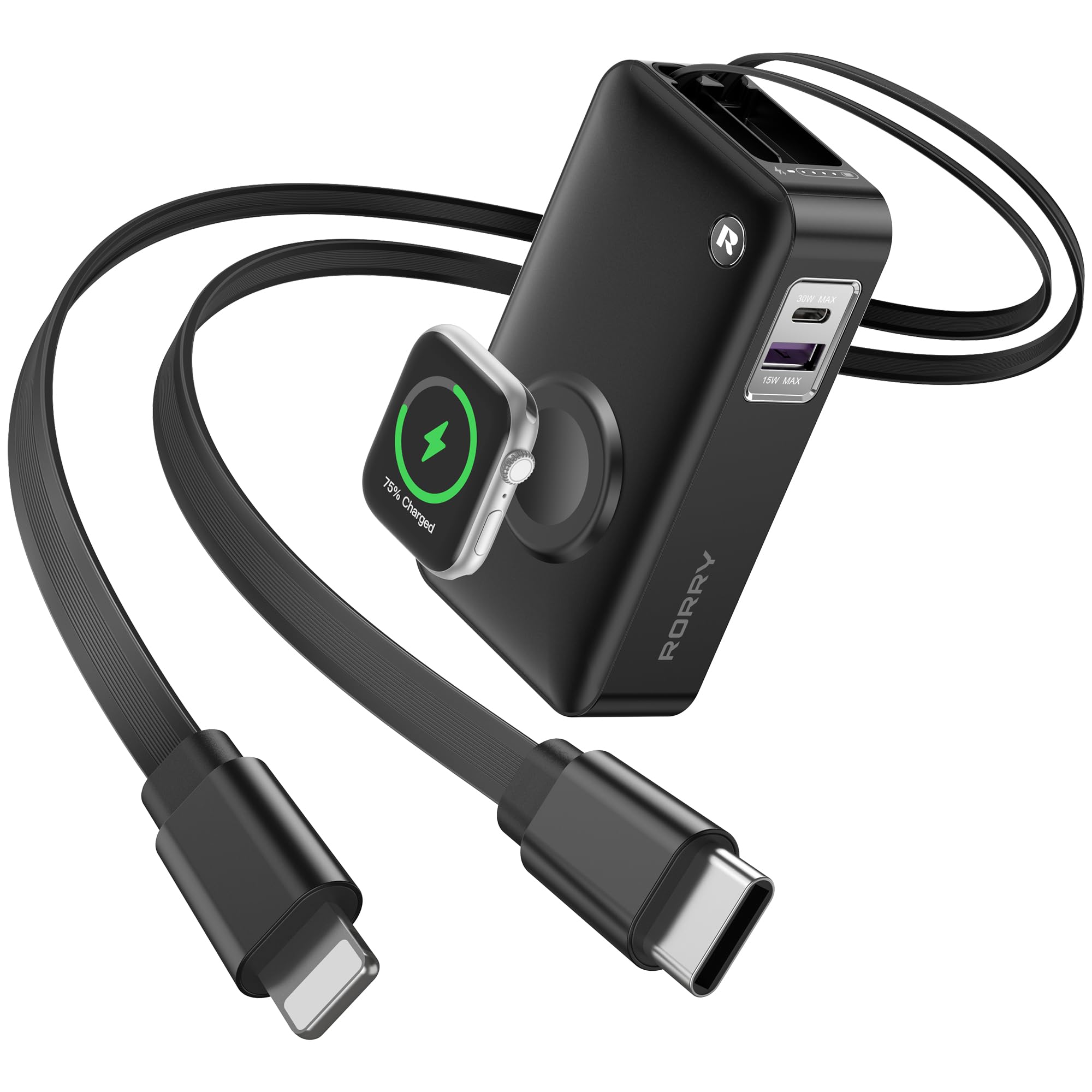
Image: The RORRY Portable Charger, showcasing its compact design with integrated cables and an Apple Watch charging area.
What's in the Box
- Power Bank * 1
- USB-C Cable * 1
- User Manual * 1
Setup
Charging the Power Bank
Before initial use, fully charge your RORRY Power Bank. Use the provided USB-C cable or the built-in USB-C cable to connect the power bank to a compatible power adapter (not included). The LED indicator lights will show the charging progress. A full charge typically takes approximately 2.2 hours.
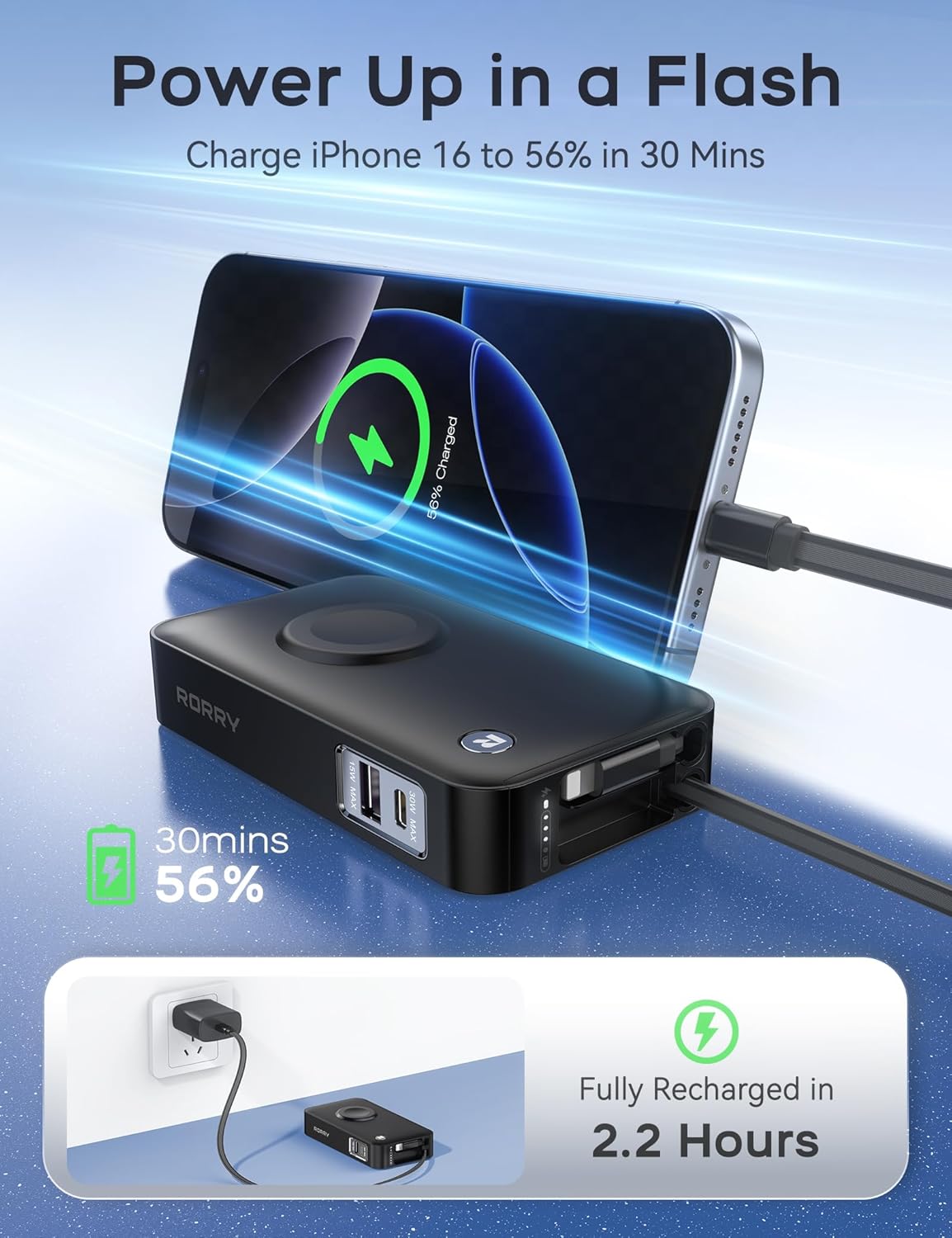
Image: The RORRY Power Bank connected to a wall adapter for recharging, with an iPhone also charging from the power bank.
Checking Battery Level
Press the power button located on the side of the power bank. The LED indicator lights will illuminate to show the remaining battery capacity.
Operating Instructions
Charging Devices with Built-in Retractable Cables
- Gently pull the desired retractable cable (USB-C or Lightning) from its housing until it reaches the desired length. Do not pull excessively.
- Connect the cable to your device.
- To retract the cable, pull it gently again, and it will automatically retract into the power bank.

Image: A woman holding the RORRY Portable Charger, extending one of its dual 25.6-inch retractable cables.
Charging Apple Watch
Place your Apple Watch on the dedicated wireless charging pad on the front of the power bank. Ensure the watch is properly aligned for optimal charging. Press the power button on the power bank to initiate charging if it doesn't start automatically.
Charging Devices with USB-A/USB-C Ports
Connect your device's charging cable to the appropriate USB-A (15W Max) or USB-C (30W Max) port on the side of the power bank. The power bank will automatically detect and begin charging your device.
Simultaneous Charging
The RORRY Power Bank supports charging up to 5 devices simultaneously using its various outputs: 30W USB-C, 20W iOS cables, a 30W USB-C port, 15W USB-A port, and a 5W Apple Watch charger. Note that charging speed may decrease when multiple devices are connected.

Image: The RORRY Portable Charger simultaneously charging an iPhone, Apple Watch, iPad, and AirPods, demonstrating its multi-device capability.
Maintenance
- Keep the power bank away from extreme temperatures, direct sunlight, and liquids.
- Clean the device with a soft, dry cloth. Do not use harsh chemicals or abrasive materials.
- Store the power bank in a cool, dry place when not in use.
- Charge the power bank at least once every three months to maintain battery health if stored for extended periods.
Troubleshooting
Device Not Charging
- Ensure the power bank is sufficiently charged. Check the LED indicators.
- Verify that the charging cable is securely connected to both the power bank and your device.
- Press the power button on the power bank to activate charging.
- Try a different cable or port to rule out a faulty connection.
Slow Charging
- Ensure you are using a fast-charging compatible cable and adapter for recharging the power bank.
- When charging multiple devices, the output power is shared, which may result in slower charging for individual devices.
- Check if your device supports the fast charging protocols of the power bank (e.g., 30W USB-C).
Apple Watch Not Charging
- Ensure the Apple Watch is correctly positioned on the wireless charging pad.
- Press the power button on the power bank to activate the wireless charging function.
- Remove any thick cases from your Apple Watch that might interfere with wireless charging.
Specifications
| Model Number | H1 |
| Battery Capacity | 10000 Milliamp Hours |
| Product Dimensions | 4.33 x 2.44 x 0.94 inches |
| Item Weight | 8.8 ounces |
| Special Features | All-in-One, Auto Shut-Off, Built In Cable, Fast Charging, LED Indicator Lights |
| Connector Type | Built-in Cable L+C, 1A1C |
| Manufacturer | Shenzhen Xianyang Innovation Technology Co., Ltd |
Official Product Videos
RORRY 10000mAh 30W Power Bank with Built-in Cables
Video: An official product video from RORRY DIRECT showcasing the 10,000mAh 30W Power Bank with its built-in cables and various features. This video highlights the convenience and functionality of the device.
Warranty and Support
The RORRY 10,000mAh 30W Fast Charging Power Bank comes with an 18-month extended warranty. For support or warranty claims, please refer to the contact information provided in the included User Manual or visit the official RORRY website.
For additional information or to explore other RORRY products, please visit the RORRY Store on Amazon.


