
ZAPPTRONIX mk08
ZAPPTRONIX Electronic Rat and Mouse Zapper
Model: mk08 User Manual
1. Important Safety Information
Please read and understand all safety instructions before operating the ZAPPTRONIX Electronic Rat and Mouse Zapper. Failure to follow these instructions may result in electric shock, fire, or serious injury.
- High Voltage Hazard: The device generates high voltage. Exercise extreme caution.
- Keep the zapper away from children and pets. Do not allow them to touch or play with the device.
- Always turn off the power switch and disconnect any power source before handling, cleaning, or moving the zapper.
- Do not touch the internal steel surfaces when the device is powered on or if there is any residual charge.
- Keep the device away from water and moisture. Do not use in wet environments or allow liquids to enter the device.
- This product is designed for indoor use only. Do not use outdoors or in areas exposed to rain or excessive humidity.
- Do not insert any foreign objects into the zapper.
- Use only as directed in this manual.
2. Product Overview and Features
The ZAPPTRONIX Electronic Rat and Mouse Zapper (Model mk08) provides an efficient and humane method for rodent control. It delivers a high-voltage shock to quickly eliminate rats and mice.

Image Description: A detailed diagram of the ZAPPTRONIX Electronic Rat and Mouse Zapper, highlighting its key components. Labels point to the Charging Port, an internal Indicator, the included Rechargeable Battery, the Entry Door for rodents, the external LED Indicator, and the ON/OFF Switch. Dimensions are also shown: 260 mm length, 100 mm width, and 96.5 mm height.
Key Features:
- High-Voltage Shock: Ensures quick and humane elimination of rodents.
- Rechargeable Battery: Includes one Lithium Ion battery for cordless operation.
- LED Indicator: Provides visual status of the device (e.g., power on, successful zap).
- Easy Bait Placement: Designed for simple and safe baiting.
- No-Touch Disposal: Minimizes contact with captured rodents.
- Durable Construction: Built for repeated use.
3. Setup and Installation
Follow these steps to set up your ZAPPTRONIX Electronic Rat and Mouse Zapper:
- Charge the Battery: Ensure the internal Lithium Ion battery is fully charged before first use. Connect the charger to the charging port. The indicator light will show charging status.
- Open the Sliding Cover: Locate the sliding cover on the top of the device. Gently slide it open to access the bait compartment.
- Place the Bait: Place a small amount of bait (e.g., peanut butter, cheese, nuts, chocolate, or meat) into the designated bait cup at the back of the zapper. Avoid placing bait directly on the metal plates.
- Close the Sliding Cover: Carefully slide the cover back into place until it clicks securely.
- Choose a Location: Place the zapper in an indoor area where rodent activity has been observed. Common locations include kitchens, pantries, attics, basements, garages, or utility rooms. Position the zapper along walls where rodents typically travel.

Image Description: A two-part image illustrating the initial setup steps. The top part shows the zapper with its sliding cover being opened. The bottom part shows the cover fully open, revealing the bait compartment, with icons suggesting suitable baits like sugar, cheese, nuts, cookies, and meat.
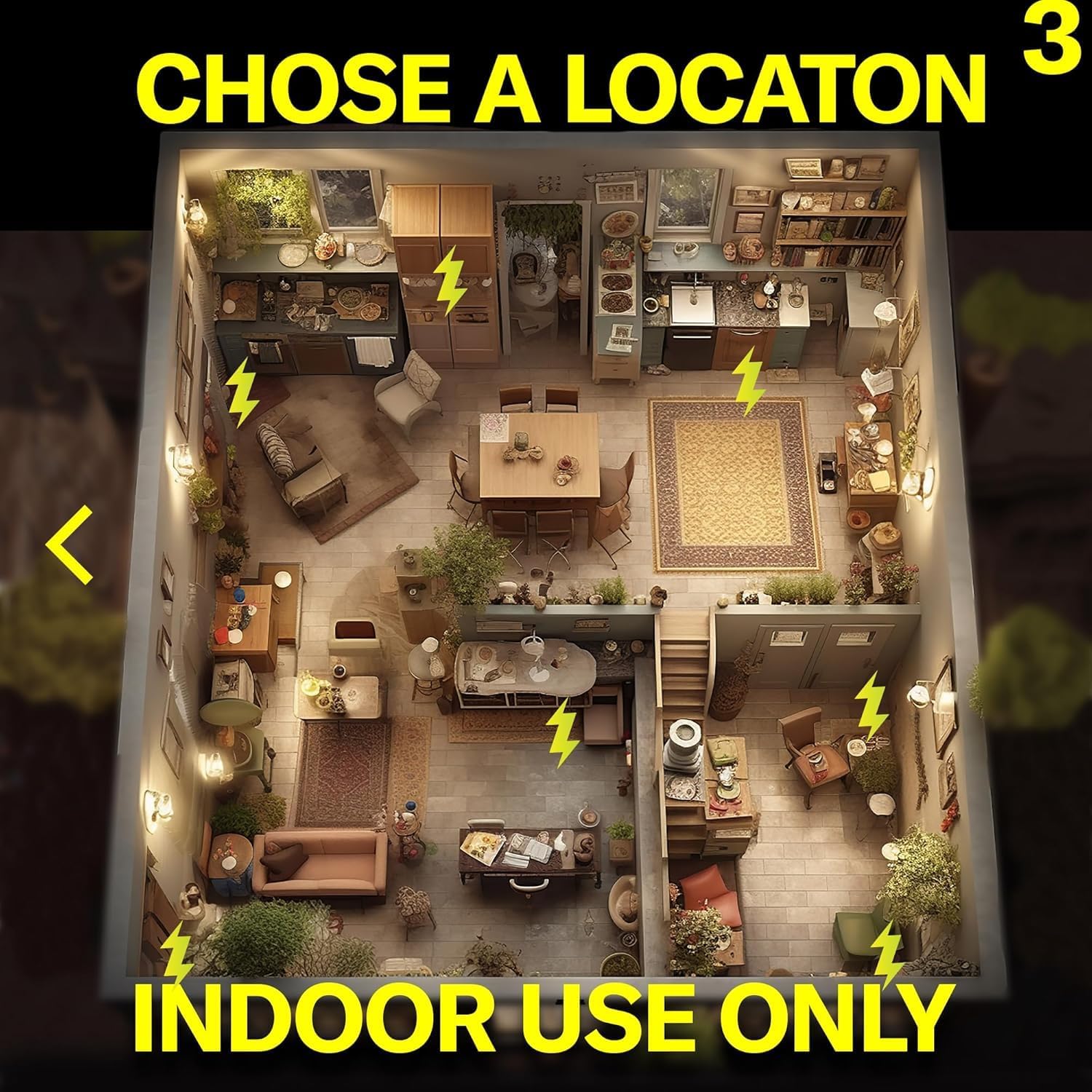
Image Description: An aerial view illustration of a multi-room house interior, with lightning bolt icons indicating optimal placement spots for the zapper in various rooms like the kitchen, living room, and bedrooms. The text overlay clearly states "INDOOR USE ONLY," reinforcing the product's intended environment.
4. Operation
Once the zapper is baited and placed, follow these steps to operate it:
- Turn On the Zapper: Locate the ON/OFF switch on the side of the device and switch it to the 'ON' position. The LED indicator light will illuminate, typically green, to confirm the device is active and ready.
- Monitoring: The zapper is now active. When a rodent enters the device and completes the circuit, it will receive a high-voltage shock. The LED indicator light may change color or flash to indicate a successful zap.
- Checking for Catches: Periodically check the zapper for captured rodents. Do not touch the device until it is turned off.
- Disposal: After a successful catch, turn off the zapper using the ON/OFF switch. Carefully remove the zapper to a waste receptacle. The design allows for no-touch disposal; simply tilt the device to release the rodent without direct contact.
- Resetting: After disposal, you can re-bait and reset the zapper by turning it back on.
5. Maintenance
Proper maintenance ensures the longevity and effectiveness of your zapper:
- Cleaning: After each use or as needed, ensure the zapper is turned OFF and unplugged (if charging). Use a dry cloth or paper towel to wipe down the internal and external surfaces. Do not use water or cleaning solutions directly on the electrical components.
- Battery Charging: Recharge the internal Lithium Ion battery when the indicator light suggests low power or after extended periods of use. A full charge ensures optimal performance.
- Bait Refreshment: Replace old or stale bait regularly to maintain attraction for rodents.
- Storage: When not in use for extended periods, turn off the zapper, clean it thoroughly, and store it in a dry, safe place away from children and pets.
6. Troubleshooting
If you encounter issues with your ZAPPTRONIX Electronic Rat and Mouse Zapper, refer to the following common problems and solutions:
| Problem | Possible Cause | Solution |
|---|---|---|
| Zapper does not turn on. | Battery is low or depleted. | Charge the internal Lithium Ion battery. |
| LED indicator not lighting up. | Device is off or battery is dead. | Ensure the ON/OFF switch is in the 'ON' position. Charge the battery. |
| Rodents are not entering the zapper. | Bait is unattractive or stale; Zapper placement is incorrect. | Replace bait with fresh, appealing food. Relocate the zapper to an area with higher rodent activity, typically along walls. |
| Zapper is on but no successful catches. | Rodents are avoiding the trap; Bait is not positioned correctly. | Ensure bait is placed in the bait cup, not on the metal plates. Try different types of bait. Ensure the zapper is clean and free of human scent. |
If the problem persists after trying these solutions, please contact customer support.
7. Specifications
- Brand: ZAPPTRONIX
- Model: mk08
- Color: Black
- Product Dimensions: 10"L x 3"W x 4"H (260mm L x 100mm W x 96.5mm H)
- Number of Pieces: 1
- Power Source: Electric (Rechargeable Lithium Ion Battery included)
- Unit Count: 1.0 Count
- UPC: 374315682290
- Item Weight: 1.54 pounds
- Manufacturer: Ningbo Getter Electronics Co .,Ltd.
8. Warranty and Support
For warranty information or technical support, please refer to the product packaging or contact your retailer. Keep your purchase receipt as proof of purchase.
For further assistance, you may also visit the ZAPPTRONIX store on Amazon: ZAPPTRONIX Store
Related Documents - mk08
 |
Rat Zapper Ultra Electronic Rat Trap Instructions Step-by-step instructions for setting up and using the Rat Zapper Ultra Electronic Rat Trap, including baiting, battery installation, placement, and troubleshooting. |
 |
Owltra ERZ-50 Electronic Rodent Trap User Manual: Setup, Use, and Maintenance Comprehensive user manual for the Owltra ERZ-50 Electronic Rodent Trap. Learn how to set up, use indoors and outdoors, clean, troubleshoot, and maintain your device for effective rodent control. |
 |
Swissinno Pest Control Solutions: Traps, Repellers, and Bird Feeders Discover Swissinno's range of effective and eco-friendly pest control solutions, including innovative mouse traps, rat traps, ultrasonic animal repellers, insect traps, and bird feeders. Learn about their commitment to sustainability and product quality. |
 |
Rat Zapper ULTRA Quick-Start Guide and Instructions Get started quickly with the Rat Zapper ULTRA. This guide provides essential information on battery installation, indicator lights, cleaning, outdoor use recommendations, and warranty details from Agrizap, Inc. |
 |
Victor VLINK Smart Rodent Trap Setup Guide Learn how to set up and use your Victor VLINK smart mouse and rat trap. This guide covers account creation, app connection, baiting, network setup, placement, and maintenance for effective rodent control. |
 |
Goodnature A24 Smart Trap Kit: Retail Training Guide A comprehensive guide to the Goodnature A24 Smart Trap Kit, detailing its components, how it works, trap placement strategies, and paste options for effective and humane rodent control. |
Ask a question about this manual
Ask about setup, troubleshooting, compatibility, parts, safety, or missing instructions. Manuals+ will review the question and use this page’s manual context to help answer it.