1. Product Overview
The MSI MAG Coreliquid A12 360 is an All-In-One (AIO) liquid cooling solution designed for efficient CPU temperature management. It features a 360mm radiator, three 120mm ARGB PWM fans, and a rotatable blockhead for flexible installation and aesthetic customization.
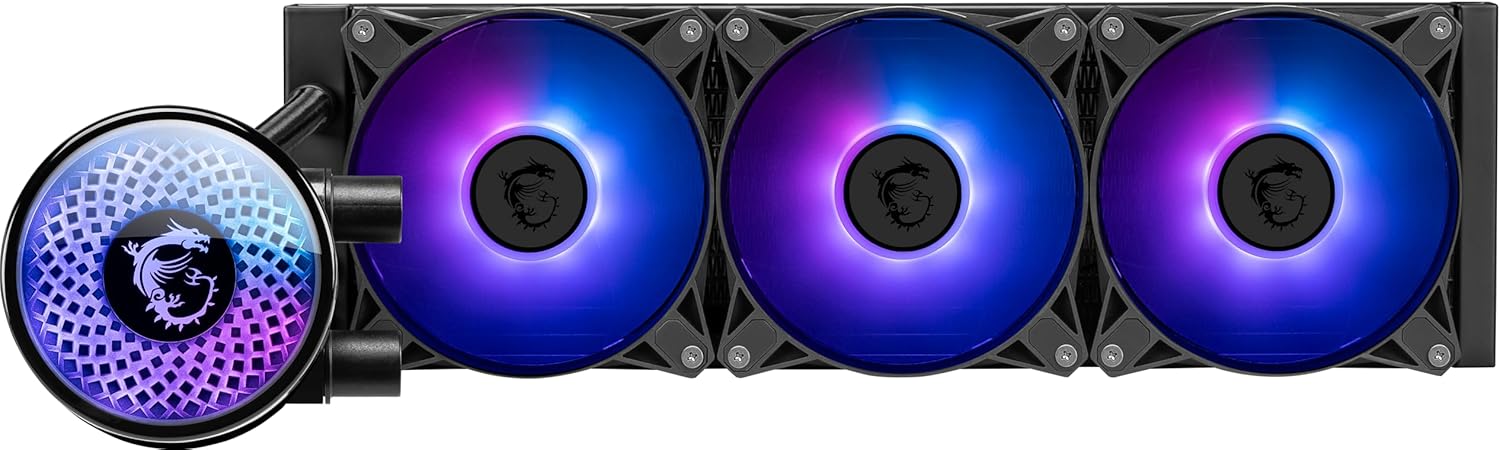
Figure 1: MSI MAG Coreliquid A12 360 CPU Liquid Cooler.
Key Features
- Mystic Light Compatible: Customize your ARGB fans through MSI's Mystic Light software for personalized lighting effects.
- Evaporation Proof Tubing: Designed to prevent coolant loss and offer flexibility for convenient assembly and long-term durability.
- Pump Motor Resonance Elimination: Engineered for silent operation while maintaining optimized cooling performance.
- Double Ball Bearing Fans: The 120mm ARGB PWM fans utilize double ball bearings, delivering powerful airflow and exceptional durability.
- Rotatable Blockhead: The CPU blockhead can be rotated to align the MSI logo correctly, regardless of mounting orientation.
- Elevated Copper Plate: Ensures optimal contact with the CPU for efficient heat transfer.
- High Thermal Dissipation Radiator: The 360mm radiator is designed for maximum heat exchange, keeping your CPU cool under load.
Video 1: Official product trailer showcasing the liquid cooler's features and aesthetics.
2. Setup & Installation
This section provides general installation guidelines. Always refer to the detailed user manual included with your product for specific instructions and safety warnings.
2.1 Unboxing and Components
Upon opening the package, verify that all components are present. The package typically includes the liquid cooler unit (radiator with pre-installed fans and pump/blockhead), mounting brackets for various CPU sockets, screws, and thermal paste.
Video 2: Overview of the MAG Coreliquid A15 Series, showing components and packaging.
2.2 CPU Socket Compatibility
The MAG Coreliquid A12 360 supports a wide range of Intel and AMD sockets, including:
- Intel: LGA 1700, LGA 1851
- AMD: AM5, AM4
2.3 Installation Steps (Intel LGA 1700/1851 Example)
- Prepare Motherboard: Ensure your motherboard is ready for cooler installation.
- Install Backplate: Attach the appropriate Intel backplate to the rear of your motherboard.
- Apply Thermal Paste: Apply a small amount of thermal paste to the center of your CPU.
- Remove Protective Film: Carefully peel off the protective film from the cold plate of the pump.
- Mount Pump/Blockhead: Align the pump/blockhead with the mounting holes on the motherboard and secure it using the provided screws. Tighten screws in a diagonal pattern to ensure even pressure.
- Mount Radiator: Install the 360mm radiator to an available mounting location in your PC case (e.g., top, front).
- Connect Cables: Connect the pump and fan cables to the appropriate headers on your motherboard (CPU_FAN, AIO_PUMP, ARGB headers).
Video 3: Intel LGA1851 socket installation guide for MSI liquid coolers.
Video 4: MAG CORELIQUID E SERIES Intel Installation Guide, demonstrating the installation process.
3. Operating Instructions
3.1 ARGB Lighting Control (MSI Mystic Light)
The ARGB fans and pump head are compatible with MSI Mystic Light software. Download and install Mystic Light from the official MSI website to customize lighting effects, colors, and synchronization with other compatible components.
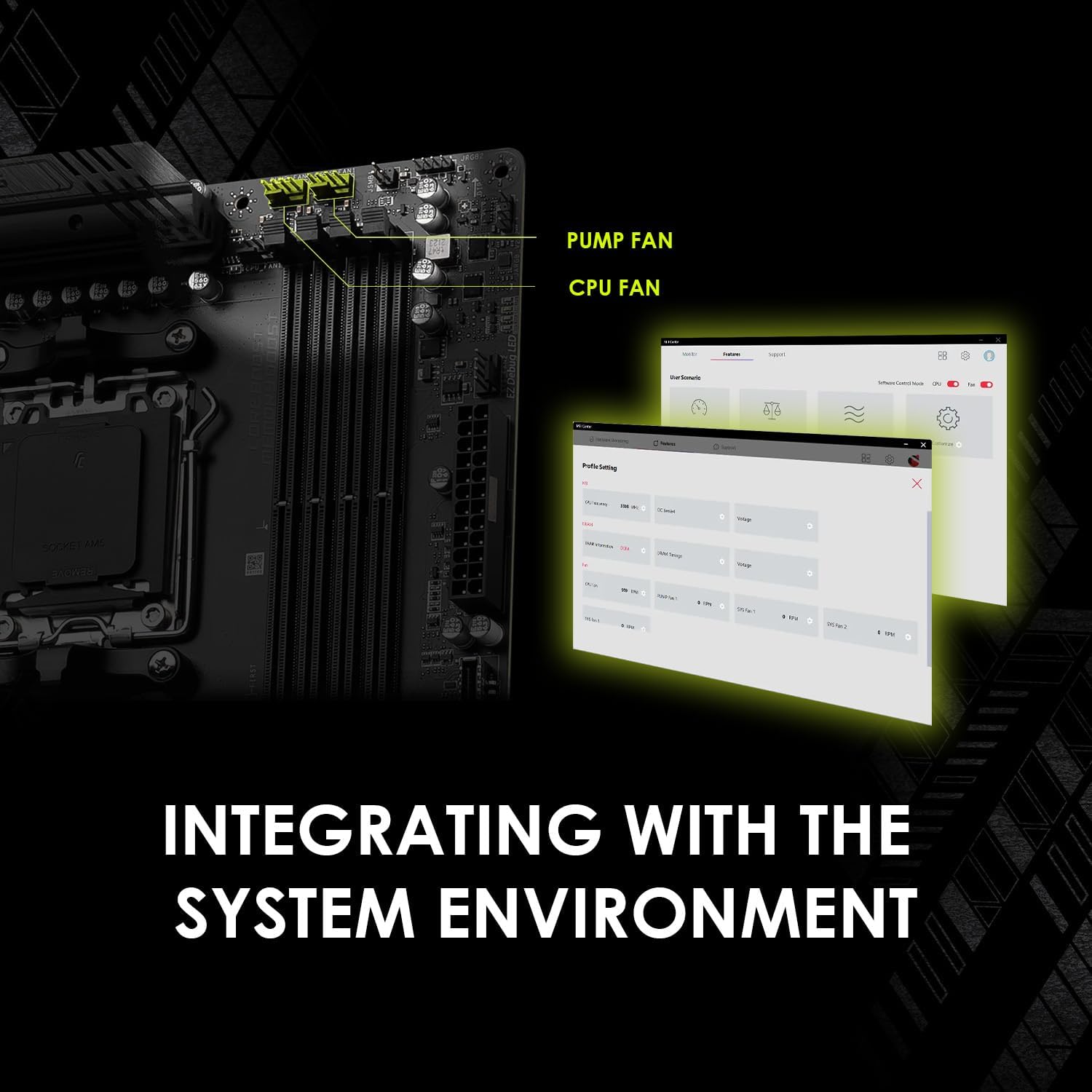
Figure 2: Integrating with the system environment for software control.
3.2 Fan and Pump Speed Control
Fan and pump speeds are typically controlled via your motherboard's BIOS/UEFI settings or through motherboard-specific software utilities. Adjust settings to balance cooling performance and noise levels according to your preference.
4. Maintenance
The MSI MAG Coreliquid A12 360 is designed for low maintenance. The evaporation-proof tubing minimizes coolant loss over time. Regular maintenance includes:
- Dust Removal: Periodically clean dust from the radiator fins and fan blades using compressed air to maintain optimal airflow and cooling efficiency.
- Inspect Tubing: Occasionally check the tubing for any signs of wear, kinks, or leaks.
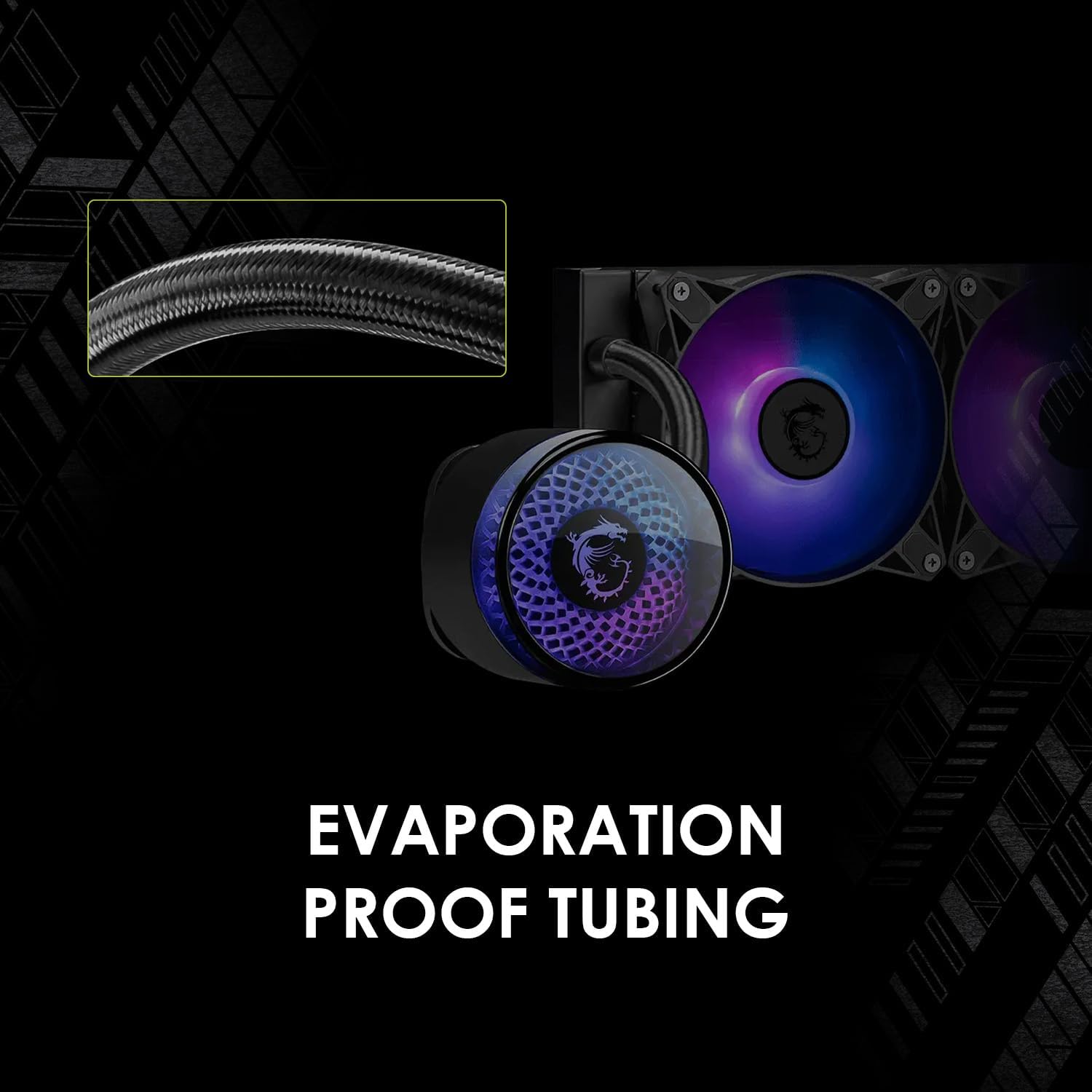
Figure 3: Evaporation-proof tubing for reduced maintenance.
5. Troubleshooting
If you encounter issues with your liquid cooler, consider the following common troubleshooting steps:
- No Power/Fans Not Spinning: Check all power connections to the pump and fans. Ensure they are securely plugged into the correct motherboard headers.
- High CPU Temperatures: Verify that the pump is running (you might feel a slight vibration or hear a faint hum). Ensure the cold plate has good contact with the CPU and that thermal paste was applied correctly. Check for dust buildup on the radiator.
- Unusual Noises: Listen for abnormal pump noises (e.g., grinding, gurgling). This could indicate air bubbles in the loop or a faulty pump. Ensure the radiator is mounted securely to prevent vibration noise.
- ARGB Not Working: Confirm ARGB cables are connected to the correct 3-pin 5V ARGB headers (not 4-pin 12V RGB headers). Use MSI Mystic Light software to troubleshoot and configure lighting.
6. Specifications
| Feature | Detail |
|---|---|
| Brand | MSI |
| Model Number | MAG CORELIQUID A12 360 |
| Radiator Size | 360mm |
| Fan Type | 120mm ARGB PWM Fans (x3) |
| Bearing Type | Double Ball Bearing |
| CPU Socket Support (Intel) | LGA 1700, LGA 1851 |
| CPU Socket Support (AMD) | AM5, AM4 |
| Item Weight | 4.84 pounds |
| Package Dimensions | 17.5 x 7.25 x 5.75 inches |
7. Warranty and Support
This MSI MAG Coreliquid A12 360 CPU Liquid Cooler is backed by MSI's manufacturer warranty. For specific warranty terms, duration, and support, please refer to the warranty card included in your product packaging or visit the official MSI website. You can also find additional support resources and FAQs on the MSI support page.
For technical assistance or customer service, please contact MSI directly through their official support channels.


