
1. Introduction
The VEHLIVE BT911 is an advanced automotive battery analyzer designed for comprehensive testing of 6V, 12V, and 24V batteries. This device provides accurate diagnostics for battery health, cranking capabilities, and charging system performance. It is suitable for a wide range of vehicles including cars, motorcycles, boats, trucks, and more.
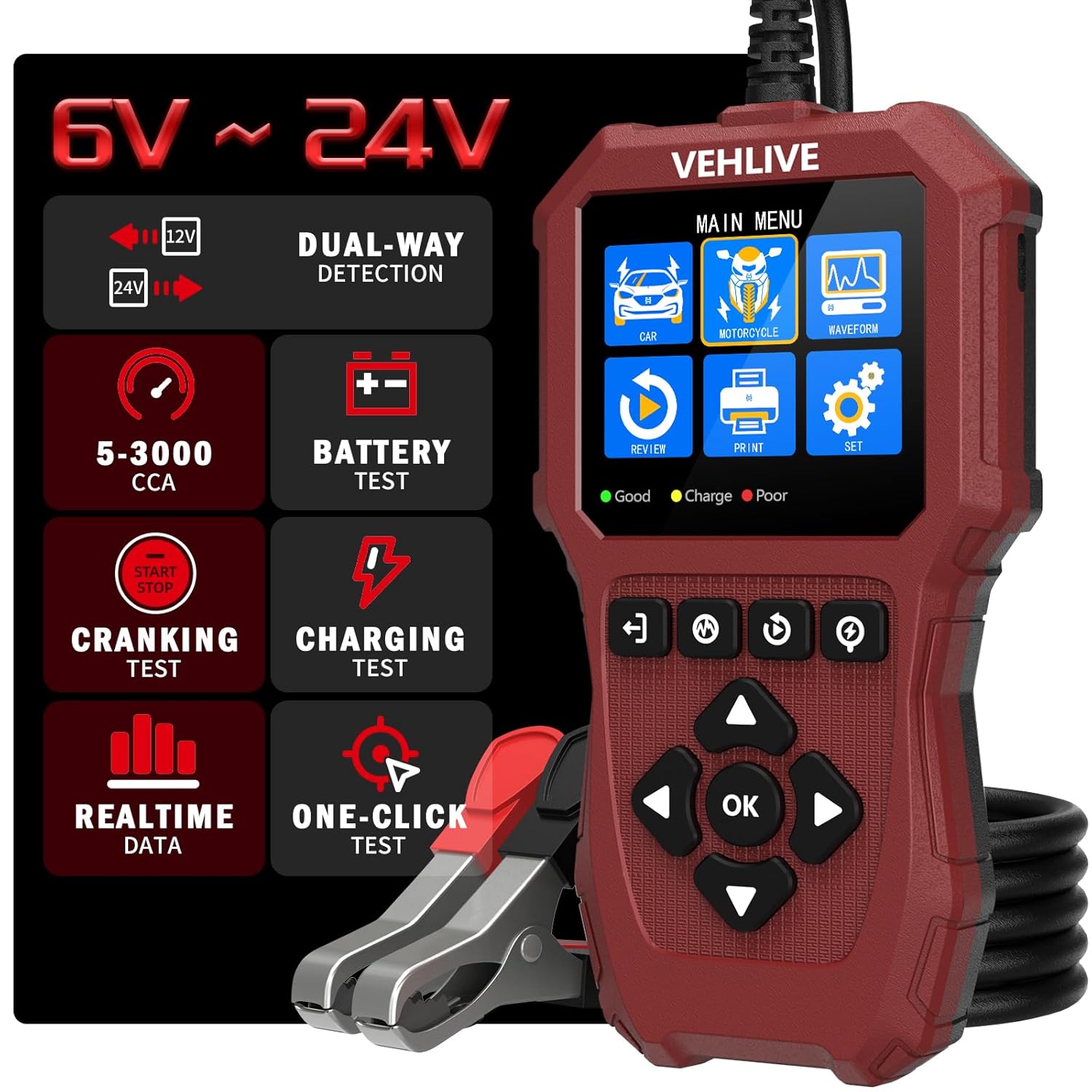
Image 1.1: The VEHLIVE BT911 Car Battery Tester displaying its main menu, connected via red and black clamps.
2. Safety Information
Always prioritize safety when working with vehicle batteries. The BT911 is designed with multiple protection features to ensure safe operation:
- Reverse Polarity Protection: Prevents damage if clamps are connected incorrectly.
- Short Circuit Protection: Safeguards the device and battery from short circuits.
- Over Current Protection: Protects against excessive current flow.
- Over Voltage Protection: Shields the device from high voltage spikes.
- Temperature Protection: Prevents overheating during operation.
- Ruggedized ABS Case: Provides durability and protection against impacts.
- Advanced Alligator Clips: Ensures a secure grip and good conductivity, minimizing risk of sparks.
Ensure proper ventilation when testing batteries, as they can emit flammable gases. Wear appropriate personal protective equipment, including eye protection.
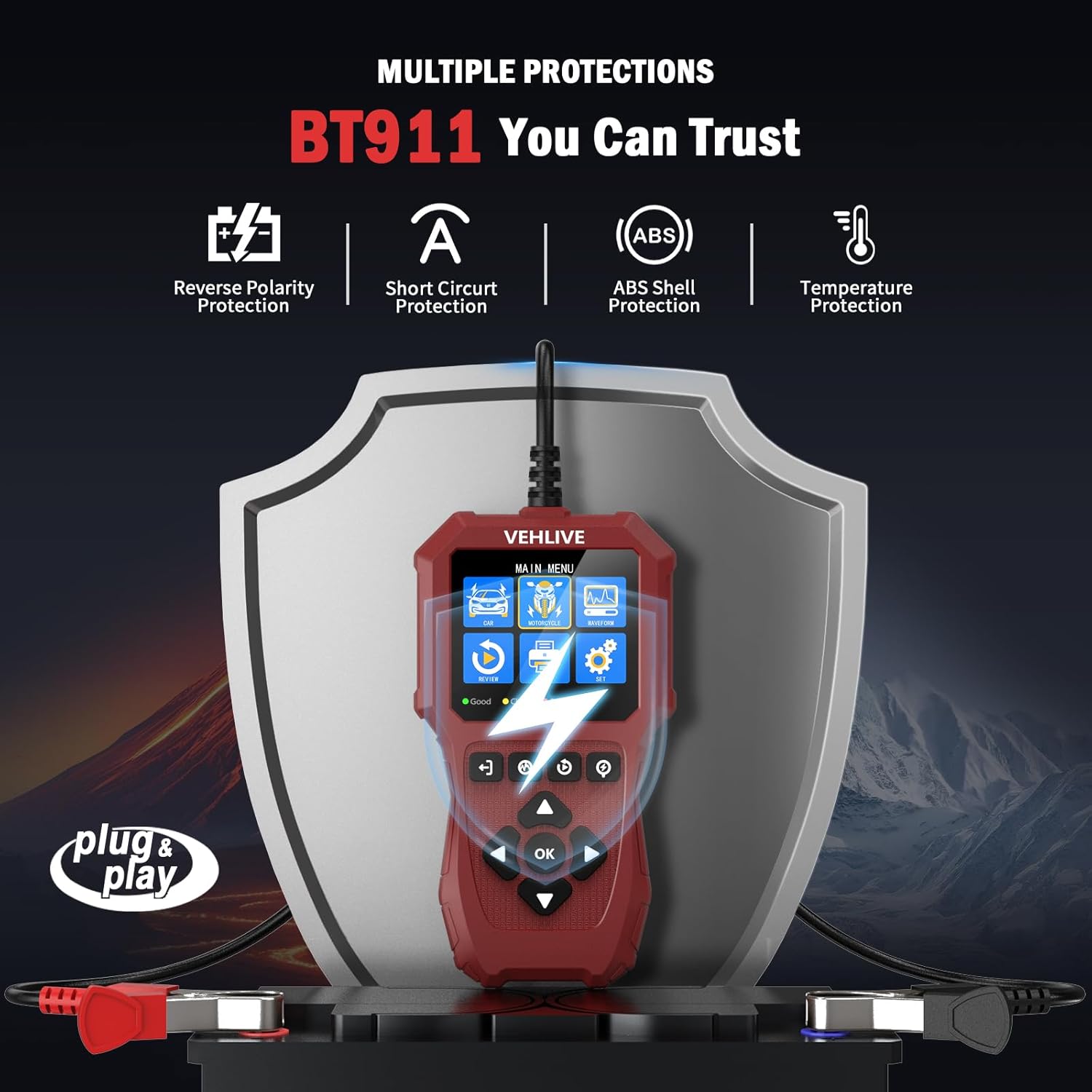
Image 2.1: The BT911 tester highlighting its multiple protection features, including reverse polarity, short circuit, ABS shell, and temperature protection.
3. Product Overview
The VEHLIVE BT911 battery tester is equipped with an advanced chip for fast and accurate diagnostics. Key features include:
- Voltage Compatibility: Tests 6V, 12V, and 24V batteries.
- Dual Circuit Testing: Unique 12V and 24V dual circuit testing with independent calibration for enhanced accuracy.
- Battery Types: Compatible with regular liquid-filled batteries, AGM (flat plate and spiral), GEL, EFB, and Lithium batteries (after upgrade).
- CCA Range: Supports 5-3000 CCA batteries.
- Test Functions: Evaluates State of Health (SOH), State of Charge (SOC), CCA value, voltage, internal resistance, starting voltage, starting time, alternator output, no-load voltage, and load voltage.
- Display: 2.8-inch high-contrast color LCD screen for clear readability.
- Accuracy: Over 99.99% accuracy in test reports.
- Connectivity: 3.28 feet of high-quality copper diagnostic cable.
- Language Support: Supports 12 national languages including English, Chinese, Japanese, Korean, Italian, Dutch, German, Russian, Portuguese, Spanish, French, and Polish.

Image 3.1: The BT911 main menu displaying options for different test types and settings.
4. Setup
The VEHLIVE BT911 is designed for plug-and-play operation. Follow these steps for initial setup:
- Prepare the Battery: Ensure the battery terminals are clean and free of corrosion for optimal contact.
- Connect Clamps: Connect the red positive (+) clamp to the positive battery terminal and the black negative (-) clamp to the negative battery terminal. The device will power on automatically.
- Select Language: If prompted, select your preferred language using the navigation buttons and confirm with the 'OK' button.
- Initial Menu: The device will display the main menu, ready for testing.
The tester can be powered by the battery being tested or via a USB-C port for reviewing data.
5. Operating Instructions
The BT911 offers various testing modes to assess different aspects of your vehicle's battery and electrical system.
5.1. Battery Test
This test evaluates the overall health and charge of the battery.
- From the main menu, select "Battery Test" (or similar icon).
- Choose the battery type (e.g., Regular Flooded, AGM, GEL, Lithium) and standard (e.g., CCA, JIS, EN, DIN, SAE).
- Enter the rated CCA (Cold Cranking Amps) or other specified value for your battery.
- The tester will display results including SOH (State of Health), SOC (State of Charge), CCA value, voltage, and internal resistance.
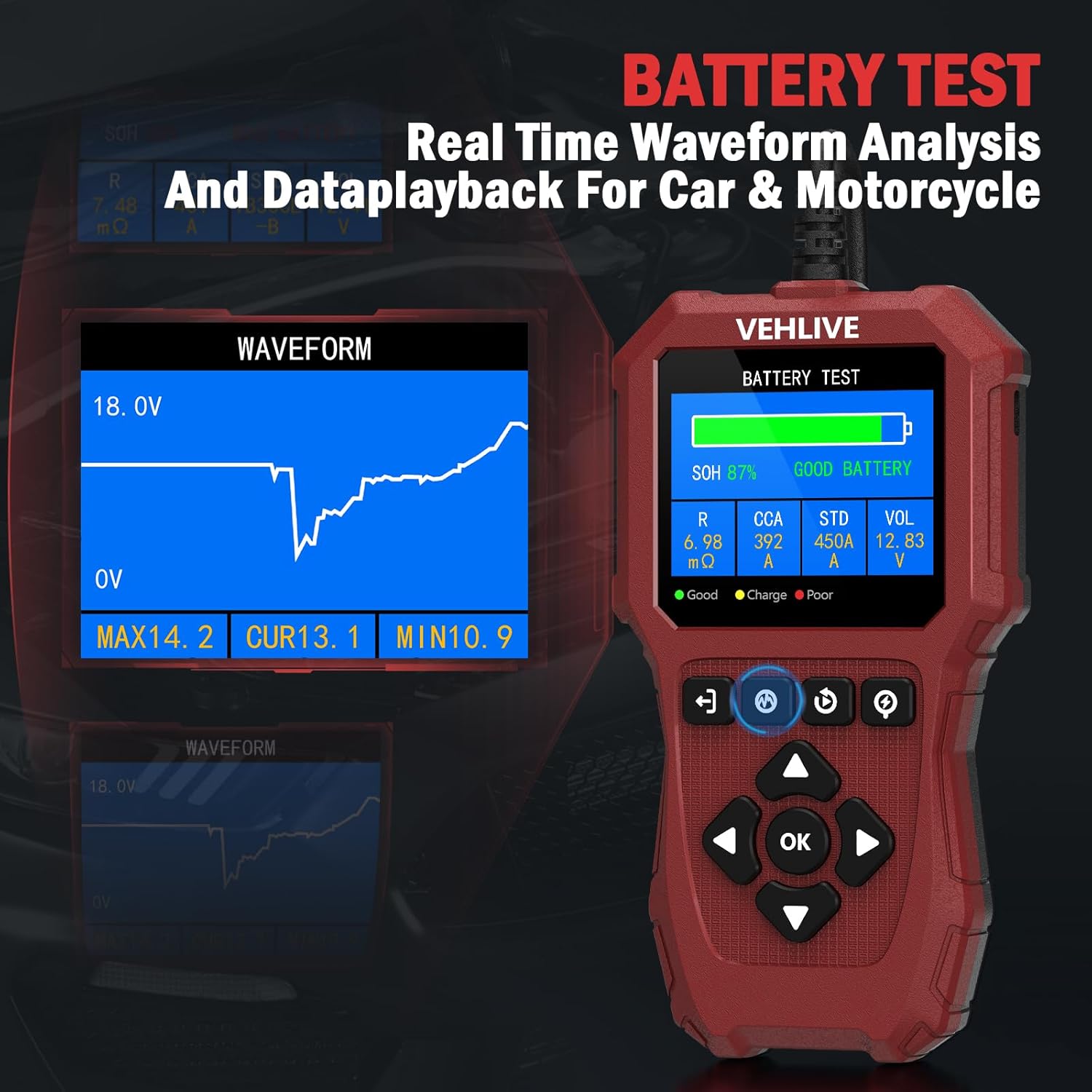
Image 5.1: Battery test results on the BT911 screen, showing SOH, SOC, and other parameters, including a real-time voltage waveform.
5.2. Cranking Test
This test analyzes the performance of the vehicle's starting system.
- From the main menu, select "Cranking Test."
- Follow the on-screen prompts to start the vehicle.
- The tester will measure and display the actual starting voltage and starting time.
- It will provide a diagnosis of the starter's performance.

Image 5.2: Cranking test results on the BT911 screen, showing the duration and voltage fluctuations during engine start.
5.3. Charging System Test
This test checks the alternator's charging output and overall charging system health.
- From the main menu, select "Charging Test."
- Follow the on-screen instructions, which typically involve starting the engine and revving it to a specified RPM.
- The tester will analyze the alternator's output, no-load voltage, and load voltage.
- Results will indicate if the charging system is functioning correctly or if there are issues like high ripple.

Image 5.3: Charging system analysis on the BT911 screen, displaying load, no-load, and ripple voltage readings.
5.4. Waveform Analysis
The BT911 features voltage waveform analysis to track real-time voltage changes, helping to detect subtle battery problems.
- Access this feature through the main menu.
- Observe the graphical representation of voltage over time.
- Analyze the waveform for drops, spikes, or inconsistencies that may indicate underlying issues with the battery or charging system.
6. Lithium Battery Testing Upgrade
The VEHLIVE BT911 now supports lithium battery testing. To enable this function, an upgrade is required:
- Visit the official VEHLIVE website: www.vehlive.com.
- Locate and download the upgrade package. An upgrade guide video is available on the website for detailed instructions.
- Follow the provided instructions to update your BT911 device. The process is designed to be straightforward.
This upgrade is free and essential for accurate lithium battery diagnostics.
7. Compatibility
The BT911 battery tester is highly versatile and compatible with a wide range of vehicles and battery types:
7.1. Vehicle Types
- 24V Vehicles: Trucks, buses, RVs, ATVs, SUVs.
- 12V Vehicles: Cars, motorcycles, boats, yachts, lawnmowers.
7.2. Battery Types
Tests all 6V, 12V, and 24V batteries with 5-3000 CCA, including:
- Regular Flooded (VRLA)
- AGM Flat Plate
- AGM Spiral
- GEL
- EFB
- Lithium (requires software upgrade)
7.3. Battery Standards
The BT911 complies with various international battery testing standards:
- JIS
- EN
- DIN
- SAE
- CCA
- BCI
- CA
- MCA
- IEC

Image 7.1: The BT911 demonstrating compatibility with various battery types, including lithium, AGM, GEL, and EFB.
8. Specifications
| Specification | Value |
|---|---|
| Manufacturer | VEHLIVE |
| Part Number | BT911-1 |
| Item Weight | 349 g |
| Parcel Dimensions | 20.6 x 13.31 x 4.39 cm |
| Power Source Type | Corded Electric |
| Measurement Accuracy | +/-0.5% |
| Min. Operating Voltage | 6 Volts |
| Measurement Type | Volts, Ohms, CCA |
| Included Components | Car Battery Tester |
| Batteries Required | No |
| Supported Standards | JIS, EN, DIN, SAE, CCA, BCI, CA, MCA, IEC |
9. Maintenance
To ensure the longevity and accurate performance of your VEHLIVE BT911 battery tester, follow these maintenance guidelines:
- Cleaning: Wipe the device with a soft, dry cloth after each use. Avoid using abrasive cleaners or solvents.
- Storage: Store the tester in a cool, dry place, away from direct sunlight and extreme temperatures. Keep it in its original packaging or a protective case when not in use.
- Cable and Clamps: Regularly inspect the diagnostic cable and alligator clips for any signs of wear, damage, or corrosion. Replace if necessary to maintain good conductivity and safety.
- Software Updates: Periodically check the official VEHLIVE website (www.vehlive.com) for any available software updates to ensure optimal performance and access to new features.
10. Troubleshooting
If you encounter issues with your BT911 battery tester, consider the following common troubleshooting steps:
- Device Not Powering On: Ensure the alligator clips are securely connected to the correct battery terminals. If testing a completely dead battery, the device may not power on. Try connecting via USB-C if available, or attempt to charge the battery first.
- Inaccurate Readings: Verify that the battery terminals are clean and the clamps have a solid connection. Ensure you have selected the correct battery type and standard (e.g., CCA, JIS) in the device settings.
- Error Messages: Refer to the on-screen error message for specific guidance. If the message is unclear, consult the official VEHLIVE website or customer support.
- Software Issues: If the device behaves unexpectedly, consider performing a software update as described in Section 6.
For persistent issues, contact VEHLIVE customer support.
11. Warranty and Support
VEHLIVE is committed to providing quality products and customer satisfaction.
- Warranty: The BT911 comes with a 1-year repair warranty.
- Returns: Enjoy 30-day free returns.
- Customer Support: A professional client support team is available 24/7. For assistance, visit www.vehlive.com.
- Quality Assurance: All products undergo 100% quality inspection.

Image 11.1: VEHLIVE customer support information, highlighting warranty, returns, and quality inspection.