
ANSTEN HE029
ANSTEN Sleep Headphones User Manual
Model: HE029
Product Overview
The ANSTEN HE-029 invisible 2-in-1 earbud is designed to enhance sleep quality with soft, relaxing sounds in sleep mode. It also functions as a standard Bluetooth earbud, delivering clear, high-fidelity music. These noise-reducing sleep headphones support call functions.

Image: ANSTEN HE-029 Sleep Headphones shown with their charging case. The earbuds are compact and designed for comfortable wear.
Key features include an in-ear design for effective noise shielding, ensuring undisturbed sleep. Please note, these headphones do not feature Active Noise Cancellation (ANC).

Image: A couple sleeping peacefully, illustrating the noise isolation capability of the ANSTEN Sleep Headphones, providing a comfortable environment for rest.
The earbuds are crafted with soft silicone earplugs for pressure-free comfort, making them suitable for all-night wear, even for side sleepers. Each earbud weighs only 3g, contributing to their lightweight and comfortable design.

Image: Visual representation highlighting the ultra-lightweight design of the ANSTEN Sleep Headphones, weighing only 3 grams per earbud.
Equipped with the latest Bluetooth 5.4 chip, these wireless headphones offer faster and more stable high-quality transmission. They are also IPX6 waterproof certified, making them resistant to sweat, rain, and humidity.

Image: An exploded diagram showing the internal components of the ANSTEN Sleep Headphone, including the Bluetooth 5.4 module, double liquid silicone for noise reduction, touchpad, and automatic audio adjustment.
Setup
Initial Charging
Before first use, fully charge the ANSTEN Sleep Headphones and their charging case. Place the earbuds into the charging case. The indicator lights on the case will show the charging status. A full charge provides up to 6 hours of headphone use and up to 48 hours with the charging case.
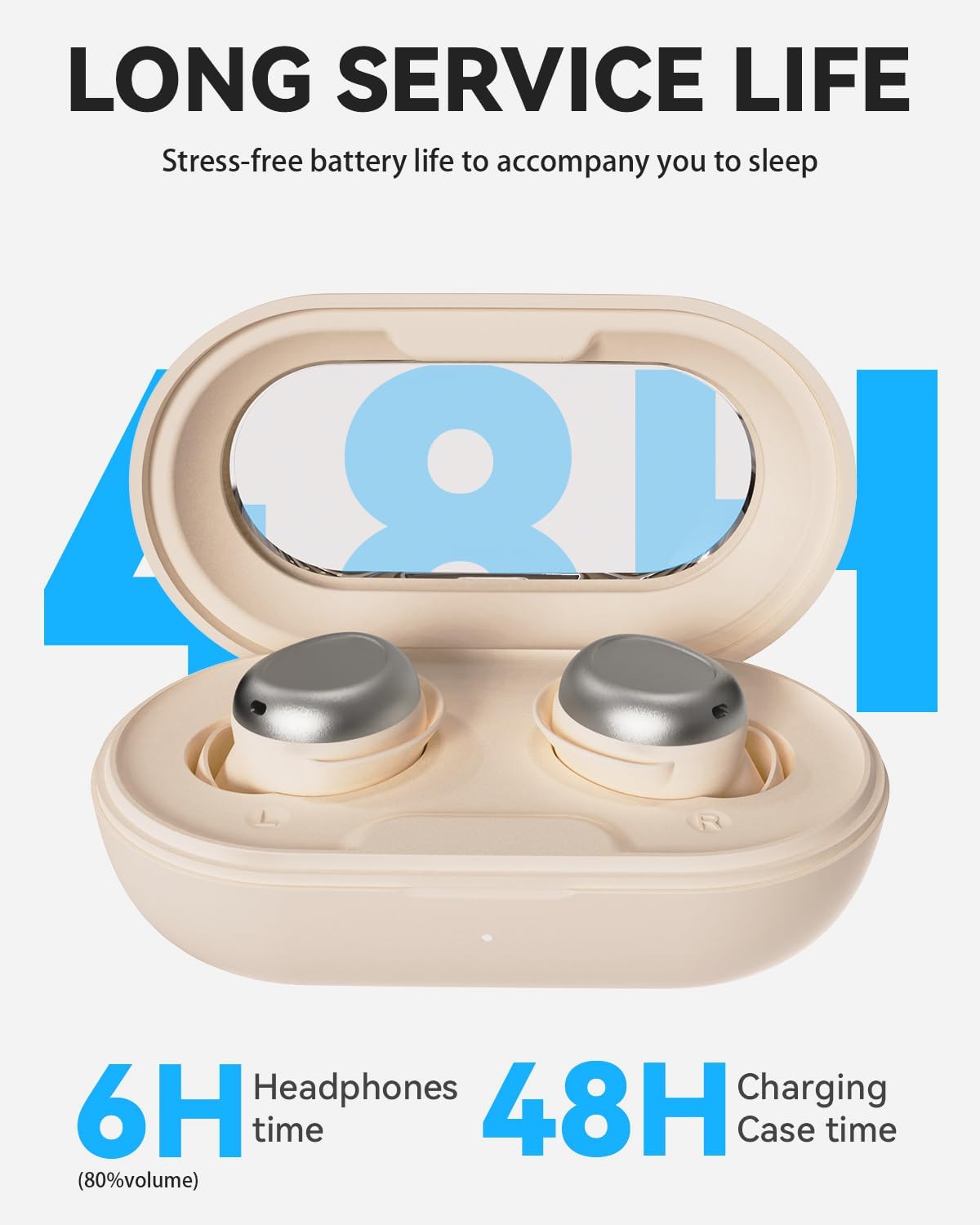
Image: The ANSTEN Sleep Headphones charging case, illustrating the extended battery life of 6 hours for headphones and 48 hours with the case.
Bluetooth Pairing
- Ensure the earbuds are charged and placed in the charging case.
- Open the charging case. The earbuds will automatically enter pairing mode.
- On your device (smartphone, tablet, etc.), enable Bluetooth.
- Search for "ANSTEN HE029" or a similar name in the list of available Bluetooth devices.
- Select the device name to connect. Once connected, you will hear a confirmation tone.
The headphones will automatically reconnect to the last paired device when taken out of the case, if Bluetooth is enabled on the device.
Operating Instructions
Touch Controls
The ANSTEN Sleep Headphones feature a multi-function touch button on each earbud for easy control. Specific touch gestures allow you to manage playback, calls, and modes.
- Play/Pause: Single tap on either earbud.
- Next Track: Double tap on the right earbud.
- Previous Track: Double tap on the left earbud.
- Answer/End Call: Single tap on either earbud during an incoming call.
- Reject Call: Press and hold on either earbud for 2 seconds during an incoming call.
- Activate Sleep Mode: Triple tap on either earbud. (Refer to Sleep Mode section for details).
Sleep Mode Functionality
The dedicated Sleep Mode helps block out external noise and can automatically turn off music as you fall asleep. When in Sleep Mode, the headphones will automatically shut down after 1 hour of continuous playback to conserve battery and ensure undisturbed sleep.

Image: A woman sleeping comfortably with the ANSTEN Sleep Headphones, illustrating the "Set Sleep Mode" feature which automatically turns off music after one hour.
Maintenance
Cleaning
- Gently wipe the earbuds and charging case with a soft, dry, lint-free cloth.
- For the silicone ear tips, you may remove them and rinse with lukewarm water, then dry thoroughly before reattaching.
- Do not use abrasive cleaners, alcohol, or chemical solvents.
Water Resistance (IPX6)
The ANSTEN Sleep Headphones are IPX6 water-resistant, meaning they can withstand strong jets of water. This makes them suitable for use during workouts where sweat is present, or in light rain. However, they are not designed for submersion in water. Do not swim or shower with the headphones.
Storage
When not in use, store the headphones in their charging case to protect them from dust and damage. Store in a cool, dry place away from direct sunlight and extreme temperatures.
Troubleshooting
| Problem | Solution |
|---|---|
| Headphones not pairing/connecting. |
|
| No sound from one or both earbuds. |
|
| Charging case not charging. |
|
| Headphones automatically turn off too soon. |
|
Specifications
| Feature | Detail |
|---|---|
| Model | HE029 |
| Brand | ANSTEN |
| Connectivity Technology | Wireless (Bluetooth 5.4) |
| Ear Placement | In-ear |
| Form Factor | In-ear |
| Noise Control | Passive Noise Reduction (No Active Noise Cancellation) |
| Material | Acrylonitrile Butadiene Styrene (ABS) |
| Water Resistance Level | IPX6 (Waterproof) |
| Headphone Playtime | Up to 6 hours (at 80% volume) |
| Total Playtime with Charging Case | Up to 48 hours |
| Earbud Weight | Approx. 3g per earbud |
| Package Dimensions | 11 x 7.6 x 4.2 cm |
| Item Weight | 110 grams (total package) |
| Included Components | 1x Sleep Headphones |
Warranty and Support
Warranty Information
ANSTEN products are designed and manufactured to the highest quality standards. For specific warranty details, please refer to the warranty card included with your product or visit the official ANSTEN website. Typically, a limited warranty covers manufacturing defects from the date of purchase.
Customer Support
If you encounter any issues or have questions regarding your ANSTEN Sleep Headphones, please contact ANSTEN customer support. Contact information can usually be found on the product packaging, the official ANSTEN website, or through the retailer where the product was purchased.
For online support, you may visit the ANSTEN store page on Amazon: ANSTEN Store on Amazon.
Ask a question about this manual
Ask about setup, troubleshooting, compatibility, parts, safety, or missing instructions. Manuals+ will review the question and use this page’s manual context to help answer it.