
Introduction
The ACEBEAM Keylite 500 is an ultra-compact, high-lumen keychain flashlight designed for everyday carry and emergency situations. Featuring dual high-performance LEDs, it delivers a maximum output of 500 lumens with a beam distance of 70 meters. Its robust construction from hard anodizing aircraft-grade aluminum alloy ensures durability, impact resistance up to 1.5 meters, and an IP66 waterproof and dustproof rating. The Keylite 500 is conveniently rechargeable via a Type-C port, making it a reliable and powerful lighting solution always at your fingertips.

Figure 1: ACEBEAM Keylite 500 Keychain Flashlight, showcasing its compact size and design.
What's in the Box
Upon unboxing your ACEBEAM Keylite 500, please ensure all the following components are present:
- Keylite 500 Keychain Flashlight x 1
- USB Cable x 1
- Key Ring x 1
- User Manual x 1
Setup
Initial Charging
Before first use, fully charge your Keylite 500. The flashlight features a built-in rechargeable battery and a convenient Type-C charging port. Simply connect the included USB cable to the flashlight and a compatible USB power source. A full charge typically takes approximately 1 hour. The battery indicator light on the button will signal charging status:
- Green light stays on for 3s: >60% battery
- Red light stays on for 3s: 30%-10% battery
- Red light flashes: <10% battery
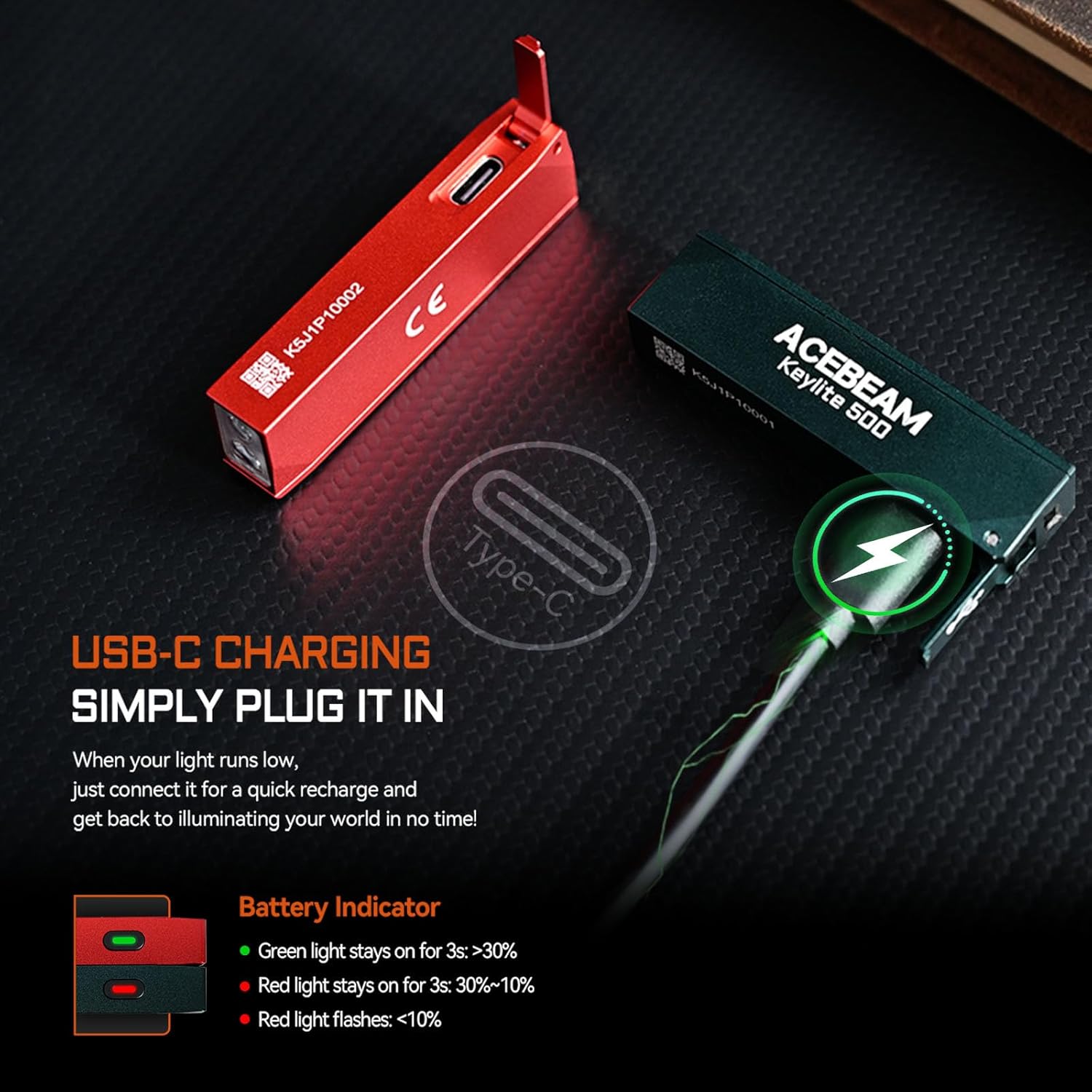
Figure 2: Illustration of the USB-C charging port and battery indicator lights.
Attaching the Key Ring
Attach the included key ring to the designated loop on the flashlight for convenient carrying on your keychain or bag. This ensures your powerful light is always accessible.
Operating Instructions
The Keylite 500 features a single side switch for intuitive control of its multiple lighting modes. It offers 6 modes including Moonlight, Low, Medium, High, Turbo, and Strobe.
Basic Operation
- Turn On/Off: Single click the side switch to turn the flashlight on or off. The flashlight has mode memory and will turn on in the last used mode (excluding Turbo and Strobe).
- Mode Cycling: When the flashlight is on, press and hold the side switch to cycle through the modes: Moonlight → Low → Medium → High. Release the switch to select the desired mode.
- Turbo Mode: Double-click the side switch from any state (on or off) to activate Turbo mode (500 lumens). Double-click again to return to the previously used mode.
- Strobe Mode: Triple-click the side switch from any state (on or off) to activate Strobe mode (500 lumens). Single click to turn off or return to the previous mode.

Figure 3: Visual representation of the side switch and available lighting modes.
Performance Specifications per Mode
| Mode | Lumens (Output) | Runtime |
|---|---|---|
| Moonlight | 1 Lumen | 12 Hours |
| Low | 10 Lumens | 4 Hours |
| Medium | 60-20 Lumens | 25/85 Minutes |
| High | 200-150-20 Lumens | 3/15/42 Minutes |
| Turbo | 500-260-50 Lumens | 20s/5/35 Minutes |
| Strobe | 500 Lumens | 70 Minutes |
Note: The above data has been measured in accordance with the international flashlight testing standard ANSI/PLATO FL1, and are approximate and may vary from flashlights, batteries, and environments.
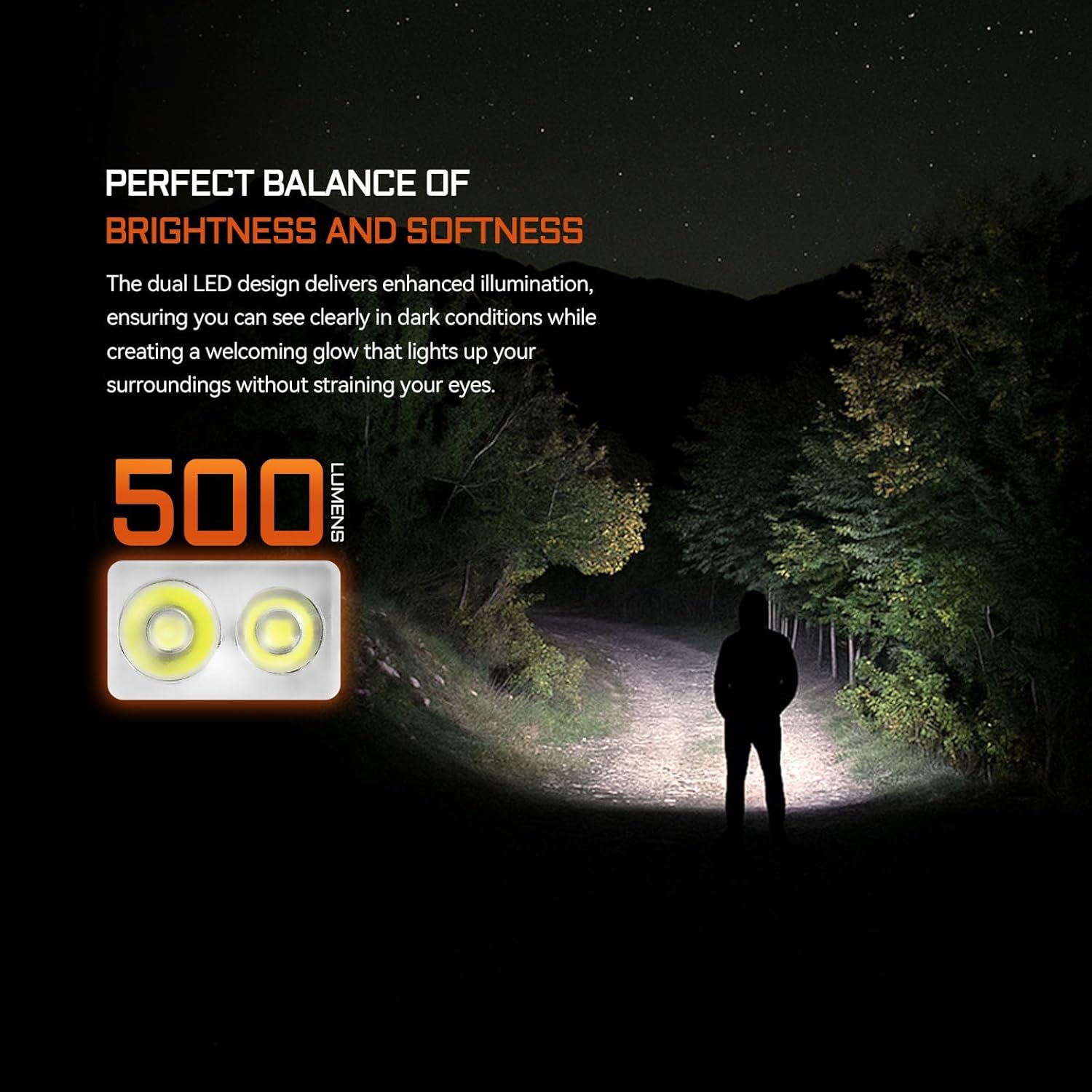
Figure 4: The dual LED design provides a balance of brightness and softness for various conditions.
Maintenance
Proper maintenance ensures the longevity and optimal performance of your ACEBEAM Keylite 500.
- Cleaning: Wipe the flashlight body with a soft, damp cloth. Avoid using harsh chemicals or abrasive materials that could damage the anodized finish.
- Charging Port: Keep the USB-C charging port clean and free of debris. Ensure the protective cover is properly sealed when not charging to maintain its IP66 rating.
- Storage: Store the flashlight in a cool, dry place when not in use. For long-term storage, it is recommended to charge the battery to about 50% every few months to preserve battery health.
- Water Resistance: While rated IP66 for dustproof and water resistance against heavy rain and powerful water jets, avoid submerging the flashlight in water for extended periods.

Figure 5: The Keylite 500 is built with a durable aluminum body, offering impact and water resistance.
Troubleshooting
If you encounter issues with your Keylite 500, refer to the following common problems and solutions:
- Flashlight not turning on:
- Ensure the battery is charged. Connect to a USB-C power source and check the battery indicator.
- Verify the side switch is not obstructed or damaged.
- Light output is low or inconsistent:
- The battery might be low. Recharge the flashlight fully.
- In Turbo mode, the flashlight may step down in brightness due to heat management. This is normal operation to prevent overheating.
- Ensure the lens is clean and free of smudges or debris.
- Charging issues:
- Try a different USB-C cable and power adapter.
- Ensure the charging port is clean and free of lint or foreign objects.
- Unintended mode changes:
- Familiarize yourself with the single-button operation. Press and hold for cycling, double-click for Turbo, triple-click for Strobe.
If problems persist after attempting these solutions, please contact ACEBEAM customer support for further assistance.
Specifications
| Feature | Detail |
|---|---|
| Brand | ACEBEAM |
| Model Number | Keylite 500-Teal |
| Special Feature | 500 High Lumens, Rechargeable, Dual LEDs, Ultra-Compact, 6 Modes |
| Color | Teal |
| Power Source | Battery Powered |
| Light Source Type | LED |
| Material | Aluminum |
| Product Dimensions | 0.41"D x 0.63"W x 2.38"H |
| Item Weight | 1.44 ounces |
| Battery Cell Composition | Lithium Polymer |
| Number of Batteries | 1 C batteries required. (included) |
| Water Resistance Level | Waterproof (IP66) |
| Brightness | 500 Lumen (Max) |
| Runtime | Up to 12 hours (Moonlight mode) |
Warranty and Support
The ACEBEAM Keylite 500 comes with a 10-Year Warranty, ensuring peace of mind regarding its quality and durability. For warranty claims, technical support, or any inquiries not covered in this manual, please contact ACEBEAM customer service directly through their official website or the retailer where the product was purchased.
For more information and support, visit the official ACEBEAM Store: ACEBEAM Store on Amazon


