
Introduction
Thank you for choosing the TOUCH TWO Bluetooth Beanie. This beanie combines the warmth and comfort of a winter hat with the convenience of wireless audio. It features HD stereo sound, a built-in microphone for hands-free calls, and advanced Bluetooth 5.4 technology for stable connectivity. This manual provides detailed instructions for setup, operation, and maintenance to ensure optimal performance and longevity of your device.
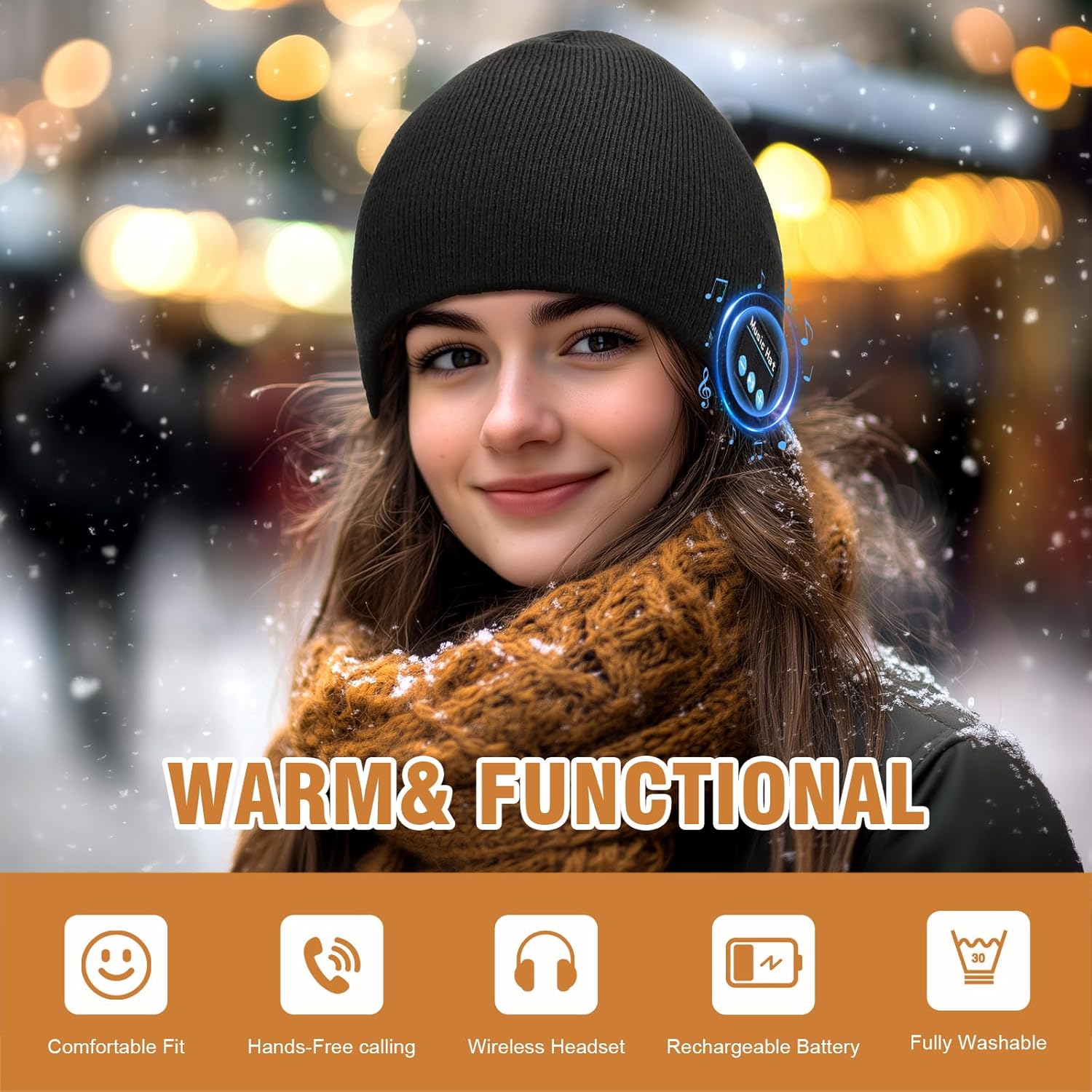
Image: The TOUCH TWO Bluetooth Beanie offers warmth and functionality, shown here worn by a woman in a snowy environment.
Package Contents
- 1 x TOUCH TWO Bluetooth Beanie
- 1 x USB Type-C Charging Cable
- 1 x Instruction Manual (this document)
Product Overview
Control Panel
The Bluetooth beanie features an integrated 3-button control panel located on the side, allowing easy management of music playback and calls.

Image: Detail of the control panel on the beanie, showing the three buttons for operation.
Components
- Integrated Speakers: Located within the beanie for stereo sound.
- Built-in Microphone: For hands-free communication.
- Bluetooth Module: Houses the control panel, battery, and Bluetooth chip.
Setup
1. Charging the Beanie
- Locate the charging port on the Bluetooth module within the beanie.
- Connect the provided USB Type-C cable to the charging port.
- Plug the other end of the USB cable into a standard USB power adapter (not included) or a computer's USB port.
- The LED indicator on the module will illuminate during charging and turn off when fully charged.
- A full charge typically takes 1.5 to 2 hours and provides up to 10 hours of talk or music playback time.

Image: The Bluetooth beanie being charged via a USB Type-C cable connected to a laptop.
2. Pairing with a Bluetooth Device
- Ensure the beanie is charged and turned off.
- Press and hold the ON/OFF Play/Pause button on the control panel until the LED indicator flashes blue and red, indicating pairing mode.
- On your smartphone, tablet, or other Bluetooth-enabled device, navigate to the Bluetooth settings.
- Search for available devices and select "Music Hat" or a similar name from the list.
- Once connected, the LED indicator will flash blue slowly or turn off, depending on the model.
- The beanie will automatically attempt to re-pair with the last connected device when turned on.

Image: The Bluetooth beanie demonstrating wide compatibility with various Bluetooth-enabled devices.
Operating Instructions

Image: A visual guide to the control buttons and their functions on the Bluetooth beanie.
Power On/Off
- Power On: Press and hold the ON/OFF Play/Pause button for approximately 3 seconds until the LED indicator flashes blue.
- Power Off: Press and hold the ON/OFF Play/Pause button for approximately 3 seconds until the LED indicator turns off.
Music Playback
- Play/Pause: Short press the ON/OFF Play/Pause button.
- Next Track: Short press the + button.
- Previous Track: Short press the - button.
- Volume Up: Long press the + button.
- Volume Down: Long press the - button.
Call Management
- Answer Call: Short press the ON/OFF Play/Pause button when an incoming call rings.
- End Call: Short press the ON/OFF Play/Pause button during a call.
- Reject Call: Long press the ON/OFF Play/Pause button when an incoming call rings.
- Redial Last Number: Double-press the ON/OFF Play/Pause button.
Voice Assistant (Siri/Google Assistant)
- Activate Voice Assistant: Triple-press the ON/OFF Play/Pause button to activate your device's voice assistant (e.g., Siri, Google Assistant).
Maintenance
To ensure the longevity and cleanliness of your Bluetooth beanie, follow these maintenance steps:
- Remove Bluetooth Module: Before washing, gently turn the beanie inside out to locate the slit or opening for the Bluetooth module. Carefully remove the electronic components (speakers and control panel).
- Washing the Beanie: The fabric beanie is fully machine washable. It is recommended to wash it in cold water on a gentle cycle with similar colors. Air dry flat to maintain shape. Do not bleach or iron.
- Reinsert Module: Once the beanie is completely dry, reinsert the Bluetooth module into its designated pockets, ensuring the control panel is correctly aligned.

Image: Step-by-step guide on how to remove the Bluetooth module for washing the beanie.
Troubleshooting
If you encounter issues with your TOUCH TWO Bluetooth Beanie, please refer to the following common solutions:
| Problem | Possible Solution |
|---|---|
| Cannot power on the beanie. | Ensure the beanie is fully charged. Connect it to a power source using the provided USB Type-C cable. |
| Cannot pair with a device. |
|
| No sound or low volume. |
|
| Intermittent connection. |
|
Specifications
| Feature | Detail |
|---|---|
| Bluetooth Version | 5.4 |
| Wireless Range | Up to 10 meters (33 feet) |
| Battery Life (Music/Talk) | Up to 10 hours |
| Charging Time | 1.5 - 2 hours |
| Charging Port | USB Type-C |
| Material | Soft synthetic wool |
| Weight | 5 ounces |
| Dimensions | 7.05 x 4.45 x 1.85 inches (Package) |
Warranty and Support
Your TOUCH TWO Bluetooth Beanie is designed for durability and performance. For any questions, technical support, or warranty inquiries, please contact TOUCH TWO customer service through the retailer where the product was purchased or visit the official TOUCH TWO website. Please retain your proof of purchase for warranty claims.
Manufacturer: TOUCH TWO