
Introduction
Thank you for choosing the QNUT Victor 2.0 Electric Mountain Bike. This manual provides essential information for the safe assembly, operation, maintenance, and troubleshooting of your new e-bike. Please read this manual thoroughly before your first ride and keep it for future reference. Proper understanding and adherence to these instructions will ensure a safe and enjoyable riding experience.
Safety Information
Your safety is paramount. Always wear a helmet and appropriate safety gear when riding. Familiarize yourself with local traffic laws and regulations regarding electric bicycles. Perform a pre-ride inspection before each use.
- Always wear a certified helmet.
- Ensure brakes are functioning correctly before each ride.
- Check tire pressure and condition.
- Verify battery is securely installed and charged.
- Do not ride under the influence of alcohol or drugs.
- Be aware of your surroundings and traffic.
- Avoid riding in adverse weather conditions if possible.
Setup and Assembly
The QNUT Victor 2.0 Electric Mountain Bike requires some assembly upon arrival. A basic tool kit is included to assist with this process. It is recommended to have the assembly checked by a professional bicycle mechanic if you are unsure.
Initial Steps
- Unpacking: Carefully remove all components from the packaging. Retain packaging for potential returns or future transport.
- Handlebar Installation: Attach the handlebar to the stem, ensuring it is centered and tightened securely.
- Front Wheel Installation: Install the front wheel, ensuring the quick-release skewer or axle nuts are properly tightened. Verify the front disc brake caliper aligns correctly with the rotor.
- Pedal Installation: Identify left (L) and right (R) pedals. The left pedal tightens counter-clockwise, and the right pedal tightens clockwise. Ensure they are fully threaded and tightened.
- Seat Post and Saddle: Insert the seat post into the frame and adjust the saddle height for comfortable riding. Secure with the quick-release lever or bolt.
- Tire Inflation: Inflate both tires to the recommended pressure indicated on the tire sidewall.
- Battery Charging: Fully charge the battery before the first use. Refer to the 'Battery Charging' section for details.

Image: The QNUT Victor 2.0 Electric Bike offers two convenient charging options for its removable battery. You can charge the battery directly on the bike or remove it for charging indoors. A full charge typically takes 3-4 hours.
Operating Instructions
Understanding the controls and riding modes of your QNUT Victor 2.0 is crucial for an optimal experience.
Powering On/Off
To power on the bike, press and hold the power button on the Smart LCD Display. To power off, press and hold the same button until the display turns off.
Smart LCD Display
The Smart LCD Display provides real-time information such as speed, battery level, and pedal assist level. Consult the display for current operational status.

Image: Key features of the QNUT Victor 2.0 include a comfortable soft saddle, reliable dual disc brakes, responsive front suspension, and an intuitive Smart LCD Display for monitoring ride data.
Riding Modes
The QNUT Victor 2.0 offers three distinct riding modes:
- Pedal Assist Mode: The motor provides assistance as you pedal. You can typically adjust the level of assistance via the display. This mode extends your range and reduces effort.
- Bicycle Mode: The motor is off, and the bike operates like a traditional bicycle, powered solely by your pedaling.
- Walking Mode: Provides a low level of motor assistance to help you push the bike when walking alongside it, useful for navigating steep inclines or crowded areas.
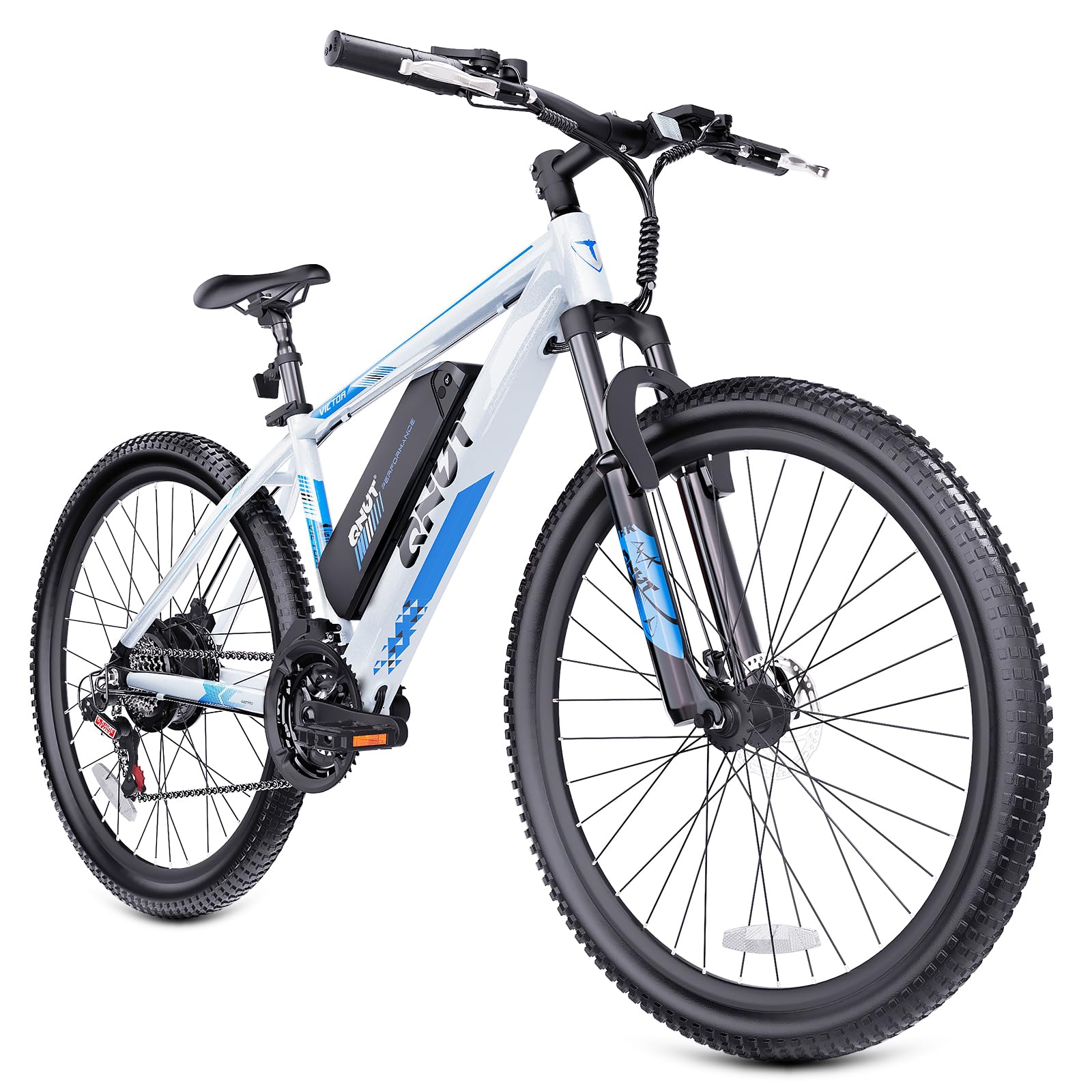
Image: The QNUT Victor 2.0 Electric Bike features three versatile riding modes: Pedal Assist for amplified pedaling, Bicycle Mode for traditional cycling, and Walking Mode for easy maneuvering on foot.
Gear Shifting (21-Speed)
Your bike is equipped with a 21-speed drivetrain. Use the shifters on the handlebars to change gears. The left shifter controls the front chainrings (typically 3 speeds), and the right shifter controls the rear cassette (typically 7 speeds). Shift gears smoothly to match terrain and maintain an efficient pedaling cadence.

Image: The QNUT Victor 2.0 features a 42T chainring and a 21-speed gear system, providing a wide range of gears (24-34T) for faster riding on flat roads and improved climbing ability on inclines.
Braking
The QNUT Victor 2.0 is equipped with dual disc brakes for reliable stopping power. Apply both front and rear brakes simultaneously and smoothly for controlled deceleration. Avoid sudden, hard braking, especially with the front brake, to prevent loss of control.
Maintenance
Regular maintenance ensures the longevity and safe operation of your e-bike.
Battery Care
- Charge the battery fully after each ride, or at least once every two months if not in use.
- Avoid completely draining the battery.
- Store the battery in a cool, dry place, away from direct sunlight and extreme temperatures.
- Use only the original charger provided by QNUT.

Image: The QNUT Victor 2.0 is powered by a removable 36V 10.4Ah lithium battery, offering a 374.4Wh capacity for extended rides, providing up to 40 miles of range in Pedal Assist Mode.
General Maintenance
- Cleaning: Clean the bike regularly with a damp cloth. Avoid using high-pressure washers directly on electrical components.
- Tires: Check tire pressure before each ride. Inspect tires for wear, cuts, or punctures.
- Brakes: Regularly inspect brake pads for wear and ensure brake levers operate smoothly. Adjust cable tension as needed.
- Chain: Keep the chain clean and lubricated. Apply bicycle-specific chain lubricant periodically.
- Fasteners: Periodically check all bolts and nuts for tightness, especially on critical components like handlebars, wheels, and seat post.
Troubleshooting
This section addresses common issues you might encounter with your QNUT Victor 2.0 e-bike.
| Problem | Possible Cause | Solution |
|---|---|---|
| Bike does not power on | Battery not charged or not properly installed. Loose electrical connection. | Ensure battery is fully charged and securely seated. Check all visible cable connections. |
| Motor not assisting | Pedal assist level set to zero. Battery low. Sensor issue. | Increase pedal assist level on the display. Charge battery. Check for debris near pedal sensor. |
| Brakes feel weak | Worn brake pads. Loose brake cable. Air in hydraulic system (if applicable). | Inspect and replace brake pads if worn. Adjust brake cable tension. Consult a bike mechanic for hydraulic brake issues. |
| Gears not shifting smoothly | Derailleur out of adjustment. Dirty or dry chain. Bent hanger. | Clean and lubricate chain. Adjust derailleur limits and cable tension. Consult a bike mechanic for bent components. |
| Unusual noises | Loose components. Lack of lubrication. Debris in moving parts. | Inspect all bolts and nuts for tightness. Lubricate chain and pivot points. Clean bike thoroughly. |
Specifications
Detailed technical specifications for the QNUT Victor 2.0 Electric Mountain Bike.
| Feature | Specification |
|---|---|
| Bike Type | Electric Mountain Bike |
| Model Name | Victor 2.0 |
| Motor | 350W (Rated), 750W Peak Brushless Motor |
| Battery | 36V 10.4Ah Removable Lithium Battery (374.4Wh) |
| Max Range | Up to 50 Miles (40 Max Miles in PAS Mode) |
| Charging Time | 3-4 Hours |
| Number of Speeds | 21-Speed |
| Tire Size | 26" x 2.1" |
| Frame Material | Aluminum Alloy |
| Suspension Type | Dual (Front Suspension) |
| Brake Style | Dual Disc Brake |
| Max Speed | 20 MPH |
| Climbing Ability | Up to 30° Incline |
| Item Weight | 57.3 Pounds |
| Included Components | Tool Kit |

Image: The QNUT Victor 2.0 is equipped with a powerful 350W brushless motor, capable of reaching 750W peak power, achieving a maximum speed of 20 MPH, and handling inclines up to 30 degrees.
Warranty
The QNUT Victor 2.0 Electric Mountain Bike comes with a 1-year limited warranty from the date of purchase. This warranty covers manufacturing defects in materials and workmanship. It does not cover normal wear and tear, damage due to misuse, accidents, improper assembly, or lack of maintenance. Please retain your proof of purchase for warranty claims.
Customer Support
If you have any questions, require assistance with assembly, or need troubleshooting support, please contact QNUT customer service. For the most up-to-date contact information, please visit the official QNUT website or refer to your purchase documentation.
Online Support: Visit the QNUT official website for FAQs, support resources, and contact forms.
Email Support: Refer to your product packaging or purchase confirmation for the customer service email address.


