
1. Introduction
This manual provides detailed instructions for the installation, operation, and maintenance of your AQUBT Smart RGB Ceiling Fan with Lights and Remote, Model 1065. Please read this manual thoroughly before installation and use to ensure safe and efficient operation. Keep this manual for future reference.

Image 1.1: The AQUBT Smart RGB Ceiling Fan with Lights and Remote.
2. Safety Information
Please observe the following safety precautions to prevent injury or damage to the product:
- Ensure the power supply is disconnected before installation, cleaning, or maintenance.
- Installation must be performed by a qualified electrician in accordance with local electrical codes.
- Mount the fan securely to a ceiling joist or a suitable support structure capable of holding the fan's weight.
- Do not connect the fan to a dimmer switch or a variable speed switch designed for traditional fans. Use only a standard on/off switch.
- Keep hands, hair, and clothing clear of the fan blades during operation.
- This fan is designed for indoor use only.
- The protective grille is designed to prevent accidental contact with rotating blades, making it suitable for rooms with children and pets.

Image 2.1: Correct and incorrect switch types for installation.
3. Package Contents
Verify that all components are present and undamaged before beginning installation. If any parts are missing or damaged, contact customer support.
- AQUBT Smart RGB Ceiling Fan (Model 1065)
- Remote Control
- Mounting Hardware (Self-tapping screws, Expansion tubes, Expansion screws, Junction box screws, Washers, Wire connectors)
- Instruction Manual (This document)

Image 3.1: Included accessories and fan components.
4. Setup and Installation
The AQUBT Smart RGB Ceiling Fan is designed for flush mount installation. No assembly of fan blades is required as it features a bladeless design with a protective grille.
4.1 Pre-Installation Checklist
- Ensure power is turned off at the circuit breaker before starting.
- Confirm you have all necessary tools (screwdriver, wire strippers, ladder, etc.).
- Verify the mounting location can support the fan's weight (approximately 6 pounds).
4.2 Installation Steps
- Mounting Bracket Installation: Secure the mounting bracket to the ceiling junction box using the provided screws and washers. Ensure it is firmly attached.
- Wiring: Connect the fan's electrical wires to the household wiring according to standard electrical codes (e.g., black to black, white to white, ground to ground). Use the included wire connectors.
- Fan Housing Attachment: Carefully lift the fan housing and attach it to the mounting bracket. Secure it with the appropriate screws.
- Power Restoration: Once the fan is securely mounted and wired, restore power at the circuit breaker.
5. Operating Instructions
Your AQUBT Smart RGB Ceiling Fan offers multiple control methods for convenience.
5.1 Remote Control Operation
The included remote control provides direct access to all fan and light functions.

Image 5.1: Remote control functions.
- ON/OFF Button: Powers the fan and light on or off.
- Fan ON/OFF: Controls the fan motor independently.
- Fan Speed (1-6): Adjusts the fan speed from 1 (low) to 6 (high).
- Forward/Reverse: Changes the direction of airflow (summer/winter mode).
- Main Light ON/OFF: Controls the main white light independently.
- Brightness +/-: Adjusts the brightness of the light (10% to 100%).
- Color Temperature +/-: Cycles through warm, neutral, and cool white light temperatures.
- RGB Ambient Light: Activates and cycles through 1000+ RGB color modes.
- Night Light Mode: Activates a low-brightness light setting.
- Timer Mode (1-4H): Sets a timer for the fan and/or light to turn off automatically after 1, 2, 3, or 4 hours.
5.2 App Control (Tuya Smart Life)
For advanced features and remote access, download the Tuya Smart Life app on your smartphone.
- Download App: Search for "Tuya Smart" or "Smart Life" in your app store.
- Pairing: Follow the in-app instructions to pair your fan with your 2.4GHz Wi-Fi network.
- Features: The app allows for global remote control, one-touch preset modes (Away/Home/Sleep), precision countdown timers, customizable recurring timer functions, and access to 1000+ RGB color modes. The power outage mode ensures lights remain off after restoration.

Image 5.2: Remote control via mobile application.

Image 5.3: App-controlled timer function.
5.3 Voice Control (Alexa/Google Home)
The fan is compatible with Amazon Alexa and Google Home for convenient voice commands.
- Connect to Voice Assistant: Link your Tuya Smart Life account to your Alexa or Google Home app.
- Voice Commands: Use commands such as "Alexa, turn on the ceiling fan," "Hey Google, set the fan speed to 3," or "Alexa, change the ceiling fan light to blue."

Image 5.4: Voice control integration with smart home devices.
5.4 Lighting Features
- Dimmable LED: Adjust brightness from 10% to 100%.
- Color Temperature: Choose from warm, neutral, or cool white light (e.g., 3000K-6500K range).
- RGB Ambient Light: Access over 1000 vibrant RGB color modes to set various moods.

Image 5.5: Lighting features including brightness, RGB, and color temperature adjustments.
5.5 Fan Features
- 6-Speed Wind: Select from six fan speeds for optimal comfort.
- Reversible Airflow: Change fan direction for summer (downward airflow for cooling) or winter (upward airflow for better air circulation).
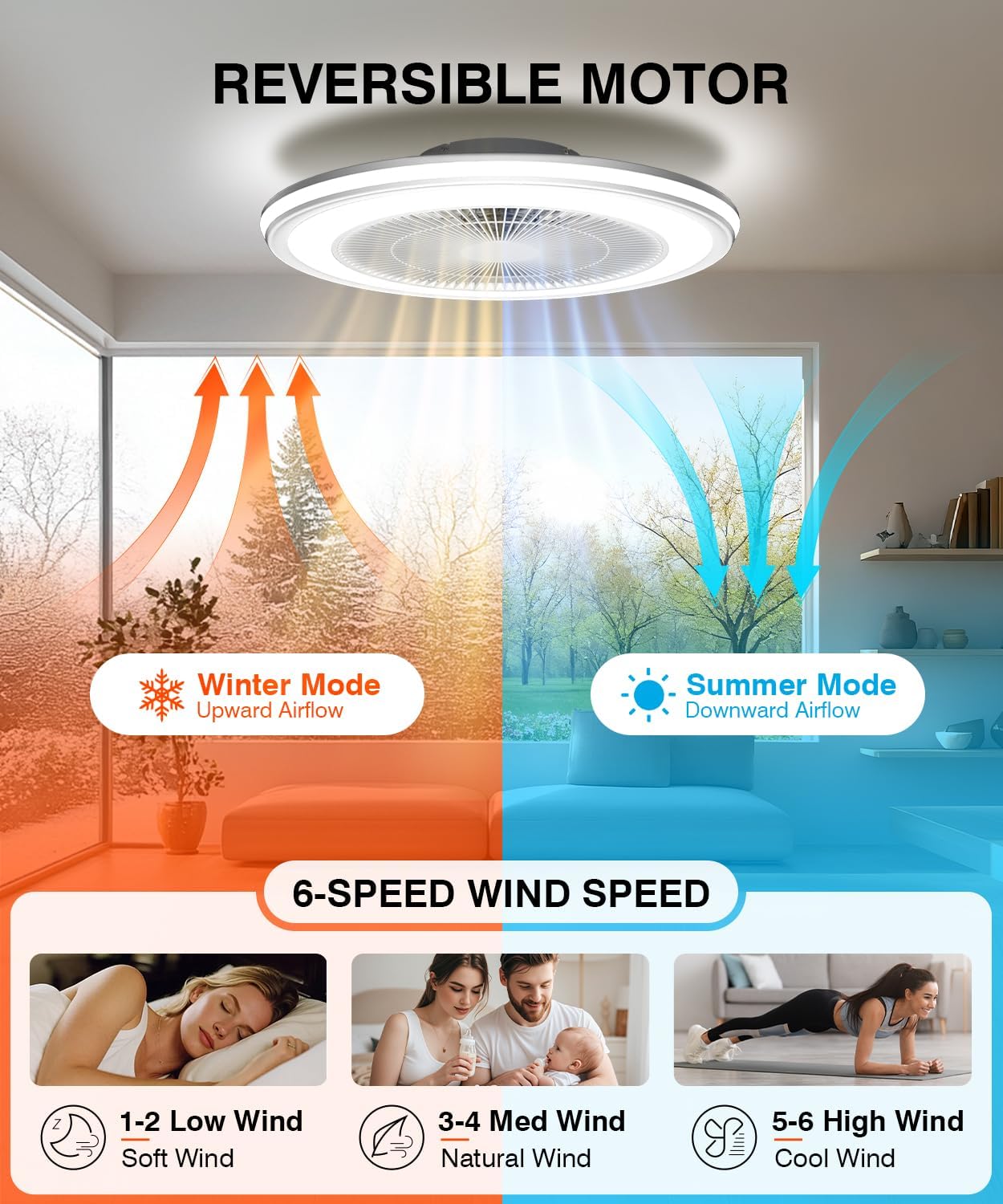
Image 5.6: Reversible motor and 6-speed fan settings.
6. Maintenance
Regular maintenance ensures the longevity and optimal performance of your ceiling fan.
- Cleaning: Disconnect power before cleaning. Use a soft, damp cloth to wipe down the fan housing and grille. Do not use abrasive cleaners or solvents.
- Inspection: Periodically check all mounting screws and connections to ensure they are secure.
- No Lubrication Required: The fan motor is permanently lubricated and does not require additional oiling.
7. Troubleshooting
If you encounter issues with your fan, refer to the following common problems and solutions:
| Problem | Possible Cause | Solution |
|---|---|---|
| Fan does not turn on. | No power supply; loose wiring; remote control battery low. | Check circuit breaker; ensure all wires are securely connected; replace remote control batteries. |
| Light does not turn on. | No power supply; loose wiring; light function off on remote/app. | Check power; verify wiring; ensure light is activated via remote or app. |
| Remote control not working. | Low battery; obstruction; pairing issue. | Replace remote batteries; ensure no obstructions between remote and fan; re-pair remote if necessary (refer to specific pairing instructions if provided separately). |
| App control not working. | Wi-Fi connectivity issue; incorrect pairing; app outdated. | Ensure 2.4GHz Wi-Fi is active; re-pair fan with app; update app to the latest version. |
| Fan makes unusual noise. | Loose mounting; internal component issue. | Check mounting screws for tightness; if noise persists, contact customer support. |
8. Specifications
| Feature | Specification |
|---|---|
| Model | 1065 |
| Brand | AQUBT |
| Dimensions (L x W x H) | 20" x 20" x 6.5" |
| Material | Acrylic |
| Light Source | Integrated LED |
| Brightness | Up to 4800 Lumens (Dimmable 10%-100%) |
| Color Temperature | Warm/Neutral/Cool (3000K-6500K) |
| RGB Modes | 1000+ Ambient Light Colors |
| Fan Speeds | 6-Speed |
| Airflow Direction | Reversible (Summer/Winter) |
| Control Methods | Remote Control, Mobile App (Tuya Smart Life), Voice Control (Alexa/Google Home) |
| Wi-Fi Compatibility | 2.4GHz |
| Item Weight | 6 Pounds |
| Assembly Required | No |
9. Warranty and Support
AQUBT is committed to providing quality products and customer satisfaction.
- Warranty: This product includes a two-year quality guarantee service from the date of purchase.
- Technical Support: We offer 24-hour online technical support. For assistance, please refer to the contact information provided with your purchase or visit the official AQUBT website.

Image 9.1: AQUBT Warranty and Support Information.