
1. Introduction
This manual provides essential information for using your new vivo T4 Lite 5G smartphone. Please read this guide carefully to ensure proper operation and to maximize the device's features. Keep this manual for future reference.
2. Package Contents
Ensure all items are present in your product package:
- vivo T4 Lite 5G Smartphone
- Charger
- USB Type-C Cable
- SIM Ejector Tool
- Quick Start Guide (this manual)
- Warranty Card
3. Device Layout
Familiarize yourself with the physical components of your vivo T4 Lite 5G smartphone.
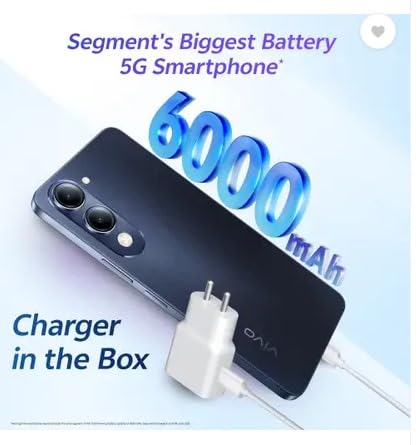
Figure 3.1: Front view of the vivo T4 Lite 5G, showing the display and front camera.
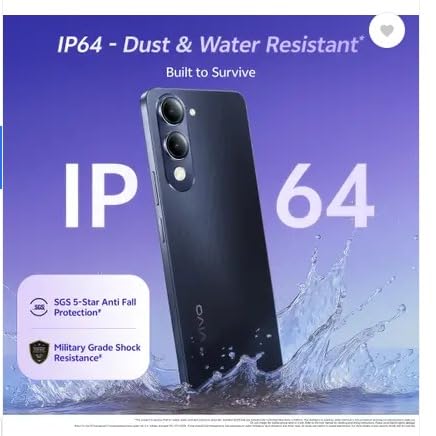
Figure 3.2: Back view of the vivo T4 Lite 5G, highlighting the dual rear camera module and flash.
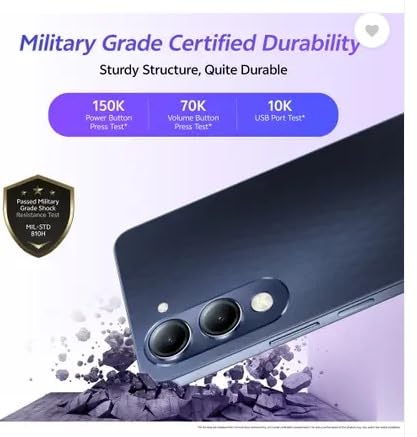
Figure 3.3: Side view of the vivo T4 Lite 5G, illustrating the power button with integrated fingerprint sensor and volume rocker.
- Front Camera: Located at the top center of the display.
- Display: 6.74-inch LCD touchscreen.
- Volume Buttons: On the right side, used to adjust media and call volume.
- Power Button/Fingerprint Sensor: On the right side, used to power on/off the device and for fingerprint authentication.
- USB Type-C Port: At the bottom, for charging and data transfer.
- Speaker: Located at the bottom.
- SIM Card Tray: On the left side, for inserting SIM and microSD cards.
- Rear Cameras: Dual camera setup on the back.
- Flash: Next to the rear cameras.
4. Setup
4.1. Inserting SIM and microSD Cards
- Locate the SIM card tray on the left side of the phone.
- Insert the SIM ejector tool into the small hole on the tray to open it.
- Place your Nano-SIM card(s) and/or microSD card into the designated slots on the tray. Ensure correct orientation.
- Gently push the tray back into the phone until it clicks into place.
4.2. Initial Power On
Press and hold the Power button (located on the right side) until the vivo logo appears on the screen. Follow the on-screen instructions to complete the initial setup, including language selection, Wi-Fi connection, and Google account setup.
4.3. Charging the Device
Before first use, it is recommended to fully charge your device.
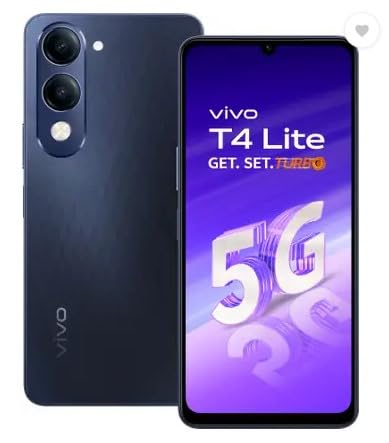
Figure 4.1: The vivo T4 Lite 5G comes with a charger in the box and features a 6000mAh battery.
- Connect the USB Type-C cable to the phone's charging port.
- Connect the other end of the cable to the provided charger.
- Plug the charger into a power outlet.
- The charging indicator will appear on the screen.
5. Operating Your Device
5.1. Basic Navigation
Your vivo T4 Lite 5G runs on Android 14 and uses a touchscreen interface. Swipe gestures and taps are used for navigation. The navigation bar (or gestures, if enabled) at the bottom of the screen allows you to go back, go to the home screen, or view recent apps.
5.2. Making Calls and Sending Messages
- Calls: Open the 'Phone' app, enter the number, or select a contact, then tap the call icon.
- Messages: Open the 'Messages' app, tap to start a new conversation, enter the recipient's number or select a contact, and type your message.
5.3. Using the Camera
The vivo T4 Lite 5G features a 50MP Dual AI Camera system.
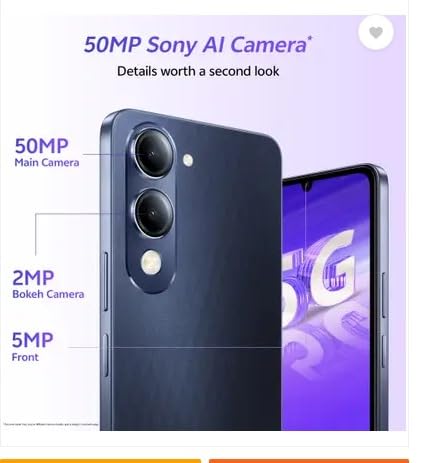
Figure 5.1: Detail of the 50MP main camera and 2MP bokeh camera on the vivo T4 Lite 5G.
- Open the 'Camera' app.
- Select your desired mode (e.g., Photo, Portrait, Video).
- Tap the shutter button to capture photos or start/stop video recording.
- Use the High Dynamic Range (HDR) mode for improved image quality in challenging lighting conditions.
5.4. Internet Connectivity
Your device supports 5G cellular networks and Wi-Fi. To connect to the internet:
- Wi-Fi: Go to Settings > Network & internet > Wi-Fi, turn Wi-Fi on, and select your network.
- Mobile Data: Go to Settings > Network & internet > Mobile network, and ensure 'Mobile data' is enabled.
5.5. Fingerprint Sensor
The side-mounted fingerprint sensor allows for quick and secure unlocking of your device.
- Go to Settings > Security > Fingerprint.
- Follow the on-screen instructions to register your fingerprint(s).
- Once registered, you can use your fingerprint to unlock the phone and authorize purchases.
6. Maintenance
6.1. Cleaning Your Device
- Use a soft, lint-free cloth to clean the screen and body of the phone.
- Avoid using harsh chemicals or abrasive materials.
- For stubborn smudges, slightly dampen the cloth with water or a screen cleaner designed for electronics.
6.2. Software Updates
Regularly check for and install software updates to ensure your device has the latest features, security patches, and performance improvements.
- Go to Settings > System > System update.
- Follow the prompts to download and install any available updates.
6.3. Battery Care
The vivo T4 Lite 5G is equipped with a 6000mAh battery designed for extended use.
- Avoid exposing the phone to extreme temperatures.
- Use only the original charger and cable provided with the device.
- For optimal battery longevity, avoid frequently discharging the battery completely or keeping it at 100% for extended periods.
7. Troubleshooting
If you encounter issues with your device, try the following solutions:
- Device not turning on: Ensure the battery is charged. Connect the charger and try again.
- Screen frozen: Press and hold the Power button for about 10-15 seconds to force a restart.
- Network issues (no signal/Wi-Fi): Check if Airplane mode is off. Restart the device. For mobile data, ensure your SIM card is properly inserted and your plan is active. For Wi-Fi, try restarting your router.
- Apps crashing: Clear the app's cache (Settings > Apps > [App Name] > Storage & cache > Clear cache). If the issue persists, try reinstalling the app.
- Slow performance: Close unnecessary background apps. Clear cache and temporary files. Consider performing a factory reset as a last resort (back up your data first).
8. Specifications
Key technical specifications for the vivo T4 Lite 5G smartphone:
| Feature | Specification |
|---|---|
| Brand | vivo |
| Model | T4 Lite 5G |
| Operating System | Android 14 |
| Processor | Mediatek Dimensity 6300 |
| RAM | 8 GB |
| Internal Storage | 256 GB |
| Display | 6.74-inch HD+ LCD, 90Hz Refresh Rate, 720 x 1600 Pixels, 4500 Nits Peak Brightness, 260 PPI |
| Rear Camera | 50 MP Main + 2 MP Bokeh |
| Front Camera | 5 MP |
| Battery Capacity | 6000 mAh |
| Charging | 15W Fast Charging |
| Connectivity | 5G, Dual SIM, USB Type-C |
| Biometric Security | Side Fingerprint Recognition |
| Durability | IP64 Water Resistant, Military Grade Shock Resistance |
| Dimensions | 8 x 77 x 167 Millimeters |
| Weight | 202 Grams |
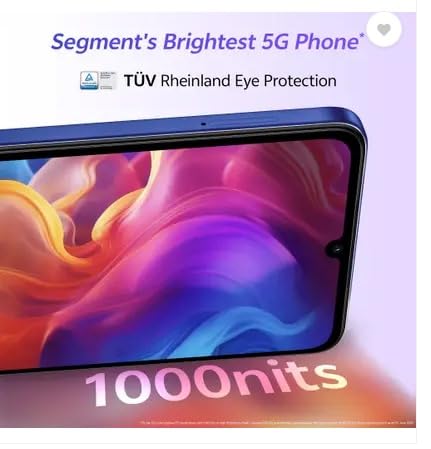
Figure 8.1: The vivo T4 Lite 5G features IP64 dust and water resistance and military-grade shock resistance for enhanced durability.
Figure 8.2: The vivo T4 Lite 5G display offers up to 1000 nits brightness and TÜV Rheinland Eye Protection.
9. Warranty and Support
9.1. Warranty Information
Your vivo T4 Lite 5G smartphone comes with a 1 Year Warranty from the date of purchase. Please refer to the warranty card included in your package for detailed terms and conditions.
9.2. Manufacturer Contact
For technical support, service, or warranty claims, please contact the manufacturer:
Manufacturer: VIVO
Contact Information: Vivo Mobile India Private Limited PLOT NO 8, SECTOR 24, YAMUNA EXPRESSWAY AREA, GAUTAM BUDDHA NAGAR, UP INDIA-201310
You may also visit the official vivo website for additional support resources and FAQs.


