
1. Introduction
Thank you for purchasing the Audio Array SB-01 Bluetooth Soundbar. This manual provides essential information for setting up, operating, and maintaining your device. Please read it thoroughly before use to ensure proper functionality and to maximize your audio experience.
2. Package Contents
Verify that all items listed below are included in your package:
- Audio Array SB-01 Sound Bar
- Charging Cable
- User Manual
3. Product Overview
The Audio Array SB-01 is a versatile Bluetooth soundbar designed to enhance your audio experience across various devices. It features multiple connectivity options, dynamic RGB lighting, and a portable design.

Image: Overview of the Audio Array SB-01 Soundbar, highlighting its LED lights synced with music, wide connectivity options, stylish portable design, and full-range drivers for immersive sound.
Key Features:
- 25W RMS Stereo Sound: Delivers powerful and clear audio.
- 2.0 Channel Setup: Provides an enhanced audio experience.
- Dual Open Radiators: Produces clear surround sound and heightened bass.
- 8 Hours Playback: Equipped with a 2000mAh battery for extended use (at 60% volume).
- Multiple Connectivity: Supports Bluetooth, AUX, FM, and TF Card.
- Ergonomic & Portable Design: Easy to carry and suitable for various settings.
- Max Loudness 90dB: Ensures crystal clear clarity at high volumes.
- Dynamic RGB Lights: LED lights sync with music for visual enhancement.
- Built-in Microphone: Enables hands-free calls.
- TWS Function: Allows pairing with another SB-01 for True Wireless Stereo sound.

Image: Detailed diagram of the Audio Array SB-01 Soundbar's control buttons (Play Backward, Play/Pause, Play Forward, Mute) and connection ports (Power On/Off, AUX, TF Card, USB, Type-C charging).
4. Setup
4.1 Charging the Soundbar
Before initial use, fully charge the soundbar using the provided Type-C charging cable. Connect the cable to the Type-C port on the soundbar and a compatible USB power adapter (not included).

Image: The Audio Array SB-01 Soundbar displaying its dimensions (36cm length, 9cm depth, 8cm height) and illustrating the Type-C charging cable connection.
4.2 Powering On/Off
- To power on, long press the Power On/Off button located on the back panel.
- To power off, long press the Power On/Off button again.
5. Operating Instructions
5.1 Mode Selection
Single tap the 'M' button on the control panel to cycle through available modes: Bluetooth, AUX, USB, TF Card, and FM Radio.
5.2 Bluetooth Mode
The soundbar will automatically enter Bluetooth pairing mode when powered on or when Bluetooth mode is selected. The LED lights will indicate pairing status.
- Ensure the soundbar is in Bluetooth mode.
- On your device (smartphone, tablet, laptop), enable Bluetooth and search for available devices.
- Select "Audio Array" from the list of devices.
- Once connected, the soundbar will indicate successful pairing, and you can begin playing audio.
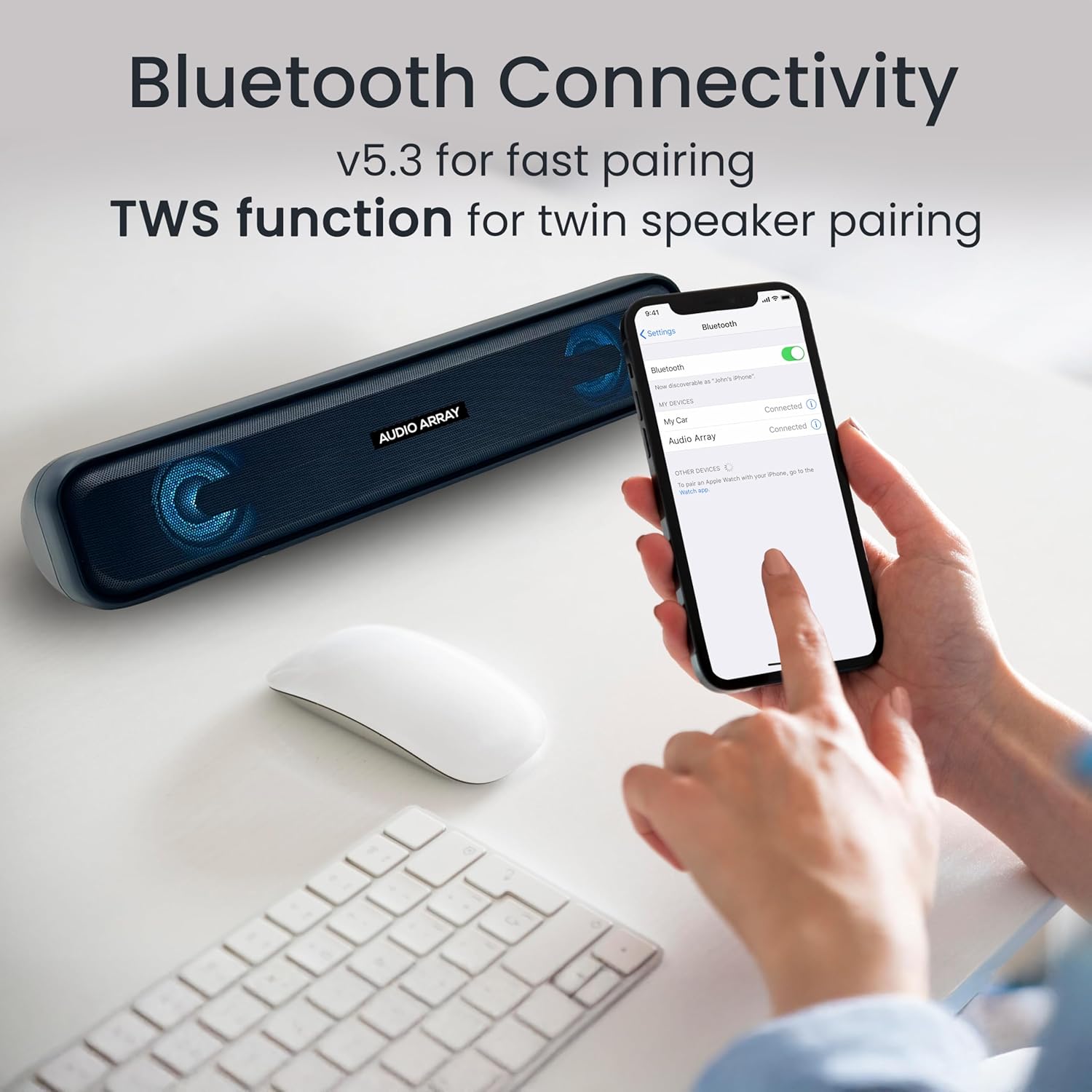
Image: A smartphone screen displaying the successful Bluetooth connection to the "Audio Array" soundbar, illustrating the pairing process.
5.3 TWS (True Wireless Stereo) Function
To achieve a wider stereo sound, you can pair two Audio Array SB-01 soundbars together.
- Ensure both SB-01 soundbars are powered on and in Bluetooth mode.
- On one soundbar, long press the Play/Pause button until you hear a pairing tone.
- The two soundbars will automatically connect to each other.
- Once paired, connect your device to one of the soundbars via Bluetooth as described in section 5.2. Audio will now play through both soundbars in stereo.

Image: Two Audio Array SB-01 soundbars connected wirelessly, demonstrating the TWS (True Wireless Stereo) feature for enhanced audio output.
5.4 AUX Mode
Connect an external audio device using a 3.5mm AUX cable (not included).
- Connect one end of the 3.5mm AUX cable to the AUX port on the soundbar.
- Connect the other end to the audio output jack of your device.
- Select AUX mode on the soundbar by single tapping the 'M' button.
5.5 USB Playback
Insert a USB flash drive containing audio files into the USB port. The soundbar will automatically switch to USB mode and begin playback.
5.6 TF Card Playback
Insert a TF (MicroSD) card containing audio files into the TF Card slot. The soundbar will automatically switch to TF Card mode and begin playback.
5.7 FM Radio Mode
To use the FM radio function, follow these steps:
- Connect an AUX cable to the soundbar before turning on FM Radio mode. This cable acts as an antenna to improve radio frequency reception.
- Single tap the 'M' button to select FM Mode.
- Long press the Play & Pause button to initiate an automatic scan for FM radio channels.
- Once scanning is complete, single tap the Play & Pause button to select a scanned radio channel.
- Use the Previous or Next buttons to navigate between channels.

Image: A detailed guide on connecting and operating the FM Radio feature of the Audio Array SB-01 Soundbar, showing button functions and the need for an AUX cable as an antenna.
5.8 Controls
- Play/Pause: Single tap the Play/Pause button to play or pause audio.
- Volume Up: Long press the Play Forward button to increase volume.
- Volume Down: Long press the Play Backward button to decrease volume.
- Next Track/Channel: Single tap the Play Forward button.
- Previous Track/Channel: Single tap the Play Backward button.
- Mute: Single tap the Mute button.
5.9 Hands-Free Calls
When connected via Bluetooth to a smartphone, the built-in microphone allows for hands-free calling.
- Answer Call: Single tap the Play/Pause button.
- End Call: Single tap the Play/Pause button during a call.
- Reject Call: Long press the Play/Pause button.

Image: A woman using the Audio Array SB-01 Soundbar for hands-free communication, highlighting the functionality of its built-in microphone for clear conversations.
6. Maintenance
- Clean the soundbar with a soft, dry cloth. Do not use abrasive cleaners or solvents.
- Avoid exposing the device to extreme temperatures, direct sunlight, or high humidity.
- Do not disassemble the soundbar. This will void the warranty.
- Keep the device away from water and other liquids. The soundbar is moisture resistant, but not waterproof.
7. Troubleshooting
| Problem | Possible Cause | Solution |
|---|---|---|
| No power | Battery is depleted; Power cable not connected. | Charge the soundbar; Ensure power cable is securely connected. |
| No sound | Volume too low; Incorrect mode selected; Device not connected. | Increase volume; Select correct input mode (Bluetooth, AUX, etc.); Reconnect device. |
| Bluetooth pairing failed | Soundbar not in pairing mode; Device too far; Interference. | Ensure soundbar is in Bluetooth pairing mode; Move device closer; Turn off other Bluetooth devices. |
| FM radio reception is poor | No AUX cable connected; Weak signal. | Connect an AUX cable to act as an antenna; Try repositioning the soundbar. |
8. Specifications
| Feature | Detail |
|---|---|
| Brand | Audio Array |
| Model Number | SB-01 |
| Speaker Maximum Output Power | 25 Watts |
| Frequency Response | 20000 Hz |
| Connectivity Technology | Bluetooth |
| Audio Output Mode | Stereo |
| Mounting Type | Shelf Mount |
| Enclosure Material | Acrylonitrile Butadiene Styrene (ABS), Metal |
| Speaker Type | Soundbar |
| Product Features | Built In Microphone, LED Light, Portable, USB Port |
| Colour | Blue |
| Maximum Range | 10 metres |
| Control Method | Touch |
| Water Resistance Level | Moisture Resistant |
| Bluetooth Range | 10 Metres |
| Number of Audio Channels | 2.0 |
| Connectivity Protocol | AUX, Bluetooth, USB |
| Audio Driver Type | Dynamic Driver |
| Item Dimensions D x W x H | 9D x 36W x 8H Centimeters |
| Item Weight | 700 Grams |
| Compatible Devices | Desktop, Laptop, Smartphone, Tablet, Television |
9. Warranty and Support
9.1 Warranty Information
The Audio Array SB-01 Bluetooth Soundbar comes with a 1-year manufacturer warranty from the date of purchase. Please retain your proof of purchase for warranty claims. The warranty covers manufacturing defects and does not cover damage caused by misuse, accidents, or unauthorized modifications.
9.2 Customer Support
For any support, feedback, or warranty-related inquiries, please contact Audio Array customer service:
- Email: support@audioarray.in
- Phone: +91 93721 46440
- Manufacturer: Cambium Retail Pvt Ltd
- Address: 109, Hubtown Solaris, N S, B 203, Professor NS Phadke Rd, Andheri East, Mumbai, Maharashtra 400069, India


