
VIHELM WH-B30
VIHELM WH-B30 Digital Kitchen Scale User Manual
Model: WH-B30
Brand: VIHELM
1. Introduction
This manual provides detailed instructions for the safe and efficient operation of your VIHELM WH-B30 Digital Kitchen Scale. Designed for precision and durability, this electronic weighing tool features a waterproof stainless steel platform and an easy-to-read LCD display. Please read this manual thoroughly before use and retain it for future reference.
2. Package Contents
Upon unpacking, please verify that all items listed below are present and in good condition:
- One VIHELM WH-B30 Digital Kitchen Scale (specific capacity as purchased, e.g., 5kg or 10kg)
- USB Charging Cable
- User Manual (this document)
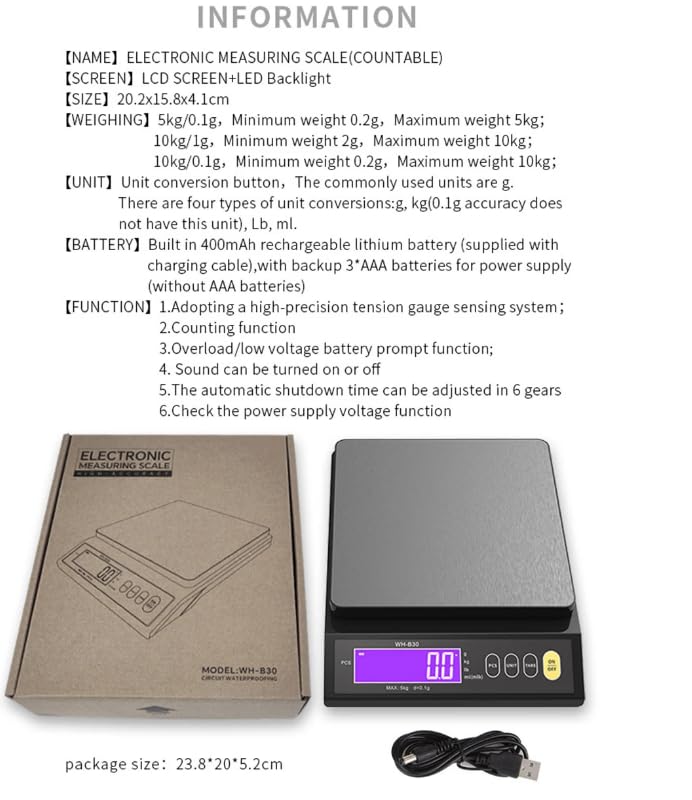
Image: The VIHELM WH-B30 Digital Kitchen Scale shown with its packaging box and the included USB charging cable.
3. Product Features
- High-Precision Sensor: Equipped with a three-dimensional single-point high-precision tension gauge sensing system for accurate measurements.
- LCD Display with LED Backlight: Features a large, clear LED-backlit LCD screen for easy reading, even in low light conditions.
- Multiple Unit Conversions: Supports various units including grams (g), kilograms (kg), pounds (lb), and milliliters (ml) for milk.
- Tare Function: Allows you to subtract the weight of a container to get the net weight of its contents.
- Counting Function (PCS): Enables counting of small items.
- Waterproof Design: The stainless steel scale surface is fully washable for easy cleaning.
- Anti-Slip Feet: Two anti-slip feet on the bottom ensure stability during use.
- Buzzer: Provides audible feedback for operations (can be turned on or off).
- Rechargeable Battery: Built-in 400mAh rechargeable lithium battery with backup support for 3*AAA batteries (AAA batteries not included).
- Automatic Shutdown: Customizable automatic shutdown time (6 gears) to conserve battery life.
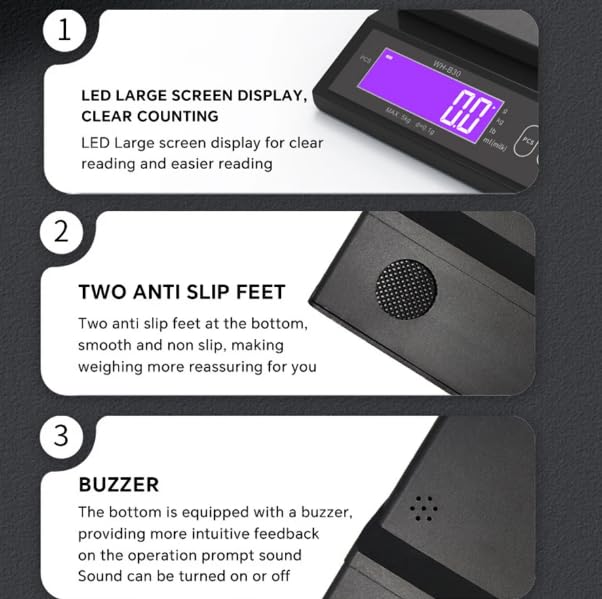
Image: Detailed view highlighting the LED large screen display, two anti-slip feet, and the integrated buzzer on the scale.
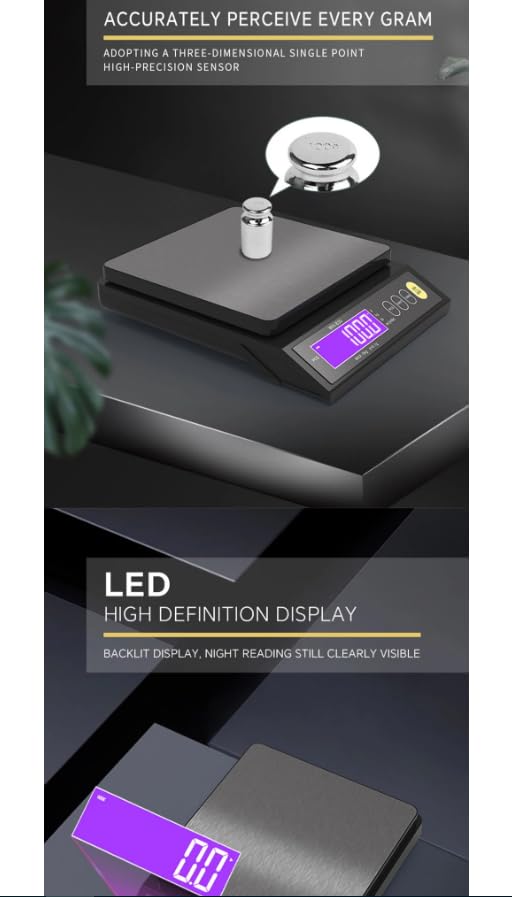
Image: Illustration of the scale's high-precision sensor accurately weighing a small item, and a close-up of the clear LED high definition display.
4. Setup
- Unpack: Carefully remove the scale and all accessories from the packaging.
- Power Source: The scale has a built-in rechargeable lithium battery. For initial use, it is recommended to charge the scale using the provided USB cable. Connect the USB cable to the scale's charging port and a suitable USB power adapter (not included). The scale can also operate with 3 AAA batteries (not included) as a backup power source.
- Placement: Place the scale on a hard, flat, and stable surface to ensure accurate readings. Avoid placing it on soft, uneven, or vibrating surfaces.
- Initial Power On: Press the ON/OFF button to turn on the scale.
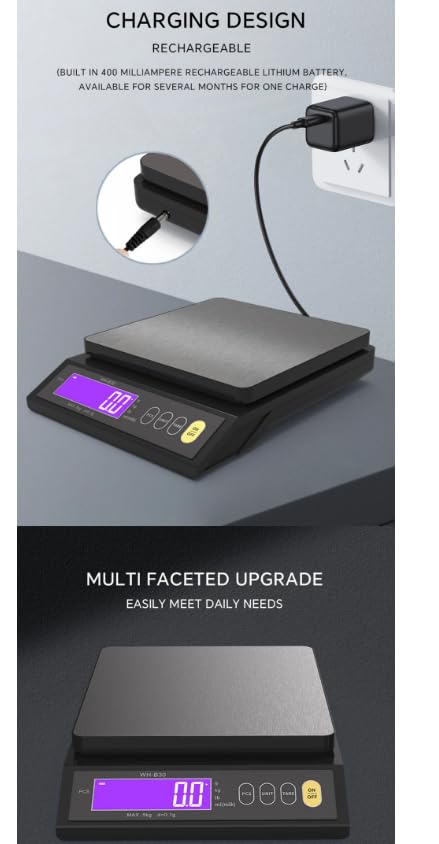
Image: The VIHELM WH-B30 Digital Kitchen Scale connected to a wall adapter via its USB charging cable, illustrating the charging design.
5. Operating Instructions
5.1 Power On/Off
- To turn on the scale, press the ON/OFF button.
- To turn off the scale, press and hold the ON/OFF button for a few seconds.
5.2 Weighing
- Place the scale on a stable, flat surface.
- Press the ON/OFF button to turn on the scale. Wait for the display to show "0.0" or "0.00".
- Gently place the item to be weighed onto the center of the weighing platform.
- Read the weight displayed on the LCD screen.
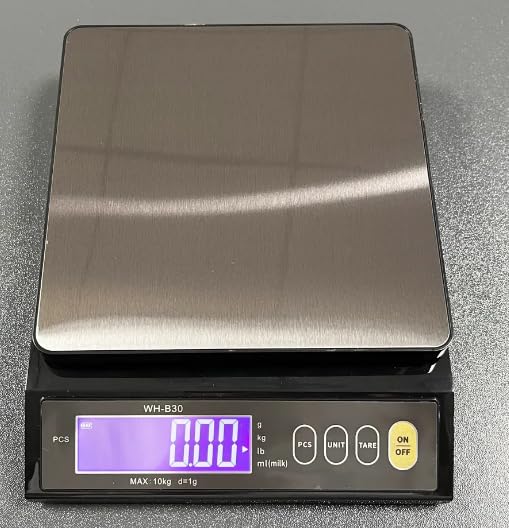
Image: The VIHELM WH-B30 Digital Kitchen Scale with its LCD display showing "0.00", ready for weighing.
5.3 Unit Conversion
To change the weighing unit:
- With the scale on, press the UNIT button repeatedly to cycle through the available units: g, kg, lb, ml (milk).
- The selected unit will be indicated on the display.
5.4 Tare Function
The Tare function allows you to weigh items in a container by subtracting the container's weight.
- Place an empty container on the weighing platform.
- Press the TARE button. The display will reset to "0.0" or "0.00".
- Add the items to be weighed into the container. The display will show the net weight of the items.
- To clear the Tare function, remove all items from the platform and press TARE again, or turn off the scale.
5.5 Counting Function (PCS)
This function is useful for counting multiple small, identical items.
- Ensure the weight of a single item is greater than the lifting weight of that item (minimum weight for counting).
- After normal startup and reset to zero, place a sample quantity (e.g., 25, 50, 75, or 100 pieces) of the items on the scale.
- Press the PCS button. The display will show the count (e.g., "25", "50", "75", or "100").
- If the displayed number is different from the number of samples placed on the tray, press the UNIT key to select the correct sample quantity.
- After selecting the correct quantity, press the PCS button once to confirm. The LCD indicator arrow will point to "PCS" (i.e., quantity).
- Remove the sample and place the items that need to be counted. The display screen will show the counted quantity.
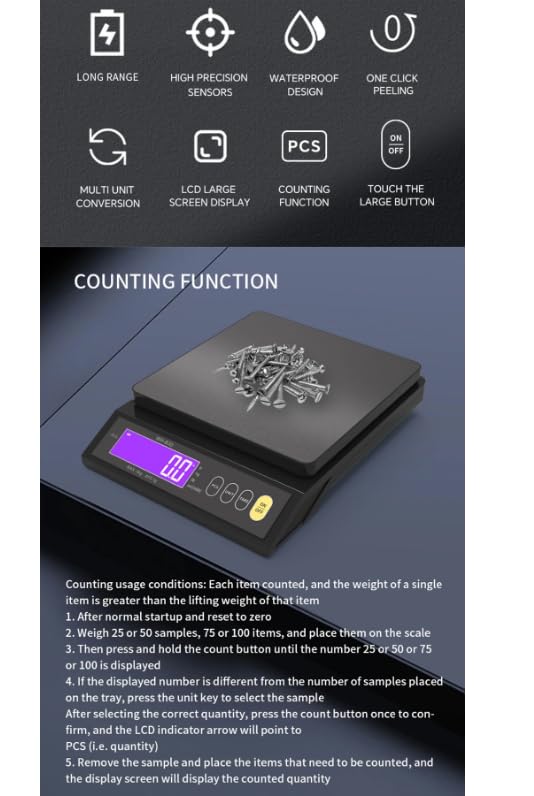
Image: The scale's display showing a count, with small screws on the weighing platform, illustrating the counting function.
5.6 Automatic Shutdown
The scale features an automatic shutdown function to save battery power. The shutdown time can be adjusted in 6 gears (settings).
6. Maintenance
- Cleaning: The stainless steel weighing platform is waterproof and fully washable. Wipe the scale with a damp cloth and mild detergent. Do not use abrasive cleaners or immerse the entire scale in water. Ensure the charging port is dry before charging.
- Storage: Store the scale in a cool, dry place away from extreme temperatures and humidity.
- Battery Care: If using AAA backup batteries, remove them if the scale will not be used for an extended period to prevent leakage. Regularly charge the built-in lithium battery.
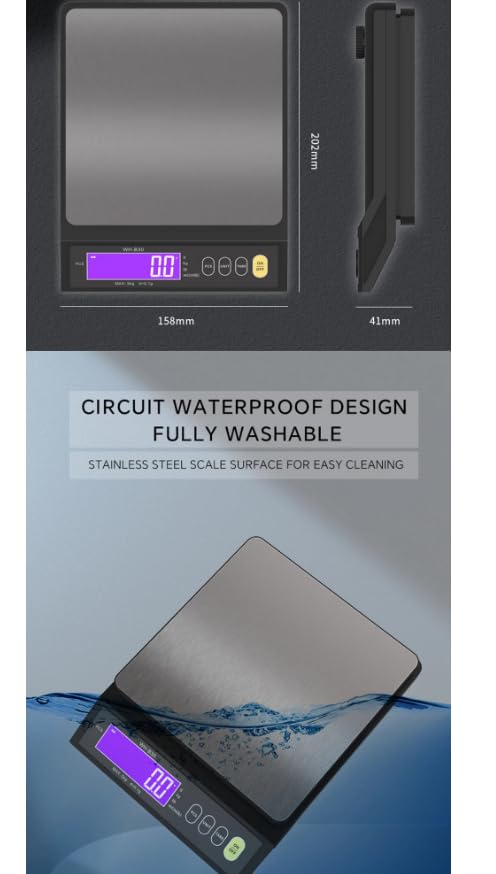
Image: The VIHELM WH-B30 Digital Kitchen Scale partially submerged in water, illustrating its circuit waterproof design and fully washable stainless steel surface for easy cleaning.
7. Troubleshooting
- Scale does not turn on: Check if the built-in battery is charged or if the AAA backup batteries are correctly installed and have sufficient power. Try connecting the USB charging cable.
- Inaccurate readings: Ensure the scale is on a flat, stable surface. Avoid placing it near sources of vibration or drafts. Recalibrate if necessary (refer to specific calibration instructions if provided separately, or contact support).
- "LO" or Low Battery indicator: The battery is low. Recharge the built-in battery or replace the AAA backup batteries.
- "O-Ld" or Overload indicator: The weight on the platform exceeds the maximum capacity of the scale. Remove items immediately to prevent damage.
8. Specifications
| Feature | Description |
|---|---|
| Model Number | WH-B30 |
| Capacity / Division | 10kg / 1g; 5kg / 0.1g (depending on model) |
| Minimum Weight | 5kg/0.1g model: 0.2g; 10kg/1g model: 2g; 10kg/0.1g model: 0.2g |
| Units | g, kg, lb, ml (milk) |
| Power Source | Built-in 400mAh rechargeable lithium battery, backup 3*AAA batteries (not included) |
| Display | LCD Screen with LED Backlight |
| Materials | ABS Plastic + Stainless Steel |
| Dimensions | Approx. 20.2 x 15.8 x 4.1 cm (7.95 x 6.22 x 1.61 inches) |
| Color | Black |
| Certifications | CE, ROHS |
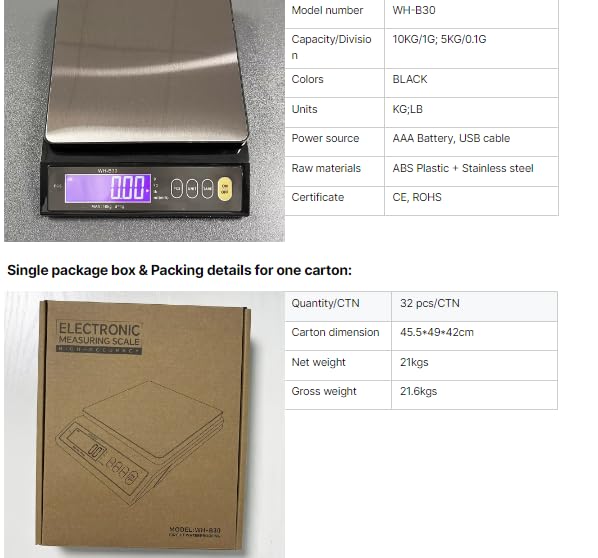
Image: The VIHELM WH-B30 Digital Kitchen Scale alongside a table detailing its model number, capacity, colors, units, power source, and raw materials.
Image: A technical drawing illustrating the dimensions of the VIHELM WH-B30 Digital Kitchen Scale, showing its length, width, and height.
9. Warranty and Support
For warranty information or technical support, please refer to the product packaging or contact your retailer. Keep your purchase receipt as proof of purchase.