
1. Introduction
The LONGER Ray5 Mini 2.5W Laser Engraver is a compact and high-precision tool designed for detailed engraving and cutting across a wide range of materials. Featuring a 0.04 × 0.04 mm ultra-fine laser spot and a speed of up to 12,000 mm/min, it offers exceptional performance for both beginners and experienced users. This manual provides essential information for safe setup, operation, and maintenance of your device.

Figure 1: LONGER Ray5 Mini Laser Engraver Product Box
2. Safety Information
Your safety is paramount. The Ray5 Mini is equipped with multiple protection features to ensure a secure operating environment. Always adhere to the following guidelines:
- Eye Protection: Always wear the provided safety goggles to protect your eyes from direct laser light.
- Protective Cover: Utilize the included acrylic protective cover during operation.
- Emergency Stop: In case of any malfunction or emergency, immediately press the emergency stop switch.
- X-Y Axis Limit Switches: The device includes X and Y axis limit switches for safe homing and positioning.
- Ventilation: Operate the engraver in a well-ventilated area to dissipate fumes and odors produced during engraving.

Figure 2: Multiple Protection Features
3. Setup
The LONGER Ray5 Mini comes pre-assembled for quick setup. Follow these steps to prepare your engraver for use:
3.1 Unboxing and Component Check
Carefully open the product box and remove all components. Verify that all items listed in the packing list are present and undamaged.
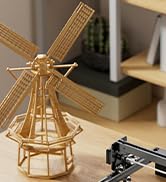
Figure 3: Included Components
3.2 Initial Assembly and Connections
- Install the laser module onto the X-axis assembly and tighten the thumb screws.
- Connect all necessary cables, including the motor cables and limit switch cables, ensuring they are plugged in tightly.
- Check if the X-axis moves smoothly. If it feels loose, adjust the eccentric nut on the X-axis assembly until it moves without excessive play.
- Plug in the DC power adapter, turn on the emergency stop switch (if it's pressed in, twist to release), and then flip the rocker switch to ON.
Video 1: LONGER RAY5mini Unboxing, Assembly, and Software Setup
3.3 Software Installation
The Ray5 Mini supports popular laser engraving software such as LaserGRBL (free) and LightBurn (paid). Download and install your preferred software from the official websites. Ensure you install any necessary drivers (e.g., CH340 driver) for proper communication between your computer and the engraver.
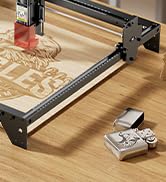
Figure 4: Multi-Platform and Software Support
4. Operating Instructions
Once your engraver is set up and software is installed, you can begin your engraving projects.
4.1 Focusing the Laser
Before starting any engraving, ensure the laser is properly focused on your material. Place the material on the working area, then adjust the laser module's height until the laser spot is at its smallest and sharpest point on the material's surface. Some models may include a focusing tool or require manual adjustment via a knob.
4.2 Preparing Your Design
- Import your design file (image or vector) into your chosen software (LightBurn or LaserGRBL).
- Adjust engraving parameters such as speed, power, and number of passes according to your material and desired effect. Refer to material test guides for recommended settings.
- Position your design on the software's canvas to match the physical placement of your material on the engraver's bed. Use the 'Frame' or 'Border Trace' function to preview the engraving area.
4.3 Starting Engraving
After confirming all settings and safety precautions, initiate the engraving process from your software. Monitor the engraving throughout its duration.
Video 2: Engraving Acrylic with RAY5 Mini
4.4 Versatile Engraving and Cutting
The Ray5 Mini can engrave and cut over 300 materials, including wood, leather, metal, and acrylic. Its compact size makes it ideal for various creative projects, personalized gifts, and small workshops.

Figure 5: Material Versatility and Project Examples
5. Maintenance
Regular maintenance ensures the longevity and optimal performance of your laser engraver.
- Clean the Laser Lens: Periodically clean the laser lens with a soft, lint-free cloth and appropriate lens cleaning solution to maintain engraving quality.
- Inspect Belts and Rails: Check the tension of the drive belts and ensure the guide rails are clean and free of debris. Lubricate rails if necessary according to manufacturer recommendations.
- Ventilation System: Keep the working area and the engraver's fan clear of dust and debris to ensure proper airflow and cooling.
6. Troubleshooting
If you encounter issues with your Ray5 Mini, refer to the following common problems and solutions:
- Engraver Not Connecting: Ensure all cables are securely connected. Verify that the correct drivers are installed on your computer and the software is configured for the correct COM port. Restart both the engraver and your computer.
- Poor Engraving Quality: Check the laser focus. Adjust power and speed settings in your software. Ensure your material is flat and securely placed. Clean the laser lens.
- Machine Not Moving: Confirm the power supply is connected and the emergency stop button is disengaged. Check for any obstructions in the movement path of the laser module.
- WiFi Connectivity Issues: Ensure the engraver is within range of your WiFi network. Verify correct network credentials if using app control.
7. Specifications
| Feature | Specification |
|---|---|
| Manufacturer | Longer |
| Model Number | RAY5 |
| Item Code | RAY5 mini 2.5w |
| Dimensions (Package) | 34.2 x 33.79 x 21.2 cm |
| Item Weight | 2.33 Kilograms |
| Power Type | AC_DC |
| Included Components | RAY5 mini 2.5w |
| Laser Spot Size | 0.04 × 0.04 mm |
| Engraving Speed | Up to 12,000 mm/min |
| Working Area | 130 x 140 mm |
8. Warranty and Support
LONGER provides dedicated customer service and technical assistance for your Ray5 Mini Laser Engraver. Should you require support, please contact the technical support team:
- Technical Support: (+1) 888-575-9099
- Operating Hours: Monday-Friday: 9:00 AM - 6:00 PM (EST, UTC-5), Sunday-Thursday: 8:30 PM - 7:00 AM (EST, UTC-5)
Customer service is always available for technical assistance. For detailed warranty information, please refer to the product documentation included in your package or visit the official LONGER website.
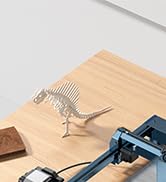
Figure 6: Customer Support Information


