
1. Introduction
This manual provides detailed instructions for the proper use and maintenance of your ANYSECU W63-US 4G Network Radio. The W63-US is an intelligent handheld transceiver operating on Android 9.0, designed for Push-to-Talk (PTT) communication over 4G networks. It supports popular platforms like Zello and RealPTT, offering features such as GPS, Bluetooth, Wi-Fi, and a flashlight function. Its robust design includes IP68 waterproof and dustproof ratings, making it suitable for various environments.
2. Package Contents
Please verify that all items listed below are included in your product package. If any items are missing or damaged, contact your vendor.
- ANYSECU W63-US Radio Body (x1)
- Antenna (x1)
- Battery (x1)
- Power Cable (x1)
- Power Adapter (x1)
- Belt Clip (x1)
- User Manual (x1)
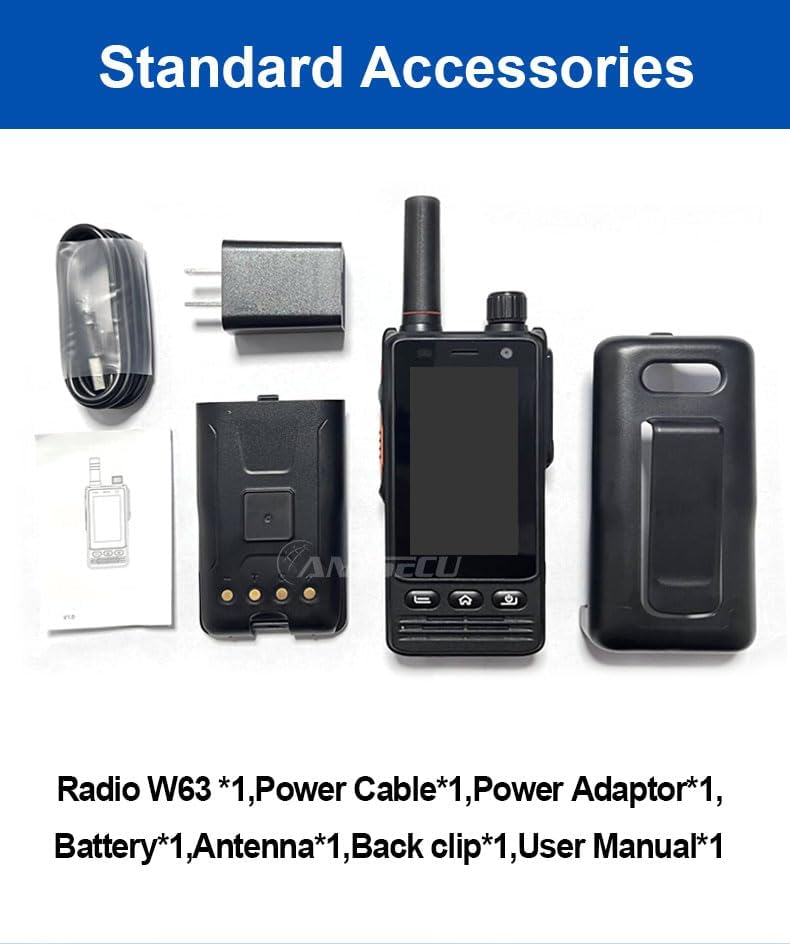
Image: Standard accessories included with the ANYSECU W63-US radio.
3. Product Overview
The ANYSECU W63-US features a compact design with a 2.95-inch high-definition touch screen and physical buttons for intuitive operation. It is equipped with both front and rear cameras, and a high-capacity battery for extended use.

Image: Front view of the ANYSECU W63-US radio highlighting Android 9, touch screen, GPS/BT/WiFi, and flashlight function.

Image: Rear view of the ANYSECU W63-US radio, showing the 5MP front and 13MP rear cameras with built-in flash.
Key Components:
- Antenna: For signal reception and transmission.
- Volume Knob: Adjusts audio output level.
- SOS Button: For emergency alerts.
- PTT Button: Push-to-Talk button for communication.
- Display: 2.95-inch touch screen (854*480 pixels).
- Navigation Buttons: Home, Back, and Power buttons.
- USB-C Port: For charging and data transfer.
- Belt Clip: For convenient carrying.

Image: The ANYSECU W63-US radio shown with its high-quality waist clip for portability.
4. Setup
4.1 Battery Installation
- Ensure the device is powered off.
- Locate the battery compartment cover on the back of the radio.
- Carefully remove the cover.
- Insert the provided 4000mAh 3.8V battery, aligning the contacts.
- Replace the battery compartment cover, ensuring it is securely latched.

Image: The ANYSECU W63-US radio highlighting its 4000mAh high-capacity battery.
4.2 SIM Card / SD Card Installation
The W63-US supports 4G network connectivity. Insert your SIM card into the designated slot. If desired, an SD card can also be installed for additional storage.
4.3 Initial Power On
- Press and hold the Power button until the screen illuminates.
- Follow the on-screen prompts for initial setup, including language selection and network configuration.
Video: Demonstration of the ANYSECU W63-US radio's physical features and initial power-on sequence.
5. Operating Instructions
5.1 Basic Navigation
- Touch Screen: Navigate menus and applications by tapping and swiping on the 2.95-inch display.
- Home Button: Returns to the main home screen.
- Back Button: Returns to the previous screen.
- Power Button: Short press to lock/unlock screen, long press to power off/restart.

Image: A hand interacting with the 2.95-inch high-definition touch screen of the ANYSECU W63-US radio.
5.2 PTT Communication (Zello/RealPTT)
The W63-US is compatible with Zello and RealPTT applications for Push-to-Talk communication. Ensure you have an active account and are logged into your preferred application.
- Open the Zello or RealPTT application from the home screen.
- Select your desired contact or channel.
- Press and hold the dedicated PTT button on the side of the radio to transmit your voice.
- Release the PTT button to listen.
5.3 Network Connectivity
The device supports global 4G networks, Wi-Fi, and Bluetooth for versatile connectivity.
- 4G Network: Automatically connects if a valid SIM card is inserted and configured.
- Wi-Fi: Access Wi-Fi settings through the Android interface to connect to available networks.
- Bluetooth: Pair with compatible Bluetooth accessories like headsets.
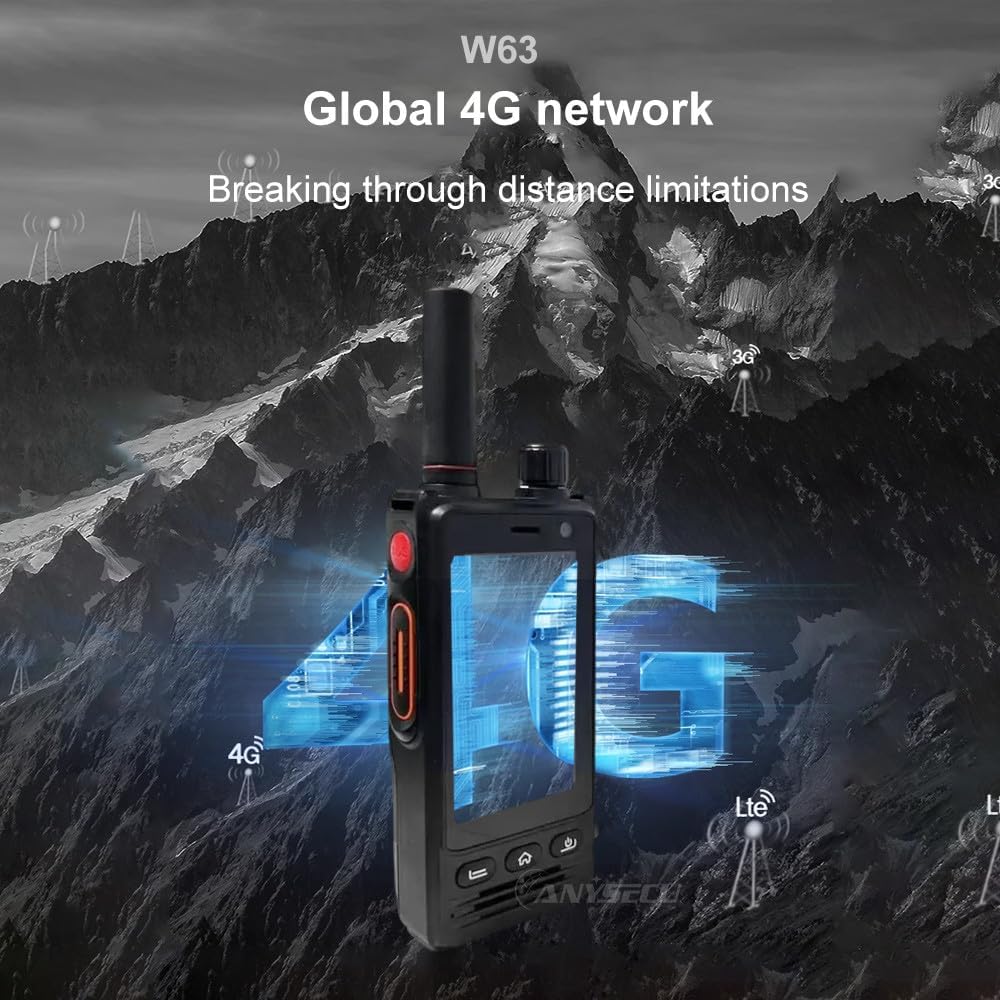
Image: The ANYSECU W63-US radio demonstrating its global 4G network capabilities.
6. Maintenance
6.1 Cleaning the Device
Use a soft, damp cloth to clean the exterior of the radio. Avoid using harsh chemicals or abrasive materials that could damage the device or screen.
6.2 Battery Care
- Charge the battery fully before first use.
- Avoid overcharging or completely draining the battery to prolong its lifespan.
- Store the radio and battery in a cool, dry place when not in use for extended periods.
6.3 Water and Dust Resistance
The W63-US is rated IP68 waterproof and dustproof. This means it can withstand immersion in water up to 1.5 meters for 30 minutes and is protected against dust ingress. Ensure all ports and covers are securely closed before exposing the device to water or dust.

Image: The ANYSECU W63-US radio demonstrating its IP68 waterproof and dustproof features. An optional explosion-proof version may also be available.
7. Troubleshooting
If you encounter issues with your ANYSECU W63-US radio, refer to the following common problems and solutions:
- Device not powering on:
Ensure the battery is correctly installed and charged. Connect the radio to the charger and attempt to power on again. - No network connection:
Verify that your SIM card is properly inserted and active. Check network settings to ensure 4G is enabled. If using Wi-Fi, confirm you are connected to a valid network. - PTT function not working:
Ensure you are logged into your Zello or RealPTT account. Check the application settings to confirm the PTT button is correctly mapped. Verify you have an active internet connection. - Audio issues (no sound/distorted sound):
Adjust the volume knob. Check if a headset is connected and properly functioning. Restart the device. - Touch screen unresponsive:
Restart the device. If the issue persists, ensure the screen is clean and free from debris.
8. Specifications
| Feature | Detail |
|---|---|
| Brand | ANYSECU |
| Model Number | W63-US |
| Color | Black |
| Operating System | Android 9.0 |
| Connectivity Protocol | 4G |
| Tuner Type | 4G |
| Display | 2.95 inch High-definition (854*480 pixels) Touch Screen |
| Water Resistance Level | IP68 Waterproof |
| Battery | 4000mAh 3.8V (1 AA battery required, included) |
| Number of Channels | 1000 |
| Talking Range Maximum | 10 Mile |
| Special Features | Long Range, GPS, Bluetooth, Wi-Fi, Flashlight |
| Compatible Devices | Zello, RealPTT |
| Cameras | Front 5MP, Rear 13MP with Built-in Flash |
9. Warranty and Support
9.1 Warranty Information
The ANYSECU W63-US radio body is covered by a 1-year warranty from the date of purchase. This warranty covers manufacturing defects under normal use. Please retain your proof of purchase for warranty claims. The warranty does not cover damage caused by misuse, accidents, unauthorized modifications, or normal wear and tear.
9.2 Customer Support
For technical assistance, troubleshooting beyond this manual, or warranty inquiries, please contact your authorized ANYSECU dealer or visit the official ANYSECU website for support resources.


