
1. Introduction
Thank you for choosing QCY Crossky C30S Silver and Crossky R70 Black Open-Ear Headphones. These innovative audio devices are designed to provide a comfortable listening experience while keeping you aware of your surroundings. Featuring advanced audio technology, long battery life, and a secure fit, they are ideal for various activities from workouts to daily commutes. This manual provides detailed instructions on how to set up, operate, and maintain your headphones.
2. Package Contents
- QCY Crossky C30S Open-Ear Headphones (1 pair)
- QCY Crossky C30S Charging Case (1)
- QCY Crossky R70 Open-Ear Headphones (1 pair)
- QCY Crossky R70 Charging Case (1)
- USB-C Charging Cable (1)
- User Manual (this document)
3. Product Overview
Familiarize yourself with the components of your QCY Crossky headphones.

Figure 3.1: QCY Crossky C30S (silver) and Crossky R70 (black) headphones with their charging cases. The C30S features a compact earbud design, while the R70 incorporates an earhook for a secure fit.
3.1 Key Features
- AirFit Earhook & Ergonomic Fit: Aviation-grade memory wire and premium liquid silicone ensure a snug, pressure-free fit. Lightweight and glasses-friendly design.
- Hi-Res Audio & LDAC Technology: Equipped with 17x12mm tri-magnetic super-linear drivers and HiFi5 DSP audio module for crystal-clear highs, balanced mids, and dynamic lows. Supports LDAC for lossless wireless audio transmission.
- 52H Battery Life & Fast Wireless Charging: Up to 13 hours of playback per charge, with a total of 52 hours using the charging case. Features fast charging (10-minute charge for 1-hour use) and wireless charging compatibility.
- Bluetooth 6.0 & Low Latency Gaming Mode: Next-gen Bluetooth 6.0 for seamless connections up to 15 meters. Low-latency mode (60ms) for gaming and video streaming.
- Dual Anti-Leakage System: Combines passive noise isolation and active directional audio 3.0 to reduce sound leakage by 99.7%.
- IPX5 Waterproof: Sweat and splash resistant for worry-free use during workouts.

Figure 3.2: Illustration of the AirFit design, highlighting the flexible earhook and ergonomic 35.6° ultra-fitting angle for secure and comfortable wear, even with glasses.

Figure 3.3: Detailed view of the earbud's internal structure, showcasing the 17x12mm triple-magnetic driver responsible for superior sound with rich detail, supported by Hi-Res Audio Wireless and LDAC codec for lossless transmission.

Figure 3.4: Representation of the BassBoost Dynamic Audio system, which includes BassBoost Algorithm 3.0, Dynamic Low Frequency regulation, Adaptive Volume Control, and a HiFi5 DSP Processing Unit to enhance bass and balance sound.
4. Setup and Charging
4.1 Initial Charging
Before first use, fully charge both the headphones and their respective charging cases. Connect the USB-C charging cable to the charging port on the case and to a power source. The indicator lights on the case will show the charging status. For wireless charging, place the case on a compatible wireless charging pad.

Figure 4.1: Battery life overview, illustrating up to 13 hours of playback on a single charge and a total of 52 hours with the charging case. It also highlights the fast charging capability: 10 minutes of charge provides 1 hour of listening time.
4.2 Pairing with Your Device
- Ensure the headphones are charged.
- Open the charging case. The headphones will automatically enter pairing mode (indicator lights will flash).
- On your device (smartphone, tablet, etc.), go to Bluetooth settings and turn Bluetooth on.
- Search for available devices. Select "QCY Crossky C30S" or "QCY Crossky R70" from the list.
- Once connected, the indicator lights on the headphones will turn off or show a steady light, and your device will confirm the connection.
Note: If pairing fails, place the headphones back into the case, close the lid, wait a few seconds, and then repeat the steps.
4.3 Wearing the Headphones
For optimal sound and comfort, ensure the headphones are properly seated in your ears. The Crossky R70 model features an adjustable earhook for a secure fit during active use. Gently adjust the earhook to contour to your ear.
5. Operating Your Headphones
The QCY Crossky headphones feature touch controls for easy operation.
5.1 Power On/Off
- Power On: Open the charging case, and the headphones will automatically power on.
- Power Off: Place the headphones back into the charging case and close the lid. They will automatically power off and begin charging.
5.2 Music Playback
- Play/Pause: Tap the touch area on either earbud once.
- Next Track: Triple-tap the touch area on the right earbud.
- Previous Track: Triple-tap the touch area on the left earbud.
5.3 Call Management

Figure 5.1: Demonstrating AI-Powered Call Clarity, which utilizes 4-Mic ENC (Environmental Noise Cancellation), an AI Algorithm, and Wind Noise Reduction to ensure clear calls even in noisy environments.
- Answer/End Call: Tap the touch area on either earbud once.
- Reject Call: Press and hold the touch area on either earbud for 2 seconds.
5.4 Voice Assistant
- Activate Voice Assistant: Double-tap the touch area on the left earbud.
5.5 Low Latency Gaming Mode
- Activate/Deactivate Gaming Mode: Double-tap the touch area on the right earbud. This mode reduces audio latency to 60ms for a more synchronized gaming and video experience.
6. Maintenance and Care
Proper maintenance ensures the longevity and optimal performance of your QCY Crossky headphones.
6.1 Cleaning
- Regularly clean the earbuds and charging case with a soft, dry, lint-free cloth.
- Do not use abrasive cleaners, alcohol, or chemical solvents.
- Keep charging contacts clean and free of debris.
6.2 Water Resistance
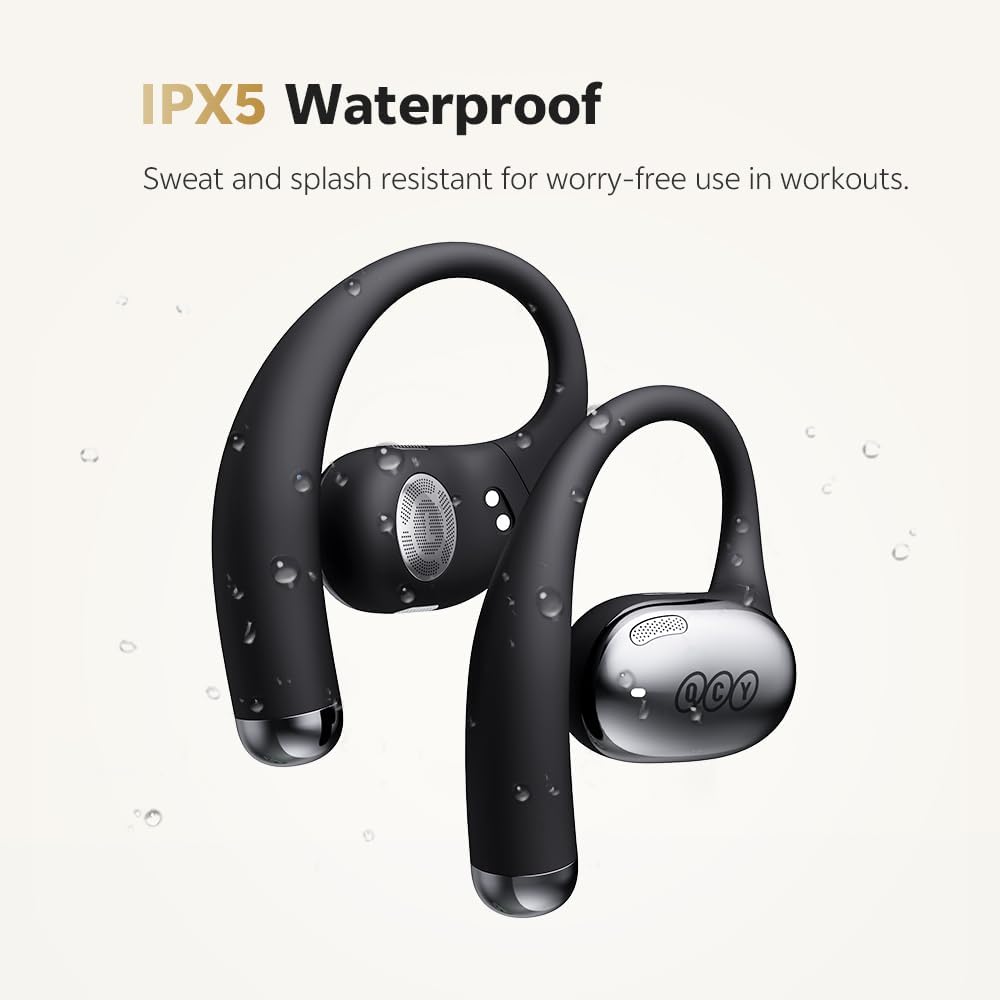
Figure 6.1: The IPX5 waterproof rating ensures the headphones are resistant to sweat and splashes, making them suitable for workouts and outdoor activities.
The headphones are IPX5 waterproof, meaning they are resistant to sweat and splashes. They are not designed for submersion in water. Avoid exposing them to strong jets of water or prolonged immersion.
6.3 Storage
When not in use, store the headphones in their charging case to protect them from dust and damage, and to keep them charged.
7. Troubleshooting
If you encounter issues with your headphones, refer to the following common solutions:
| Problem | Possible Cause | Solution |
|---|---|---|
| Headphones not pairing | Low battery, out of range, pairing mode not active, previous connection issue. | Charge headphones and case. Ensure Bluetooth is on and within 15m. Place headphones in case, close lid, then reopen to re-enter pairing mode. Forget device on your phone and re-pair. |
| No sound from one earbud | Not properly connected, low battery, earbud malfunction. | Ensure both earbuds are charged. Place both earbuds back in the case, close, then reopen. Try re-pairing. |
| Charging issues | Dirty charging contacts, faulty cable/adapter, case battery low. | Clean charging contacts on earbuds and case. Try a different USB-C cable and power adapter. Ensure charging case is charged. |
| Sound leakage | Improper fit. | Adjust the headphones for a snug fit. Ensure the earhook (R70) is properly contoured to your ear. |
7.1 Factory Reset
If issues persist, a factory reset may resolve them. Consult the official QCY support website or the specific product page for detailed reset instructions for your model, as procedures can vary.
8. Specifications
| Feature | Specification |
|---|---|
| Bluetooth Version | 6.0 |
| Audio Codecs | LDAC, Hi-Res Audio Wireless |
| Driver Size | 17x12mm Tri-magnetic Super-linear Drivers |
| Earbud Battery Life | Up to 13 hours |
| Total Battery Life (with case) | Up to 52 hours |
| Fast Charging | 10 minutes charge for 1 hour use |
| Wireless Charging | Supported |
| Water Resistance Rating | IPX5 (Sweat and Splash Resistant) |
| Low Latency Mode | 60ms |
| Microphones | 4-mic Noise Cancellation |
| Wireless Range | Up to 15 meters |
| ASIN | B0FF9K4J4M |
| Date First Available | April 23, 2025 |
9. Warranty and Support
QCY products typically come with a limited warranty. For specific warranty terms and conditions, please refer to the warranty card included with your product or visit the official QCY website. For technical support, troubleshooting assistance, or to inquire about replacement parts, please contact QCY customer service through their official channels or visit the QCY Store on Amazon.