
Introduction
This manual provides essential information for setting up, operating, and maintaining your PUBU Smart Watch. This device features built-in GPS with offline map capabilities, Bluetooth calling, comprehensive health monitoring, and AI functionalities, designed to enhance your daily life and fitness activities.

Figure 1: PUBU Smart Watch with black leather strap.
Package Contents
- Smartwatch (with leather strap) x 1
- Spare silicone strap x 1
- Charging cable x 1
- User manual x 1
Setup
1. Charging the Smart Watch
Before initial use, fully charge your smartwatch. Connect the magnetic charging cable to the charging points on the back of the watch. Ensure the cable is securely attached. The watch display will indicate charging status.
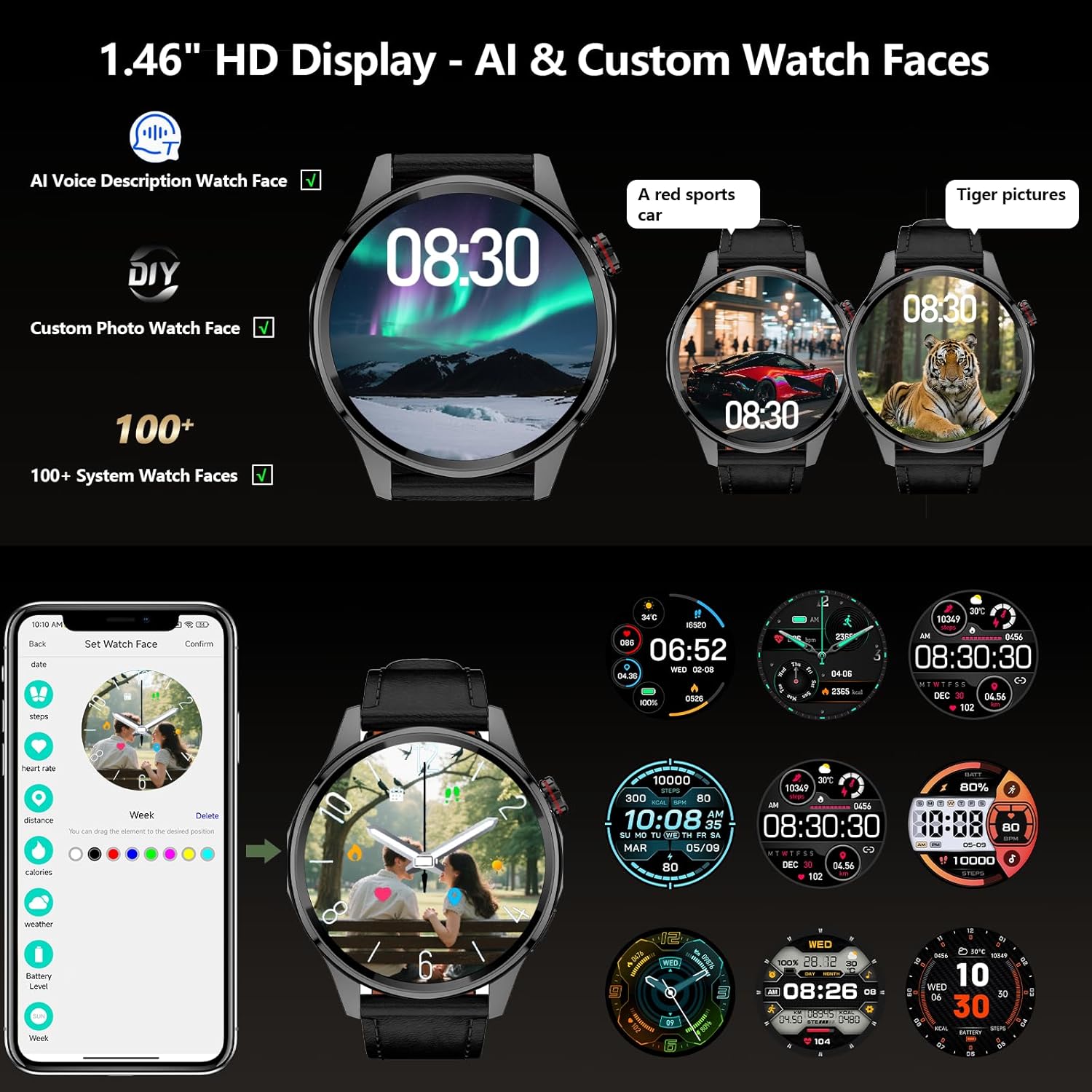
Figure 2: Smart Watch connected to its magnetic charging cable.
2. App Installation and Pairing
To unlock the full functionality of your smartwatch, download and install the FitCloud Pro application on your smartphone. Scan the QR code provided in the user manual or search for "FitCloud Pro" in your device's app store. Follow the in-app instructions to pair your smartwatch via Bluetooth. Ensure your phone's Bluetooth is enabled and the watch is nearby during the pairing process.
Video 1: Demonstration of restoring factory settings and app interface.
Operating Instructions
1. Basic Navigation
The smartwatch features a 1.46-inch HD touchscreen for intuitive navigation. Swipe left, right, up, or down to access different menus and features. Use the physical buttons on the side for quick access to specific functions or to return to the home screen.
2. Bluetooth Call & Message Functionality
Once paired with your smartphone, the smartwatch allows you to make and receive calls directly from your wrist. You can also receive text and social media notifications (e.g., Facebook, WhatsApp, Instagram, Twitter). For Android phones, text message replies are available via voice-to-text or quick replies.
Video 2: General overview of smartwatch features, including Bluetooth calling.
3. Customizable Watch Faces & AI Functionality
Personalize your smartwatch with over 100 downloadable and customizable watch faces. You can even use your own photos. The integrated AI technology supports voice descriptions to generate personalized AI watch faces. AI Q&A and AI translation features provide instant answers and break down language barriers.
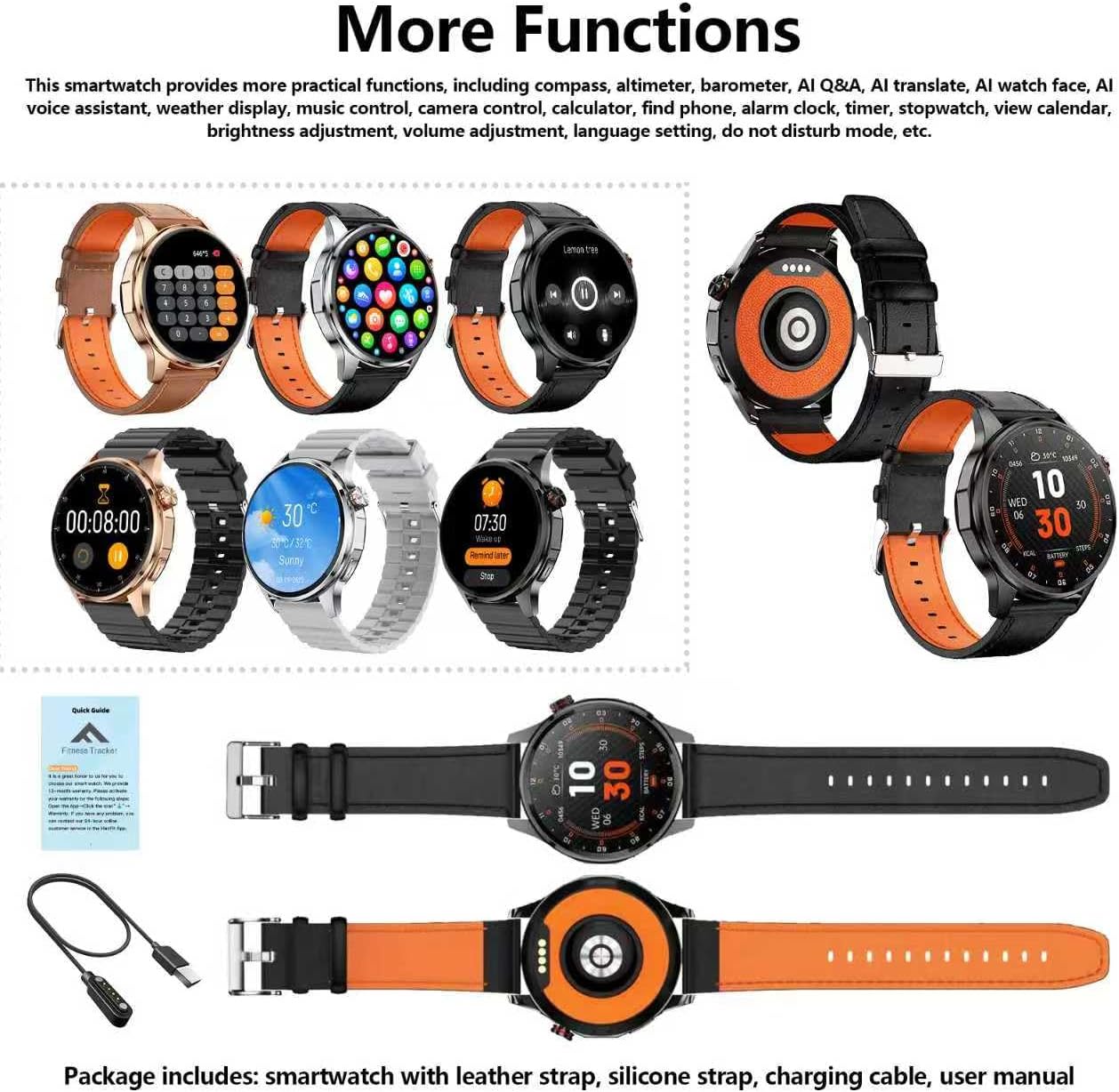
Figure 3: Customizable watch faces and AI features on the smartwatch display.
4. Sports & Health Monitoring
The smartwatch supports over 100 sports modes, tracking daily activity data such as calories, distance, steps, and heart rate. It monitors health metrics including blood oxygen, heart rate, stress, and sleep, and performs PAI analysis. Set water intake and sedentary reminders to maintain an active and healthy lifestyle.
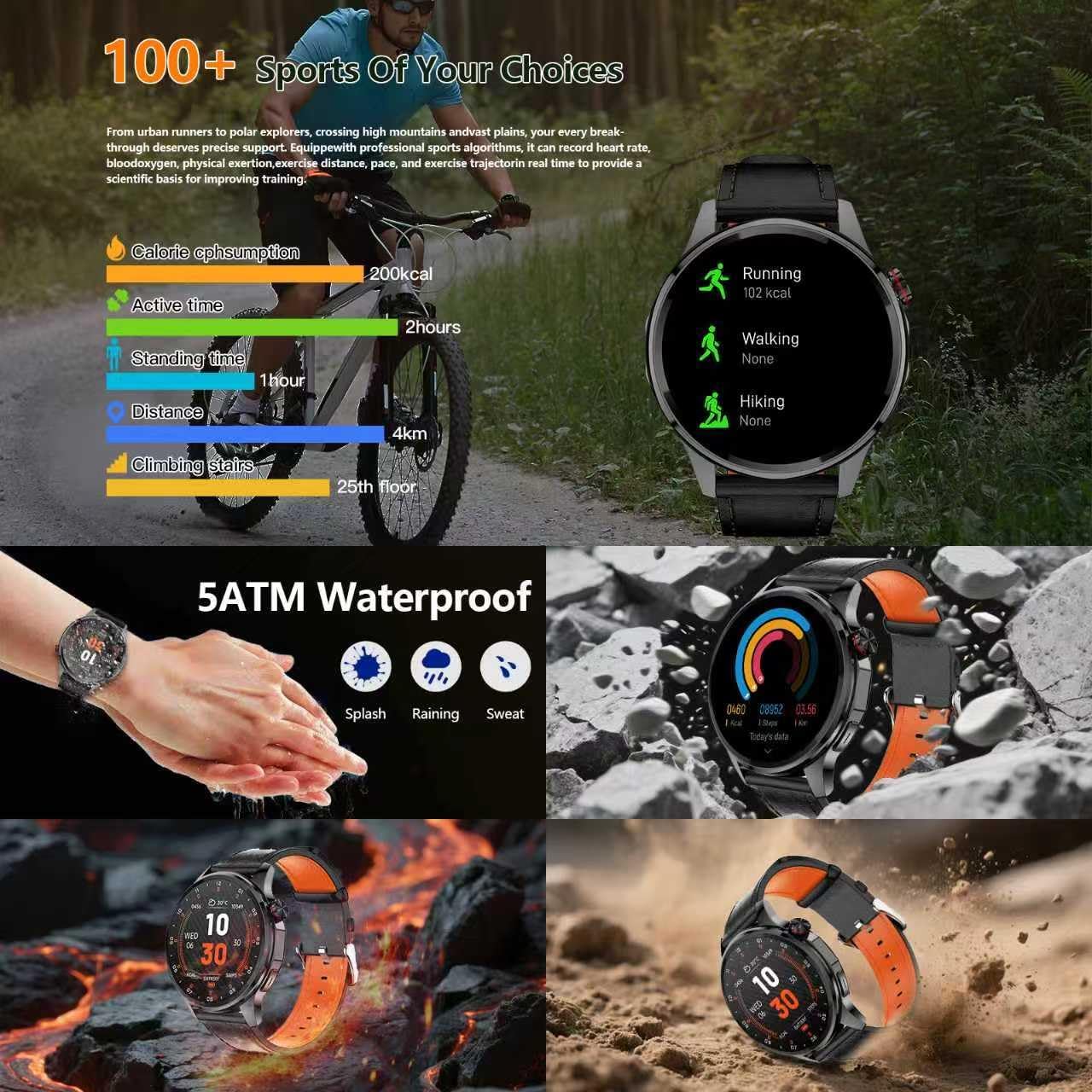
Figure 4: Smart Watch displaying health monitoring data.
5. Built-in GPS and Offline Map
The upgraded smartwatch features built-in GPS and offline maps, connecting to multiple satellite systems for accurate real-time positioning and movement tracking. It includes a professional-grade compass, altimeter, and barometer for outdoor navigation. Download offline maps to view routes even without a signal.

Figure 5: Smart Watch with GPS, map, compass, altimeter, and barometer features.
Video 3: Smart Watch GPS and AI features demonstration.
6. Other Features
The smartwatch offers additional functionalities including an AI voice assistant, weather display, music control, camera control, calculator, phone finder, alarm, timer, and stopwatch.
Maintenance
- Cleaning: Regularly wipe the watch screen and straps with a soft, dry cloth. For stubborn dirt, use a slightly damp cloth and dry thoroughly.
- Water Resistance: The watch is 5ATM waterproof, suitable for splashes, rain, and sweat. Avoid hot water, saunas, or deep-water activities to prevent damage.
- Storage: Store the watch in a cool, dry place away from direct sunlight and extreme temperatures.
Troubleshooting
- Connection Issues: Ensure Bluetooth is enabled on your phone and the watch is within range. Restart both devices and try pairing again.
- Inaccurate Readings: Ensure the watch is worn snugly on your wrist. For GPS, move to an open area for better signal.
- Watch Malfunction: If the watch experiences issues, try restoring it to factory settings via the watch's system menu or the companion app.
Specifications
| Feature | Detail |
|---|---|
| Screen Size | 1.46 Inches |
| Battery Capacity | 550 Milliamp Hours |
| Operating System | Android 5.0+ / iOS 9.0+ |
| Connectivity | Bluetooth |
| GPS | Built-in GPS |
| Water Resistance | 5ATM |
| Manufacturer | PUBU |
Warranty and Support
For warranty information and customer support, please refer to the contact details provided in your product packaging or visit the official PUBU website. Keep your purchase receipt for warranty claims.


