
Introduction
The ONEVAN 20V 4000 mAh Lithium Battery and Charger Kit is designed to provide reliable power for your ONEVAN cordless power tools. This manual provides essential information for safe operation, charging, and maintenance of your battery and charger, ensuring optimal performance and longevity.
Safety Instructions
General Safety Guidelines
- Read all instructions thoroughly before using the battery and charger.
- Do not expose the battery or charger to rain, moisture, or wet conditions.
- Do not charge batteries in damp or wet locations.
- Use only the charger specified by the manufacturer for recharging. Using an incompatible charger may result in fire, electric shock, or injury.
- Do not incinerate the battery, even if it is severely damaged or completely worn out. Batteries can explode in a fire.
- Do not short-circuit the battery terminals. This can cause severe burns or fire.
- The battery features integrated protection against overloads, overvoltages, undervoltages, overcurrents, overheating, and short circuits. However, always operate within recommended parameters.
- Keep the battery and charger out of reach of children.

Package Contents
What's Included in Your Kit
- 2 x ONEVAN 20V 4000 mAh Lithium Batteries
- 1 x ONEVAN Rapid Charger
Product Overview
Key Features
- High Capacity: Each 4000 mAh battery provides extended runtime for your tools, optimizing power and efficiency.
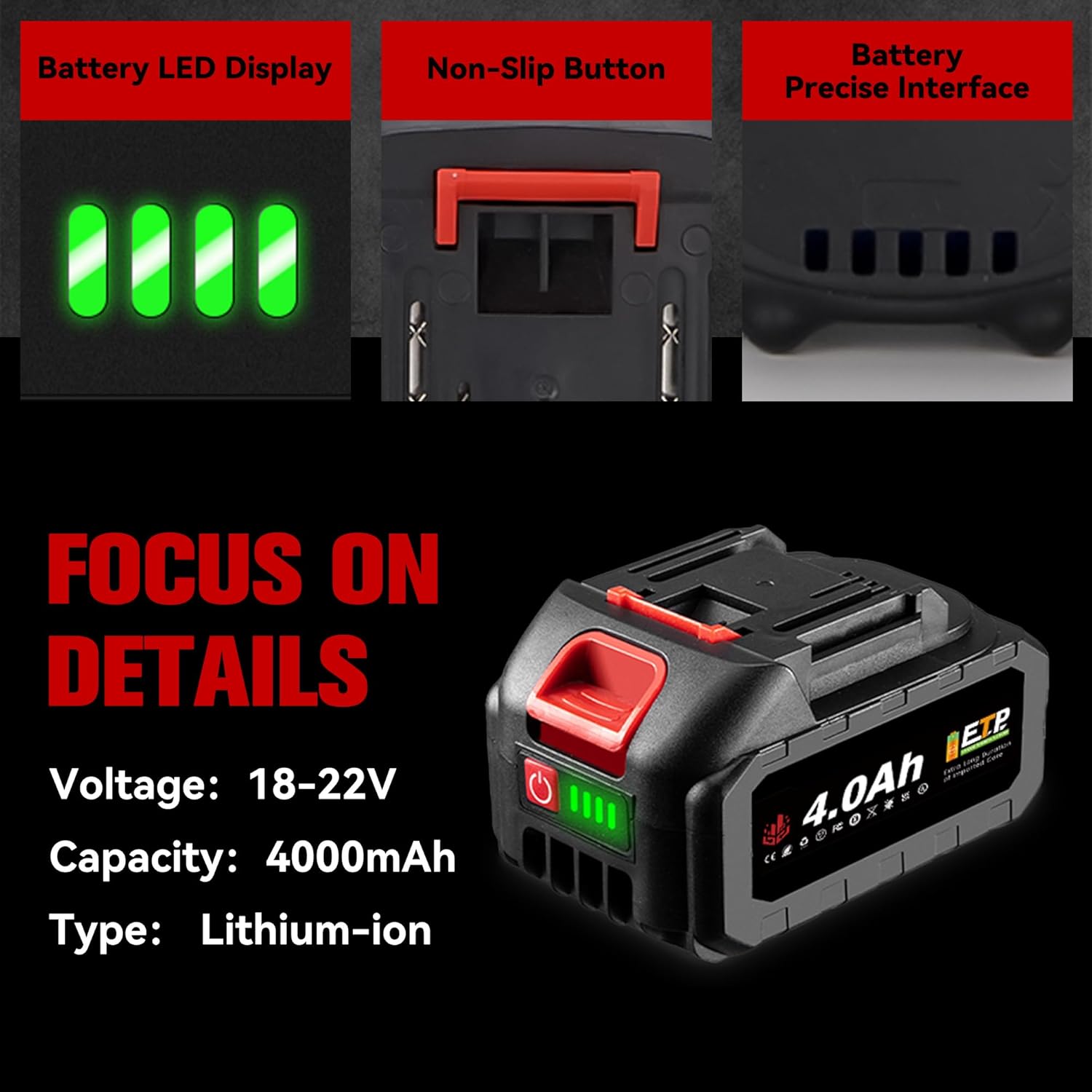
- LED Indicator: A 4-segment LED display allows you to check the remaining battery charge with a single click.
- Rapid Charger with Cooling Fan: The improved charger includes a cooling fan to prevent overheating of both the battery and charger during the charging process, prolonging their lifespan.
- Multi-Protection System: Integrated safeguards protect against overloads, overvoltages, undervoltages, overcurrents, overheating, and short circuits, ensuring safe use.
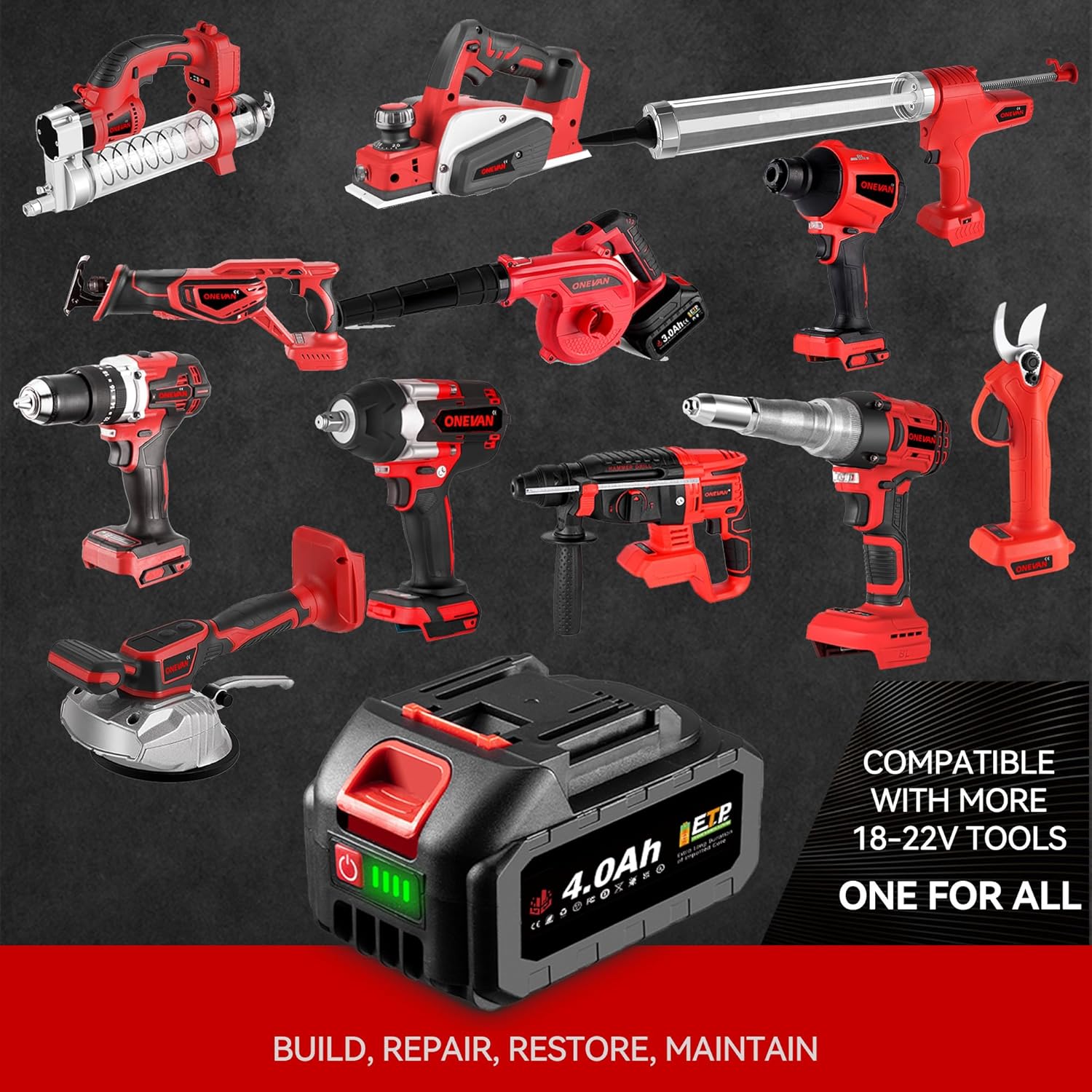
- Wide Compatibility: Designed for seamless use with all ONEVAN 18-22V cordless power tools.

Components
- Battery Pack: Rechargeable lithium-ion battery featuring power terminals, a battery release button, and an LED indicator button.
- Charger: Unit with a charging port, power cord, and an integrated cooling fan.
Setup
Charging the Battery
- Connect the charger to a standard power outlet.
- Insert the battery pack into the charger, ensuring it is fully seated and makes proper contact.
- The charger's indicator light will illuminate to show the charging status. The integrated cooling fan will activate to prevent overheating during the charge cycle.
- A full charge typically takes approximately 2-3 hours. The LED indicator on the battery will show a full charge (all 4 LEDs illuminated) when the process is complete.
- Once charging is complete, disconnect the battery from the charger and unplug the charger from the power outlet.
Operating
Attaching and Detaching the Battery
- To Attach: Align the battery pack with the battery port on your ONEVAN 18-22V cordless tool. Slide the battery into place until it clicks securely, indicating a firm connection.
- To Detach: Press the battery release button (located on the battery or tool, depending on the model) and slide the battery pack out of the tool.
Checking Battery Charge Level
Press the button next to the LED indicators on the battery pack. The illuminated LEDs will show the approximate remaining charge:
- 4 LEDs: 75-100% charge remaining
- 3 LEDs: 50-75% charge remaining
- 2 LEDs: 25-50% charge remaining
- 1 LED: Below 25% charge remaining, recharge soon

Maintenance
Storage
- Store batteries in a cool, dry place, away from direct sunlight, moisture, and extreme temperatures.
- For long-term storage (over 30 days), charge batteries to approximately 50% capacity to preserve battery health.
- Avoid storing batteries in a completely discharged state, as this can lead to irreversible damage.
Cleaning
- Clean the battery and charger with a soft, dry cloth.
- Do not use water, solvents, or chemical cleaning agents, as these can damage the components.
- Keep battery terminals clean and free of dust or debris to ensure proper electrical contact.
Troubleshooting
Common Issues and Solutions
| Problem | Possible Cause | Solution |
|---|---|---|
| Battery not charging | Charger not plugged in; Battery not properly seated; Faulty charger or battery | Ensure the charger is securely plugged into a working outlet and the battery is fully inserted into the charger. Check for any visible damage to the charger or battery. If issues persist, contact customer support. |
| Tool not powering on with charged battery | Battery not properly attached; Tool malfunction; Battery discharged | Ensure the battery is securely attached to the tool. Check the battery's charge level using the LED indicator. Test the battery with another compatible tool if possible to isolate the issue. |
| Battery or charger overheating during charge | Normal operation (cooling fan should manage); Charger malfunction; Obstructed ventilation | Ensure the charger's cooling fan is operating and its vents are not obstructed. If overheating is excessive or persistent, discontinue use immediately and contact customer support. |
Specifications
Product Specifications
- Brand: ONEVAN
- Model: sku005201
- Battery Type: Lithium-ion
- Battery Voltage: 20 V
- Battery Capacity: 4000 mAh (per unit)
- Full Recharge Time: Approximately 2-3 hours
- Item Weight: 1.45 Kilograms (for the kit)
- Product Dimensions (L x W x H): 10 x 15 x 5 cm (approximate, for battery)
- Charger Input Voltage: 20 Volts (DC)
- Charger Output Voltage: 20 Volts
- Number of Ports (Charger): 1
Warranty and Customer Support
ONEVAN products are manufactured to high-quality standards. While specific warranty details are not provided within this manual, for any questions regarding our products, operation, or troubleshooting, please do not hesitate to contact ONEVAN customer support. We are committed to providing assistance and ensuring your satisfaction.
Please refer to your purchase documentation or the ONEVAN official website for detailed warranty information and contact methods.


