
Introduction
Thank you for purchasing the Freaks And Geeks Assassin's Creed Wired USB Controller. This manual provides detailed instructions for setting up, operating, and maintaining your controller to ensure optimal performance and an enhanced gaming experience on your PC. Please read this manual thoroughly before use.
Package Contents
- Freaks And Geeks Assassin's Creed Wired USB Controller
- User Manual
Product Overview
The Freaks And Geeks Assassin's Creed Wired USB Controller is designed for PC gaming, offering precise control and immersive feedback. It features an ergonomic design, dual vibration motors, and a 3-meter cable for comfortable gameplay.
Controller Layout

Front view of the Freaks And Geeks Assassin's Creed Wired USB Controller, showing the D-pad, analog sticks, action buttons (A, B, X, Y), and central function buttons.
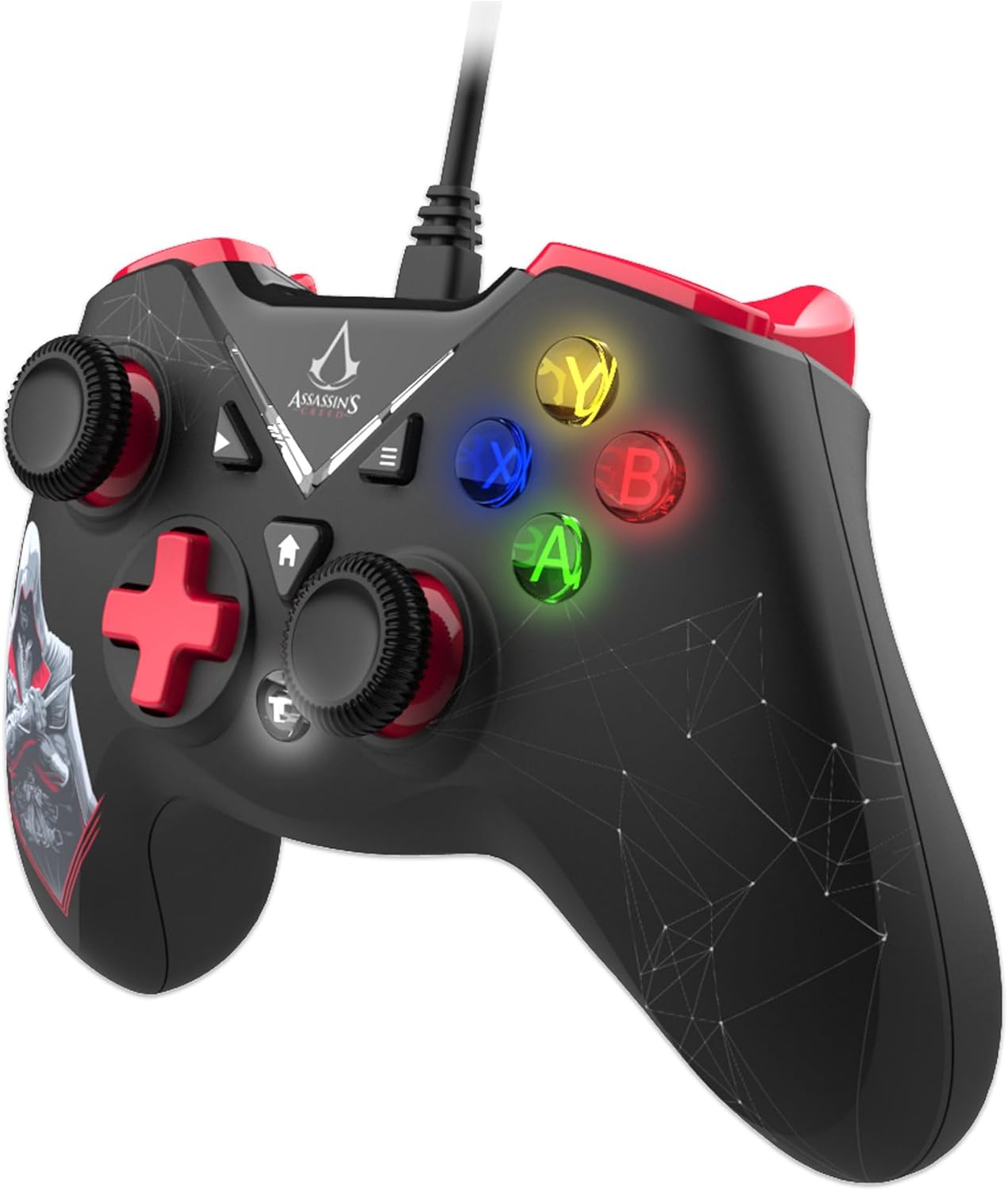
Side view of the controller, highlighting the ergonomic triggers and shoulder buttons.

Back view of the controller, showing the grip texture and cable connection point.
Key Features
- Double Vibration Motor: Provides immersive haptic feedback for in-game actions.
- Ergonomic Triggers: Designed for comfortable and responsive input during extended gameplay.
- 12 Keys with Turbo Function: Customizable buttons with a turbo feature for rapid input.
- Extra Long Cable: A 3-meter cable offers flexibility and freedom of movement.
- 2 High Precision Analog Sticks: Provides 360-degree control for accurate movement and aiming.
Setup
System Requirements
- PC with available USB port
- Operating System: Windows 11 (compatible with other Windows versions)
Connecting the Controller
- Locate an available USB port on your PC.
- Plug the USB connector of the controller into the USB port.
- Your operating system will automatically detect and install the necessary drivers. This process may take a few moments.
- Once the drivers are installed, the controller is ready for use. You may need to configure the controller settings within your game or PC's control panel.
Operating Instructions
Basic Controls
- Analog Sticks: Use the two high-precision analog sticks for 360-degree movement and camera control in games.
- D-Pad: The directional pad provides digital input for menu navigation and specific game actions.
- Action Buttons (A, B, X, Y): Perform in-game actions such as jumping, attacking, or interacting.
- Shoulder Buttons (L1, R1) & Triggers (L2, R2): Used for various in-game functions like aiming, firing, or special abilities.
Turbo Function
The controller features a turbo function for rapid, repeated input of specific buttons. To activate turbo for a button:
- Press and hold the Turbo button.
- While holding Turbo, press the desired action button (e.g., A, B, X, Y, L1, R1, L2, R2).
- Release both buttons. The selected action button will now continuously repeat its input when held down.
To deactivate turbo for a button, repeat the same steps.
Vibration Feedback
The double vibration motors provide tactile feedback during gameplay, enhancing immersion. This feature is automatically enabled when supported by the game. If vibration is not working, check your game's settings to ensure vibration feedback is turned on.
Maintenance
- Cleaning: Use a soft, dry cloth to clean the controller. Do not use harsh chemicals or abrasive materials.
- Storage: Store the controller in a cool, dry place away from direct sunlight and extreme temperatures.
- Cable Care: Avoid bending or twisting the cable excessively to prevent damage.
Troubleshooting
| Issue | Solution |
|---|---|
| Controller not recognized by PC | Ensure the USB cable is securely plugged into a working USB port. Try a different USB port. Restart your PC. |
| Buttons or analog sticks not responding | Check in-game settings for controller configuration. Ensure drivers are correctly installed (usually automatic). Test the controller on another PC if possible. |
| Vibration not working | Verify that the game supports vibration feedback and that the feature is enabled in the game's settings. |
| Turbo function not activating | Ensure you are pressing and holding the Turbo button simultaneously with the desired action button. Release both buttons to set. |
Specifications
| Feature | Detail |
|---|---|
| Model Number | 803510b |
| Connectivity | Wired USB |
| Cable Length | 3 meters |
| Vibration | Double vibration motor |
| Buttons | 12 keys with Turbo function |
| Analog Sticks | 2 high precision, 360-degree control |
| Compatibility | PC (Windows 11 and compatible versions) |
| Parcel Dimensions | 19 x 17 x 8 cm |
| Weight | 355 g |
| Manufacturer | Trade Invaders |
| Country of Origin | Germany |
Warranty and Support
This product is covered by a manufacturer's warranty. For specific warranty details, please refer to the documentation included with your purchase or contact the retailer. For technical support or further assistance, please visit the official Freaks And Geeks website or contact their customer service department.