
Introduction
This manual provides detailed instructions for the installation, setup, and operation of your SwitchBot WiFi Smart Garage Door Opener. This device allows you to control your garage door remotely, integrate with various smart home platforms, and receive real-time notifications.
Key features include:
- Remote control and status check via the SwitchBot app.
- Voice control compatibility with Alexa, Google Home, Siri, IFTTT, and SmartThings.
- Matter certification for seamless smart home integration.
- Real-time alerts and customizable auto-close timers and schedules.
- Straightforward installation with minimal wiring.
- Family sharing functionality for multi-user access.
Package Contents
Ensure all items are present before beginning installation:
- Garage Door Opener x1
- Adapter with Cable x1
- Door Sensor with Cable (7m) x1
- Screw Pack x1
- Signal Control Cable (Test Wire) x1
- 3M Adhesive Tape x2
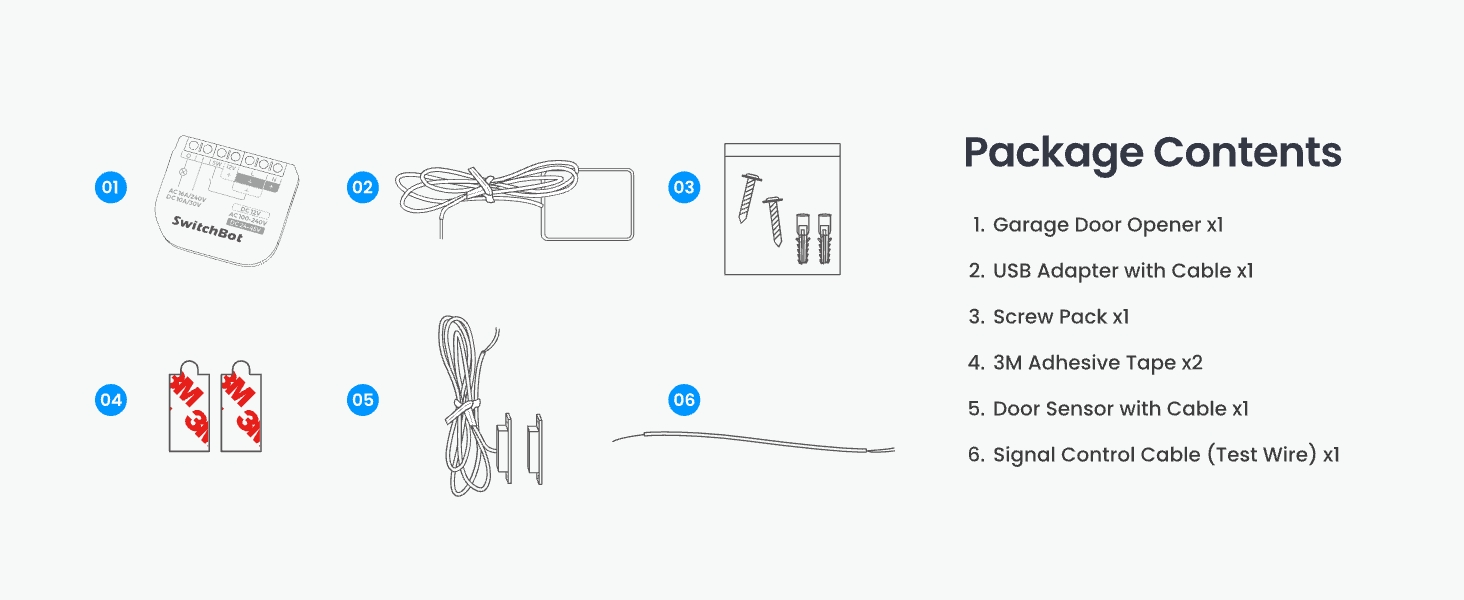
Figure 1: All components included in the SwitchBot WiFi Smart Garage Door Opener package.
Compatibility Check
Before installation, it is crucial to confirm compatibility with your existing garage door opener. The SwitchBot Garage Door Opener is compatible with over 200 brands and 1600+ garage door opener models, including older models from the 1990s.
Method 1: Check Learn Button Color
Locate the "Learn Button" on your garage door opener motor. Yellow and purple learn buttons may require additional accessories for full functionality. Please refer to the SwitchBot support team for specific accessory requirements if your opener has a yellow or purple learn button.
Method 2: Use the Test Wire
If you are unsure about compatibility, use the provided Signal Control Cable (test wire) to connect the two terminals on your existing garage door opener that are also connected to the wall button. If your garage door opens and closes, it is compatible. Otherwise, contact SwitchBot support for assistance.
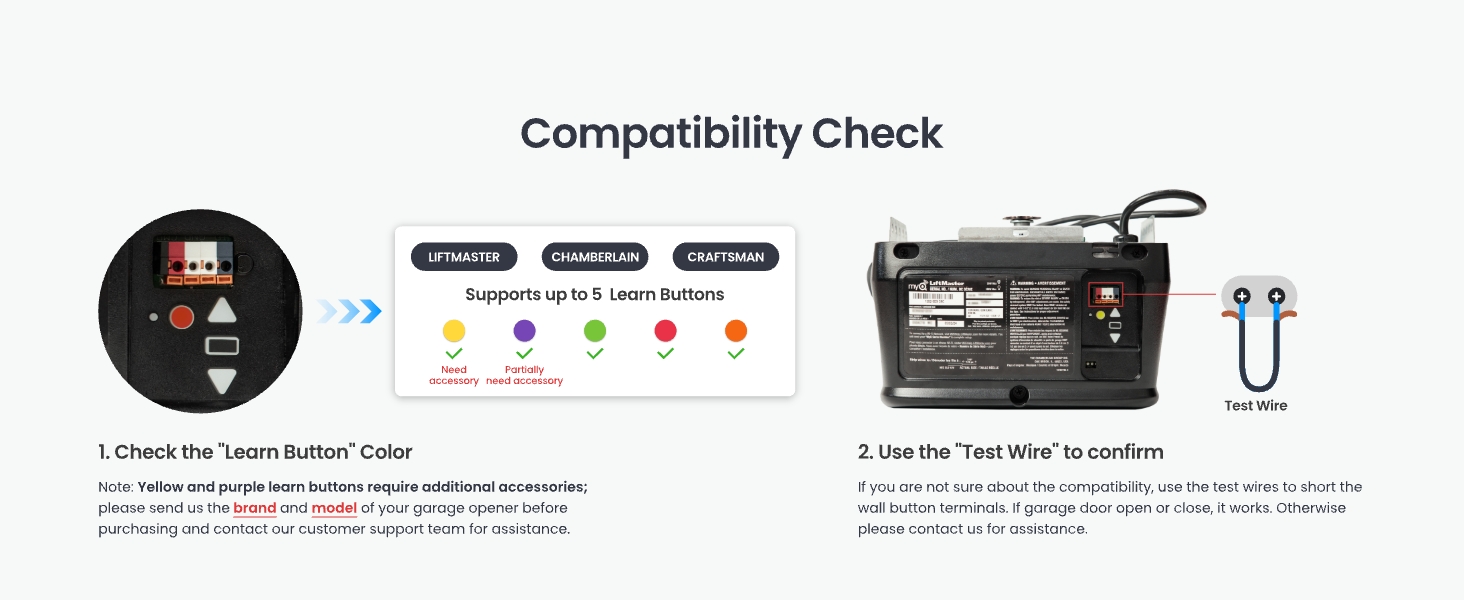
Figure 2: Compatibility check methods for your garage door opener.
Setup and Installation
Follow these steps to install your SwitchBot WiFi Smart Garage Door Opener:
Step 1: Power on the Device and Connect to the App
- Connect the provided adapter to the SwitchBot Garage Door Opener.
- Plug the adapter into a power outlet.
- Download the SwitchBot app from your device's app store.
- Open the app, register or log in, and tap "Add a Device".
- Select "Garage Door Opener" from the list and follow the on-screen instructions to connect it to your 2.4GHz Wi-Fi network.
Video 1: Detailed installation guide for the SwitchBot Garage Door Opener, covering all steps from unboxing to app setup.
Step 2: Install the Door Sensor
The door sensor detects the open/closed status of your garage door. Mount the two parts of the sensor on the garage door frame and the moving door panel, ensuring they are aligned and the distance between them is less than 2.5 cm (1 inch) when the door is closed. Use the provided 3M adhesive tape or screws for secure attachment.
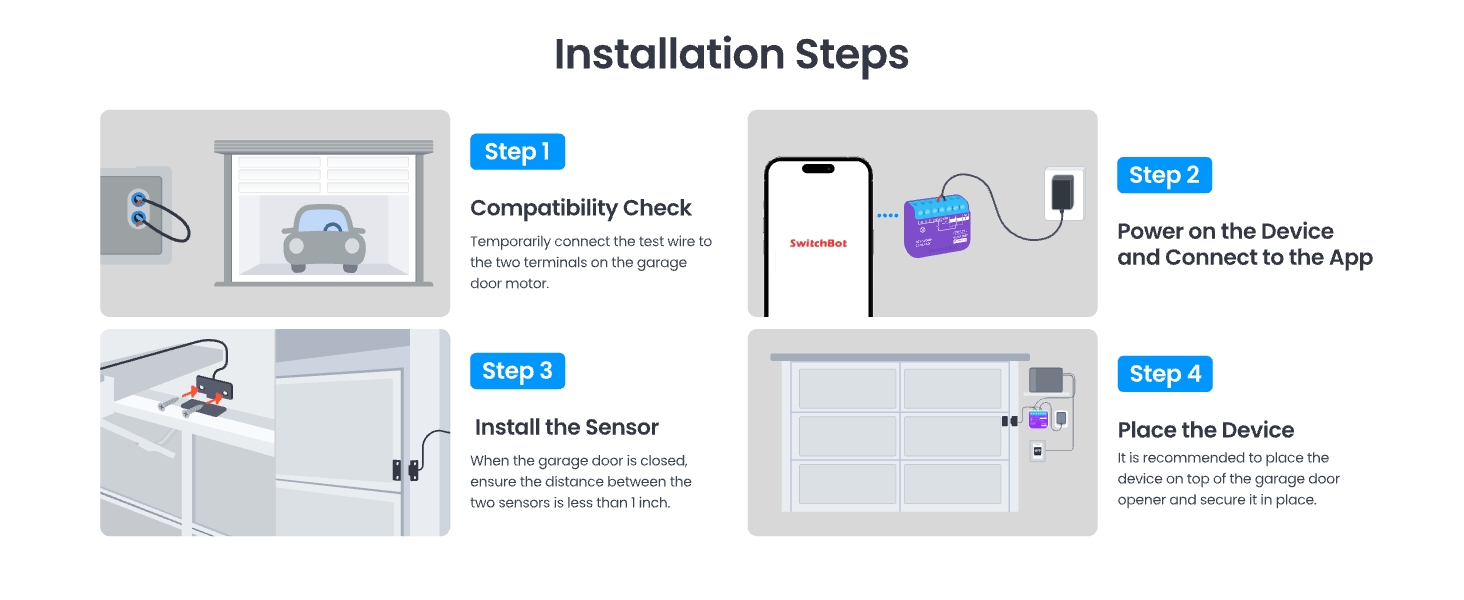
Figure 3: Overview of the installation steps, including sensor placement.
Step 3: Place the Garage Door Opener Device
Mount the main Garage Door Opener device on top of your garage door opener motor using the provided adhesive tape or screws. Ensure it is securely fastened and the wires are not obstructed.
Wiring Diagram
Connect the signal control cable from the SwitchBot device to the wall switch terminals on your garage door opener motor. The power adapter connects to the SwitchBot device and a standard power outlet.
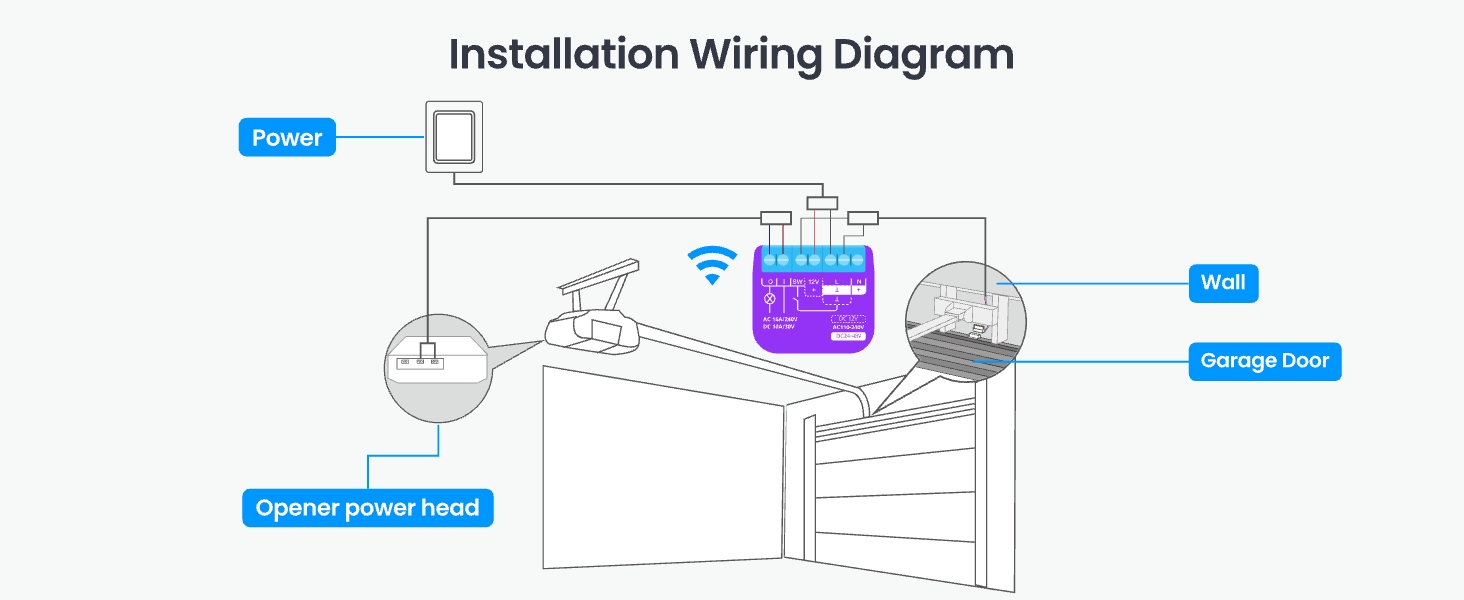
Figure 4: Installation wiring diagram for the SwitchBot Garage Door Opener.
Operating Instructions
1. App Control
Control your garage door from anywhere using the SwitchBot app. You can open or close the door, check its status, and manage settings.
- Remote Control: Open or close your garage door from anywhere with an internet connection.
- Real-time Notifications: Receive alerts if your garage door is left open or if there's any unusual activity.
- Auto-Close Timers & Schedules: Set custom schedules for the door to close automatically at specific times or after a set delay.
- Event Log: Track all garage door activity in real-time for security and peace of mind.
- Family Sharing: Grant access to multiple users, allowing family members to control the garage door via their own SwitchBot accounts.
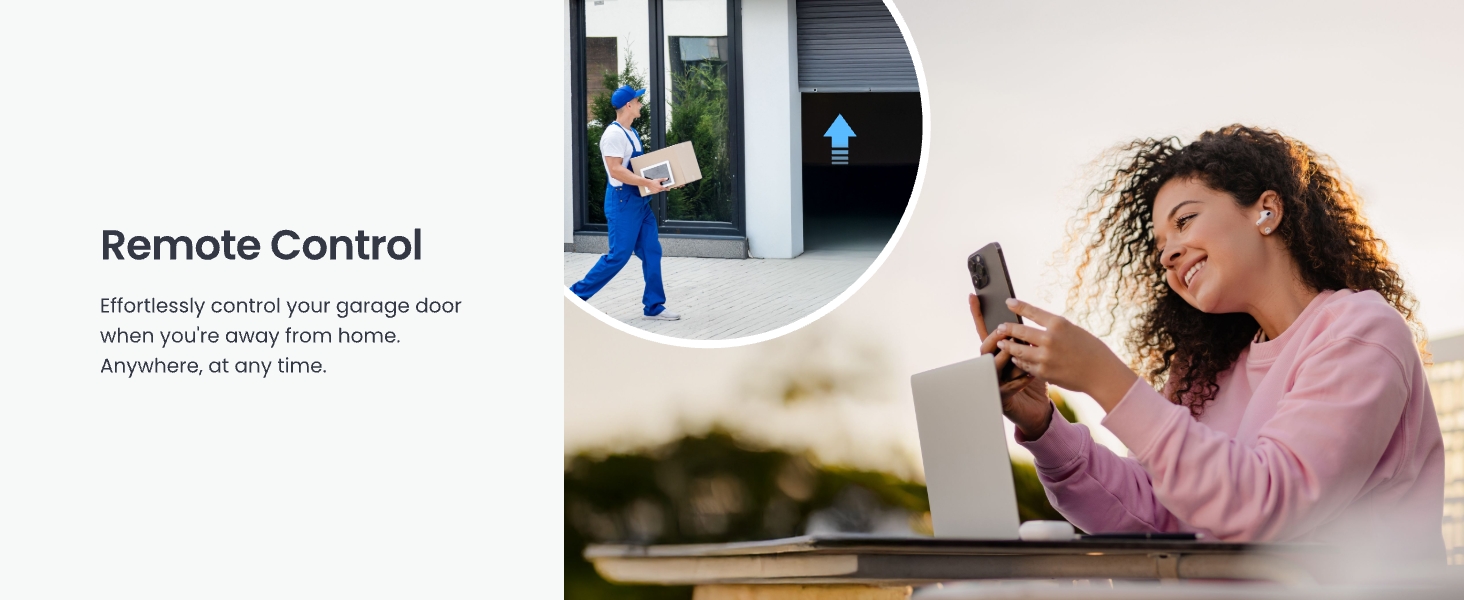
Figure 5: Remote control of the garage door via the SwitchBot app.
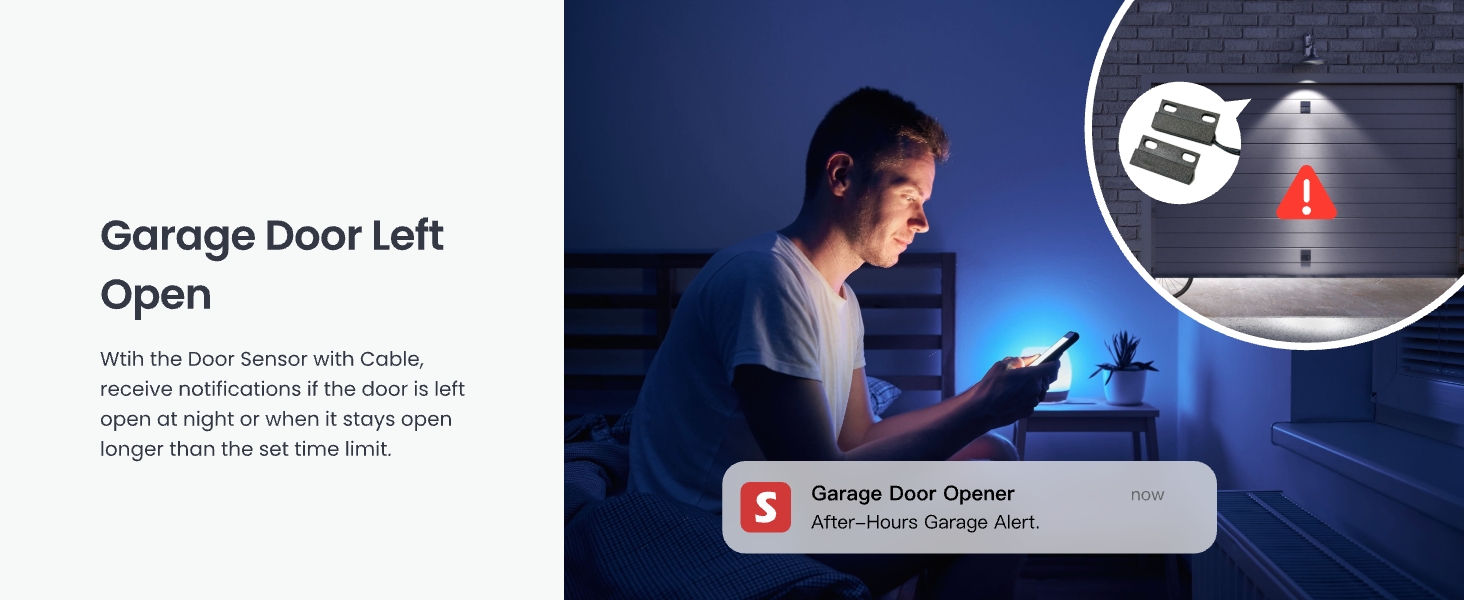
Figure 6: Real-time security notifications for an open garage door.
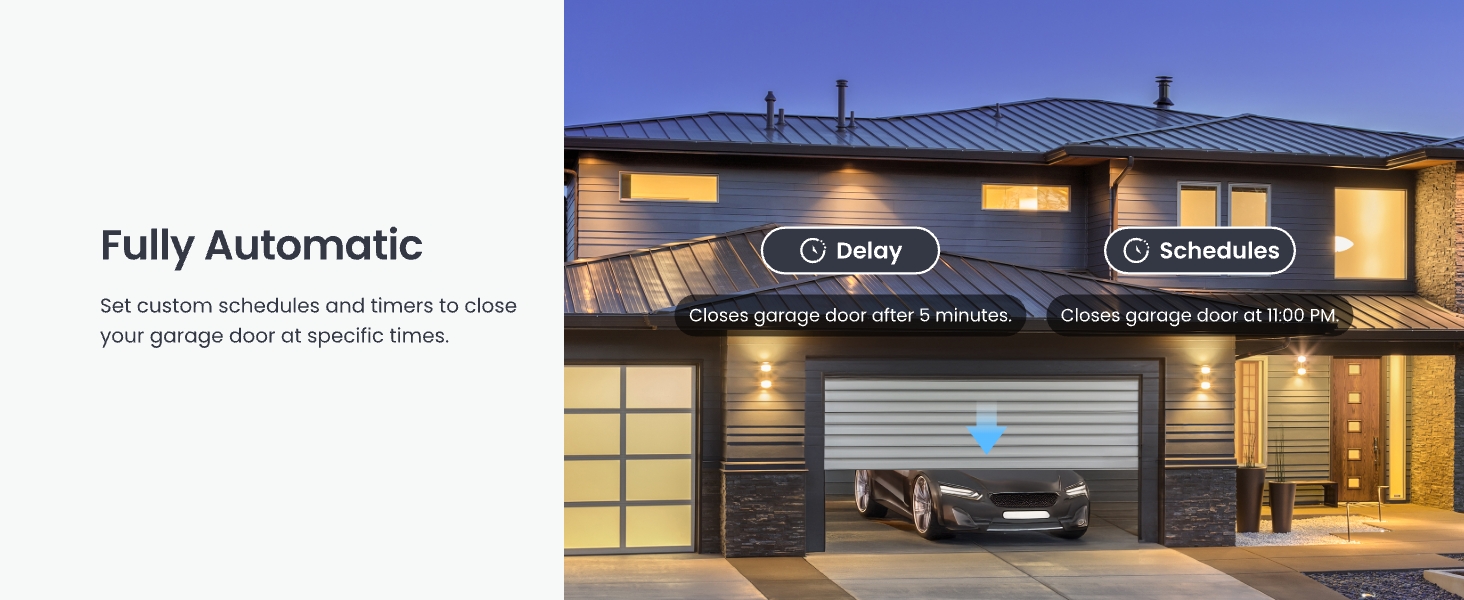
Figure 7: Setting automatic schedules for garage door operation.
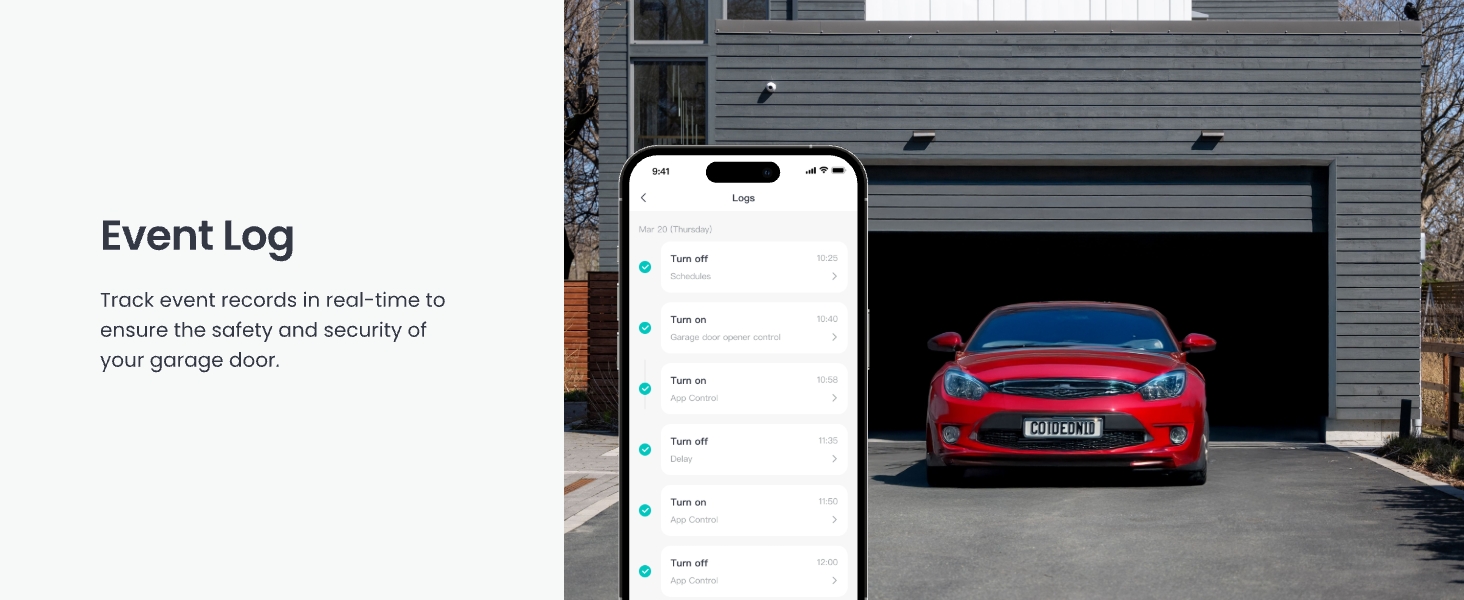
Figure 8: Event log for tracking garage door activity.
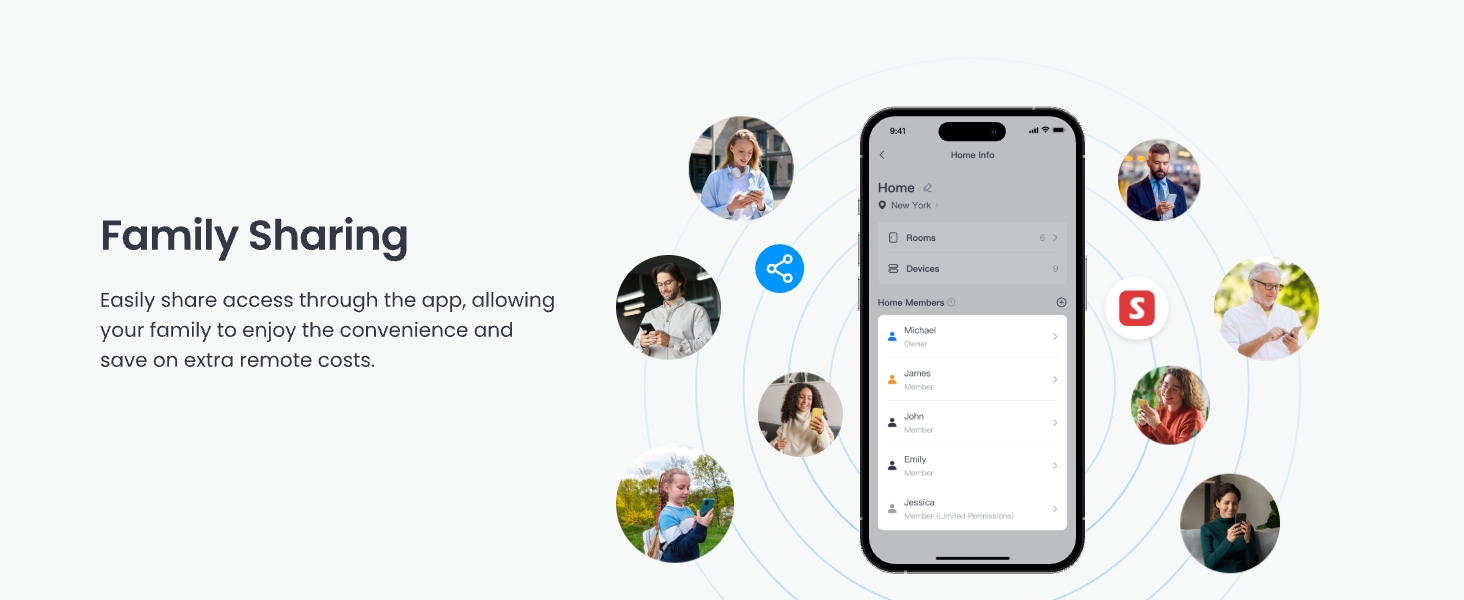
Figure 9: Family sharing feature in the SwitchBot app.
2. Voice Control & Smart Home Integration
The SwitchBot Garage Door Opener supports various voice assistants and smart home platforms:
- Voice Assistants: Use simple voice commands with Amazon Alexa, Google Home, and Apple Siri to open or close your garage door.
- Matter Certified: Ensures seamless integration with other Matter-certified smart devices and platforms like Apple Home.
- Other Platforms: Compatible with IFTTT and SmartThings for advanced automation and scene creation.
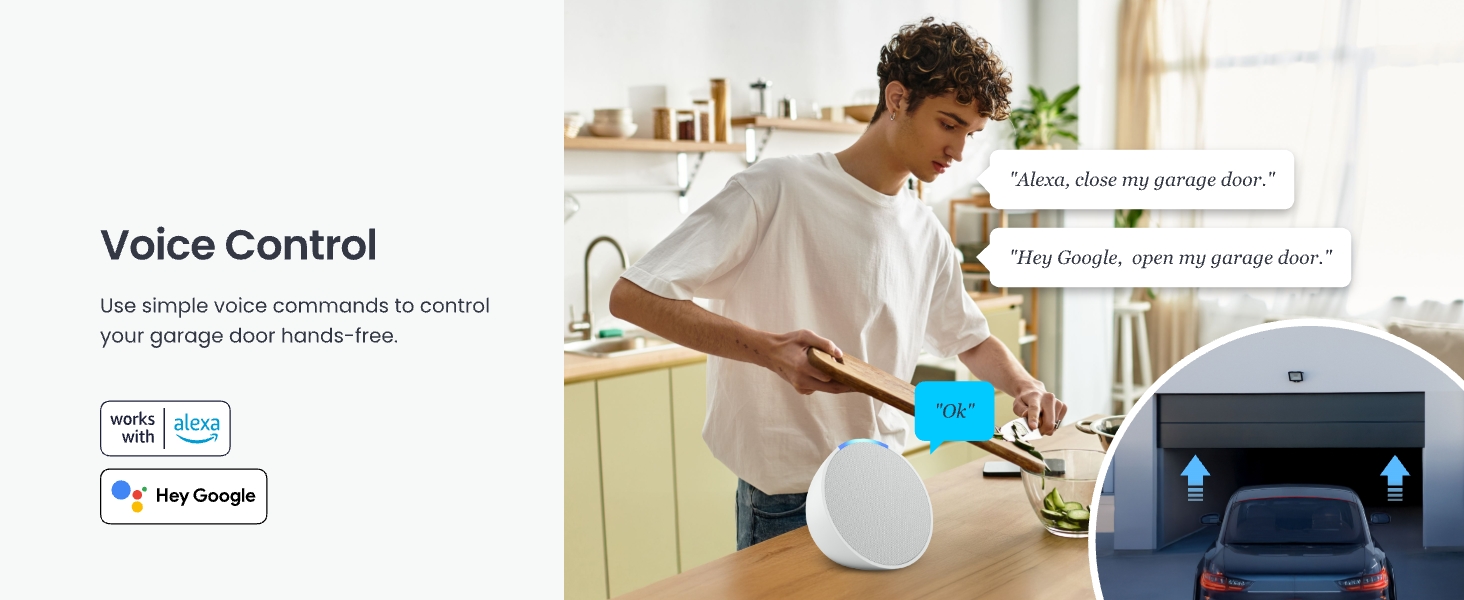
Figure 10: Voice control with Alexa and Google Home.
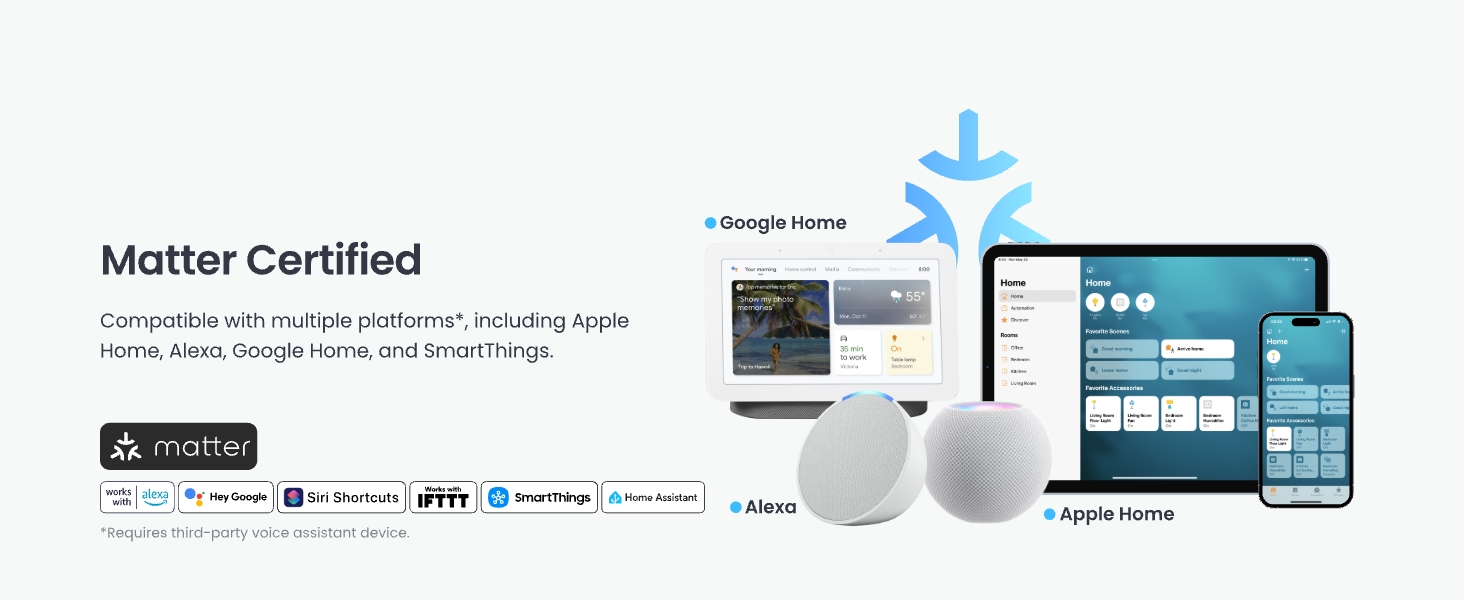
Figure 11: Matter certification and broad smart home compatibility.
3. CarPlay Integration
Open or close your garage door without picking up your phone by using voice commands through Apple CarPlay. Note that CarPlay Pop-up control is not supported.
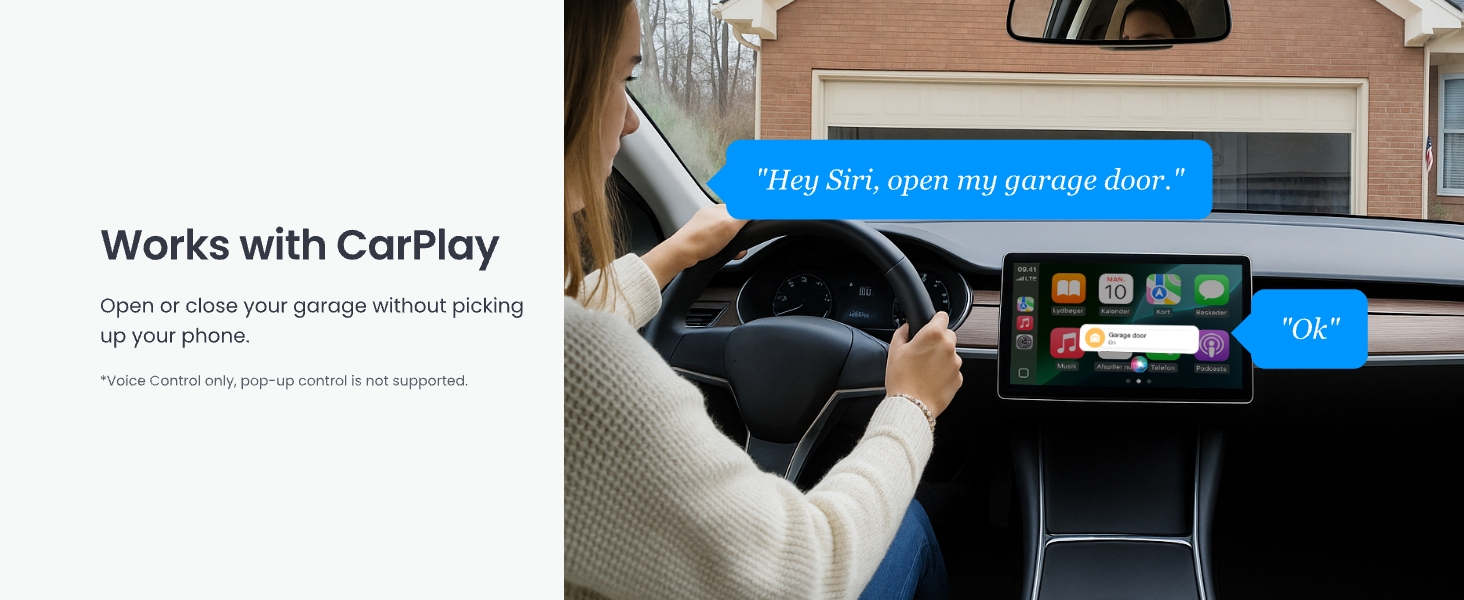
Figure 12: Garage door control via Apple CarPlay.
4. Bluetooth Control
Maintain control of your garage door via Bluetooth, even if your home Wi-Fi signal is unavailable or weak in the garage area. This ensures reliable operation in various conditions.
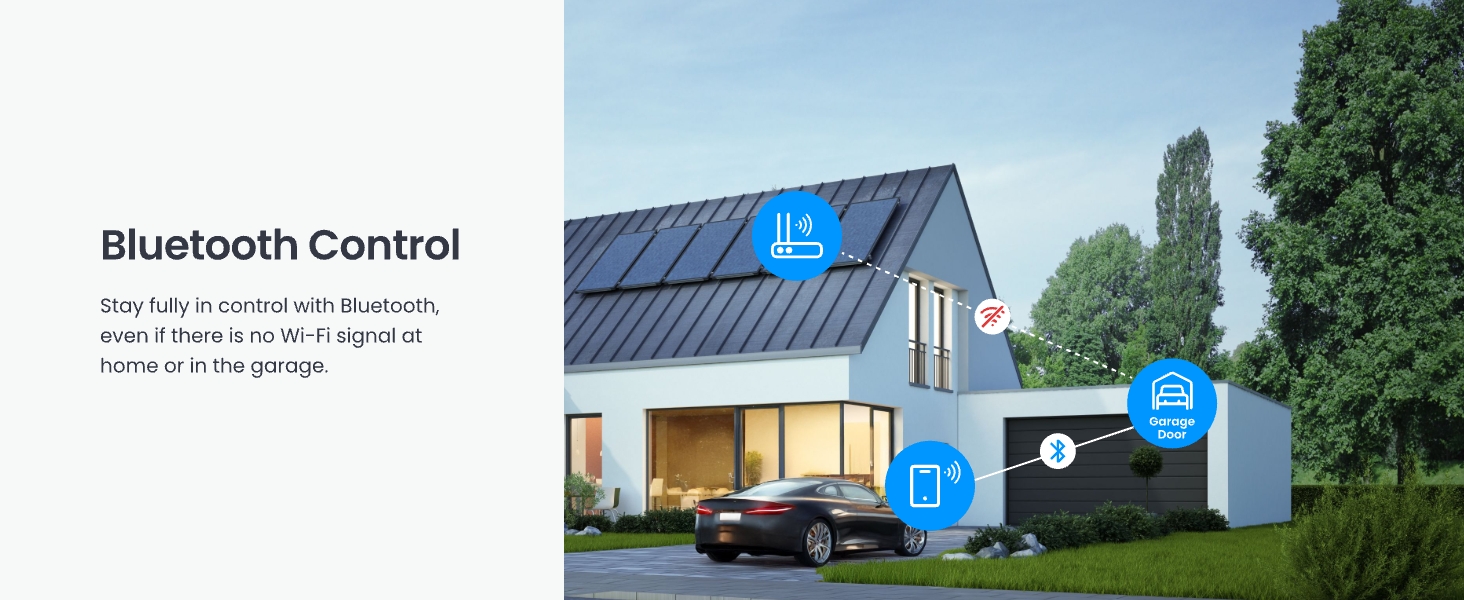
Figure 13: Bluetooth control functionality.
5. Integration with Other SwitchBot Devices
Enhance your smart garage experience by integrating the Garage Door Opener with other SwitchBot products:
- SwitchBot Remote: Use a physical remote for one-click opening/closing of your garage door.
- SwitchBot Cameras: Monitor your garage in real-time and track deliveries to prevent damage.
- SwitchBot Meter Pro (CO2 Monitor): Monitor temperature, humidity, and CO2 levels in your garage for optimal ventilation and energy efficiency.
Maintenance
The SwitchBot WiFi Smart Garage Door Opener requires minimal maintenance. Regularly check the following:
- Sensor Alignment: Ensure the door sensor components remain aligned and within the effective distance (2.5 cm / 1 inch) when the door is closed.
- Cable Connections: Verify that all wires are securely connected to the device and the garage door opener motor.
- Software Updates: Keep the SwitchBot app and device firmware updated to ensure optimal performance and access to new features. Check the app regularly for available updates.
- Cleaning: Wipe the device and sensor with a dry, soft cloth as needed. Avoid using harsh chemicals or abrasive materials.
Troubleshooting
If you encounter issues with your SwitchBot WiFi Smart Garage Door Opener, refer to the following common solutions:
- Device Not Connecting to Wi-Fi: Ensure your Wi-Fi network is 2.4GHz. Check that the device is within range of your Wi-Fi router. Restart your router and the SwitchBot device.
- Garage Door Not Responding: Verify that the signal control cable is correctly connected to the garage door opener's wall switch terminals. Perform the compatibility check again using the test wire. Ensure the garage door opener itself is powered and functional.
- Incorrect Door Status: Check the alignment and distance of the door sensor components. Ensure they are securely mounted and the cable is not damaged.
- Voice Control Issues: Confirm that your SwitchBot account is correctly linked to Alexa, Google Home, or Siri. Check your internet connection and the status of your voice assistant device.
- App Not Functioning: Ensure your SwitchBot app is updated to the latest version. Try force-closing and reopening the app, or reinstalling it if necessary.
For further assistance, please contact SwitchBot support.
Specifications
| Feature | Detail |
|---|---|
| Model Number | W5502330 |
| Manufacturer | Wonderlab |
| Item Weight | 8.4 ounces |
| Product Dimensions | 3.8 x 1.8 x 4.7 inches |
| Color | Purple |
| Connectivity | 2.4GHz WiFi, Bluetooth |
| Smart Home Compatibility | Matter, Alexa, Google Home, Siri, IFTTT, SmartThings |
| Power Source | Adapter (No batteries required) |
Warranty and Support
SwitchBot products are designed for reliability and performance. For warranty information, product support, or technical assistance, please visit the official SwitchBot website or contact their customer service team.
Online Support: www.switch-bot.com/support
Return Policy: This product typically comes with a 30-day return/replacement policy. Please refer to your purchase platform for specific details.