
1. Introduction
The KAIWEETS KT301P is an all-in-one electrical diagnostic tool designed to simplify circuit troubleshooting. It combines a circuit breaker finder, GFCI outlet tester, and non-contact voltage (NCV) tester into a single compact device. This tool is suitable for use on North American 120V AC circuits in both residential and commercial environments, providing fast and reliable results for locating breakers, checking outlet wiring, and testing GFCI protection.
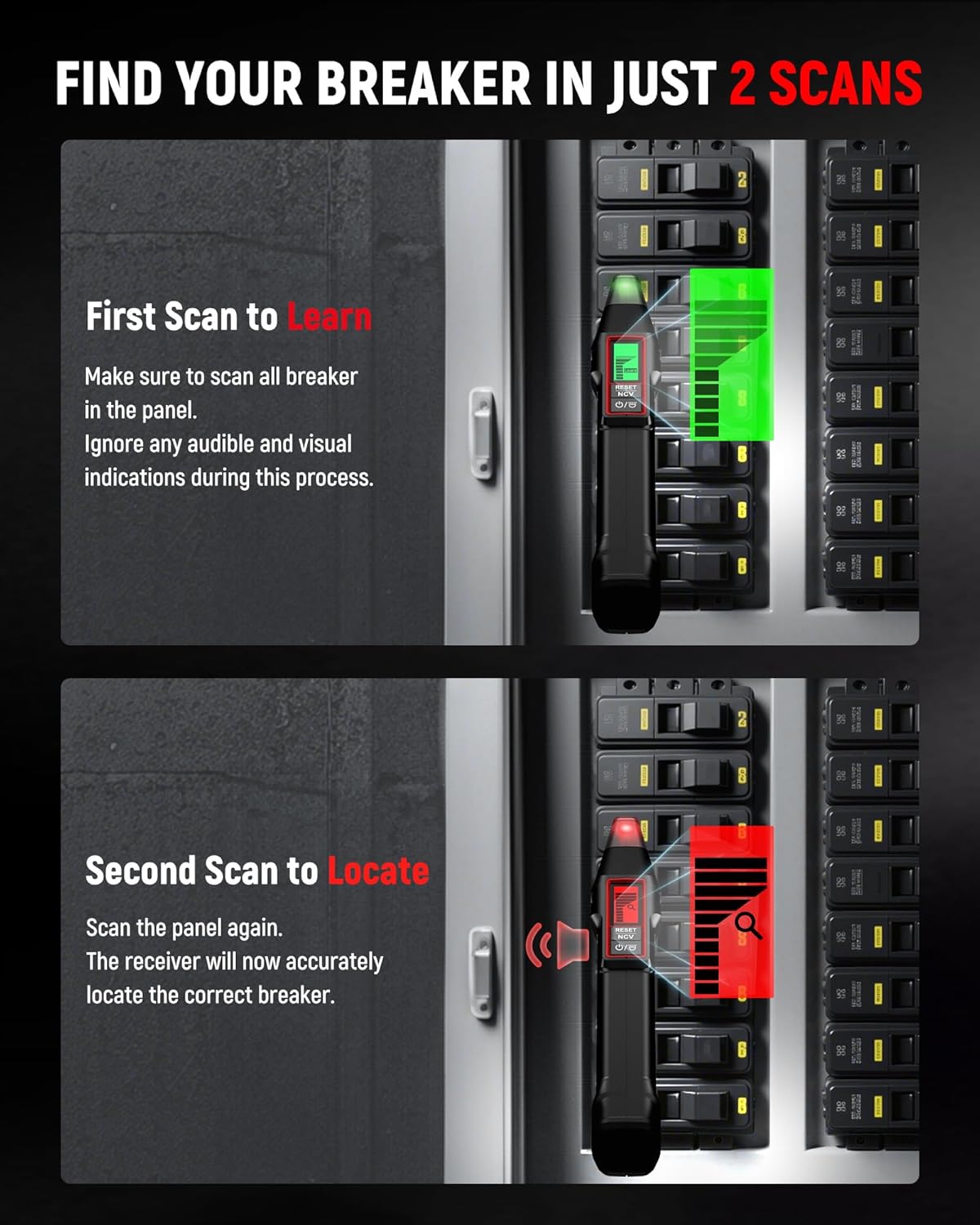
Image 1: KAIWEETS KT301P Circuit Breaker Finder and GFCI Outlet Tester.
2. Safety Information
Always adhere to local electrical codes and safety practices when working with electrical circuits. This device is designed to assist in identifying electrical conditions but does not replace proper safety procedures. Before performing any work on electrical circuits, always verify that power is disconnected at the main service panel.
- Do not use the device if it appears damaged or is operating abnormally.
- Ensure the operating voltage is within the specified range (30-150V AC).
- Wear appropriate personal protective equipment (PPE), such as safety glasses and insulated gloves.
- Do not attempt to open or modify the device. Refer servicing to qualified personnel.
- Keep the device dry and clean.
3. Package Contents
Verify that all items listed below are included in your package:
- 1 x Circuit Breaker Finder (Receiver)
- 1 x GFCI Outlet Tester (Transmitter KT301P)
- 1 x 3-prong to 2-prong adapter
- 1 x Light socket adapter
- 1 x Alligator clip adapter
- 1 x Carrying Case
- Batteries (typically 9V for receiver, AAA for transmitter - check device for specifics)

Image 2: Included components of the KAIWEETS KT301P kit.
4. Product Overview
The KAIWEETS KT301P consists of two main parts: the Transmitter and the Receiver.
Transmitter (GFCI Outlet Tester)
- Plugs into standard 120V AC outlets.
- Features a large LCD screen displaying real-time voltage and wiring status.
- Equipped with red/green LED indicators for quick visual feedback.
- Includes a GFCI test button for automatic trip testing.
- Auto-hold function retains the latest test results.
Receiver (Circuit Breaker Finder & NCV Tester)
- Handheld device used to scan circuit breakers.
- LCD screen displays signal strength for precise breaker identification.
- Integrated Non-Contact Voltage (NCV) test function.
- Built-in flashlight for illumination in dark areas.
5. Setup
Battery Installation
The transmitter and receiver require batteries for operation. Refer to the battery compartments on each device for specific battery types and installation instructions. Ensure batteries are inserted with correct polarity.
6. Operating Instructions
6.1. Circuit Breaker Finding
To locate the correct circuit breaker for an outlet:
- Insert the Transmitter: Plug the KT301P transmitter into the electrical outlet you wish to trace. If necessary, use the provided 3-prong to 2-prong adapter, light socket adapter, or alligator clip adapter for different connection types.
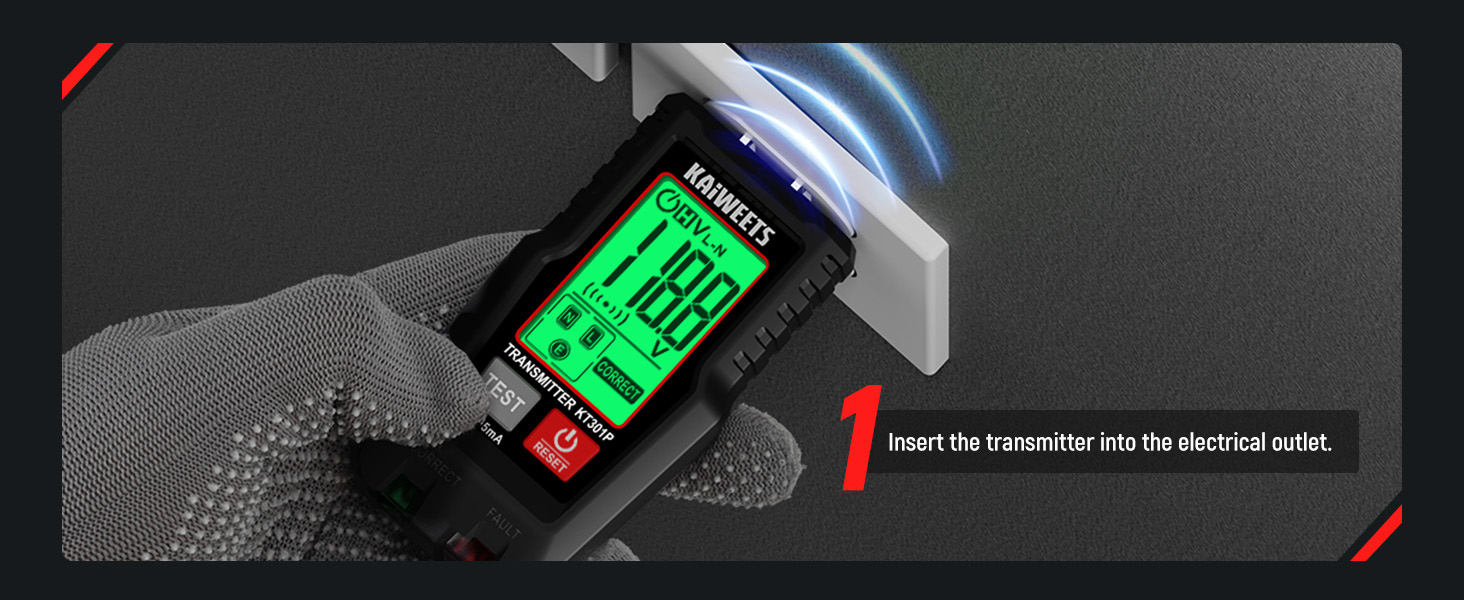
Image 3: Insert the transmitter into the electrical outlet.
- First Scan (Learn Mode): Turn on the receiver. Go to your electrical panel and slowly scan the receiver over each circuit breaker. During this initial scan, the receiver is learning the signal patterns. Ignore any audible or visual indications at this stage. Ensure you scan all breakers in the panel.
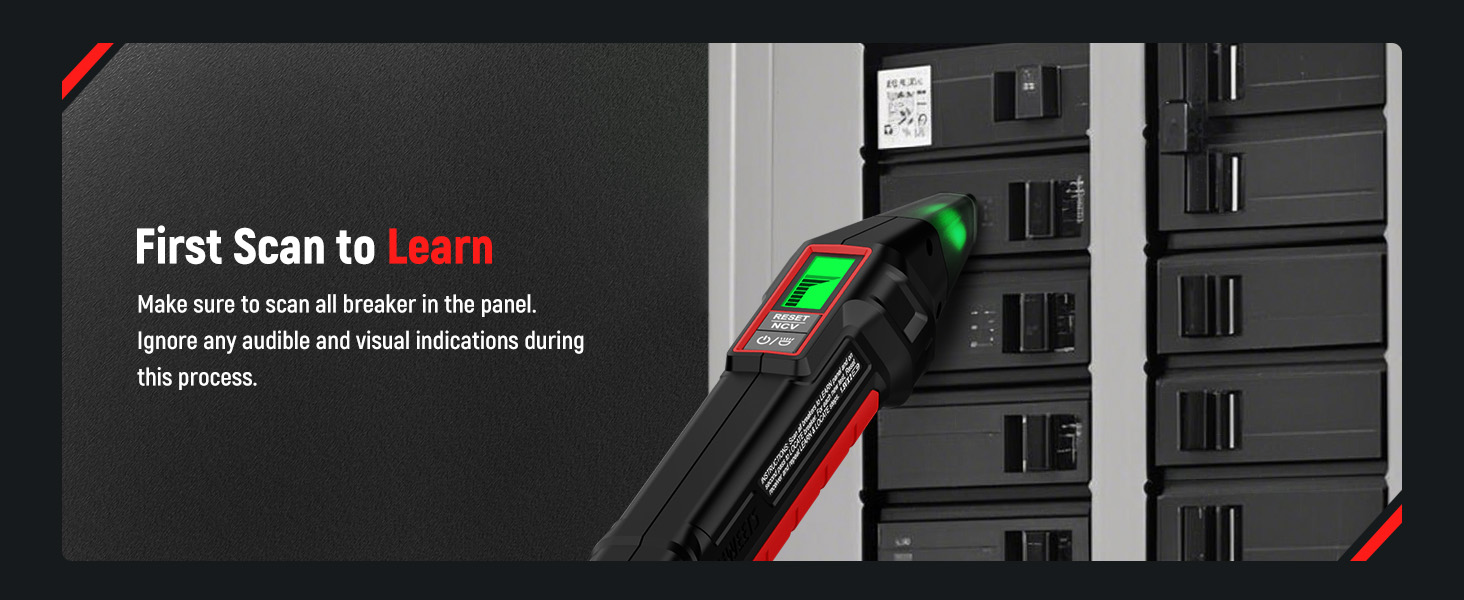
Image 4: First scan to learn the circuit breaker patterns.
- Second Scan (Locate Mode): Scan the electrical panel again. The receiver will now accurately identify the correct breaker connected to the transmitter. It will provide clear visual and audible indications (e.g., a strong signal on the LCD, a distinct beep) when the correct breaker is found.
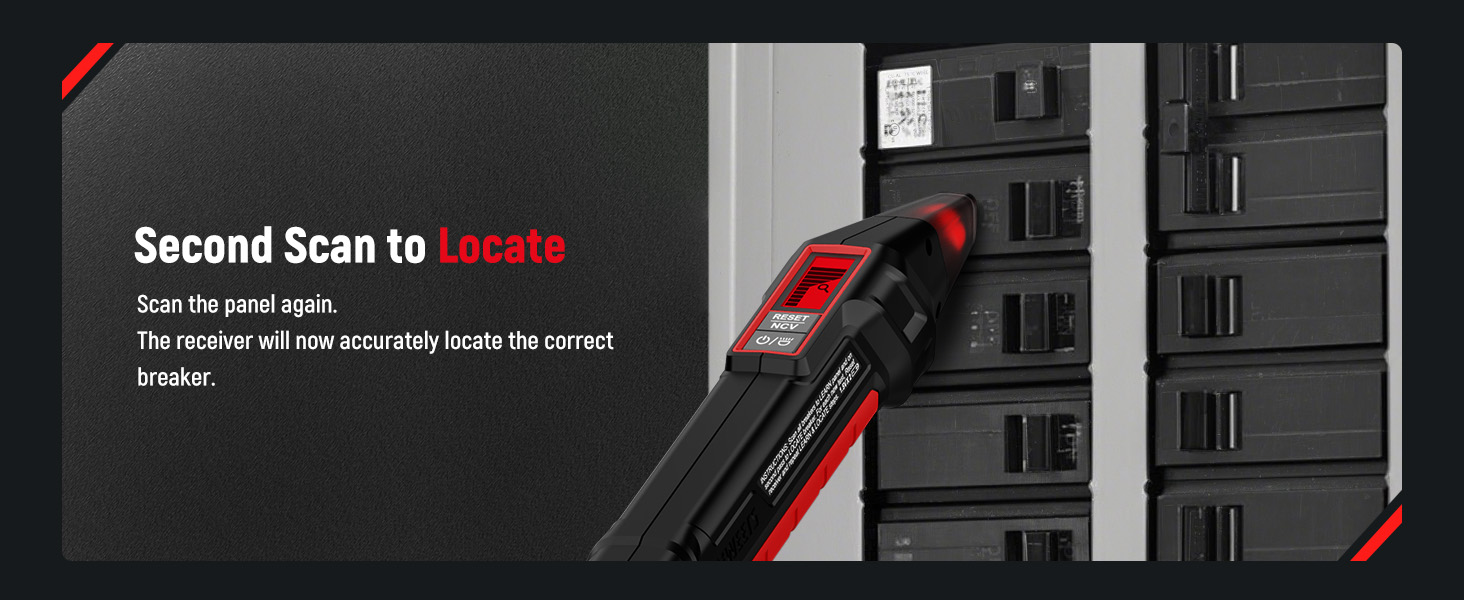
Image 5: Second scan to accurately locate the correct breaker.
6.2. GFCI Outlet Testing
The transmitter functions as a GFCI outlet tester:
- Plug the transmitter into a standard 120V AC outlet.
- Observe the LCD display for voltage and wiring status. The red/green LED indicators will also provide immediate feedback on wiring condition.
- To test the GFCI function, press the TEST button on the transmitter. A working GFCI outlet should trip, cutting power to the outlet.
- Press the RESET button on the GFCI outlet to restore power after testing.

Image 6: GFCI Outlet Tester displaying voltage and wiring condition.
6.3. Non-Contact Voltage (NCV) Test
The receiver includes an NCV function for detecting live AC voltage without direct contact:
- Turn on the receiver.
- Hold the tip of the receiver near a wire, outlet, or electrical component.
- If AC voltage is detected, the receiver will emit an audible beep and/or visual indication (e.g., flashing LED, signal strength on LCD). The intensity of the indication typically increases with proximity to the voltage source.
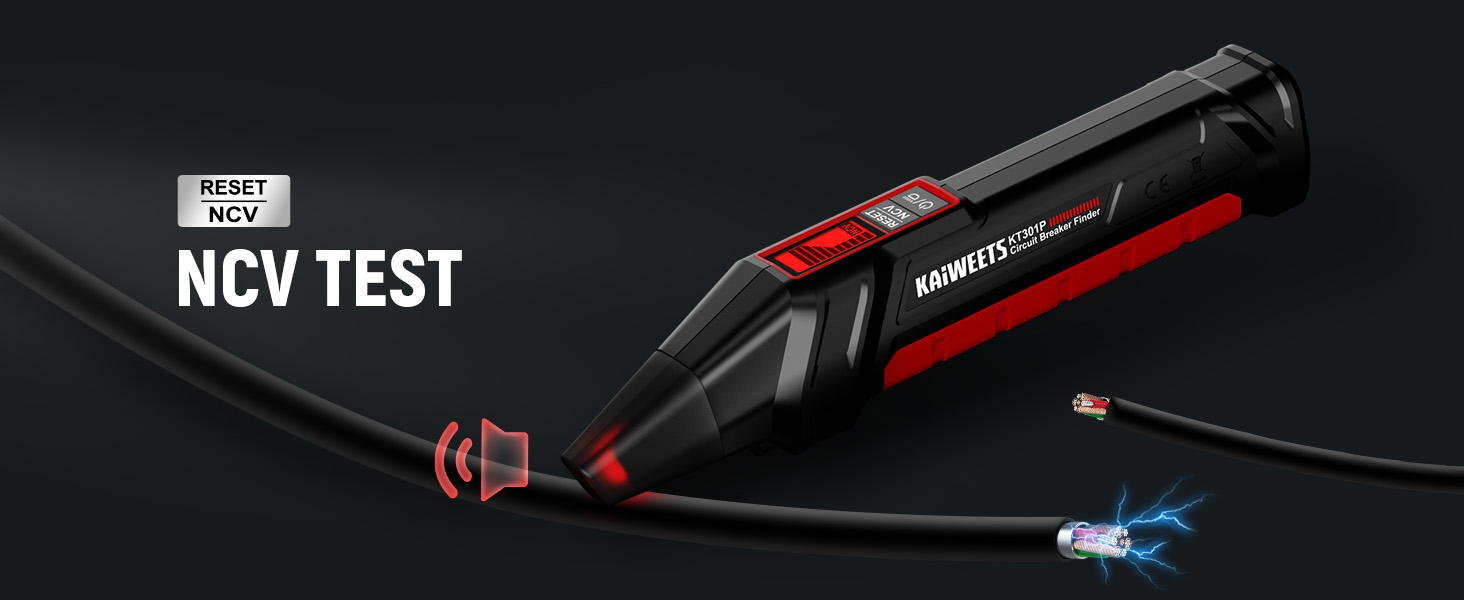
Image 7: NCV test in progress, detecting live voltage.
6.4. Flashlight Function
The receiver features a built-in flashlight to assist in dimly lit environments, such as electrical panels or basements. Activate the flashlight by pressing the designated button on the receiver.
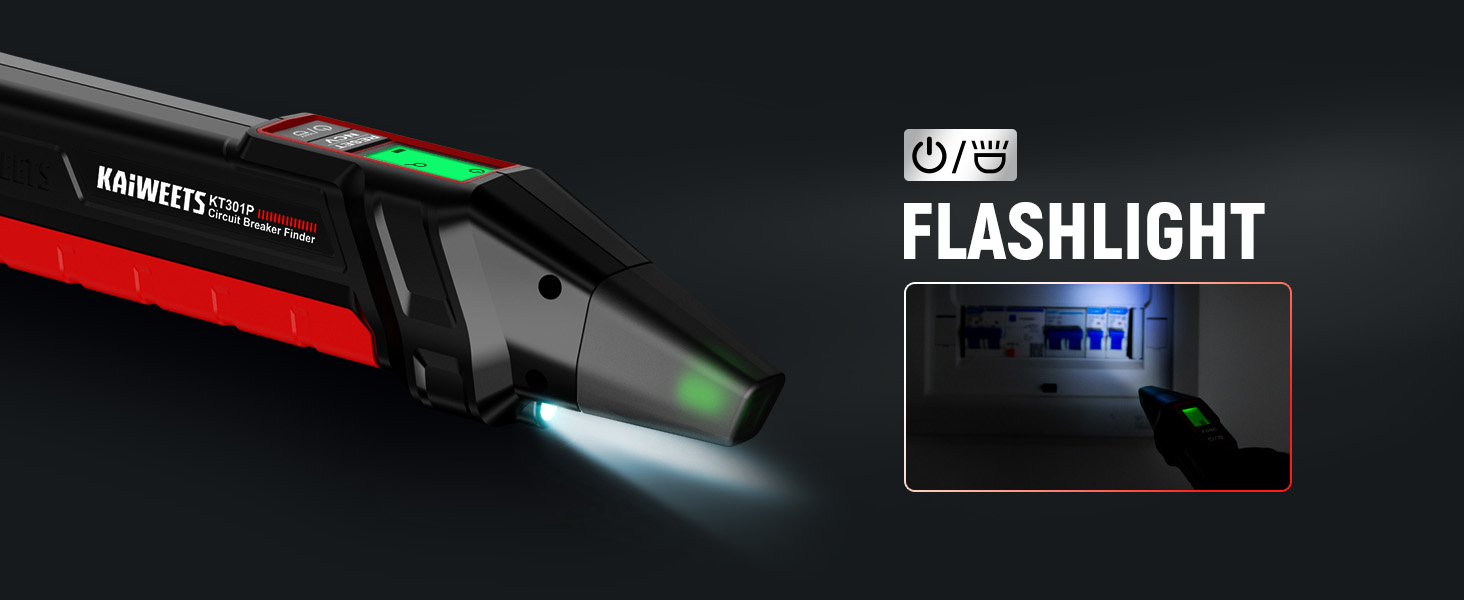
Image 8: Receiver's flashlight illuminating a circuit breaker panel.
7. Wiring Fault Detection
The GFCI Outlet Tester (transmitter) can diagnose 7 common wiring faults. The LCD screen and LED indicators provide clear feedback:
- Correct Wiring: Indicates proper connection of Live, Neutral, and Ground wires.
- Missing Live: No voltage detected on the live wire.
- Open Ground: The ground wire is disconnected or not properly connected.
- Open Neutral: The neutral wire is disconnected or not properly connected.
- Live & Ground Reversed: The live and ground wires are swapped.
- Live & Neutral Reversed: The live and neutral wires are swapped.
- Live & Ground Reversed, Open Ground: A combination of reversed live/ground and an open ground.
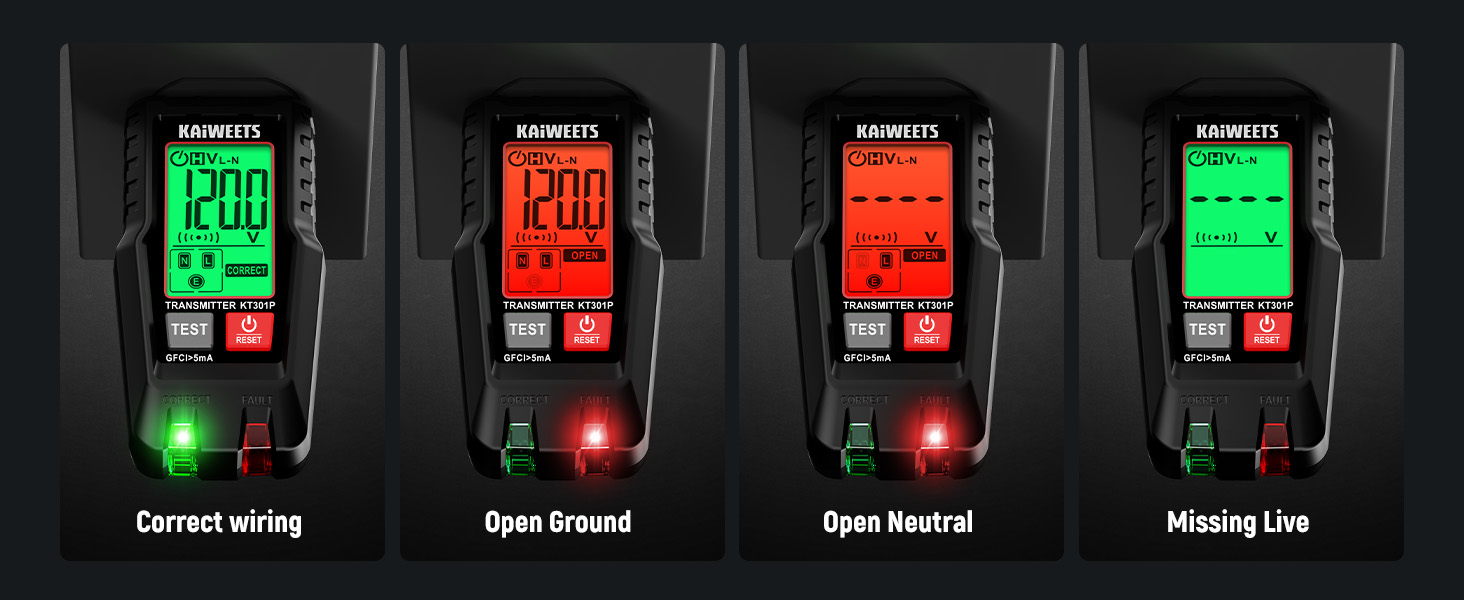
Image 9: Examples of wiring fault indications (Correct, Open Ground, Open Neutral, Missing Live).

Image 10: Examples of wiring fault indications (Reversed connections).
8. Maintenance
- Cleaning: Wipe the device with a dry, soft cloth. Do not use abrasive cleaners or solvents.
- Storage: Store the device in its carrying case in a cool, dry place when not in use.
- Battery Replacement: Replace batteries promptly when the low battery indicator appears to ensure accurate readings. Dispose of old batteries according to local regulations.
9. Troubleshooting
- Device not powering on: Check battery installation and ensure batteries are not depleted. Replace if necessary.
- Inaccurate breaker finding: Ensure the transmitter is securely plugged into the live circuit. Perform both the "First Scan (Learn Mode)" and "Second Scan (Locate Mode)" as described in Section 6.1. Scan slowly and methodically over each breaker.
- GFCI test not tripping: Verify the outlet is a GFCI-protected outlet. If it is, and the test button does not trip the circuit, the GFCI mechanism may be faulty and should be inspected by a qualified electrician.
- NCV not detecting voltage: Ensure the receiver is turned on and the NCV sensor is held close to the live conductor. Check battery level.
10. Specifications
| Feature | Specification |
|---|---|
| Brand | KAIWEETS |
| Model | KT301P |
| Power Source | Battery Powered |
| Min. Operating Voltage | 30 volts |
| Measurement Type | Voltmeter |
| Compatible Devices | Electrical circuits, outlets |
| Color | Black |
| Certifications | CE, FCC |
| Included Components | 1*Circuit Breaker Finder |
11. Warranty and Support
KAIWEETS products are designed for reliability and performance. For warranty information, technical support, or service inquiries, please refer to the contact information provided with your product packaging or visit the official KAIWEETS website. Keep your purchase receipt as proof of purchase for warranty claims.


