
1. Introduction
This manual provides detailed instructions for the installation, operation, and maintenance of your iCarSEPTON 4G+64G Car Stereo for Ford Edge models from 2011 to 2014. This unit features a 9.7-inch Tesla-style vertical touch screen, integrated Wireless CarPlay and Android Auto, GPS navigation, Bluetooth, Wi-Fi, and steering wheel control compatibility. Please read this manual thoroughly before installation and use to ensure proper function and safety.
Video 1: Overview of the iCarSEPTON Car Stereo for Ford Edge 2011-2014. This video demonstrates the general appearance and some features of the car stereo unit.
2. Safety Information
Always prioritize safety when operating your vehicle. Improper installation or use of this device can lead to accidents or injury. Adhere to the following safety guidelines:
- Professional Installation Recommended: If you are not experienced with car electronics installation, seek professional assistance.
- Power Disconnection: Always disconnect the vehicle's battery before performing any electrical work to prevent short circuits and damage.
- Wiring: Ensure all wiring is correctly connected according to the provided wiring diagram. Incorrect wiring can cause damage to the unit or vehicle.
- Driving Safety: Do not operate the touch screen or engage in activities that distract you from driving. Always keep your eyes on the road.
- Volume Control: Maintain a safe listening volume to remain aware of traffic and emergency vehicles.
- Temperature: Avoid exposing the unit to extreme temperatures or direct sunlight for prolonged periods.
3. Package Contents
Verify that all components are present in the package before beginning installation:
- Ford Edge radio receiver
- Back Camera
- Harness Cable
- Canbus Box
- Instructions and Installation Guide
- USB adapter
- Gift (installation tool)
- RCA Cable
- GPS Antenna
- USB Cable x2
- Protocol Box
- Reverse Cable
- Radio adapter
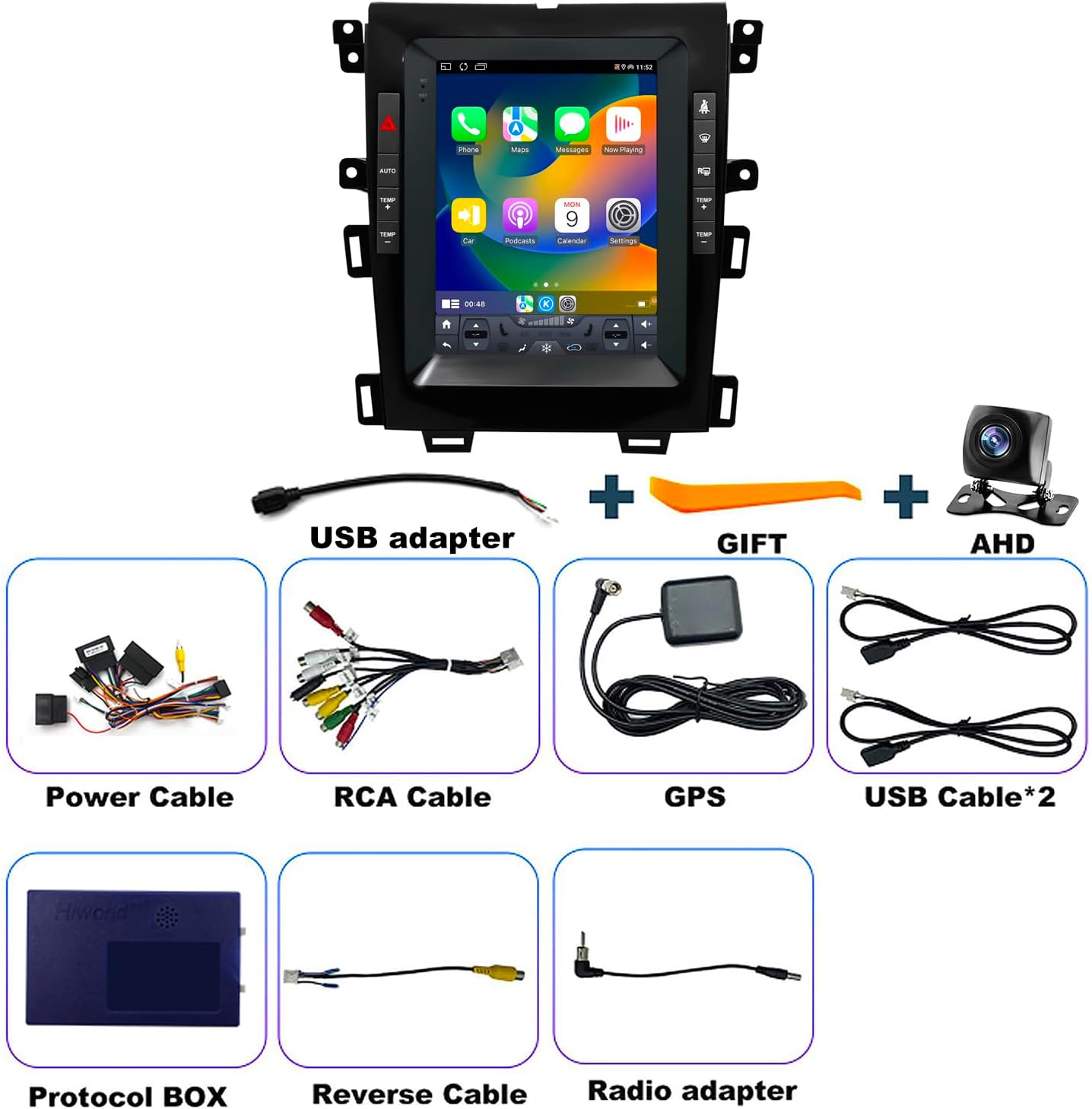
Image 1: Visual representation of the accessories included with the iCarSEPTON Car Stereo. This image displays the main unit, backup camera, various cables (power, RCA, USB, reverse), GPS antenna, Canbus box, protocol box, USB adapter, radio adapter, and an installation tool.
4. Setup and Installation
4.1 Vehicle Compatibility
This car audio receiver head unit is specifically designed for the Ford Edge models from 2011, 2012, 2013, and 2014. It features a Tesla-style vertical touch screen and is fully compatible with JBL sound systems. Please ensure your vehicle's dashboard matches the compatible configurations shown below.
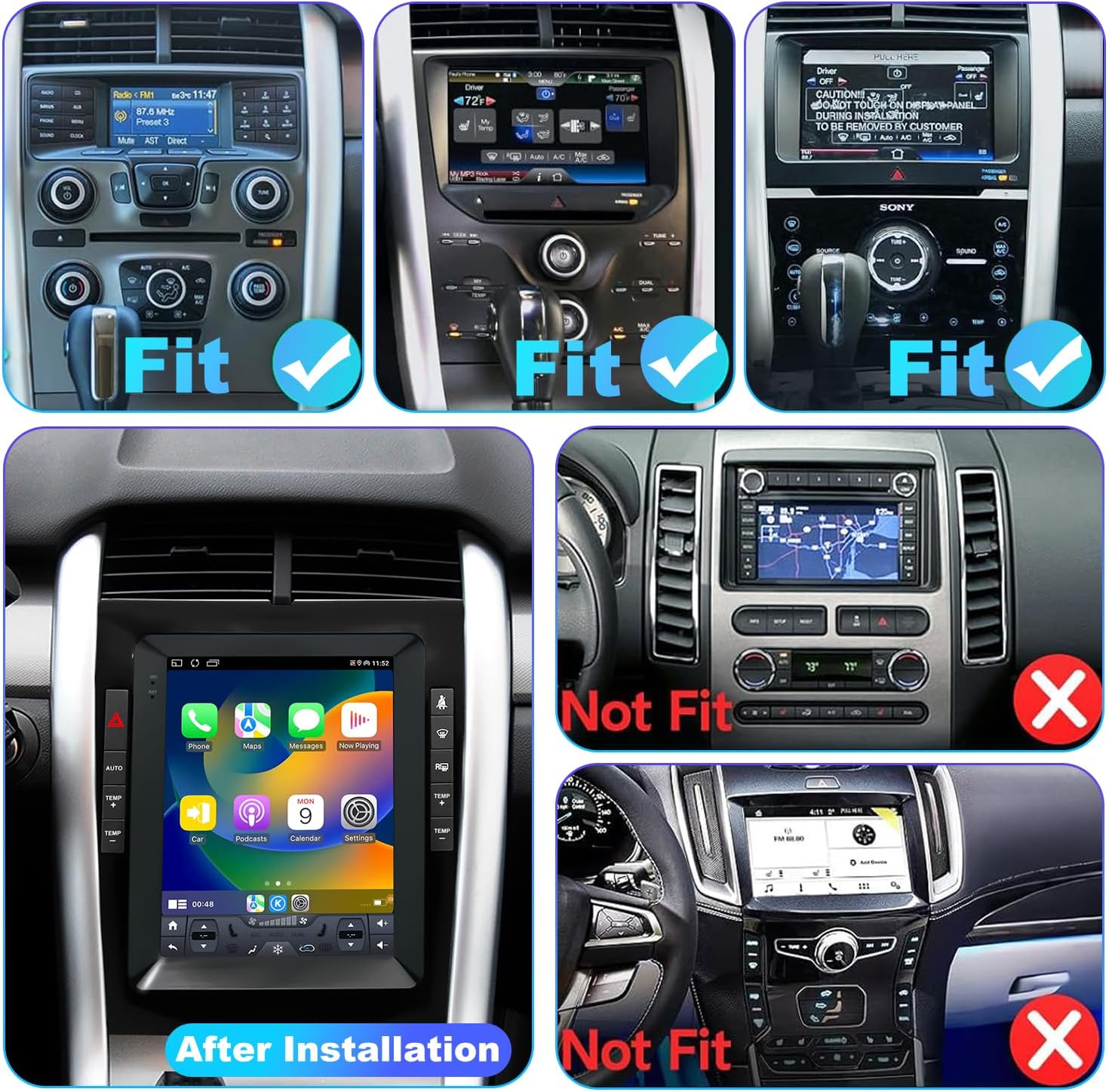
Image 2: This image illustrates compatible and incompatible dashboard configurations for the Ford Edge (2011-2014) with the iCarSEPTON car stereo. It shows three 'Fit' examples of original dashboards and two 'Not Fit' examples, helping users identify if their vehicle is compatible.
4.2 Installation Overview
Refer to the included 'Instructions and Installation Guide' for detailed, step-by-step installation procedures. The general process involves:
- Disconnecting the vehicle's battery.
- Removing the original car radio and dashboard trim.
- Connecting the new car stereo's harness cable, Canbus box, and other accessories (GPS antenna, backup camera, USB cables).
- Mounting the new unit into the dashboard.
- Reconnecting the vehicle's battery and performing initial power-on tests.
4.3 Wiring Connections
The harness cable and Canbus box are designed for plug-and-play installation in compatible Ford Edge models. Ensure all connectors are securely fastened. The backup camera, GPS antenna, and USB cables have dedicated ports on the main unit. Consult the wiring diagram in the separate installation guide for specific connections.
5. Operating Instructions
5.1 Basic Navigation and Touch Screen
The unit features a responsive 9.7-inch capacitive touch screen. Navigate through menus and applications by tapping, swiping, and pinching. The home screen provides quick access to essential functions like Phone, Maps, Music, and Settings.
5.2 Wireless CarPlay & Android Auto
Connect your smartphone seamlessly via Wireless CarPlay or Android Auto. This allows for voice control through Apple Siri or Google Assistant to manage navigation, calls, music, and apps.

Image 3: This image displays the car stereo's interface showing Wireless CarPlay and Android Auto in action, with voice assistant icons and phone integration.
Video 2: Instructions on how to connect to Wireless CarPlay. This video guides users through the steps to establish a CarPlay connection with their iPhone.
Video 3: Instructions on how to connect to Wireless Android Auto. This video demonstrates the process for connecting an Android phone to the stereo's Android Auto feature.
5.3 GPS Navigation
The stereo includes both online and offline maps. With Wi-Fi connectivity, you receive real-time navigation, accurate directions, and live traffic updates. You can download offline maps for areas with limited internet access.
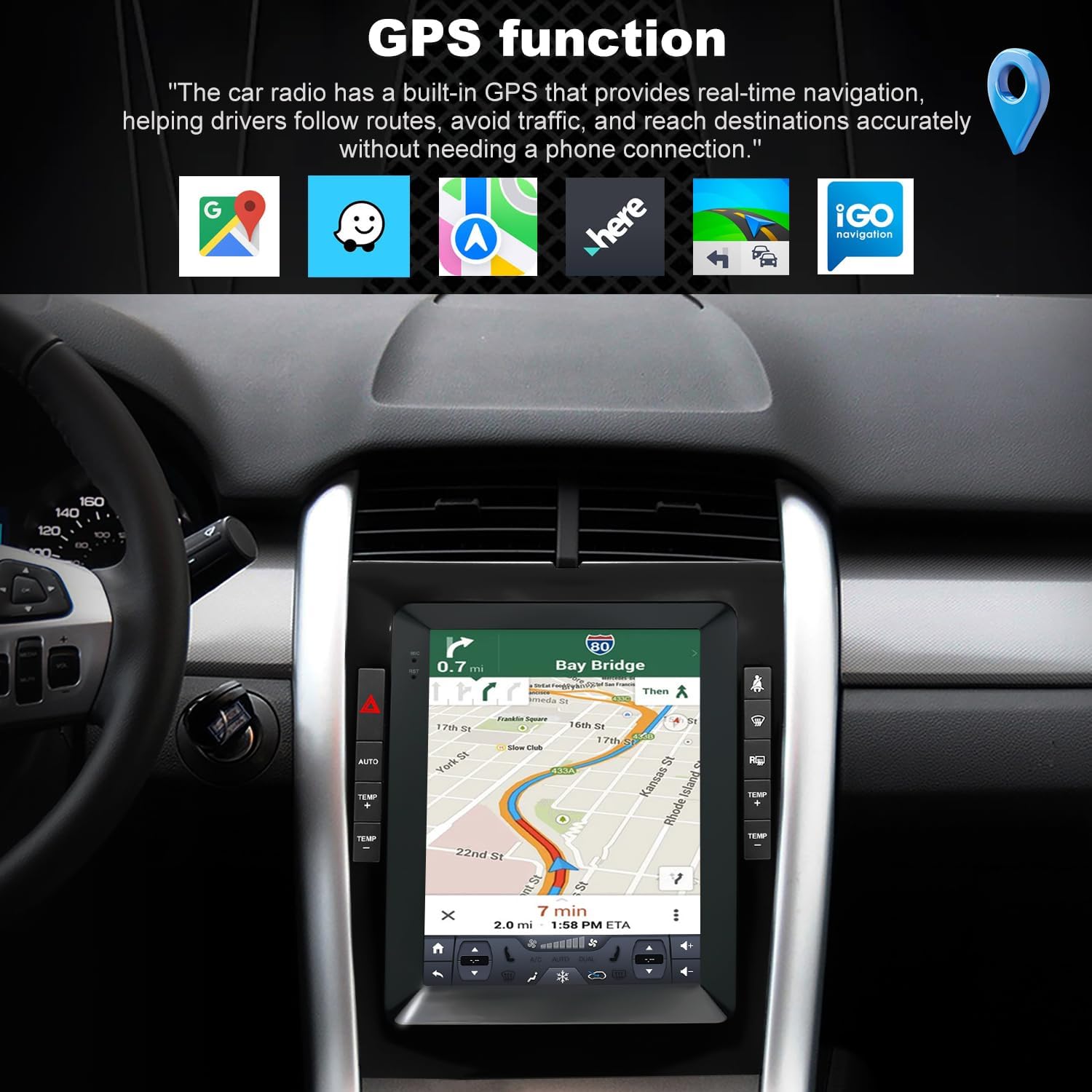
Image 4: This image highlights the GPS navigation function, showing various map applications and a navigation route displayed on the car stereo screen.
5.4 Wi-Fi Connectivity
The built-in Wi-Fi module allows connection to the internet for streaming music, downloading apps, using online navigation, and receiving software updates. Access the Wi-Fi settings to connect to available networks.
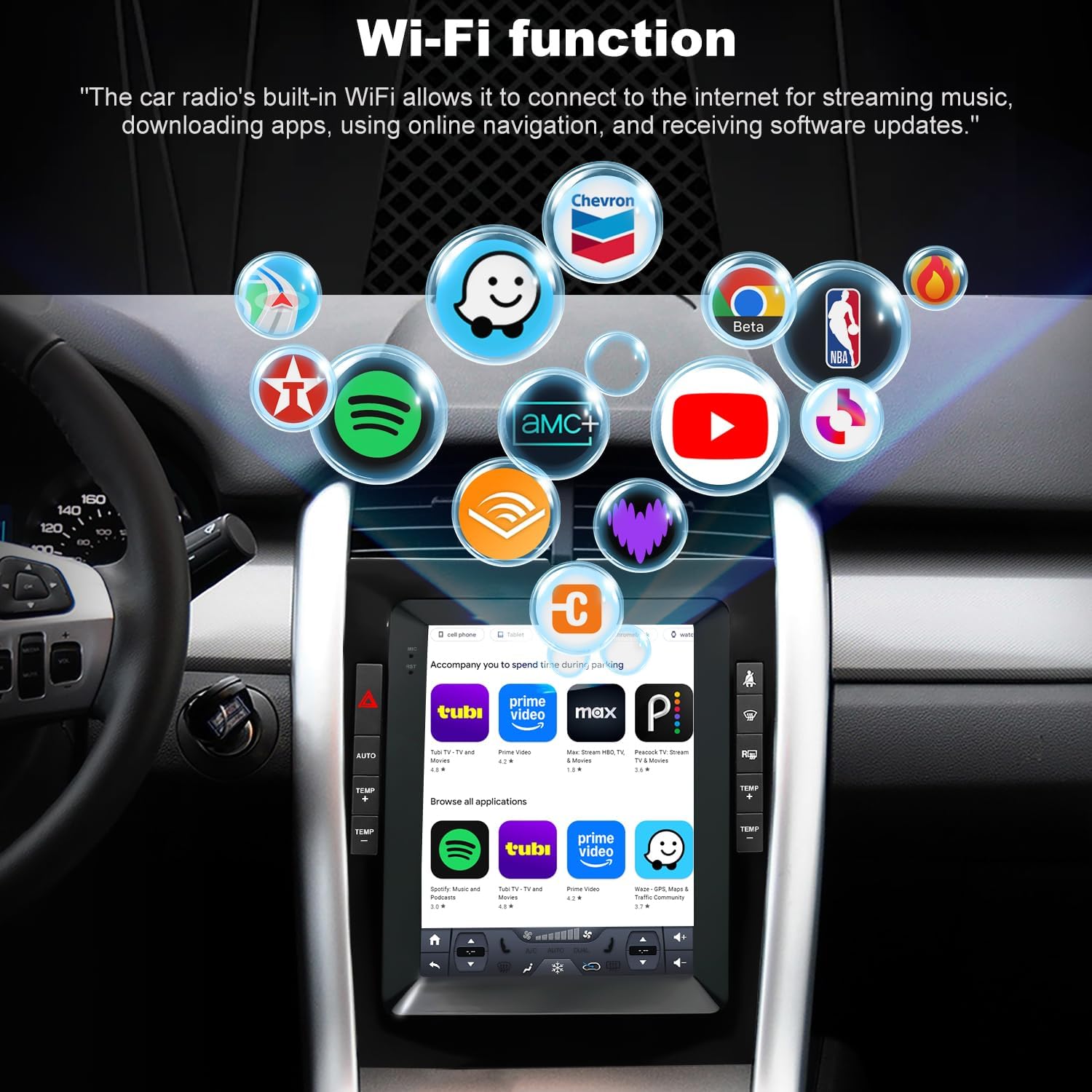
Image 5: This image demonstrates the Wi-Fi function, showing various streaming and app icons accessible through the car stereo's internet connection.
5.5 Bluetooth
Utilize Bluetooth for hands-free calls and audio streaming. Pair your smartphone with the car stereo to make and receive calls safely and play music wirelessly.
5.6 FM Radio
The unit features an FM radio with 18 preset stations. Easily scan and save your favorite radio stations for music, news, or entertainment.
5.7 Steering Wheel Control Learning
The steering wheel controls can be configured to manage essential features without taking your hands off the wheel. Access the 'Steering Wheel Learning' function in the settings menu to program your vehicle's steering wheel buttons.

Image 6: This image illustrates the 'Steering Wheel Learning' process on the car stereo, showing the steps to configure steering wheel buttons for various functions.
5.8 Rear View Camera
The built-in Rear View Camera ensures safer parking and reversing by providing a clear view of the area behind your vehicle on the screen when reverse gear is engaged.
5.9 Split Screen Function
The split-screen feature allows you to run two applications simultaneously on the display, such as navigation and music playback, enhancing multitasking capabilities.
5.10 Audio Equalizer (EQ)
Adjust audio settings using the integrated equalizer to customize sound output according to your preferences and vehicle acoustics.
6. Maintenance
To ensure the longevity and optimal performance of your iCarSEPTON car stereo, follow these maintenance guidelines:
- Screen Cleaning: Use a soft, lint-free cloth to clean the touch screen. For stubborn smudges, lightly dampen the cloth with water or a screen-safe cleaner. Avoid abrasive materials or harsh chemicals.
- Dust Removal: Regularly wipe down the unit's exterior to prevent dust buildup, which can affect performance and appearance.
- Software Updates: Periodically check for and install available software updates via Wi-Fi to ensure the system has the latest features and bug fixes.
- Avoid Liquid Exposure: Do not expose the unit to excessive moisture or liquids.
- Temperature Control: While designed for automotive use, extreme temperatures can impact electronic components. Avoid leaving the vehicle in direct sunlight for extended periods in hot climates.
7. Troubleshooting
If you encounter issues with your car stereo, refer to the following common problems and solutions:
| Problem | Possible Cause | Solution |
|---|---|---|
| Unit does not power on. | Incorrect wiring, blown fuse, vehicle battery issue. | Check power connections, inspect vehicle fuses, ensure battery is charged. |
| No sound. | Volume too low, incorrect audio source, speaker wiring issues. | Increase volume, select correct audio source, check speaker connections. |
| CarPlay/Android Auto not connecting. | Bluetooth/Wi-Fi off, phone not paired, app not installed. | Ensure Bluetooth/Wi-Fi is enabled on both devices, re-pair phone, install Android Auto app if necessary. |
| GPS signal lost or inaccurate. | GPS antenna obstructed or disconnected. | Ensure GPS antenna has a clear view of the sky and is securely connected. |
| Steering wheel controls not working. | Controls not programmed, Canbus box issue. | Perform 'Steering Wheel Learning' in settings. Check Canbus box connection. |
| Touch screen unresponsive. | Temporary software glitch, screen damage. | Restart the unit. If issue persists, contact customer support. |
8. Specifications
| Feature | Detail |
|---|---|
| Brand | iCarSEPTON |
| Model Name | car radio for ford edge 2010-2014 |
| Vehicle Service Type | Car |
| Screen Size | 9.7 Inches |
| Special Features | 9.7 Inch 4+64G Ford Edge Radio Touch Screen & Split Screen Function, Back up camera & Steering wheel controls, Bluetooth & Voice Control, GPS Navigation & WIFI, Wireless Wired Carplay & Android Auto |
| Connectivity Technology | Bluetooth, USB, Wi-Fi |
| Map Type | North America |
| Audio Output Mode | Stereo |
| Mounting Type | Dashboard Mount |
| Compatible with Vehicle Type | Car |
| Operating System | Android |
| Memory Storage Capacity | 64 GB |
| Touch Screen Type | Capacitive |
| Display Type | Touch Screen |
| Human-Interface Input | Touchscreen |
| Compatible Devices | Smartphone |
| Control Method | Touch |
| Supported Satellite Navigation System | GPS |
| UPC | 618087194262 |
| Manufacturer | iCarSEPTON |
| Mfr Part Number | edge radio 2013-2014 |
9. Warranty and Support
9.1 Warranty Information
This iCarSEPTON car stereo comes with a 12-month warranty from the date of purchase. This warranty covers manufacturing defects and malfunctions under normal use. It does not cover damage caused by improper installation, misuse, accidents, or unauthorized modifications.
9.2 Customer Support
If you have any questions regarding your Ford Edge 2011-2014 car stereo accessories, installation, or operation, our dedicated tech support team is available to assist you. Please reach out to us, and we will respond promptly with the necessary help.
For support, please refer to the contact information provided with your purchase or on the official iCarSEPTON website.