
1. Introduction
Welcome to your new Mosiller Electric Fly Swatter Racket. This manual provides essential information for the safe and effective use of your 2-in-1 bug zapper. Please read all instructions carefully before operation and retain this manual for future reference.
2. Important Safety Information
- This device is not a toy. Keep out of reach of children and pets.
- Do not touch the electric grid with your fingers or any metal objects while the device is active or charging.
- Avoid using the device near flammable gases or liquids.
- Do not use the device in wet environments or allow it to come into contact with water.
- Do not attempt to modify or repair the device yourself. Contact customer support for assistance.
- The 3-layer safety mesh is designed to prevent accidental contact with the high-voltage grid, but caution should always be exercised.
3. Product Features
- 2-in-1 Design: Functions as a manual fly swatter and an automatic insect lamp.
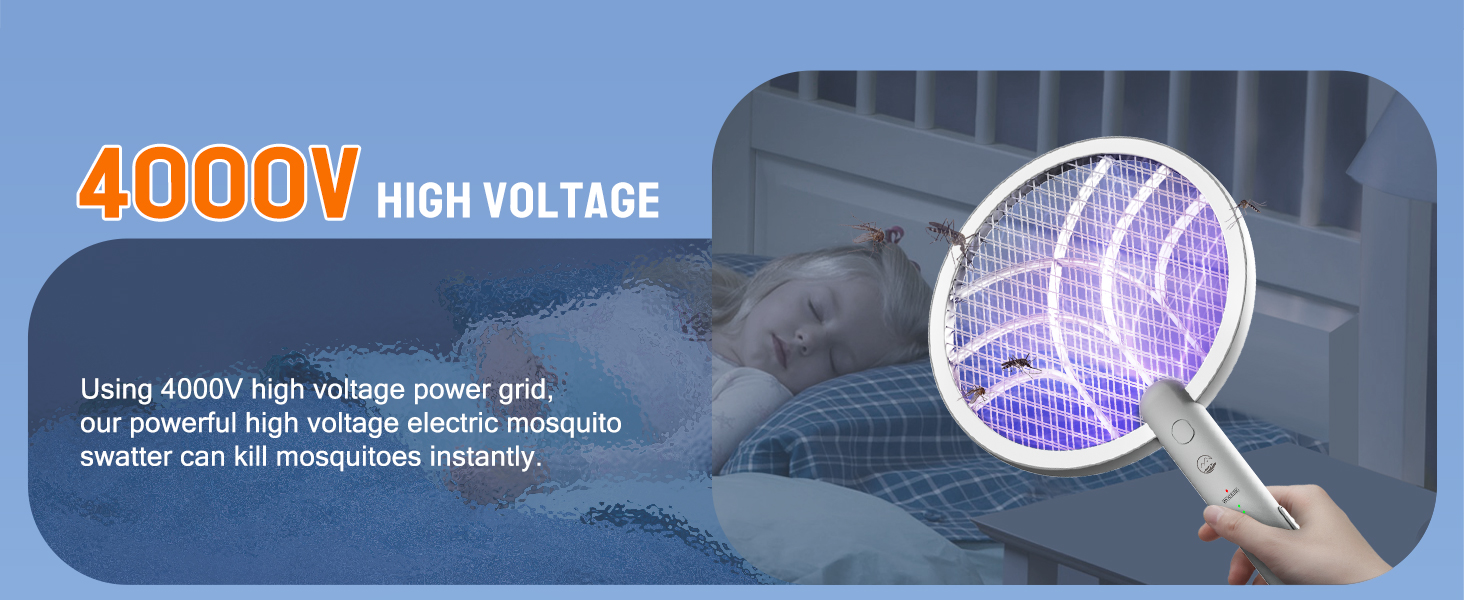
- High-Voltage Grid: Equipped with a powerful 4000V grid for instant insect elimination.
- Rechargeable Battery: Built-in 1800mAh battery for extended use.
- 3-Layer Safety Mesh: Provides enhanced protection against accidental contact.
- UV Light Attraction: Emits a 395mm wavelength UV light to attract insects in automatic mode.
- Double Safety Switch: Prevents accidental activation.
- USB-C Charging: Convenient and fast charging via a Type-C port.

The electric fly swatter racket features a blue UV light to attract insects.

The powerful 4000V high-voltage grid instantly zaps mosquitoes, flies, moths, and midges.

This image highlights the effective bug zapper features including electric shock protection, large capacity battery, 3-layer mesh, UV light, quick elimination, Type-C charging base, safety double switch, and 4000V high voltage. Dimensions are 9.1 inches wide and 18.1 inches high.
4. Setup
The Mosiller Electric Fly Swatter Racket comes largely pre-assembled. Follow these steps for initial setup:
- Unpack the device and its charging base from the packaging.
- Ensure the device is fully charged before its first use.
- To charge, place the racket into the charging base, ensuring the USB-C cable is connected to a power source.
The fly swatter is shown charging in its base on a nightstand, ready for use.
5. Operating Instructions
Manual Swatting Mode (ON1)
To activate manual mode, slide the power switch to the "ON1" position. Press and hold the large circular button on the handle to activate the high-voltage grid. A red indicator light will illuminate. Swing the racket to make contact with flying insects. Release the button to deactivate the grid.
Automatic Insect Lamp Mode (ON2)
For automatic insect attraction and zapping, slide the power switch to the "ON2" position. Place the racket in its charging base. The built-in UV light will emit a 395mm wavelength to attract insects, which are then zapped upon contact with the grid. This mode is ideal for continuous pest control in a stationary location.
This video demonstrates the Mosiller Electric Fly Swatter Racket in both manual and automatic modes, highlighting its effectiveness against various insects.
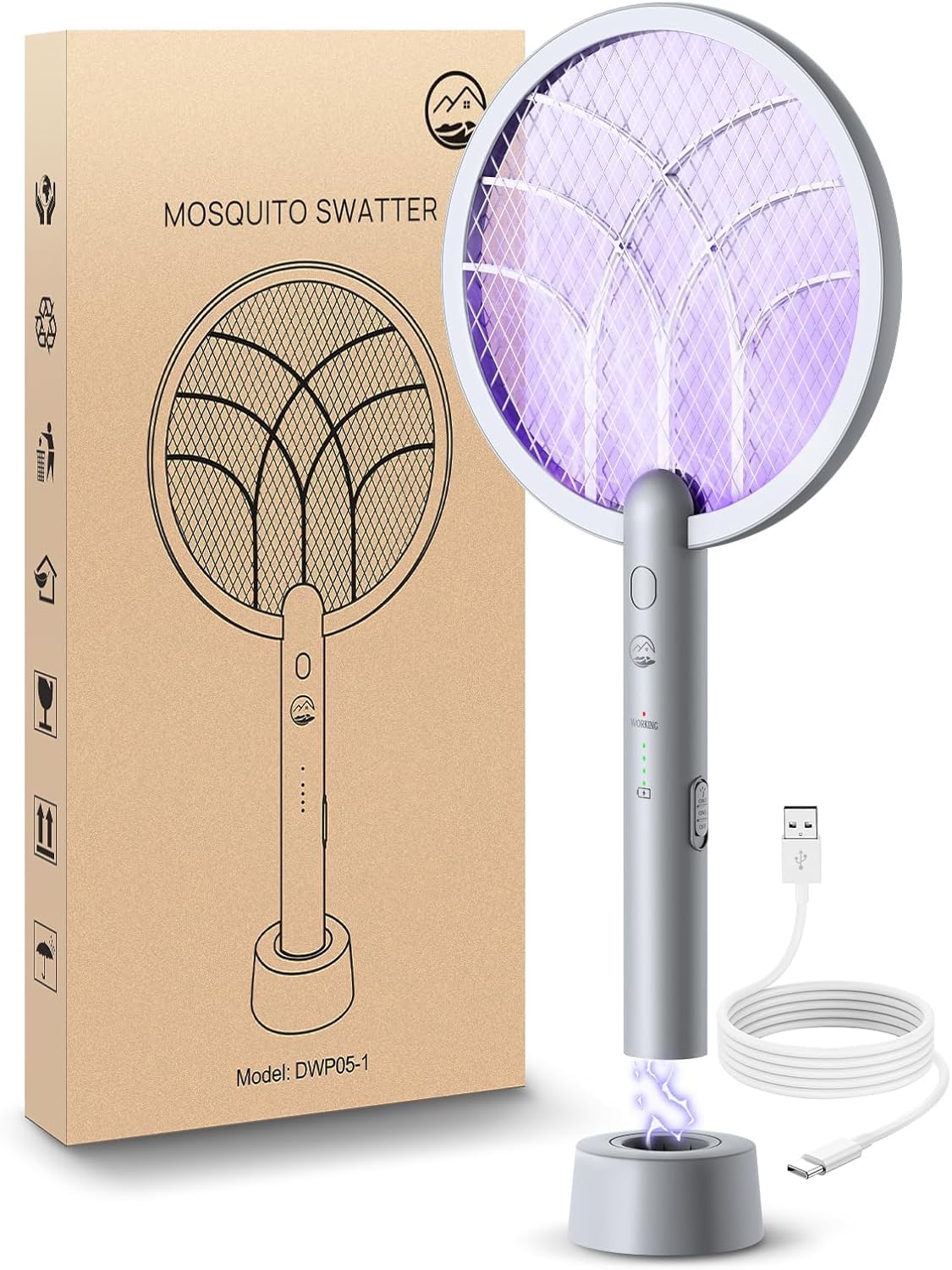
The main product image shows the electric fly swatter standing upright in its charging base, with the blue UV light active, indicating it's in automatic insect lamp mode.

The image illustrates the fly swatter's ability to release 360-400nm mosquito habit wavelength to attract and kill mosquitoes, emphasizing the harmlessness of the intelligent purple light.
6. Charging
The Mosiller Electric Fly Swatter Racket features a built-in 1800mAh rechargeable battery. Follow these steps to charge your device:
- Connect the provided USB-C cable to the charging port on the base.
- Plug the other end into a compatible USB power adapter (not included), car charger, computer, or power bank.
- The battery indicator lights on the handle will show the charging status. All lights illuminated indicate a full charge.

This image shows the fly swatter charging via a USB-C cable, highlighting its 1800mAh rechargeable battery and long endurance.

This image displays the versatility of charging options for the device, including standard wall adapters, car chargers, computer USB ports, and power banks.
7. Maintenance
To ensure optimal performance and longevity, regular cleaning is recommended:
- Ensure the device is turned off and unplugged from the charging base before cleaning.
- Use a soft, dry brush or cloth to gently remove any insect debris from the grid.
- Do not use water or wet cloths directly on the electric grid.
- Store the device in a cool, dry place when not in use.
8. Troubleshooting
If you encounter any issues with your Mosiller Electric Fly Swatter Racket, please refer to the table below:
| Problem | Solution |
|---|---|
| Device not turning on/zapping | Check battery level and recharge. Ensure the power switch is in the correct "ON1" or "ON2" position. |
| Ineffective zapping | Ensure the grid is clean of debris. Fully charge the battery. |
| UV light not working | Ensure the device is in "ON2" mode and fully charged. |
If issues persist, please contact Mosiller customer support for further assistance.
9. Product Specifications
| Feature | Detail |
|---|---|
| Brand | Mosiller |
| Model Number | WD-942 |
| Voltage | 4000V |
| Battery Capacity | 1800mAh |
| Charging Type | USB-C |
| Product Dimensions | 9"L x 1"W x 16"H |
| Item Weight | 1 Pound |
| Safety Features | 3-Layer Safety Mesh, Double Switch |
| UV Wavelength | 395mm (for attracting insects) |

This image details the three-layer safety net design, showing the outer safety mesh layers protecting the inner high-voltage grid.
10. Warranty and Customer Support
For warranty details, product registration, or technical assistance, please refer to the official Mosiller website or contact their customer support directly. Keep your purchase receipt for any warranty claims.