
1. Setup
Follow these steps to assemble and prepare your Nityers QQ-022 Automatic Pet Feeder for first use.
1.1 Unboxing and Assembly
Carefully remove all components from the packaging. The feeder consists of a base unit, a food hopper, a lid, and two stainless steel bowls with a tray.
Video: This video demonstrates the unboxing and assembly process of the Nityers Automatic Pet Feeder, showing how to put together the main components including the food hopper and bowls.
- Attach the Food Hopper: Align the food hopper with the base unit and gently press down until it clicks into place. Ensure the side locks are engaged to secure the hopper.
- Insert Bowls: Place the stainless steel bowls into the dual bowl tray, then slide the tray into the designated slot at the front of the base unit.
- Install Desiccant: Open the desiccant compartment on the underside of the lid and insert the provided desiccant bag. Close the compartment securely. This helps maintain food freshness.
- Secure the Lid: Place the lid onto the food hopper and ensure it locks securely to prevent pets from accessing the food prematurely.
1.2 Power Supply
The feeder supports dual power supply options to ensure uninterrupted feeding.
- Primary Power: Connect the provided Type-C power adapter to the feeder and plug it into a wall outlet.
- Backup Power: For power outage protection, insert 4 AA batteries (not included) into the battery compartment located at the bottom of the base unit.

Image: The Nityers Automatic Pet Feeder is shown connected to a power outlet, illustrating its dual power supply capability. Two cats are visible near the feeder.
1.3 Filling the Food Hopper
The 8L capacity hopper can hold up to 34 cups of dry pet food. The transparent design allows for easy monitoring of food levels.
- Unlock and remove the lid from the food hopper.
- Pour dry pet food into the hopper. Ensure the food size is between 3-15mm to prevent jamming.
- Replace the lid and secure it firmly.
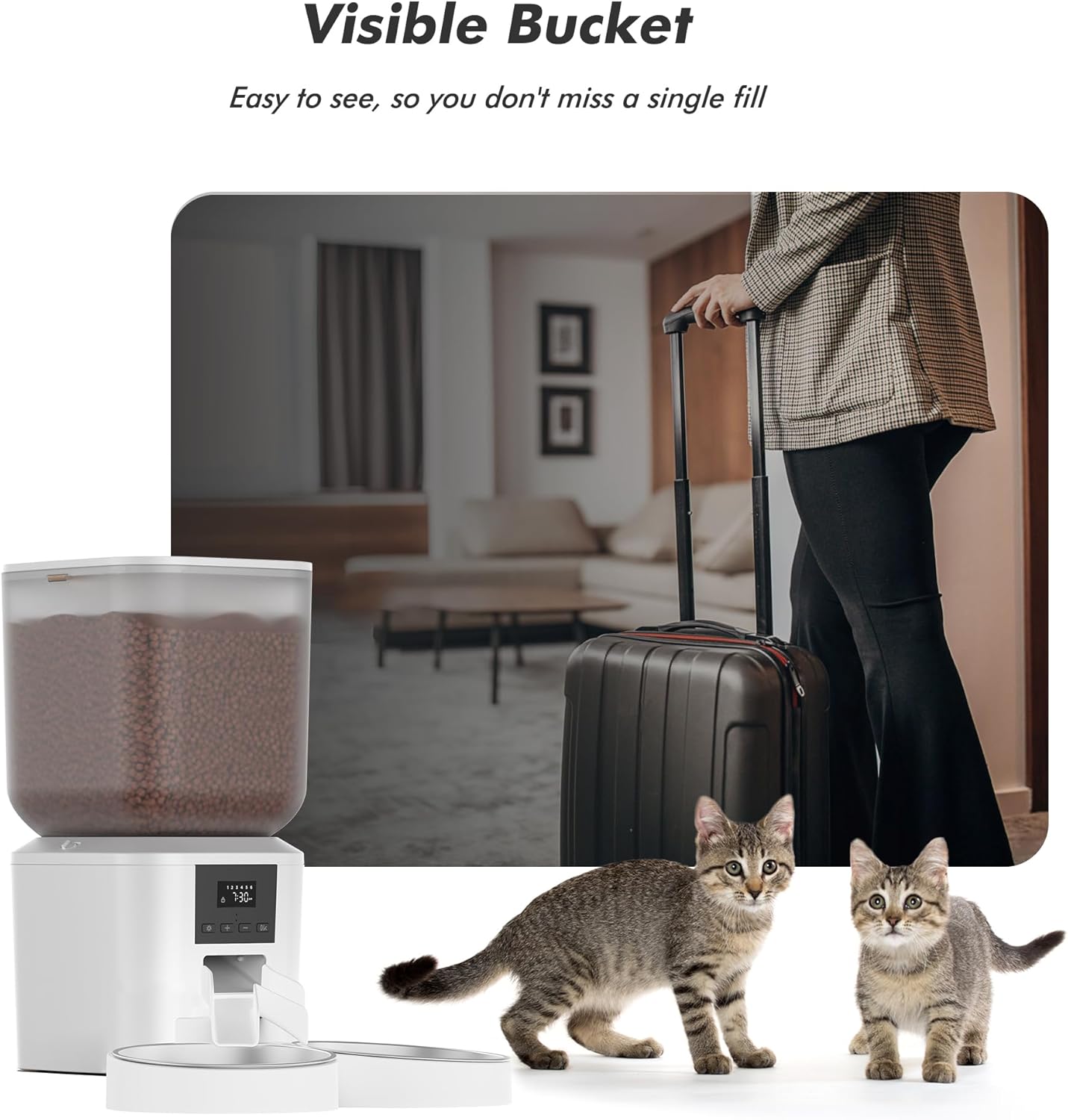
Image: The transparent food hopper of the Nityers Automatic Pet Feeder is visible, allowing users to easily check the food level. This feature is convenient for pet owners who are away from home.
2. Operating Instructions
The Nityers QQ-022 feeder features an intuitive LCD screen and easy-to-use buttons for programming feeding schedules.
2.1 Setting Time and Feeding Schedule
You can schedule up to 6 meals per day with customizable portion sizes (1 to 50 portions, approx. 7g each).

Image: A detailed view of the feeder's LCD screen and control buttons, including 'Setting', 'Up/Down', and 'OK' buttons, which are used for programming the feeding schedule and time.
- Press the 'Setting' button (gear icon) to enter programming mode.
- Use the '+' and '-' buttons to adjust the current time (hour and minute). Press 'OK' to confirm each setting.
- Continue using the 'Setting' button to cycle through meal numbers (1-6). For each meal, set the desired feeding time and portion size using the '+' and '-' buttons, confirming with 'OK'.
- After setting all desired meals, exit programming mode by pressing the 'Setting' button until the display returns to the current time.
Video: This video demonstrates how to set the clock and schedule feeding times on the Nityers Automatic Pet Feeder, including recording a voice message.
2.2 Voice Message Recording
Record a personalized voice message (up to 10 seconds) that will play during feeding times to call your pets.
- In programming mode (after setting time/portions), navigate to the voice recording option.
- Press and hold the 'Record' button (microphone icon) and speak your message. Release the button when finished.
- The recorded message will play automatically during scheduled feeding times.
2.3 Manual Feeding
To dispense food instantly outside of the scheduled times:
- Press the 'Manual Feed' button (often the 'Play' or 'OK' button when not in setting mode) to dispense one portion of food.
- Repeat as needed for additional portions.
3. Maintenance
Regular cleaning ensures optimal performance and hygiene for your pet.
3.1 Cleaning
The feeder features fully removable parts for thorough cleaning.

Image: The image shows various detachable parts of the Nityers Automatic Pet Feeder, such as the food hopper and stainless steel bowls, being washed in a sink, emphasizing the ease of cleaning.
- Disassembly: Unlock and remove the lid, food hopper, dispenser rotor, stainless steel bowls, and bowl tray.
- Washing: Hand wash all removable parts with mild soap and water. Rinse thoroughly.
- Drying: Ensure all parts are completely dry before reassembly to prevent moisture from affecting food or electronics.
- Base Unit: Do not wash the base unit. Wipe it clean with a dry or slightly damp cloth.
3.2 Desiccant Replacement
Replace the desiccant bag every 1-2 months to maintain optimal food freshness.
- Open the desiccant compartment on the underside of the lid.
- Remove the old desiccant bag and insert a new one.
- Close the compartment securely.

Image: The image illustrates the desiccant bag being placed into the lid of the Nityers Automatic Pet Feeder, highlighting its role in keeping pet food fresh and crunchy.
4. Troubleshooting
If you encounter any issues with your feeder, refer to the following common solutions:
- Food Not Dispensing:
- Check food level in the hopper.
- Ensure food kibble size is between 3-15mm to prevent jamming.
- Verify the anti-jamming mechanism is clear of obstructions.
- Feeder Not Powering On:
- Check if the Type-C power adapter is securely plugged into both the feeder and the wall outlet.
- If using batteries, ensure they are correctly installed and not depleted.
- Incorrect Time/Schedule:
- Refer to section 2.1 to re-program the time and feeding schedule.
Important Warning:
- Do not cut or remove any tabs on the feeder, as this may affect performance or cause malfunction.
- Modifying or altering any internal components is strictly prohibited and will void the warranty.
5. Specifications
| Feature | Detail |
|---|---|
| Model Number | QQ-022 |
| Capacity | 8 Liters (approx. 34 cups) |
| Product Dimensions | 8"L x 8"W x 14"H; 5.27 Pounds |
| Material | Plastic, Stainless Steel |
| Target Species | Cats, Dogs, Small Animals |
| Meals Per Day | Up to 6 |
| Portions Per Meal | 1 to 50 (approx. 7g per portion) |
| Bowl Diameter | 6.7 Inches |
| Power Supply | Type-C Power Adapter, 4 AA Batteries (not included) |
| Special Features | LCD Screen, Voice Recording, Anti-Jamming, Easy to Clean, Dual Bowls |
6. Warranty & Support
Nityers is committed to providing high-quality products and customer satisfaction.
- Warranty: We will issue a replacement if an item is defective within one year of purchase.
- Customer Support: For any questions or concerns, please contact our friendly and professional 24/7 customer support team.
Note: Any damage resulting from unauthorized modifications or alterations to internal components is not covered under the warranty.