
Introduction
Welcome to the KOSPET Tank T3 Ultra 2 Smartwatch user manual. This guide provides essential information for setting up, operating, and maintaining your new smartwatch. Please read thoroughly to ensure optimal performance and longevity of your device.
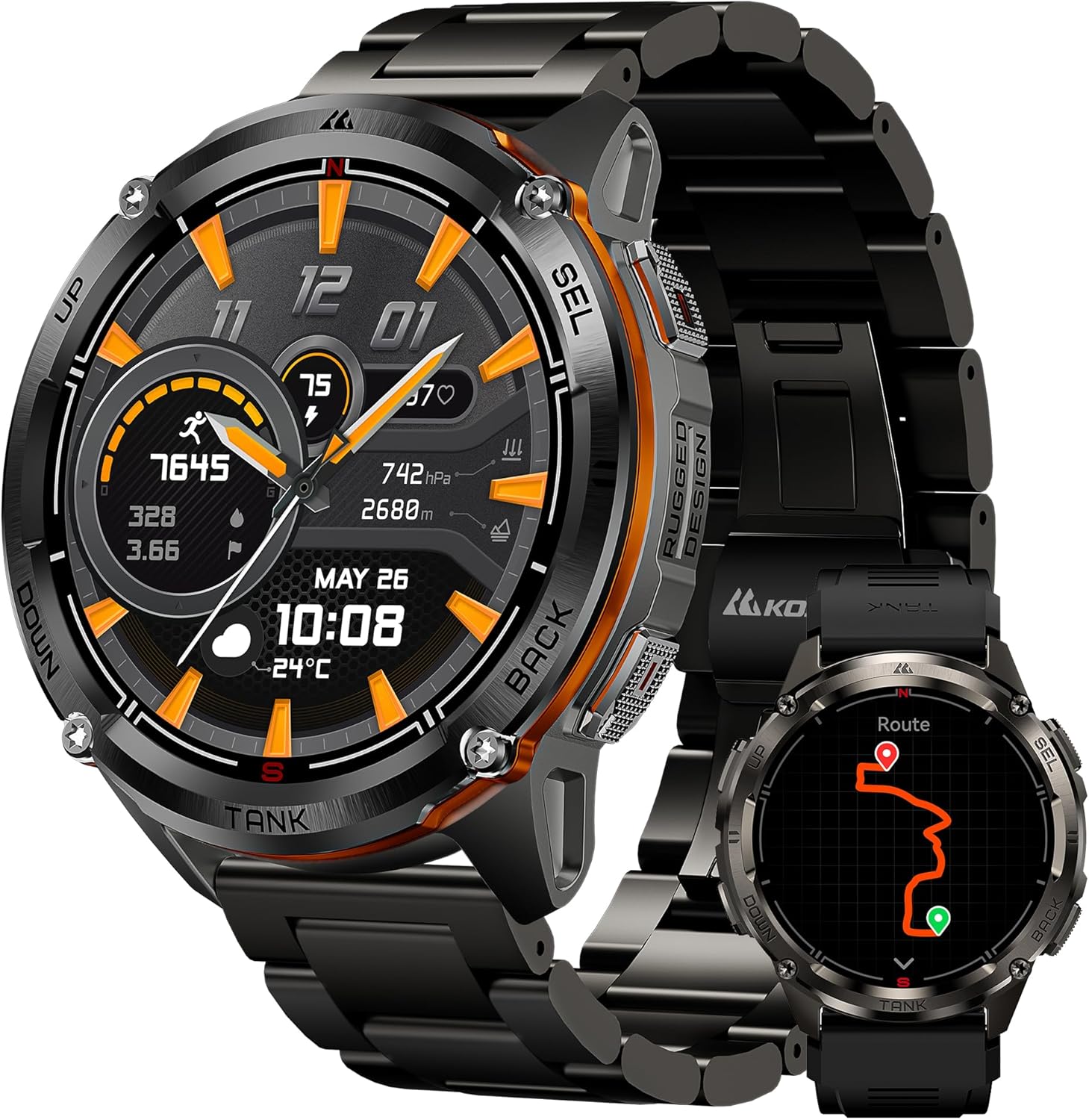
Figure 1: KOSPET Tank T3 Ultra 2 Smartwatch with metal strap.
What's in the Box
Upon unboxing your KOSPET Tank T3 Ultra 2, you should find the following items:
- Smartwatch with Watch Strap
- Charging Cable
- User Manual
Video 1: KOSPET Tank T4 Unboxing. This video demonstrates the unboxing experience and contents for a similar KOSPET Tank series smartwatch.
Setup
1. Charging the Smartwatch
Before initial use, fully charge your KOSPET Tank T3 Ultra 2. Connect the provided charging cable to the charging port on the back of the watch and a USB power source. The watch display will indicate charging status.

Figure 2: Illustration of the KOSPET Tank T3 Ultra 2's extended battery life and charging.
2. App Installation and Pairing
Download the 'KOSPET FIT' application from your smartphone's app store (compatible with Android and iOS). Follow the on-screen instructions within the app to pair your smartwatch via Bluetooth. Ensure Bluetooth is enabled on your phone.
Operating the Smartwatch
1. Navigation and Display
The KOSPET Tank T3 Ultra 2 features a 1.43-inch AMOLED display with Corning Gorilla Glass 3 for enhanced durability and clarity. Navigate through menus by swiping across the screen or using the physical buttons on the side. The display offers 1000 nits peak brightness for visibility in various conditions.

Figure 3: Customizable watch faces and always-on display options.
2. Calls and Notifications
Once paired with your smartphone, the smartwatch supports Bluetooth calls and instant message reminders. You can answer calls directly from your wrist and receive notifications from various applications.

Figure 4: Multifunctional smartwatch features including call answering and message reminders.
Video 2: KOSPET T3 Notification. This video demonstrates how notifications are displayed on the KOSPET T3 smartwatch.
3. GPS and Outdoor Features
The KOSPET Tank T3 Ultra 2 features integrated dual-band GPS (L1 and L5 signals) with support for 6 satellite positioning systems, ensuring precise tracking. It also includes a compass, altimeter, and barometer to assist with outdoor navigation and environmental monitoring.

Figure 5: GPS tracking for outdoor activities, displaying route and performance data.

Figure 6: Integrated compass, altimeter, and air pressure monitoring for outdoor adventures.
Video 3: Smartwatch with GPS, Offline Maps, and Walkie-Talkie. This video highlights the GPS and communication features of a KOSPET smartwatch.
Video 4: How to Install Offline Maps on KOSPET TANK T4&M4?. This video provides instructions for using offline maps on KOSPET Tank series smartwatches.
4. Sports Modes and Health Monitoring
The watch supports over 170 sports modes and features intelligent recognition for 6 common sports. It offers comprehensive health monitoring, including 24/7 heart rate tracking, blood oxygen (SpO2) measurement, and detailed sleep analysis.

Figure 7: Intelligent recognition for 6 sports modes, including walking, running, cycling, and rowing.

Figure 8: Swimming mode with 5ATM and IP69K water resistance, tracking metrics like heart rate and strokes.

Figure 9: Personal health monitoring features including heart rate, blood oxygen, and blood pressure tracking.

Figure 10: 24-hour sleep monitor providing detailed analysis of sleep stages and duration.
Durability and Build Quality
The KOSPET Tank T3 Ultra 2 is engineered for rugged environments, featuring a full stainless steel body and a dual-layer glass screen. It meets MIL-STD-810H military standards, having passed 28 rigorous tests for anti-impact, anti-fluid corrosion, extreme temperatures (-40°C to 70°C), and dust-proof capabilities. It is also 5ATM water-resistant and IP69K static waterproof, suitable for swimming and diving up to 50 meters.

Figure 11: Overview of MIL-STD durability, design, GPS, sensors, and water resistance.

Figure 12: Demonstrating the smartwatch's resilience through various quality tests, including high/low temperature, shock, and fluid contamination.
Video 5: KOSPET Tank T4 Smartwatch GPS. This video showcases the ruggedness and GPS capabilities of a KOSPET Tank series smartwatch.
Video 6: KOSPET T3 Smartwatch. This video demonstrates various features including durability, sports modes, and health tracking.
Maintenance
To ensure the longevity and optimal performance of your KOSPET Tank T3 Ultra 2, follow these maintenance guidelines:
- Cleaning: Regularly wipe the watch screen and body with a soft, damp cloth. For the strap, use mild soap and water if necessary, then rinse thoroughly and dry completely.
- Water Exposure: While the watch is 5ATM and IP69K water-resistant, avoid prolonged exposure to hot water, steam, or high-pressure water jets, as this can compromise the seals. Always dry the watch completely after swimming or exposure to water.
- Avoid Chemicals: Do not use harsh chemicals, solvents, or abrasive cleaners on the watch or strap, as they can damage the materials.
- Temperature Extremes: Although designed for extreme temperatures, avoid leaving the watch in direct sunlight for extended periods or in extremely cold environments when not in use.
Troubleshooting
If you encounter any issues with your KOSPET Tank T3 Ultra 2, refer to the following common solutions:
- Watch not turning on: Ensure the watch is fully charged. Connect it to the charger for at least 30 minutes.
- Cannot pair with phone: Make sure Bluetooth is enabled on your phone and the watch is within range. Restart both the watch and your phone, then try pairing again through the 'KOSPET FIT' app.
- Inaccurate health data: Ensure the watch is worn snugly on your wrist, not too tight or too loose. Clean the sensor on the back of the watch.
- Notifications not received: Check your phone's notification settings for the 'KOSPET FIT' app and ensure all necessary permissions are granted. Also, verify that notifications are enabled within the app for specific applications.
- GPS not connecting: Ensure you are in an open outdoor area with a clear view of the sky. Allow a few minutes for the watch to acquire satellite signals.
For further assistance, please contact KOSPET customer support.
Specifications
| Feature | Detail |
|---|---|
| Brand | KOSPET |
| Model Number | Tank T3 Ultra 2 |
| Display | 1.43 Inches AMOLED |
| Operating System | Compatible with Android and iOS |
| Connectivity | Bluetooth |
| Special Features | Always-on Display, Integrated GPS, Compass, Altimeter, Barometer, AI Voice Assistant, Bluetooth Calls |
| Water Resistance | 5ATM, IP69K |
| Battery Type | Lithium-polymer |
| Battery Capacity | 470 mAh |
| Storage Capacity | 256 MB |
| Case Material | Full Stainless Steel |
| Durability Standard | MIL-STD-810H |
Warranty and Support
Your KOSPET Tank T3 Ultra 2 Smartwatch comes with a 2-year manufacturer's warranty. For warranty claims, technical support, or any product-related inquiries, please refer to the official KOSPET website or contact your retailer.
You can also visit the official KOSPET store for more information and products: KOSPET Store


