
1. Introduction
The GREYOLK V5 Swimming Headphones are designed for active individuals, offering bone conduction audio technology, IP68 waterproofing, and a built-in 32GB MP3 player. These open-ear headphones provide a secure and comfortable fit for various activities, including swimming, running, cycling, and general exercise. The open-ear design allows users to remain aware of their surroundings while enjoying audio.

Image 1.1: GREYOLK V5 Swimming Headphones, showcasing the sleek black design and waterproof capabilities.
2. What's in the Box
- GREYOLK V5 Swimming Headphones
- Magnetic Charging Cable
- User Manual
3. Setup Instructions
3.1 Charging the Headphones
Before initial use, fully charge the headphones. Connect the magnetic charging cable to the charging port on the headphones and to a USB power source. A full charge takes approximately 1.5 hours, providing up to 8 hours of playback or talk time.

Image 3.1: The magnetic charging cable connected to the headphones and a computer, illustrating the charging and data transfer process.
3.2 Bluetooth Pairing
- Press and hold the power button on the headphones until the LED indicator flashes, indicating pairing mode.
- On your smartphone, tablet, or other Bluetooth-enabled device, navigate to the Bluetooth settings.
- Select "V5" from the list of available devices to connect. A voice prompt will confirm successful pairing.
3.3 Loading Music (MP3 Mode)
The headphones feature 32GB of built-in memory, capable of storing up to 6,000 songs. This is essential for underwater use, as Bluetooth connectivity is not supported underwater.
- Connect the headphones to your computer using the magnetic charging cable.
- The headphones will appear as a removable disk drive on your computer.
- Drag and drop your desired audio files (MP3, WMA, WAV, APE, FLAC formats are supported) into the headphone's storage.
- Safely eject the device from your computer once files are transferred.
4. Operating Instructions
4.1 Controls
The headphones are equipped with intuitive button controls located on the side:
- Power Button: Press and hold to power on/off. Double-click to switch between Bluetooth and MP3 modes.
- Volume Up/Next Track: Short press for volume up. Long press for next track.
- Volume Down/Previous Track: Short press for volume down. Long press for previous track.
- Play/Pause/Call Answer: Single press to play/pause music or answer/end calls.
4.2 Switching Between Bluetooth and MP3 Modes
To switch between Bluetooth streaming and the built-in MP3 player, double-click the power button. A voice prompt will indicate the current mode.

Image 4.1: Visual representation of the headphones supporting both Bluetooth and MP3 modes, ideal for various activities including swimming and running.
5. Usage Scenarios
5.1 Swimming and Water Activities
The IP68 waterproof rating makes these headphones suitable for swimming, snorkeling, fishing, and boating. For optimal performance underwater, switch to MP3 mode as Bluetooth signals do not transmit effectively through water.
Video 5.1: A demonstration of the IP68 waterproof headphones being used during swimming, highlighting their functionality in aquatic environments.
5.2 Running, Cycling, and Outdoor Sports
The open-ear design ensures you can hear your surroundings, enhancing safety during outdoor activities like running and cycling. The lightweight design (32 grams) and secure fit prevent discomfort during intense workouts.
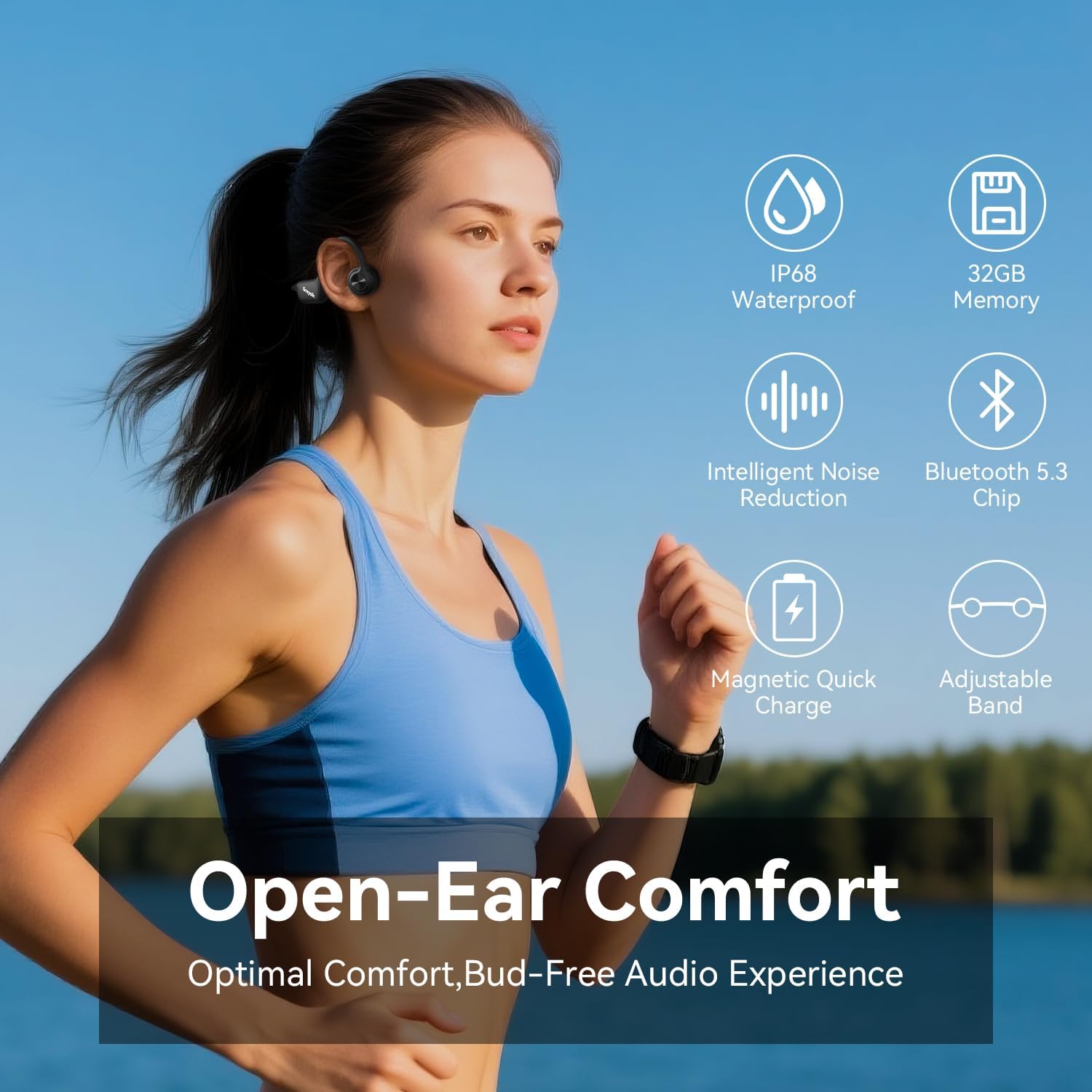
Image 5.1: A person running outdoors while wearing the GREYOLK V5 headphones, illustrating the open-ear design that allows for environmental awareness.
6. Maintenance
6.1 Cleaning and Drying
After use, especially after swimming or heavy sweating, rinse the headphones with fresh water and dry them thoroughly with a soft cloth. Ensure the charging contacts are clean and dry before charging.
6.2 Battery Care
To prolong battery life, avoid fully discharging the headphones frequently. Store them in a cool, dry place when not in use.
7. Troubleshooting
- No Sound Underwater: Ensure the headphones are in MP3 mode. Bluetooth does not function underwater.
- Cannot Pair via Bluetooth: Make sure the headphones are charged and in pairing mode (flashing LED). Check your device's Bluetooth settings and try reconnecting.
- Low Volume/Poor Sound Quality: Adjust the volume on both the headphones and your connected device. Ensure the bone conduction transducers are positioned correctly on your cheekbones.
- Headphones Not Recognized by Computer: Ensure the magnetic charging cable is securely connected and try a different USB port or computer.
8. Specifications
| Model Name | V5 |
| Connectivity Technology | Wireless (Bluetooth 5.4) |
| Water Resistance Level | IP68 Waterproof |
| Built-in Memory | 32GB (supports MP3, WMA, WAV, APE, FLAC) |
| Battery Life | Up to 8 Hours |
| Charging Time | 1.5 Hours |
| Item Weight | 32 Grams (1.2 ounces) |
| Ear Placement | Open Ear |
| Audio Driver Type | Bone Conduction Driver |
| Bluetooth Range | 10 Meters |
| Compatible Devices | Cellphones, Laptops, Tablets (iOS, Android) |
9. Warranty and Support
The GREYOLK service team offers a 2-year after-sales service. If you have any questions or require assistance, please do not hesitate to contact us.