
1. Introduction and Overview
Thank you for choosing the OKD Luxury 70-inch Fluted TV Stand. This entertainment center is designed to accommodate TVs up to 80 inches, featuring a distinctive wave-like fluted panel design, a faux marble top, and elegant gold metal accents. It offers both aesthetic appeal and practical storage solutions for your living space.
Key Features:
- Elegant Design: Fluted panels, curved profile, faux marble top, and golden metal accents for a luxurious modern aesthetic.
- Functional Storage: Adjustable shelves in cabinets and a large open shelf provide versatile organization for media devices, gaming consoles, and decor.
- Durable Construction: Made from engineered wood with a melamine veneer faux marble top, ensuring durability, water resistance, and easy maintenance.
- Thoughtful Details: Soft-closing hinges on cabinet doors prevent pinching, and pre-punched cable management holes keep wires organized.
2. Safety Information
Please read all safety warnings and assembly instructions carefully before use. Failure to follow these instructions may result in injury or product damage.
- Stability: Ensure the TV stand is placed on a level, stable surface to prevent tipping.
- Load Capacity: Do not exceed the recommended maximum load capacity of 150 lbs (68 kg) for the top surface. Overloading can cause instability and damage.
- Heat Sources: Keep the unit away from open flames, heaters, and direct sunlight to prevent material degradation or fire hazards.
- Moisture: Avoid exposure to water or other liquids. Wipe spills immediately to prevent damage to the engineered wood and veneer.
- Assembly Caution: Exercise caution during assembly to prevent injury. Small parts and sharp edges may be present. Keep children and pets away from the assembly area.
- Children's Safety: This product is not a toy. Keep small parts and hardware out of reach of children. Do not allow children to climb on or play with the unit.
- Wall Anchoring: For added safety, especially in homes with children, consider anchoring the TV stand to the wall using appropriate hardware (not included) to prevent tip-over accidents.
3. Package Contents
Before beginning assembly, verify that all parts and hardware are present and undamaged. If any components are missing or damaged, please contact customer support.
Components:
- Top Panel (Faux Marble)
- Side Panels (Fluted)
- Bottom Panel
- Back Panels
- Adjustable Shelves
- Cabinet Doors
- Legs (Cylindrical Gold Metal)
Hardware:
All necessary screws, bolts, dowels, hinges, and an Allen wrench are included. Please refer to the detailed assembly diagram in your package for specific hardware identification.

Image: All components and hardware for assembly.
4. Setup (Assembly Instructions)
Assembly typically requires two adults and approximately 1-2 hours. Ensure you have a clear, spacious area for assembly.
- Prepare the Area: Clear a large, flat surface. Lay out all components and hardware, organizing them by type.
- Assemble the Base: Attach the cylindrical gold metal legs to the bottom panel using the provided screws. Ensure they are securely fastened.
- Construct the Frame: Connect the side panels and internal dividers to the bottom panel, then attach the top panel. Use dowels and cam locks as indicated in the diagrams.
- Install Back Panels: Secure the back panels to the rear of the unit. Ensure the cable management holes are correctly oriented.
- Insert Shelves: Place the adjustable shelves into the desired positions within the open compartments and cabinets.
- Attach Cabinet Doors: Mount the cabinet doors using the soft-closing hinges. Adjust hinges as needed to ensure proper alignment and smooth operation.
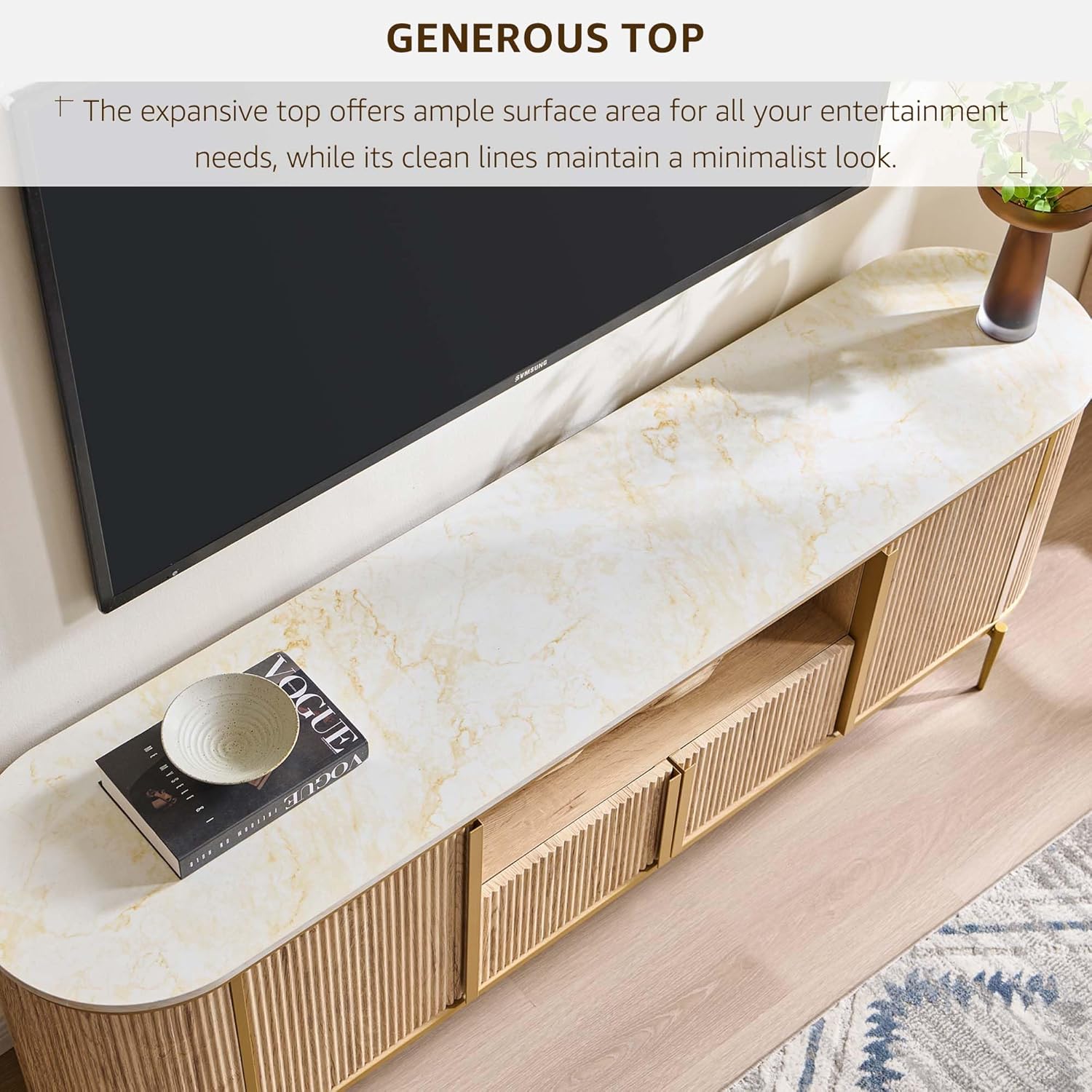
Image: Detail of hinge installation during assembly.

Image: Dimensions and storage capacity overview.
5. Operating Instructions
The OKD Luxury 70-inch Fluted TV Stand is designed for straightforward use.
- Placement: Position your television centrally on the faux marble top. Ensure the TV's base fits within the stand's dimensions. The stand can support TVs up to 80 inches and a maximum weight of 150 lbs (68 kg).
- Storage: Utilize the four cabinet doors for concealed storage. The adjustable shelves inside allow you to customize space for various items like media players, gaming consoles, or books.
- Open Shelf: The central open shelf is ideal for frequently accessed devices or decorative items.
- Cable Management: Route power cords and signal cables through the pre-punched holes in the back panel to maintain a tidy appearance and prevent tangles.

Image: Open shelf with cable access holes.

Image: Customizable storage with adjustable shelving.
6. Maintenance
Proper care will ensure the longevity and appearance of your TV stand.
- Cleaning: Wipe the surface with a dry, soft cloth. For tougher spots, a slightly damp cloth followed immediately by a dry cloth can be used. Avoid abrasive cleaners or harsh chemicals, as these can damage the finish.
- Spills: Clean up spills immediately to prevent staining or water damage, especially on the engineered wood surfaces.
- Hardware Check: Periodically check all screws and fasteners to ensure they remain tight. Retighten if necessary to maintain structural integrity.
- Avoid Overloading: Do not place excessively heavy items on shelves or the top surface beyond the specified weight limit.
- Sunlight Exposure: Prolonged exposure to direct sunlight may cause fading or discoloration.
7. Troubleshooting
If you encounter any issues with your TV stand, refer to the following common solutions:
- Wobbly Stand: Ensure the stand is on a level surface. Check that all screws and bolts are fully tightened. Adjust the leveling feet (if applicable) on the bottom of the legs.
- Doors Not Aligning/Closing Properly: Adjust the hinges on the cabinet doors. Most hinges allow for minor adjustments (up/down, left/right, in/out) using a screwdriver. Refer to the hinge manufacturer's instructions if specific adjustments are unclear.
- Missing Parts: Double-check the packaging and all compartments. If parts are genuinely missing, contact OKD customer support with your model number and a description of the missing item.
- Damaged Components: If any part arrived damaged, do not proceed with assembly. Contact customer support for replacement parts.
8. Specifications
| Feature | Detail |
|---|---|
| Brand | OKD |
| Model Number | ILSC70TC-NO |
| Material | Engineered Wood |
| Color | Natural Oak |
| Product Dimensions (L x W x H) | 70 x 15.2 x 24 inches (177.8 x 38.6 x 61 cm) |
| Item Weight | 112 pounds (50.8 kg) |
| Maximum TV Size | Up to 80 inches |
| Maximum Weight Capacity (Top) | 150 pounds (68 kg) |
| Product Care Instructions | Wipe with Dry Cloth |
9. Warranty and Support
For warranty information, please refer to the documentation included with your purchase or contact the retailer where the product was purchased. OKD stands behind the quality of its products.
If you require assistance with assembly, have questions about product features, or need to report missing/damaged parts, please contact OKD customer support. Have your model number (ILSC70TC-NO) and purchase details ready for faster service.
OKD Customer Support: Please refer to the contact information provided on the product packaging or the retailer's website.