
1. Safety Information
Please read all instructions carefully before operating the ice maker to ensure safe and efficient use. Retain this manual for future reference.
General Safety
- This appliance is intended for household and commercial use as specified.
- Do not allow children to play with or operate the ice maker.
- Ensure the appliance is placed on a stable, level surface.
- Keep ventilation openings clear of obstruction.
- Do not store explosive substances such as aerosol cans with a flammable propellant in this appliance.
Electrical Safety
- Connect to a properly grounded outlet only.
- Do not operate the appliance with a damaged power cord or plug.
- Do not immerse the power cord, plug, or appliance in water or other liquids.
Placement Warnings
- Allow the unit to stand upright for at least 24 hours before initial use to allow refrigerants to settle.
- Ensure adequate clearance around the unit for proper ventilation.
2. Product Overview
The Coolski IM55BS is a 15-inch wide under counter ice maker designed for both home and commercial use. It features a stainless steel exterior, a digital control panel, and a self-cleaning function. This unit can produce up to 80 pounds of ice per day and store up to 30 pounds.
Key Features:
- High Ice Production: Produces up to 80 lbs of ice per day.
- Large Storage Capacity: Stores up to 30 lbs of ice.
- Customizable Ice Thickness: Offers three cube sizes (Thin, Medium, Large) for various needs.
- User-Friendly LCD Digital Control Panel: Easy operation and monitoring with LED lights.
- Self-Cleaning Function: Simplifies maintenance and ensures clean ice.
- Integrated Water Filter: Improves ice taste and clarity by removing sediment.
- Versatile Installation: Suitable for built-in or freestanding applications.
- Efficient Cooling Technology: Features a hidden front heat dissipation design for quiet and energy-efficient operation.
- 8-Hour Insulation Design: Helps prevent ice from melting quickly.
What's in the Box:
- Ice Maker Machine
- Water Filter
- Water Hose
- Drain Hose
- Ice Scoop

Figure 2.1: Coolski IM55BS Under Counter Ice Maker Machine.
3. Setup & Installation
Unpacking and Initial Placement
- Carefully remove all packaging materials and inspect the ice maker for any damage.
- Place the ice maker in its desired location. Ensure the unit remains upright for at least 24 hours before plugging it in. This allows the refrigerant to stabilize.
- The unit can be installed as a freestanding appliance or built-in under a counter. Ensure adequate ventilation, especially for the front heat dissipation vent.

Figure 3.1: Product dimensions for installation planning. The unit measures 14.9"D x 20.7"W x 33"H.
Water Connection and Drainage
The ice maker requires a water supply and a drain connection.
- Water Inlet: Connect the provided water hose to a potable water supply. Install the inline water filter as directed to ensure clean water for ice production.
- Drainage: The unit uses a gravity drain system. The drain outlet of the ice maker must be positioned lower than the floor drain to ensure proper water flow. If a floor drain is not available or is higher than the ice maker's drain, an external drain pump (not included) will be required.
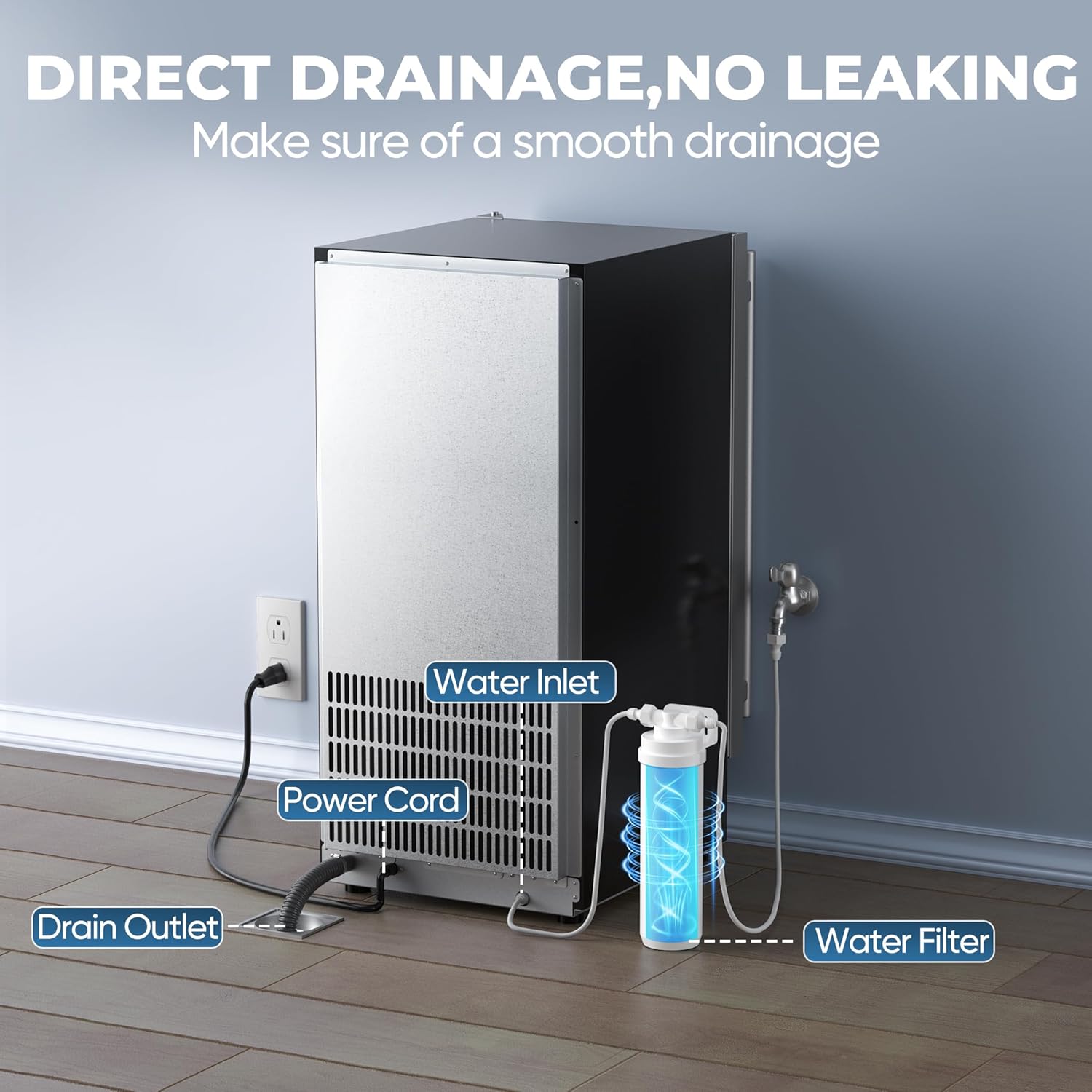
Figure 3.2: Rear connections for water inlet, power, and drain. Ensure gravity drains are below the ice maker's drain outlet for proper water flow.
Video 3.1: This video demonstrates the setup and installation process for the Coolski under counter ice maker, including water connections and placement considerations.
Video 3.2: This video provides a visual guide to setting up the 80lbs Under Counter Ice Maker, highlighting key steps for a smooth installation.
4. Operating Instructions
Control Panel Overview
The ice maker is equipped with an intuitive LCD digital control panel for easy operation. The panel displays current status and allows for various settings adjustments.

Figure 4.1: LCD Digital Control Panel. Features include indicators for 'Making Ice', 'Fall Ice', 'Ice Full', 'Temp. Mode', 'High Temp', 'Water Short', and buttons for 'Mode', 'Clean', 'Up', and 'Down'.
Starting Ice Production
- Ensure the ice maker is properly connected to power and water supply.
- Press the 'Mode' button to select the desired operation mode (e.g., ice making).
- The 'Making Ice' indicator will illuminate, and the unit will begin the ice production cycle.
- The ice maker will automatically stop when the ice bin is full, indicated by the 'Ice Full' light.
Customizing Ice Thickness
You can adjust the thickness of the ice cubes to suit your preference:
- Use the 'Up' and 'Down' buttons on the control panel to select between Thin, Medium, or Large ice cube sizes.
- Thin ice cubes are typically ready in about 8 minutes, suitable for smoothies.
- Medium ice cubes take approximately 12 minutes, ideal for drinks.
- Large ice cubes require about 16 minutes, perfect for seafood displays or longer-lasting chill.

Figure 4.2: Customizable ice cube thickness options.
Video 4.1: This video showcases the operation of the Coolski outdoor under counter ice maker, including ice production and features.
5. Maintenance
Regular maintenance ensures the longevity and optimal performance of your ice maker. It is recommended to clean the unit at least once every six months.
Self-Cleaning Function
The ice maker features an automatic self-cleaning mode:
- Ensure the ice bin is empty.
- Press and hold the 'Clean' button for 3 seconds to activate the self-cleaning cycle.
- The unit will perform a cleaning cycle, typically lasting around 16 minutes.
- Once the cycle is complete, drain any remaining water and wipe down the interior.
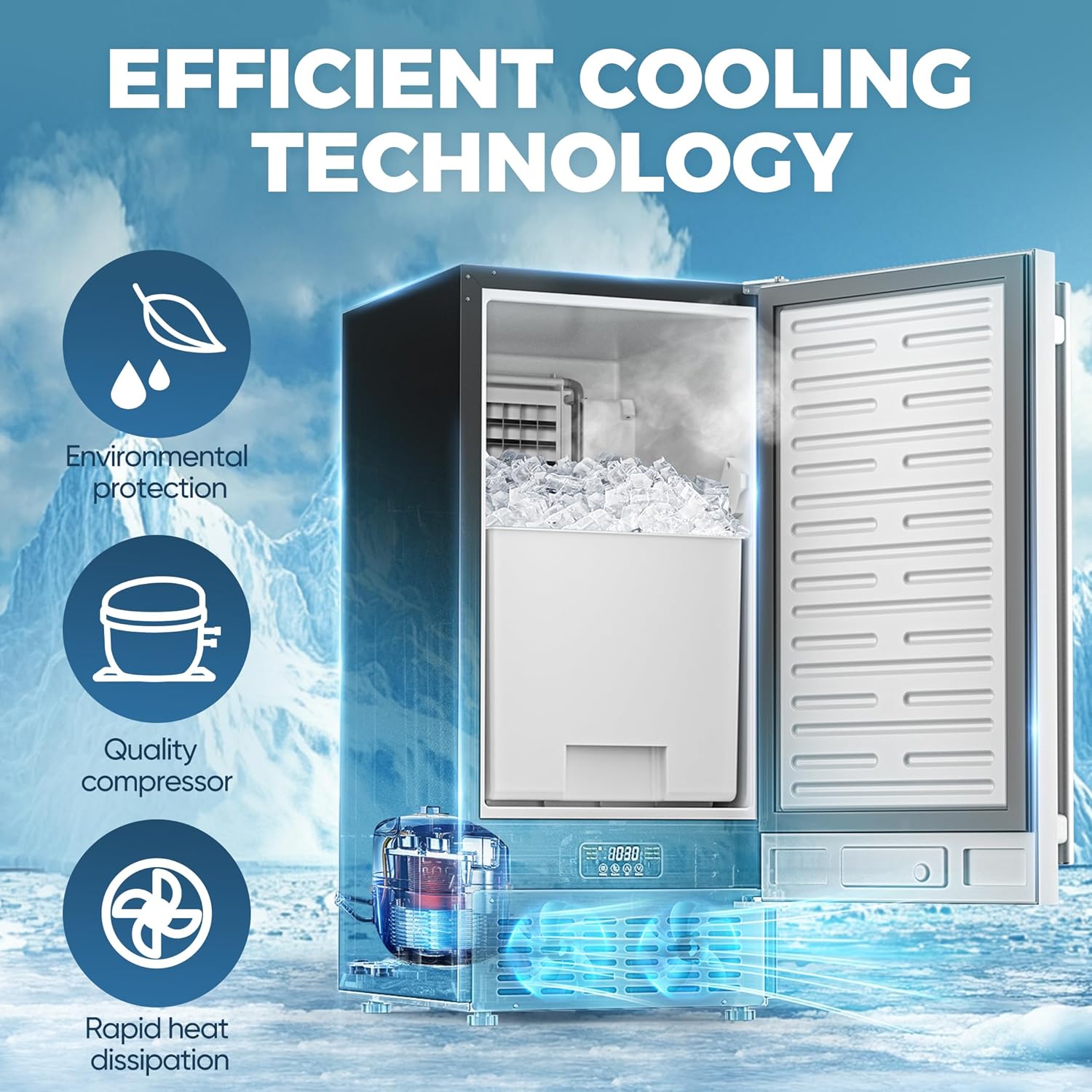
Figure 5.1: The ice maker in Ultra Clean Mode, showing water circulation for cleaning.
Water Filter Replacement
The inline water filter helps maintain ice quality. Replace the filter regularly according to usage or when ice quality diminishes.
- Turn off the water supply to the ice maker.
- Locate the inline water filter.
- Disconnect the old filter and replace it with a new one, ensuring proper orientation and secure connections.
- Turn the water supply back on and check for leaks.
General Cleaning
- Wipe the exterior with a soft, damp cloth. For stainless steel surfaces, use a stainless steel cleaner.
- Clean the ice bin and scoop with mild soap and water. Rinse thoroughly and dry before returning to the unit.
- Periodically check and clean the condenser coils to ensure efficient operation. Refer to the full product manual for detailed instructions on accessing and cleaning coils.
6. Troubleshooting
Before contacting customer support, please refer to the following common issues and solutions:
| Problem | Possible Cause | Solution |
|---|---|---|
| Ice maker not producing ice | No water supply, clogged water filter, power issue, high ambient temperature. | Check water connection, replace filter, ensure power, move to cooler location. |
| Ice production is slow | High ambient temperature, poor ventilation, dirty condenser coils. | Ensure proper ventilation, clean condenser coils, operate in a cooler environment. |
| Ice cubes are too small or soft | Water temperature too high, low water pressure, incorrect ice thickness setting. | Ensure cold water supply, check water pressure, adjust ice thickness setting to 'Large'. |
| Water leaks from the unit | Loose drain hose connection, clogged drain, unit not level. | Check and secure drain hose, clear drain, ensure unit is level. |
| Unit is noisy | Unit not level, fan obstruction, normal operating sounds. | Ensure unit is level, check for obstructions around fan, some operational noise is normal. |
7. Specifications
| Feature | Detail |
|---|---|
| Brand | Coolski |
| Model Name | IM55BS Ice Maker |
| Product Dimensions (D x W x H) | 14.9" x 20.7" x 33" |
| Ice Storage Capacity | 30 Pounds |
| Ice Production per Day | 80 Pounds |
| Wattage | 280 watts |
| Voltage | 115 Volts |
| Refrigerant | R290a |
| Material | Stainless Steel |
| Item Weight | 65 pounds |
| ASIN | B0FDSDXSNK |
8. Warranty & Support
Warranty Information
The Coolski IM55BS Ice Maker is covered by the following warranty:
- 5-Year Compressor Warranty: The compressor component is covered for a period of five (5) years from the date of purchase.
- 3-Year Parts & Labor Warranty: All other parts and associated labor are covered for a period of three (3) years from the date of purchase.
Please retain your proof of purchase for warranty claims. The warranty covers defects in materials and workmanship under normal use.
Customer Support
For technical assistance, troubleshooting beyond this manual, or warranty claims, please contact Coolski customer support. Contact details can typically be found on the manufacturer's website or your purchase documentation.


