
1. Product Overview
The LUFTRUM C3500 Air Purifier is designed to provide clean and fresh air for large rooms up to 2250 sq ft. It features a dual 3-stage filtration system, including a washable pre-filter, activated carbon filter, and True H13 HEPA filter, to effectively capture airborne particles, odors, and allergens.
Key features include an Air Quality Index (AQI) display, Auto Mode for automatic fan speed adjustment, and a quiet Sleep Mode for undisturbed rest.
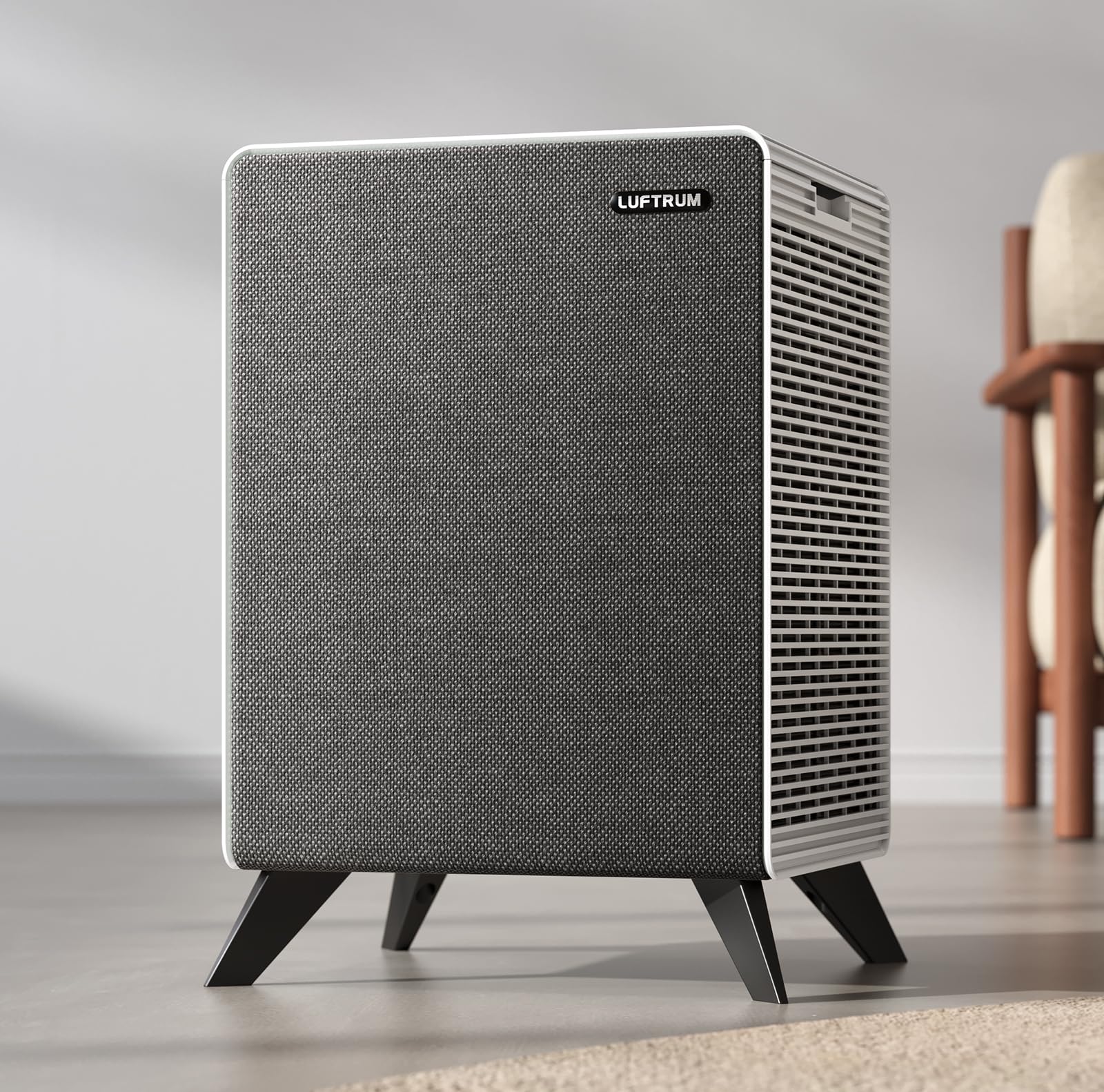
Image: The LUFTRUM C3500 Air Purifier, a sleek, modern device, positioned in a spacious living room, demonstrating its aesthetic integration into home decor.
2. Setup Guide
2.1 Unpacking
- Carefully remove the air purifier from its packaging.
- Check for any damage during transit. Contact customer support if any damage is found.
- Remove all protective films and packaging materials from the unit.
2.2 Filter Installation
The LUFTRUM C3500 comes with pre-installed filters. Before first use, ensure they are correctly seated and any protective plastic is removed.
- Locate the filter access panels on the sides of the unit.
- Open the panels and verify that the dual 3-stage filters (washable pre-filter, activated carbon filter, and True H13 HEPA filter) are securely in place.
- Remove any plastic wrapping from the filters if present.
- Close the filter access panels firmly.

Image: An exploded view diagram illustrating the components of the LUFTRUM C3500's dual 3-stage filtration system, including the pre-filter, activated carbon filter, and True H13 HEPA filter.
2.3 Placement
- Place the air purifier on a firm, level surface.
- Ensure there is at least 6 inches (15 cm) of clearance around all sides for optimal airflow.
- Avoid placing the unit near heat sources, direct sunlight, or areas with high humidity.
2.4 Power Connection
- Plug the power cord into a standard AC outlet.
- The unit will enter standby mode.
3. Operating Instructions
3.1 Control Panel Overview
The control panel is located on the top of the unit and features touch-sensitive buttons and indicators.

Image: A detailed view of the LUFTRUM C3500's intuitive touch control panel, highlighting the power button, fan speed settings, sleep mode, auto mode, and filter indicator.
- Power Button: Turns the unit On/Off.
- Fan Speed Button: Adjusts fan speed (Levels 1-4).
- Sleep Mode Button: Activates quiet operation (20dB).
- Auto Mode Button: Automatically adjusts fan speed based on air quality.
- AQI Indicator: Displays real-time air quality (Green: Good, Yellow: Moderate, Red: Unhealthy).
- Filter Indicator: Lights up when filter replacement is needed.
3.2 Power On/Off
- Press the Power Button to turn the air purifier on. The unit will start in Auto Mode.
- Press the Power Button again to turn the unit off.
3.3 Adjusting Fan Speed
- While the unit is on, press the Fan Speed Button to cycle through speeds 1, 2, 3, and 4.
- Each press will increase the fan speed.
3.4 Auto Mode
- Press the Auto Mode Button to activate automatic operation.
- The air purifier will use its PM2.5 sensor to detect air quality and adjust the fan speed accordingly.
- The AQI indicator will change color to reflect current air quality (Green: Good, Yellow: Moderate, Red: Unhealthy).

Image: The LUFTRUM C3500's control panel displaying the AQI indicator lights (Good, Moderate, Unhealthy) and the Auto Mode setting, demonstrating real-time air quality monitoring.
3.5 Sleep Mode
- Press the Sleep Mode Button to enter ultra-quiet operation.
- The fan speed will reduce to the lowest setting (approximately 20dB), and display lights will dim for undisturbed sleep.
- Press any button to exit Sleep Mode.

Image: The LUFTRUM C3500 Air Purifier positioned on a bedside table in a bedroom, illustrating its quiet operation in Sleep Mode while a person rests peacefully.
4. Maintenance
Regular maintenance ensures optimal performance and extends the lifespan of your air purifier.
4.1 Cleaning the Pre-Filter
- The washable pre-filter should be cleaned every 2-4 weeks, or more frequently depending on air quality and usage.
- Turn off and unplug the air purifier.
- Open the filter access panels and carefully remove the pre-filters.
- Rinse the pre-filters under running water until clean. For stubborn dirt, use a soft brush.
- Allow the pre-filters to air dry completely before reinstalling. Do not use a dryer or heat.

Image: A person cleaning the washable pre-filter of the LUFTRUM C3500 Air Purifier under running water, demonstrating the ease of maintenance for removing pet hair and dust.
4.2 Replacing the True H13 HEPA & Activated Carbon Filters
- The True H13 HEPA and activated carbon filters are combined and should be replaced when the Filter Indicator light illuminates, typically every 6-8 months depending on usage.
- Turn off and unplug the air purifier.
- Open the filter access panels.
- Remove the old combined filters.
- Insert new official LUFTRUM replacement filters (Model: B0DKNW2R8B). Ensure correct orientation.
- Close the filter access panels.
- Plug in the unit and press and hold the Filter Indicator Button for 3 seconds to reset the filter timer.
Note: Use only official LUFTRUM replacement filters (B0DKNW2R8B) to ensure proper fit and performance. Off-brand filters may damage the unit or reduce effectiveness.
4.3 Exterior Cleaning
- Wipe the exterior of the air purifier with a soft, dry cloth.
- Do not use abrasive cleaners or solvents.
5. Troubleshooting
| Problem | Possible Cause | Solution |
|---|---|---|
| Unit does not turn on. | Not plugged in; Power outlet malfunction; Power button not pressed. | Ensure power cord is securely plugged in; Test outlet with another device; Press the Power Button firmly. |
| Airflow is weak. | Filters are dirty or clogged; Air inlets/outlets blocked. | Clean or replace filters; Ensure proper clearance around the unit. |
| Unusual noise. | Foreign object inside; Unit not on a level surface; Filters not installed correctly. | Turn off and unplug, check for obstructions; Place on a stable surface; Reinstall filters. |
| Air quality not improving. | Filters are old/dirty; Room size exceeds capacity; Doors/windows open. | Replace filters; Ensure unit is appropriate for room size; Close doors and windows. |
| Filter Indicator remains on after replacement. | Filter timer not reset. | Press and hold the Filter Indicator Button for 3 seconds to reset. |
If the problem persists after trying these solutions, please contact LUFTRUM customer support.
6. Product Specifications
- Model Number: C3500
- Product Dimensions: 14.17"D x 12.99"W x 17.8"H
- Item Weight: 12.8 Pounds
- Power Source: AC
- Control Method: Touch
- Filter Type: Dual 3-Stage (Washable Pre-filter, Activated Carbon, True H13 HEPA)
- Floor Area Coverage: Up to 2250 Square Feet (1 air change per hour)
- CADR: 300 CFM
- Noise Level: 20 Decibels (in Sleep Mode)
- Certifications: CARB/ETL Certified
- UPC: 768924866798
7. Warranty and Support
7.1 Warranty Information
The LUFTRUM C3500 Air Purifier comes with a 2-year warranty from the date of purchase, covering defects in materials and workmanship under normal use.
This warranty does not cover damage caused by misuse, neglect, unauthorized modification, or use of non-official replacement parts.
7.2 Customer Support
For any questions, technical assistance, or warranty claims, please contact LUFTRUM customer support:
- Response Time: Replies within 24 hours.
- Return Policy: 30-day free return.
- Contact Method: Login to your Amazon Account > Choose Your Orders > Find the Order ID > Click Contact Seller.
Video: An official LUFTRUM video demonstrating the features and benefits of the C3500 Air Purifier, including its filtration system, quiet operation, and effectiveness in various home environments.


