
1. Important Safety Instructions
Please read all instructions carefully before using the shredder. Keep this manual for future reference.
- Keep out of reach of children and pets: The shredder has sharp blades and moving parts that can cause injury.
- Avoid loose clothing and jewelry: Keep ties, necklaces, hair, and loose clothing away from the shredder's openings.
- Unplug when not in use: Always unplug the shredder before moving, cleaning, or emptying the waste bin.
- Do not shred wet paper: Wet or damp paper can cause jams and damage the shredder.
- Do not spray aerosols: Never spray any flammable products or lubricants into or around the shredder.
- Use only as intended: This shredder is designed for paper, staples, paper clips, credit cards, and CDs/DVDs. Do not attempt to shred other materials.
- Do not overload: Adhere to the specified sheet capacities for both auto-feed and manual feed to prevent jams and motor strain.
- Proper ventilation: Ensure the shredder is placed in a well-ventilated area.
2. Product Overview
The BONSEN 300-Sheet Autofeed Paper Shredder is designed for efficient and secure document disposal. It features both an auto-feed tray for large batches and a manual feed slot for smaller quantities and other media. The included lubricant sheets help maintain optimal performance.

Figure 2.1: BONSEN 300-Sheet Autofeed Paper Shredder with Lubricant Sheets packaging.
2.1 Components
- Shredder Head (with control panel)
- Auto-Feed Tray
- Manual Feed Slot
- Waste Bin
- Casters (for mobility)
- Power Cord
- BONSEN Lubricant Sheets (50-pack)
3. Setup
Follow these steps to set up your shredder for first use.
- Unpack: Carefully remove all components from the packaging. Retain packaging for potential future transport or warranty claims.
- Position the Shredder: Place the shredder on a flat, stable surface. Ensure it is near a standard electrical outlet and has adequate space around it for ventilation and waste bin access.
- Insert Waste Bin: Slide the waste bin securely into the shredder cabinet. Ensure it is fully seated to allow the shredder to operate.
- Connect Power: Plug the power cord into the shredder's power inlet, then plug the other end into a grounded electrical outlet.

Figure 3.1: The shredder with its waste bin pulled out, showing the internal structure and casters.
4. Operating Instructions
4.1 Control Panel
The control panel is located on top of the shredder head and includes the following functions:
- Power Button: Turns the shredder ON/OFF.
- Reverse (REV): Used to clear paper jams by reversing the shredding direction.
- Auto (AUTO): The standard operating mode. The shredder will automatically start when paper is detected and stop when shredding is complete.
- Forward (FWD): Forces the shredder to run continuously forward, useful for clearing stubborn jams or for specific shredding tasks.
4.2 Auto-Feed Shredding
For shredding large quantities of paper:
- Ensure the shredder is plugged in and the power is ON.
- Lift the auto-feed tray cover.
- Stack up to 300 sheets of letter-sized paper neatly into the auto-feed tray. Ensure there are no staples, paper clips, or other non-paper items in the stack.
- Close the auto-feed tray cover. The shredder will automatically begin shredding.
- The shredder can operate continuously in auto-feed mode for up to 60 minutes. Allow a cool-down period if the shredder overheats.
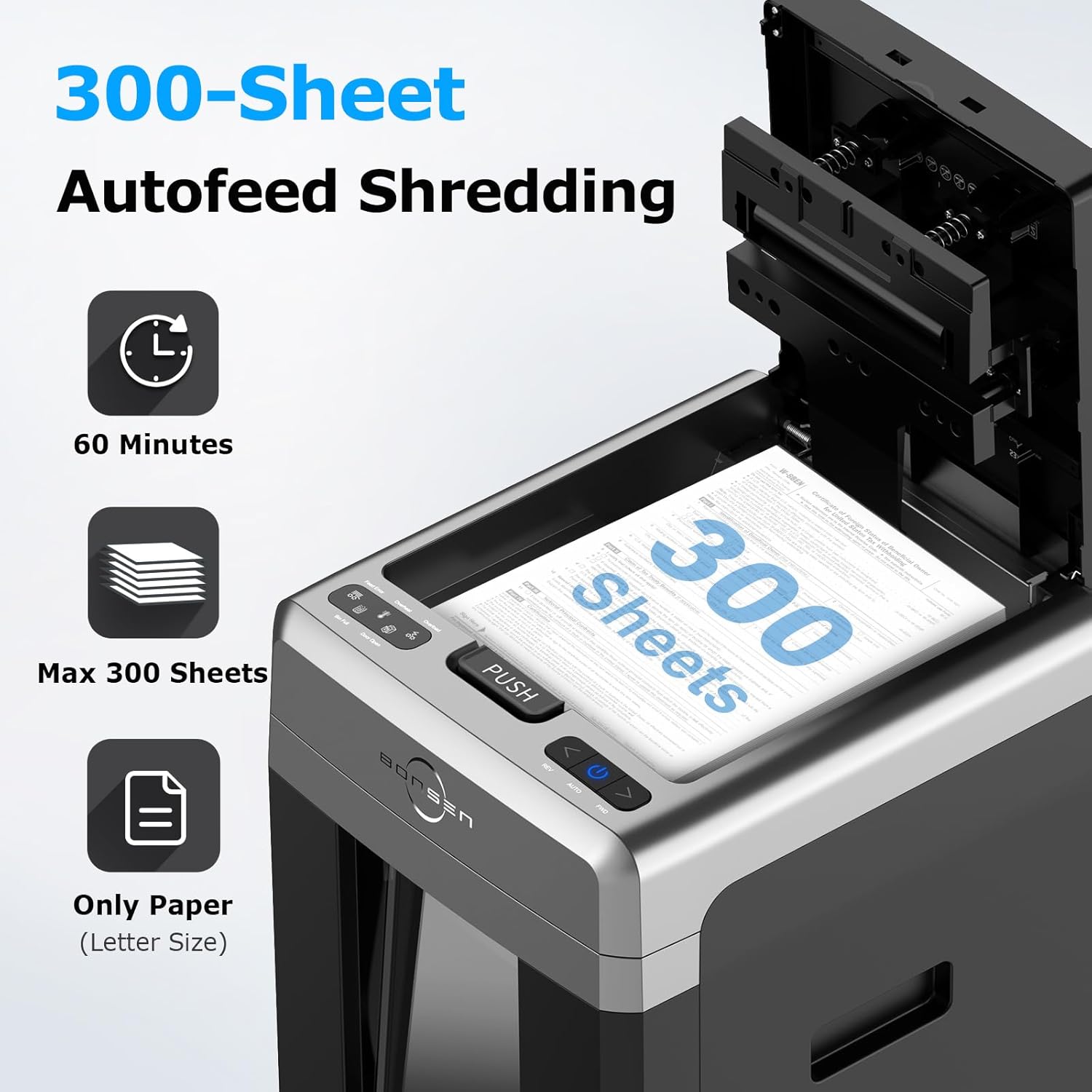
Figure 4.1: The auto-feed tray loaded with a stack of 300 sheets for automatic shredding.
4.3 Manual Feed Shredding
For shredding smaller amounts of paper or other media:
- Ensure the shredder is plugged in and the power is ON.
- Insert up to 12 sheets of paper, a credit card, CD/DVD, or paper with staples/paper clips into the manual feed slot.
- The shredder will automatically detect the item and begin shredding.
- The shredder can operate continuously in manual feed mode for up to 30 minutes.

Figure 4.2: The manual feed slot accepting multiple sheets of paper, a credit card, and showing icons for staples and paper clips.
4.4 Continuous Operation and Cool-down
The shredder is designed for heavy-duty use with extended run times:
- Auto-Feed Mode: Up to 60 minutes of continuous shredding.
- Manual Feed Mode: Up to 30 minutes of continuous shredding.
- If the shredder reaches its maximum continuous run time or overheats, it will automatically shut off to prevent damage. Allow it to cool down for approximately 30-45 minutes before resuming operation.

Figure 4.3: Comparison of continuous shredding times: 60 minutes for auto-feed mode and 30 minutes for manual feed mode.
4.5 Emptying the Waste Bin
The shredder features an 8.1-gallon waste bin, capable of holding approximately 700 shredded sheets.
- When the bin is full, the shredder's bin full indicator will illuminate, and the shredder will stop operating.
- Unplug the shredder from the power outlet.
- Pull out the waste bin.
- Empty the shredded material into a suitable receptacle.
- Slide the waste bin back into the shredder until it is fully seated.
- Plug the shredder back in. The bin full indicator should turn off, and the shredder will be ready for use.

Figure 4.4: The shredder highlighting its 8.1-gallon waste bin capacity and the bin full indicator.
5. Maintenance
5.1 General Cleaning
- Always unplug the shredder before cleaning.
- Wipe the exterior of the shredder with a soft, dry cloth. Do not use abrasive cleaners or solvents.
- Gently clean the paper entry sensors (located inside the feed slots) with a cotton swab to ensure proper paper detection.
5.2 Lubricating Shredder Blades
Regular lubrication of the shredder blades is essential for maintaining optimal performance, reducing static dust, and extending the life of your shredder. Use the BONSEN Lubricant Sheets provided.

Figure 5.1: Packaging for the BONSEN Shredder Lubricant Sheet 50-Pack, Model LS50.
Directions for Use (Lubricant Sheets):
- Feed one lubricant sheet directly into the shredder feed entrance to shred it just like a piece of paper. Do not tear or fold the lubricant sheet before shredding.
- After the sheet has been completely shredded, set the shredder to reverse (REV) for 10 seconds to complete the lubrication process.
- If the shredder feed entrance is wider than the lubricant sheet, use additional sheets to ensure the entire blades are covered and therefore lubricated.
- The shredder is now ready for use again.
Frequency: Lubricate your shredder after every 30 minutes of accumulated shredding time, or at least twice a month for regular use.

Figure 5.2: A BONSEN lubricant sheet displaying detailed instructions for use and its dimensions (6.10" x 8.74").
6. Troubleshooting
If you encounter issues with your shredder, refer to the table below for common problems and solutions.
| Problem | Possible Cause | Solution |
|---|---|---|
| Shredder does not turn on. | No power, waste bin not fully inserted, overheat protection activated. | Check power connection. Ensure waste bin is fully seated. Allow shredder to cool down if it has been running continuously. |
| Paper jam. | Overloaded, paper inserted incorrectly, foreign object. | Press the REV button to reverse the blades and clear the jam. If unsuccessful, unplug, carefully remove paper from the feed slot. Lubricate blades after clearing. |
| Shredder stops during operation. | Overheat protection, waste bin full, paper jam. | Allow shredder to cool. Empty waste bin. Clear any paper jams. |
| Bin full indicator remains on after emptying. | Sensors are dirty or obstructed. | Unplug the shredder. Gently clean the bin full sensors (usually located on the shredder head or inside the bin area) with a soft cloth. |
7. Specifications
- Shred Type: Micro-Cut
- Shred Size: 5/32" x 15/32" (4 x 12 mm)
- Auto-Feed Capacity: Up to 300 sheets (20lb bond paper)
- Manual Feed Capacity: Up to 12 sheets (20lb bond paper)
- Shreds: Paper, staples, paper clips, credit cards, CDs/DVDs
- Continuous Run Time (Auto-Feed): Up to 60 minutes
- Continuous Run Time (Manual Feed): Up to 30 minutes
- Cool-down Time: 30-45 minutes
- Noise Level: ≤ 58 dB
- Waste Bin Capacity: 8.1 Gallons (approx. 700 sheets)
- Lubricant Sheet Size: 6.10" x 8.74"
- ASIN: B0FDQSDMYC
8. Warranty and Support
BONSEN products are manufactured to high-quality standards. For specific warranty details, please refer to the warranty card included with your product or visit the official BONSEN website.
If you require technical assistance or have questions regarding your BONSEN shredder, please contact BONSEN customer support through the retailer where the product was purchased or via the contact information provided on the BONSEN official website.


