
sinocare Glucometro 25
Sinocare Safe AQ Pro Glucometer User Manual
Model: Glucometro 25
Brand: Sinocare
1. Introduction
The Sinocare Safe AQ Pro Glucometer is a blood glucose monitoring system designed for self-testing and professional use in monitoring blood glucose levels. This device provides accurate and reliable results to help manage diabetes effectively. It features intelligent ketone alerts and a rapid measurement time.
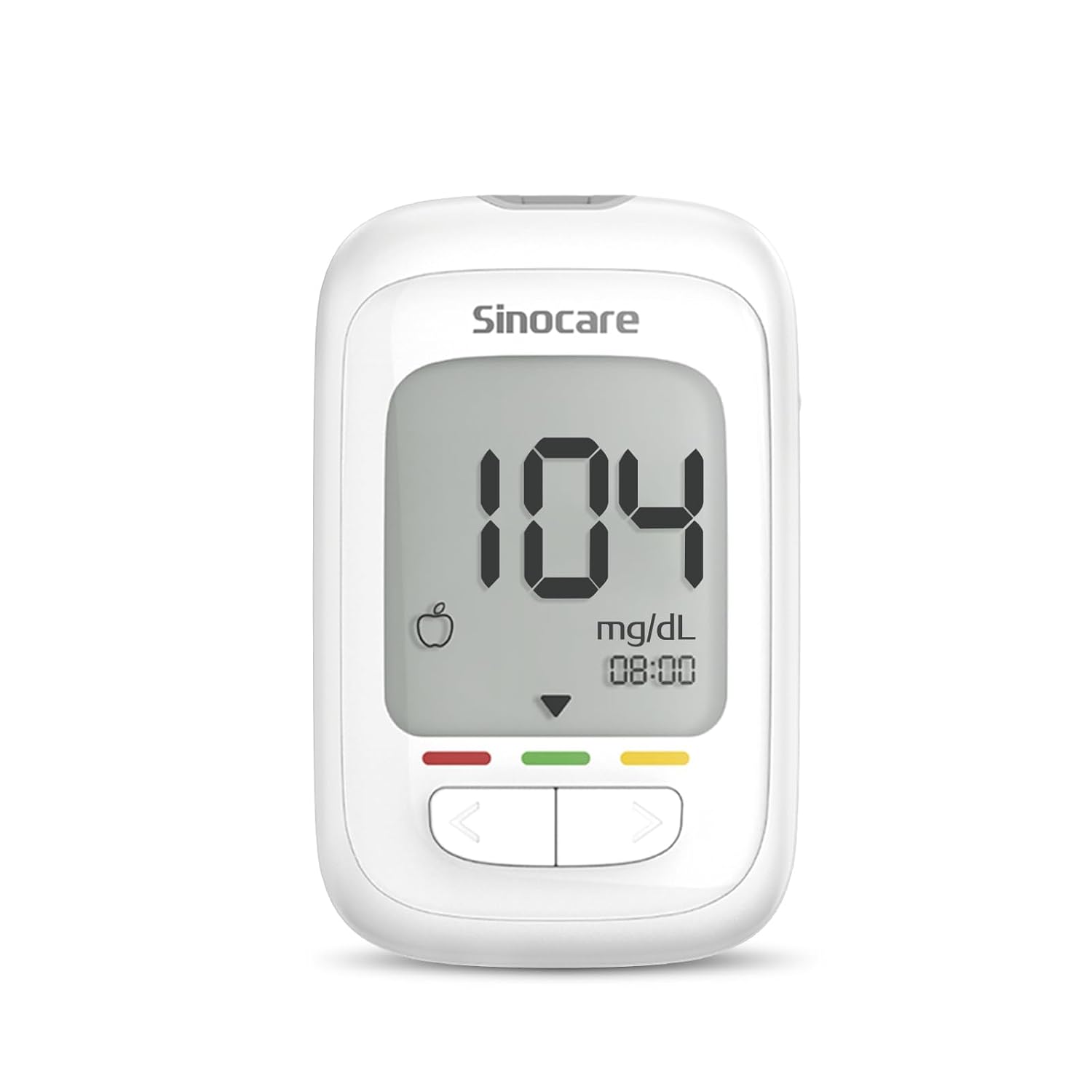
Image: The Sinocare Safe AQ Pro Glucometer, displaying a reading of 104 mg/dL.
2. Key Features
- Intelligent Ketone Alert: Automatic warning for ketoacidosis when blood glucose is >250mg/dL, helping to prevent complications.
- Fast Results & Color Alarm: Provides results in 5 seconds with only 1 microliter of blood. Red/yellow/green indicators signal dangerous values in real-time.
- Advanced Electrode Technology: Features a composite silver-carbon electrode with 10 times higher conductivity for stable results, even in humid environments.
- Medical-Grade Accuracy: Exceeds ISO 15197:2013 standard with an error of ±15%, ensuring reliable results for all users, including newborns and pregnant women.
- Memory & Meal Tracking: Stores 500 test results and generates pre/post-meal graphs for 7/14/30/90 days, aiding in scientific blood glucose management.
- Complete Kit & Painless Lancing: Includes the device, 25 test strips, 25 sterile low-trauma lancets, and an ergonomic lancing pen for reduced pain compared to common devices.

Image: Diagram illustrating key features: 500 memories, blood sugar indicator, automatic coding, 5-second result, 3 measurement modes (casual, pre-meal, post-meal), and LCD screen.
3. Setup and First Use
3.1 Unpacking the Kit
Carefully unpack all components from the box. Ensure you have the glucometer, test strips, lancets, and lancing device.
3.2 Inserting Batteries
The Sinocare Safe AQ Pro uses alkaline batteries. Open the battery compartment on the back of the device and insert the batteries, ensuring correct polarity.
3.3 Setting Up the Lancing Device
- Remove the cap from the lancing device.
- Insert a new sterile lancet firmly into the lancet holder.
- Twist off the protective cap from the lancet.
- Replace the lancing device cap.
- Adjust the penetration depth setting on the lancing device. Start with a lower setting (e.g., 2.5) and adjust as needed for sufficient blood sample.
- Pull back the cocking barrel until it clicks, indicating it is ready to use.

Image: Illustration of the lancing device with adjustable depth settings for a nearly painless experience.
4. Operating the Glucometer
4.1 Performing a Blood Glucose Test
- Wash your hands thoroughly with soap and warm water, then dry them completely.
- Insert a new test strip into the test strip port of the glucometer. The meter will turn on automatically.
- Prick the side of your fingertip with the lancing device to obtain a blood drop.
- Gently touch the tip of the test strip to the blood drop. The blood will be drawn into the strip.
- Wait for 5 seconds. The result will be displayed on the screen.
- Note the result and dispose of the used test strip and lancet safely.

Image: Step-by-step instructions for using the glucometer: inserting strip, lancing finger, applying blood, and viewing result.
4.2 Understanding Results and Ketone Alert
The meter displays results in mg/dL. It also features a color-coded indicator for quick interpretation:
- Green: 70mg/dL (3.9mmol/L) - 126mg/dL (7.0mmol/L) - Normal range.
- Red: ≤70mg/dL (3.9mmol/L) or ≥250mg/dL (13.9mmol/L) - Indicates dangerously low or high levels.
- Yellow: >126mg/dL (7.0mmol/L) - 250mg/dL (13.9mmol/L) - Indicates elevated levels requiring attention.
An intelligent ketone alert will activate if your blood glucose reading is ≥250 mg/dL (13.9 mmol/L), prompting you to test for blood ketones.

Image: The glucometer screen showing a ketone reminder (KT) when blood glucose is high, indicating the need for ketone testing.
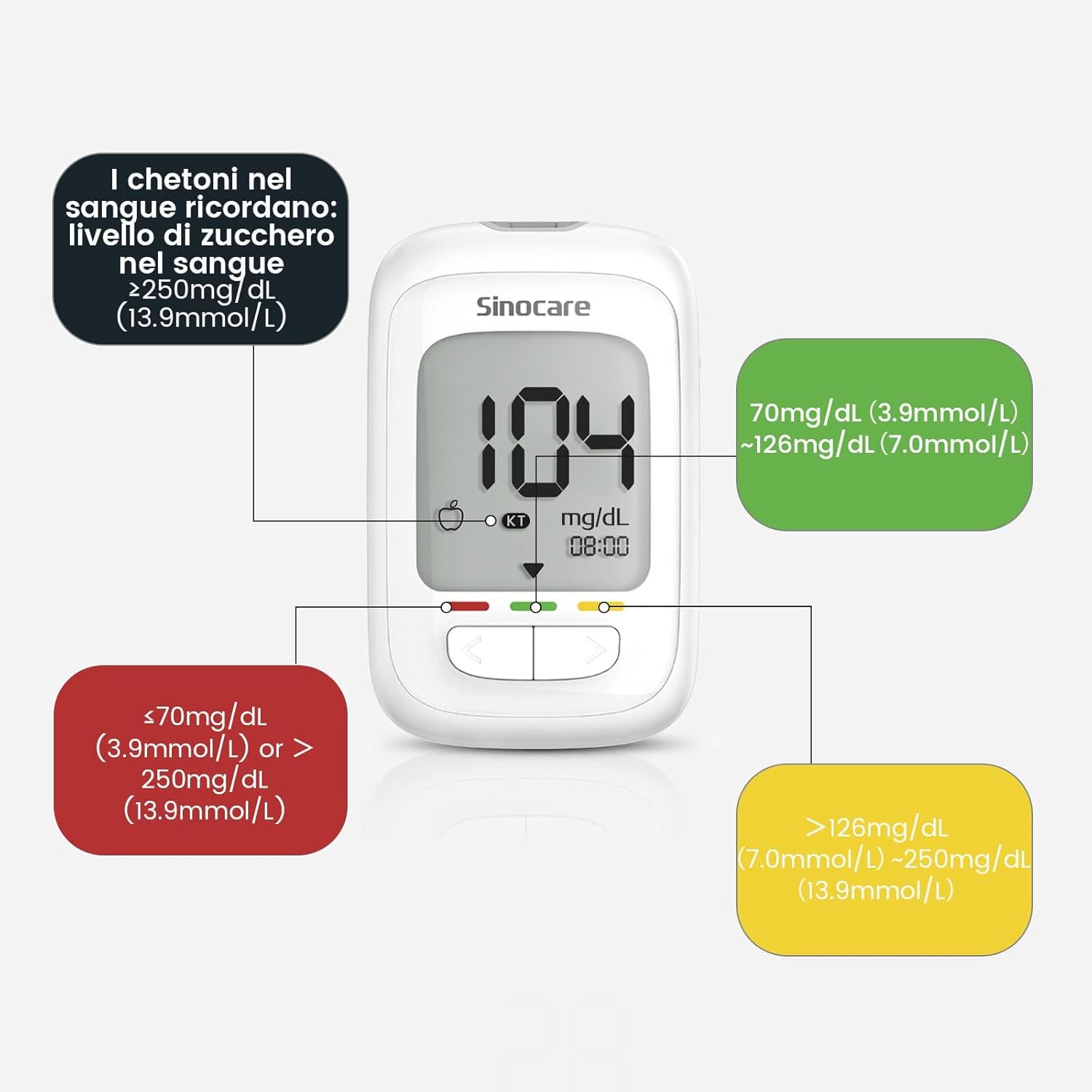
Image: Visual representation of the color-coded blood glucose level indicators (red, green, yellow) and their corresponding ranges.
4.3 Meal Tracking Modes
The device allows you to categorize your readings as Casual, Pre-meal, or Post-meal for better tracking and management of your blood glucose trends.

Image: The glucometer displaying the three selectable modes: Casual, Post-meal, and Pre-meal, indicated by icons.
5. Maintenance and Storage
5.1 Cleaning the Device
Wipe the glucometer with a soft, damp cloth. Do not immerse the device in water or use harsh cleaning agents.
5.2 Test Strip Storage
Store test strips in their original vial with the cap tightly closed. Keep them in a cool, dry place away from direct sunlight and heat. Once opened, test strips should be used within 6 months.
5.3 Battery Replacement
Replace batteries when the low battery indicator appears on the screen. Use new alkaline batteries of the specified type.
6. Troubleshooting
| Problem | Possible Cause | Solution |
|---|---|---|
| Meter does not turn on. | Dead or incorrectly inserted batteries. | Check battery orientation or replace batteries. |
| Error message on screen. | Used or damaged test strip, insufficient blood sample, or temperature outside operating range. | Use a new test strip, ensure adequate blood sample, or test in recommended temperature range. Refer to the full manual for specific error codes. |
| Inconsistent results. | Expired test strips, improper storage, or incorrect testing procedure. | Check test strip expiry date, ensure proper storage, and review testing steps. Perform a control solution test if available. |
| Lancing device not pricking effectively. | Incorrect depth setting or dull lancet. | Increase the depth setting or use a new sterile lancet. |
7. Specifications
- Model Name: AQ Pro
- Product Model Number: Glucometro 25
- Dimensions: 16 x 13.5 x 5 cm (6.3 x 5.3 x 2 inches)
- Weight: 340 grams (0.75 lbs)
- Battery Composition: Alkaline
- Included Components: Glucometer, 25 test strips, 25 lancets, ergonomic lancing pen.
- Country of Origin: China
- GTIN: 06934175013371
8. Important Information
The Sinocare Safe AQ Pro Glucometer is intended for monitoring blood glucose levels in individuals with diabetes mellitus. Always consult your healthcare professional for diagnosis and treatment decisions. Blood ketone testing should be performed as recommended by your doctor, and glucometer results should not be used as diagnostic criteria for ketoacidosis.
Note: The operation of blood glucose measurement is best completed within 3 minutes. After opening the test strip vial, the reactive strips must be consumed within 6 months.
9. Warranty and Support
For warranty information and customer support, please refer to the documentation included with your product or visit the official Sinocare website. Keep your purchase receipt as proof of purchase.
For further assistance, you may contact the seller directly via the Amazon platform: Shealthub Direct - EU.
Related documentsGlucometro 25


Ask a question about this manual
Ask about setup, troubleshooting, compatibility, parts, safety, or missing instructions. Manuals+ will review the question and use this page’s manual context to help answer it.