
WERHY H03/H5/H7PRO
WERHY Electric Scooter User Manual
Models: H03, H5, H7PRO
Important Safety Information
Read this manual carefully before operating your WERHY Electric Scooter. Failure to follow instructions can result in serious injury or property damage. Always wear a helmet and appropriate safety gear. Observe local laws and regulations regarding electric scooter use.
- Always wear a helmet and protective gear (knee pads, elbow pads).
- Do not ride in wet conditions, heavy rain, or through puddles.
- Avoid riding on uneven surfaces, potholes, or obstacles.
- Do not perform stunts or sudden maneuvers.
- Maintain a safe distance from other vehicles and pedestrians.
- Ensure the scooter is fully charged before each use.
- Regularly inspect the scooter for any damage or loose parts.
- Do not allow children under the recommended age to operate the scooter.
- Adhere to the maximum weight limit of 265 lbs.
Product Overview
The WERHY Electric Scooter is designed for urban commuting and recreational riding, featuring a powerful motor, long-lasting battery, and smart app control.
Key Features:
- Motor: 350W Brushless Motor for speeds up to 19 MPH and 15° incline climbing.
- Tires: 8.5-inch Solid Tires for maintenance-free use and better grip.
- Battery: High-capacity 187.2Wh battery, offering up to 16 miles range on a full charge (4-5 hours charging time). Features overload protection.
- Braking System: Dual Braking System (front electronic brake and rear mechanical drum brake) for reliable stopping power.
- Lighting System: Bright LED Headlight and integrated Taillight for enhanced visibility.
- Portability: Folding design for easy carrying and storage. Scooter weight: 27.9 lbs.
- Smart Control: APP control for speed adjustment, riding information monitoring, and personalized settings.
- Display: Smart LED Display showing speed, battery power, and power mode.

Image: WERHY Electric Scooter in use, showcasing its main performance features.
Setup
Follow these steps to prepare your scooter for its first ride.
- Unboxing: Carefully remove the scooter and all accessories from the packaging.
- Unfolding:
- Locate the folding mechanism near the base of the handlebar stem.
- Release the latch and carefully lift the handlebar stem until it locks into place. Ensure it is securely latched.
- Handlebar Assembly:
- Attach the handlebars to the stem, ensuring all cables are properly connected and not pinched.
- Tighten any screws or clamps as instructed in the quick start guide (not provided here, refer to included documentation).
- Initial Charge:
- Before first use, fully charge the scooter's battery. Connect the charger to the charging port and then to a power outlet.
- The charging indicator will show the charging status. A full charge typically takes 4-5 hours.
- Tire Check: Inspect the 8.5-inch solid tires for any visible damage. While solid, ensuring they are free of debris is important.
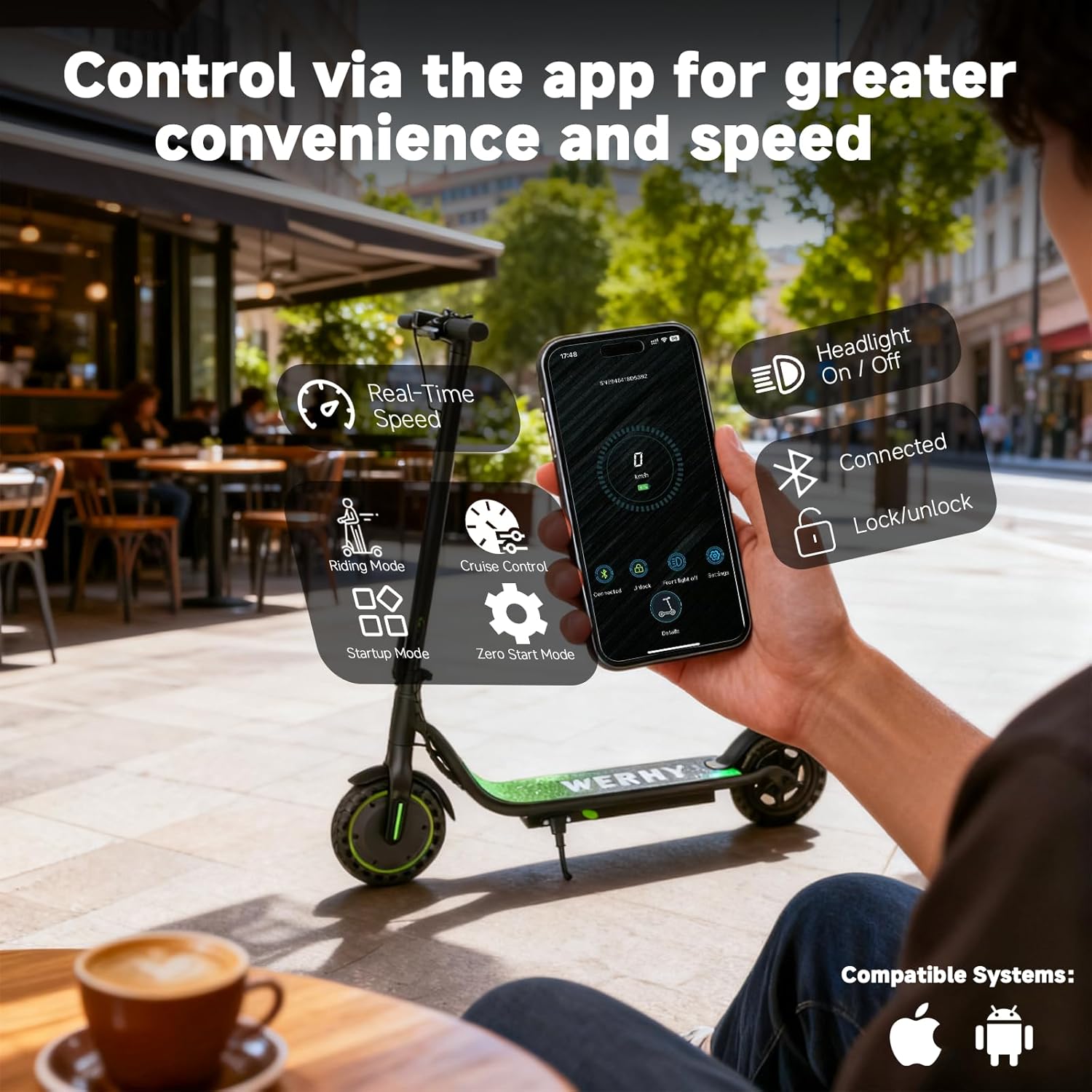
Image: The scooter in its folded state, demonstrating its portability.
Operating Instructions
Learn how to safely operate your WERHY Electric Scooter.
- Power On/Off: Press and hold the power button on the display for a few seconds to turn the scooter on or off.
- Speed Modes: Your scooter features multiple speed modes.
- Press the power button briefly to cycle through available speed modes (e.g., ECO, D, S).
- The LED display will indicate the current mode and speed.
- Riding:
- Place one foot on the deck and push off with the other foot to gain initial momentum.
- Once moving, gently press the throttle lever to accelerate.
- To brake, use the electronic brake lever on the handlebar and/or the mechanical drum brake.
- App Control: Download the dedicated WERHY app to unlock additional features.
- Connect your scooter via Bluetooth.
- The app allows you to monitor real-time speed, adjust settings like cruise control, startup mode, and digital lock.
- You can also control the headlight and view battery status.
- Cruise Control: To activate cruise control, maintain a steady speed for a few seconds. The scooter will beep, and the cruise control indicator will light up on the display. To deactivate, press the brake or throttle.

Image: The scooter's LED display and controls on the handlebar.

Image: Smartphone app interface for controlling the scooter.
Maintenance
Proper maintenance ensures the longevity and safe operation of your scooter.
- Cleaning: Wipe down the scooter with a damp cloth after use. Do not use high-pressure water or immerse the scooter in water.
- Battery Care:
- Charge the battery regularly, even if not in use, to maintain its health.
- Avoid completely draining the battery.
- Store the scooter in a cool, dry place away from direct sunlight and extreme temperatures.
- Brake Inspection: Periodically check the brake levers and cables for proper function and wear. Adjust if necessary.
- Fastener Check: Ensure all screws and bolts are tight before each ride.
- Tire Condition: Although solid, inspect tires for cuts, cracks, or embedded debris.

Image: Close-up of the dual braking system.
Troubleshooting
Common issues and their potential solutions.
| Problem | Possible Cause | Solution |
|---|---|---|
| Scooter does not power on. | Low battery; loose connections. | Charge the battery fully. Check all cable connections. |
| Reduced speed or range. | Low battery; riding uphill; heavy load; incorrect speed mode. | Ensure battery is fully charged. Select Sport mode for maximum speed. Reduce load. |
| Handlebar feels loose. | Loose handlebar screws or folding mechanism. | Tighten all handlebar screws and ensure the folding mechanism is securely latched. |
| App connectivity issues. | Bluetooth off; app not updated; scooter not in pairing mode. | Ensure Bluetooth is enabled on your phone. Restart the app and scooter. Check for app updates. |
If you encounter issues not listed here, please contact WERHY customer support.
Specifications
| Feature | Detail |
|---|---|
| Brand | WERHY |
| Model Name | H03/H5/H7PRO |
| Motor Power | 350W |
| Top Speed | Up to 19 MPH |
| Maximum Distance Range | Up to 16 Miles (Note: Product specifications list 15 Miles) |
| Battery Charge Time | 4-5 Hours |
| Weight Limit | 265 Pounds |
| Wheel Size | 8.5 Inches |
| Wheel Type | Solid |
| Brake Style | Dual Braking System (Electronic Front, Mechanical Rear) |
| Frame Material | Aluminum |
| Special Feature | Cruise Control, Smart APP Control |
| Age Range (Description) | Adult |
| Included Components | Electric Scooter |
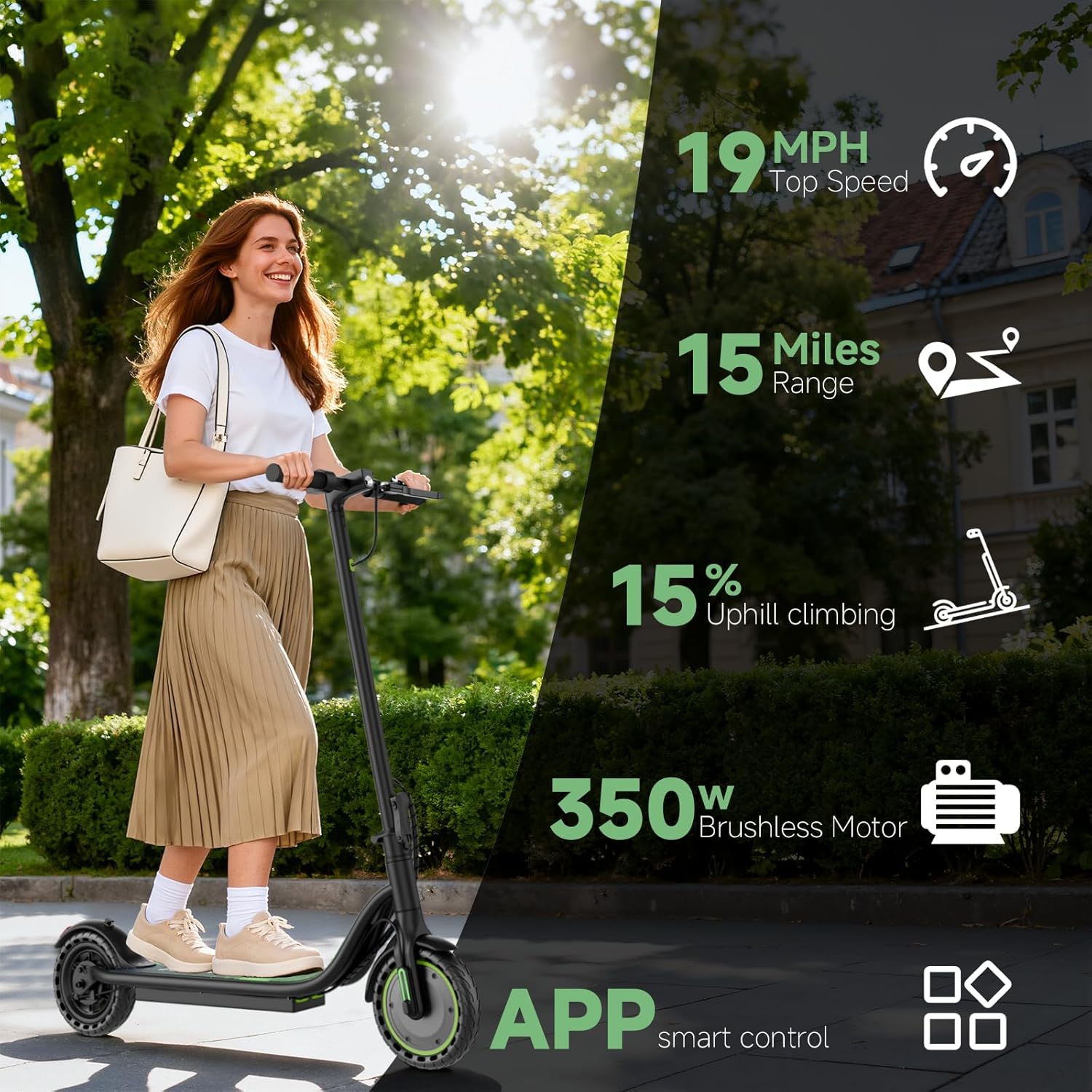
Image: Detailed view of the scooter's brushless motor and solid tire.

Image: Illustration of the scooter's battery capacity and charging features.
Warranty and Support
WERHY is committed to providing high-quality products. Your electric scooter comes with a limited warranty.
- Warranty Period: 12 months or 180 days for different parts. Please refer to the specific warranty details provided with your product for exact coverage.
- Contact Support: For any questions, issues, or warranty claims, please contact WERHY customer service. Refer to the contact information provided in your product packaging or on the official WERHY website.
Ask a question about this manual
Ask about setup, troubleshooting, compatibility, parts, safety, or missing instructions. Manuals+ will review the question and use this page’s manual context to help answer it.